Bakery Showcase Photos
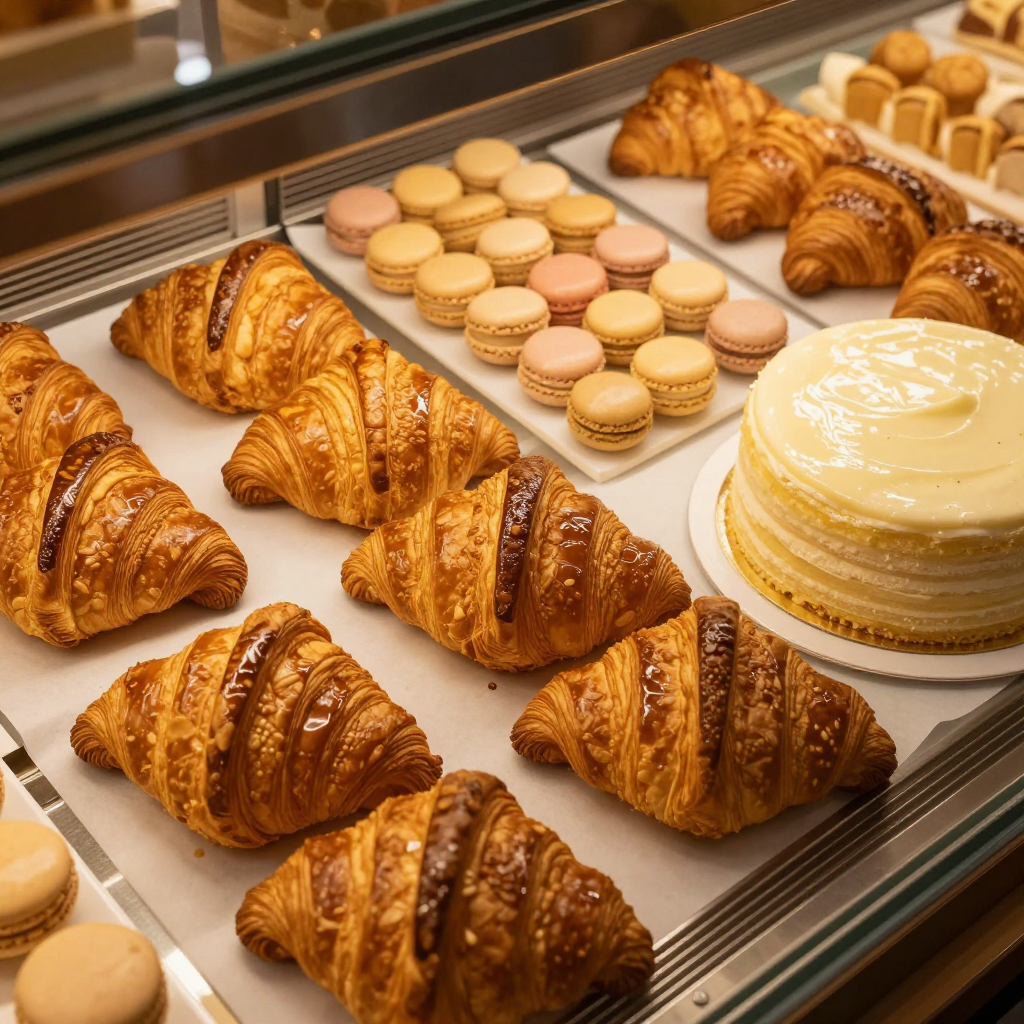
Generated on PixelDojo with z-image-turbo. Produced by PixelDojo's generation pipeline.
You can make bakery showcase photos with AI: describe the pastry case like a menu shot, generate it with an image model, then finish the file for wherever it ends up. We ran the first step on August 26, 2026, generating an overhead shot of a case filled with croissants, macarons and a frosted cake for 0.5 credit in about 24 seconds, no case and no lighting kit involved. This page walks through the steps that turn a description into a display ready photo, using the exact prompt and the real credit cost for each stage.
The case shot from step one
Every example below was produced on PixelDojo. Hover to see the prompt.
Overhead studio photograph of a bakery display case filled with fresh croissants, macarons, and a frosted layer cake, warm golden lighting, soft reflections on the glass, appetizing commercial food photography style
z-image-turbo
One prompt, one case shot, August 26, 2026: 0.5 credit on Z-Image Turbo, about 24 seconds, kept on the first result.
Why Choose Pixel Dojo for Bakery Showcase Photos
Professional-quality results with cutting-edge AI technology
0.5 credit for the base shot
Z-Image Turbo priced the case photo at 0.5 credit, the cheapest tier in the image catalog, with no separate charge for the arrangement described in the prompt.
About 24 seconds, measured
Timed from request to finished file on August 26, 2026, with no retries needed to get a usable first result.
No case, no lighting rig, no camera
The whole shot came from a text description, which works for a seasonal item that has not been baked yet or a case photo needed before the shop opens for the day.
How It Works
Three steps, one showcase photo, ready for a menu or a profile:
Describe the case like a menu shot
Name the items, the arrangement and the light instead of camera settings. Our prompt below asked for an overhead angle, fresh croissants, a tray of macarons and a frosted layer cake, warm golden light and soft reflections on the glass, and ran on Z-Image Turbo for 0.5 credit. It came back in about 24 seconds as a 1024 by 1024 image with glossy pastry, pastel macarons and a cream frosted cake, glass reflections visible along the top edge. No retouching needed on this pass.
Swap in your own case if you already have a photo
A real phone photo of the case with harsh overhead light or a cluttered background can go to the Image Editor instead of a fresh prompt. It swaps backgrounds, cleans glare and adjusts lighting from a plain English instruction, at 1 credit on the Flux Edit model.
Upscale before it goes on a board or a profile
A printed menu board or a zoomed profile photo stretches the base file past its 1024 by 1024 size. Run the finished image through Creative Upscale for 0.5 credit so pastry texture stays sharp at full size.
Loved by creators on PixelDojo
Real feedback from people using PixelDojo, pulled from our in-product surveys.
The guy that operates the website is constantly updating it
I’ve been using PixelDojo for around 8 months now and it’s always worked wonderfully while constantly adding features.
The site is easy to navigate and use.
All the tools, readily available and easy to understand
You guys, the LORA training is the BEST in the space right now, great job with that!
Tons of variety. Ease of use. Tools for beginners and advance users.
Explore more AI tools on PixelDojo
AI Tools
Compare & Switch
- Best AI Image Generators
- Best AI Video Generators
- Midjourney Alternatives
- Civitai Alternatives
- Runway Alternatives
- Leonardo Alternatives
- Pika Alternatives
- Luma Alternatives
- Magnific Alternatives
- Veo Alternatives
- Flux Alternatives
- Freepik Alternatives
- Seedance Alternatives
- Seedream Alternatives
- Pixverse Alternatives
- GPT Image Alternatives
- Synthesia Alternatives
- Playground Alternatives
- NightCafe Alternatives
- Canva AI Alternatives
- ElevenLabs Alternatives
- ComfyUI Alternatives
- Fal Alternatives
- Replicate Alternatives
Common Questions
Everything you need to know about Bakery Showcase Photos
What does an AI bakery showcase photo cost?
0.5 credit for the base image on Z-Image Turbo, the model we used. Add 1 credit if you also send it to the Image Editor to swap or clean a background, and 0.5 credit if you upscale it before printing. A full three step run is 2 credits.
How fast is the first image?
About 24 seconds in our August 26, 2026 run, measured from the prompt to the finished 1024 by 1024 file.
Do the pastries need to exist yet?
No. Our croissant, macaron and cake shot was generated from a text description alone, useful for a seasonal item or a menu preview before the case is stocked.
Can I match my own shop's actual case?
Yes. Send a real photo of your case to the Image Editor with an instruction to clean the background or fix glare, instead of writing a prompt from scratch.
Will the photo hold up on a printed menu board?
Run it through Creative Upscale first, for 0.5 credit. Our base file came back at 1024 by 1024, which is fine for a social post but gets soft on a large printed board without the upscale pass.
Can I generate a full seasonal menu this way?
Yes. Every model in this workflow is available at POST /api/v1/models/{apiId}/run with the same API key, so a menu list can call the image model once per item.