Barbershop and Salon Promos AI Generator
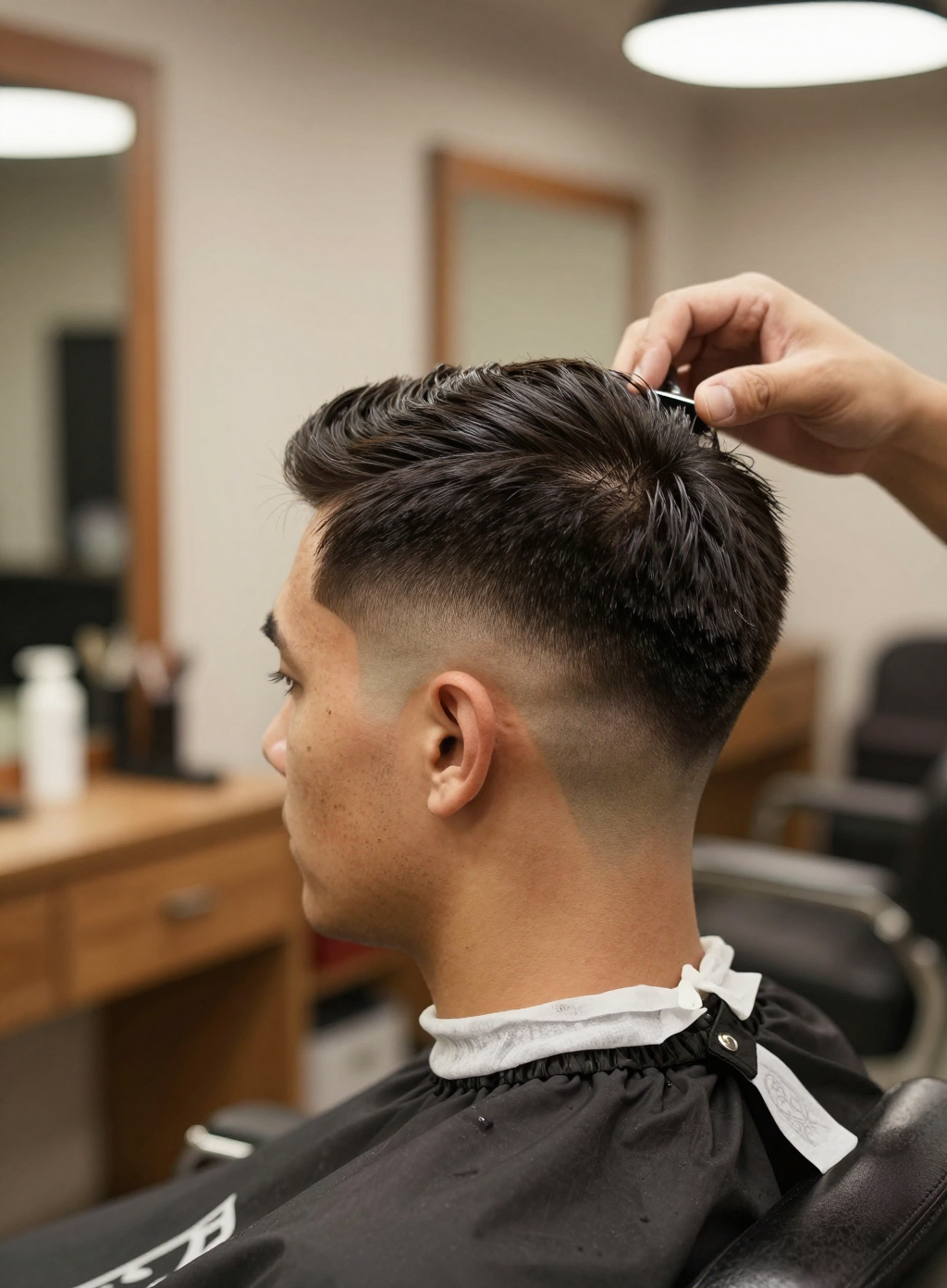
Generated on PixelDojo with Z-Image Turbo. Produced by PixelDojo's generation pipeline.
You can make a barbershop or salon promo photo with AI by describing a specific service in progress rather than a generic shop scene. We ran this on Z-Image Turbo on August 26, 2026 for 0.5 credit in about 15 seconds, generating a fade haircut mid cut in a barbershop chair. This page covers the exact prompt, what the skin and hair texture looked like, and how to build out a set of service photos.
The fade haircut, first result kept
Every example below was produced on PixelDojo. Hover to see the prompt.
Portrait of a barber giving a client a fresh fade haircut in a modern barbershop chair, warm shop lighting, shallow depth of field, natural skin texture, editorial photography style
Z-Image Turbo
One prompt, one service photo, August 26, 2026: 0.5 credit on Z-Image Turbo, about 15 seconds, kept on the first result.
Why Choose Pixel Dojo for Barbershop and Salon Promos
Professional-quality results with cutting-edge AI technology
0.5 credit per photo
Z-Image Turbo charges the same flat 0.5 credit for a detailed service shot as it does for any other single image.
About 15 seconds, measured
Timed from request to finished file on August 26, 2026, with the first result kept and no retries.
Skin texture and hand position held up
Freckles and pore level skin detail on the client and a correctly formed hand holding the comb, both landed on the first generation.
How It Works
Three steps to a promo photo that shows the actual service:
Name the specific service, not just the shop
A prompt about a barbershop in general tends to return a generic empty room. Ours named the exact moment instead: a fade haircut mid cut, the barber's hand combing the hair up at the crown, warm shop lighting. It ran on Z-Image Turbo for 0.5 credit and came back in about 15 seconds as a 1056 by 1408 image.
Check the details that make or break a portrait
Skin texture and hand position are where portrait prompts usually fall apart. Ours came back with visible skin texture and freckles on the client's neck, a correctly formed hand holding the comb, and a clean fade line, all on the first result.
Build a set across your service menu
Run the same style of prompt once per service, a fade, a beard trim, a color treatment, each at 0.5 credit, to build a small library of promo photos that can rotate through social posts without repeating the same image.
Loved by creators on PixelDojo
Real feedback from people using PixelDojo, pulled from our in-product surveys.
Ease of use, friendliness and support of the owner, continued innovation.
it is an amazing site to create a pics and vids for those who don't have the hardware themselves
good tools in one place
Prompt updates, strong features, and a community that is always willing to help and hear/act on professional feedback. I've never had a better experience.
user friendly all in one thing
I really like the schedule of AI work performed!
Explore more AI tools on PixelDojo
AI Tools
Compare & Switch
- Best AI Image Generators
- Best AI Video Generators
- Midjourney Alternatives
- Civitai Alternatives
- Runway Alternatives
- Leonardo Alternatives
- Pika Alternatives
- Luma Alternatives
- Magnific Alternatives
- Veo Alternatives
- Flux Alternatives
- Freepik Alternatives
- Seedance Alternatives
- Seedream Alternatives
- Pixverse Alternatives
- GPT Image Alternatives
- Synthesia Alternatives
- Playground Alternatives
- NightCafe Alternatives
- Canva AI Alternatives
- ElevenLabs Alternatives
- ComfyUI Alternatives
- Fal Alternatives
- Replicate Alternatives
Common Questions
Everything you need to know about Barbershop and Salon Promos
What does an AI barbershop or salon promo photo cost?
0.5 credit on Z-Image Turbo, the model we used for this run, per image.
How fast is it?
About 15 seconds in our August 26, 2026 run, measured from the prompt to the finished 1056 by 1408 file.
Does it handle skin texture and hands well?
In our run, yes. The client's skin kept visible pore level texture and freckles, and the barber's hand holding the comb was anatomically correct, all on the first result.
Can I use a photo of a real client instead?
Yes, but send it to the Image Editor rather than a text prompt. Text to image generation like the run on this page works from a description alone, with no real client involved.
How do I get photos for different services?
Write one prompt per service naming the exact moment, a fade, a beard trim, a blowout, and run each one separately at 0.5 credit to build a rotating set.
Can I automate a monthly batch of promo photos?
Yes. POST a service description to /api/v1/models/z-image-turbo/run with your API key for each service, using the same request shape every time.