Children's Book Illustrations AI Generator
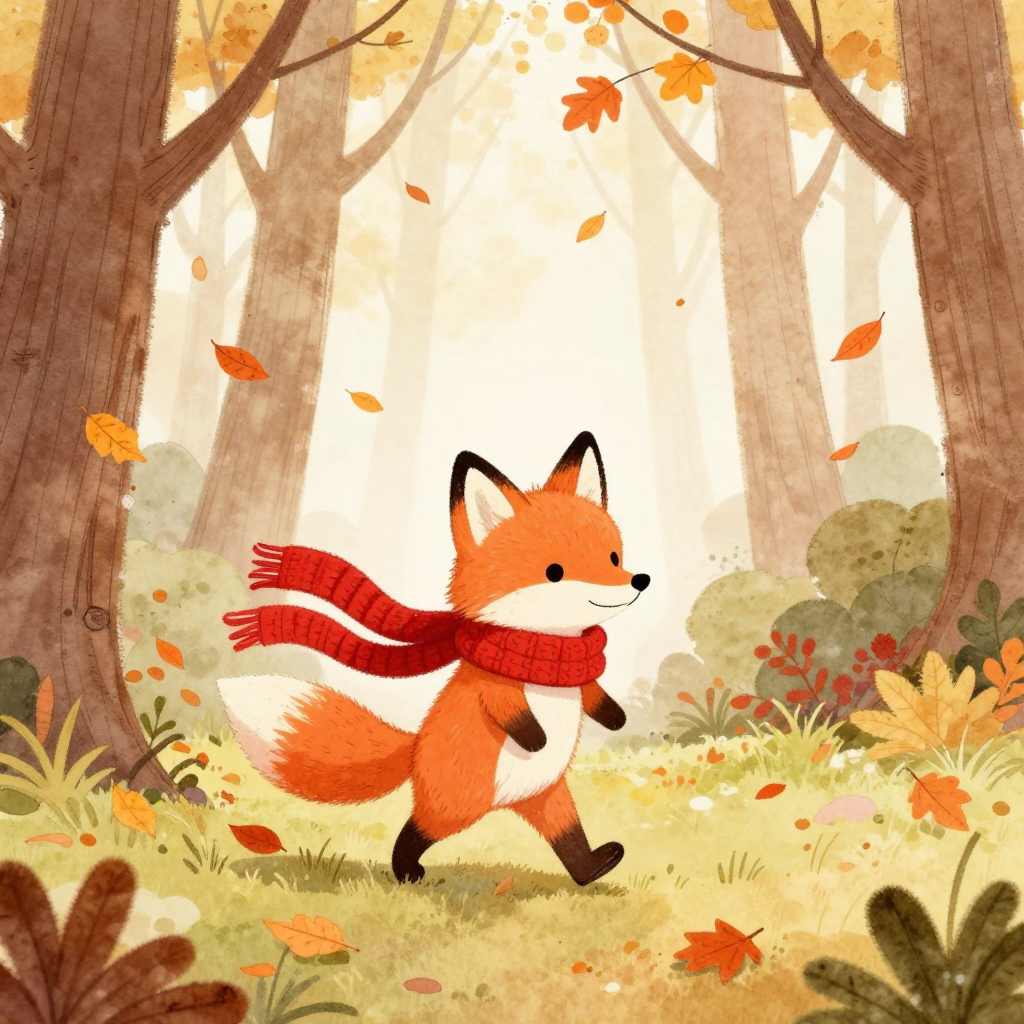
Generated on PixelDojo with Z-Image Turbo. Produced by PixelDojo's generation pipeline.
Write one prompt per page in a consistent style, generate the art, and lock the main character's look before you illustrate the rest of the book. We tested this on August 26, 2026 with Z-Image Turbo, 0.5 credits, and got a finished storybook page back in about 14 seconds. The two things that make a children's book hold together across twenty or thirty pages are a repeatable style description and a character that does not visibly change between them, and both are workflow choices, not luck.
The 0.5 credit storybook page, first result kept
Every example below was produced on PixelDojo. Hover to see the prompt.
Children's picture book illustration of a small fox wearing a red knitted scarf, walking through an autumn forest with falling orange leaves, soft watercolor style, warm gentle color palette, whimsical and friendly, for a storybook page
Z-Image Turbo
One prompt, one page, one run on August 26, 2026: Z-Image Turbo, 0.5 credits, about 14 seconds, first result kept.
How It Works
How we ran the first page, so you can repeat the pattern across a whole book:
Fix the art style in words, once
Pick a style phrase and reuse it on every page prompt: watercolor, cel shaded, storybook gouache, whatever fits. Ours was soft watercolor style, warm gentle color palette, whimsical and friendly, for a storybook page. Reusing the same style clause is most of what keeps a book feeling like one book.
Generate the page
We sent this prompt to Z-Image Turbo: Children's picture book illustration of a small fox wearing a red knitted scarf, walking through an autumn forest with falling orange leaves, soft watercolor style, warm gentle color palette, whimsical and friendly, for a storybook page. It cost 0.5 credits and came back in about 14 seconds with the fox upright, scarf and expression intact, forest and falling leaves rendered around it.
Lock the character before the next page
Once you have a protagonist you like, Consistent Characters generates a character sheet from that image for 1 credit so the same face, colors, and outfit carry into every following page prompt instead of drifting page to page.
Loved by creators on PixelDojo
Real feedback from people using PixelDojo, pulled from our in-product surveys.
deployment rate of splendid features is incredible. Legend
large selection of tools on one platform
the amount you can do on this site
all in one place
It is a lot of fun to uae and easy too.
So many different models to try out
Explore more AI tools on PixelDojo
AI Tools
Compare & Switch
- Best AI Image Generators
- Best AI Video Generators
- Midjourney Alternatives
- Civitai Alternatives
- Runway Alternatives
- Leonardo Alternatives
- Pika Alternatives
- Luma Alternatives
- Magnific Alternatives
- Veo Alternatives
- Flux Alternatives
- Freepik Alternatives
- Seedance Alternatives
- Seedream Alternatives
- Pixverse Alternatives
- GPT Image Alternatives
- Synthesia Alternatives
- Playground Alternatives
- NightCafe Alternatives
- Canva AI Alternatives
- ElevenLabs Alternatives
- ComfyUI Alternatives
- Fal Alternatives
- Replicate Alternatives
Common Questions
Everything you need to know about Children's Book Illustrations
What does one illustrated page cost?
0.5 credits on Z-Image Turbo, the model we used. A 24-page book at one illustration per page is about 12 credits.
How fast is it?
Our storybook page came back in about 14 seconds on August 26, 2026, measured from submission to the finished file.
How do I keep the character looking the same across every page?
Generate the character once, then run that image through Consistent Characters for 1 credit to get a character sheet, and reference it when you write each new page's prompt. Repeating the same style phrase across every prompt matters just as much as the character reference.
What should the prompt include?
The character, the action, the setting, and a fixed style clause you reuse on every page. Ours read: Children's picture book illustration of a small fox wearing a red knitted scarf, walking through an autumn forest with falling orange leaves, soft watercolor style, warm gentle color palette, whimsical and friendly, for a storybook page.
Can I place my locked character into a new scene later?
Yes. An edit model can take the character sheet plus a new scene description and redraw the character into it while holding the face, hair, and outfit steady, for 1 credit per page.
Can I generate a whole book through the API instead of one page at a time in the app?
Yes. Every model shares one key and one request shape at POST /api/v1/models/z-image-turbo/run, so scripting a loop over your page prompts works the same as calling it by hand.