Craft Fair Product Shots AI Generator
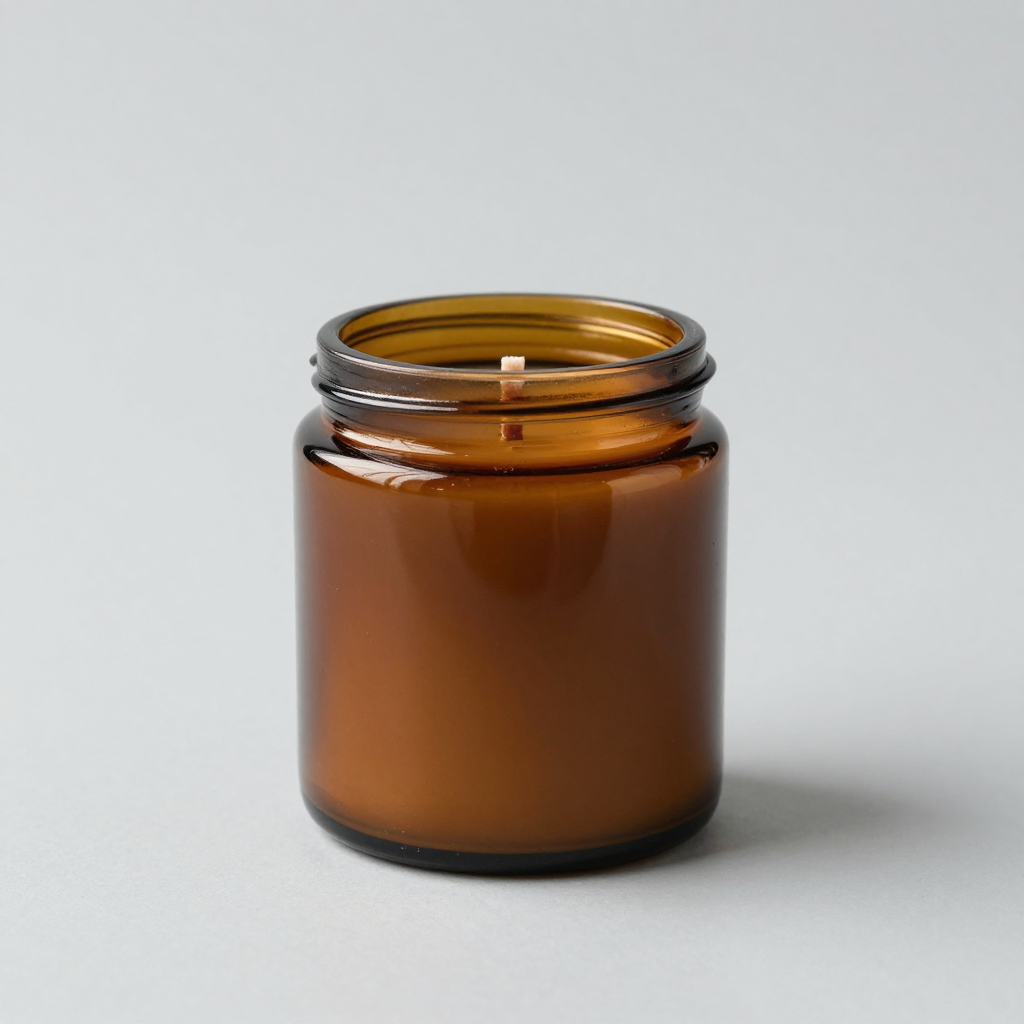
Generated on PixelDojo with Z-Image Turbo. Produced by PixelDojo's generation pipeline.
Name the material, the container, and the background the way a real product photographer would, and a clean studio shot comes back without renting a lightbox. We ran this on August 26, 2026 with Z-Image Turbo, 0.5 credits, and got a candle photo in about 12 seconds. Craft sellers usually need several angles of each item for a booth sign or an online listing, so the price per shot matters as much as how good any single shot looks.
The 0.5 credit product photo, first result kept
Every example below was produced on PixelDojo. Hover to see the prompt.
Studio product photograph of a hand-poured soy candle in an amber glass jar with a wood wick on a seamless light gray background, soft diffused lighting, subtle reflection under the jar
Z-Image Turbo
One prompt, one product photo, one run on August 26, 2026: Z-Image Turbo, 0.5 credits, about 12 seconds, first result kept.
How It Works
How we ran the first product shot, so you can build a full set:
Describe the item like a product photographer would
Name the material, the finish, the container, and the background. No scene, no props, just the object and the studio setup, the way the prompt below does.
Generate the shot
We ran the prompt through Z-Image Turbo for 0.5 credits, and the candle came back in about 12 seconds: an amber glass jar with a visible wood wick, a soft studio reflection under the jar, on a clean unbroken gray background.
Build out the rest of the booth photos
Re-run the same prompt with a different container color or angle for each item in your booth, or use the image editor to place a real photo of your item on a new background. At 0.5 credits a shot, ten product photos cost about 5 credits.
Loved by creators on PixelDojo
Real feedback from people using PixelDojo, pulled from our in-product surveys.
user friendly all in one thing
I really like the schedule of AI work performed!
The best tools for IA on the web !
The guy that operates the website is constantly updating it
I’ve been using PixelDojo for around 8 months now and it’s always worked wonderfully while constantly adding features.
The site is easy to navigate and use.
Explore more AI tools on PixelDojo
AI Tools
Compare & Switch
- Best AI Image Generators
- Best AI Video Generators
- Midjourney Alternatives
- Civitai Alternatives
- Runway Alternatives
- Leonardo Alternatives
- Pika Alternatives
- Luma Alternatives
- Magnific Alternatives
- Veo Alternatives
- Flux Alternatives
- Freepik Alternatives
- Seedance Alternatives
- Seedream Alternatives
- Pixverse Alternatives
- GPT Image Alternatives
- Synthesia Alternatives
- Playground Alternatives
- NightCafe Alternatives
- Canva AI Alternatives
- ElevenLabs Alternatives
- ComfyUI Alternatives
- Fal Alternatives
- Replicate Alternatives
Common Questions
Everything you need to know about Craft Fair Product Shots
What does one AI craft fair product photo cost?
0.5 credits on Z-Image Turbo, the model we used. Ten product photos across a booth's worth of items comes to about 5 credits.
How fast is it?
Our candle photo came back in about 12 seconds on August 26, 2026, measured from submission to the finished file.
What should the prompt include for a craft item?
The material, the finish, the container, and the background, the way a real product photographer would describe a studio setup. See the exact prompt we used in the gallery caption above.
Can I photograph the actual item I made, not one that's generated from scratch?
Yes. Send a photo of your real item to an image editing model along with a background or lighting instruction, and it replaces the background while keeping the real object, rather than generating a new version of it.
How do I get different angles of the same product?
Change the angle or background detail in the prompt and generate again. Each variant is a new 0.5 credit run, so testing a few backgrounds before printing signage stays cheap.
Can I generate photos for a whole booth's worth of items through the API?
Yes. POST to /api/v1/models/z-image-turbo/run with the same API key used for every model in the catalog, so a script can loop over a list of items.