Fashion Lookbook AI Generator
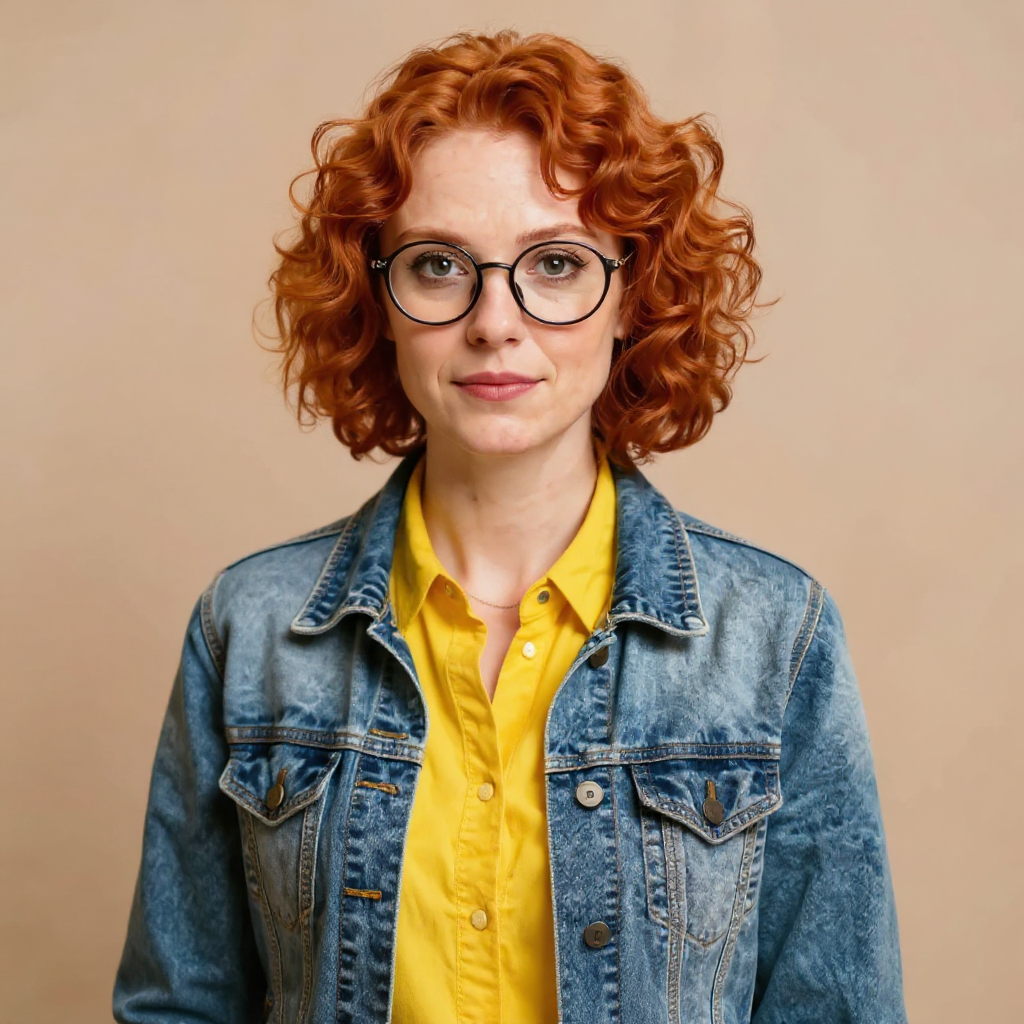
Generated on PixelDojo with Consistent Characters. Produced by PixelDojo's generation pipeline.
A lookbook is the same outfit shot from several angles, which is exactly what Consistent Characters is built for. We sent one reference photo through it on August 26, 2026 and got four poses back for 4 credits in about 31 seconds, the denim jacket and yellow shirt identical in every one. This page covers the workflow and what changed across the four shots.
Four looks, one reference photo, one call
Every example below was produced on PixelDojo. Hover to see the prompt.
fashion lookbook, full body and three-quarter angle shots, catalog photography lighting, varied studio poses, keep the denim jacket and yellow shirt outfit identical
Consistent Characters
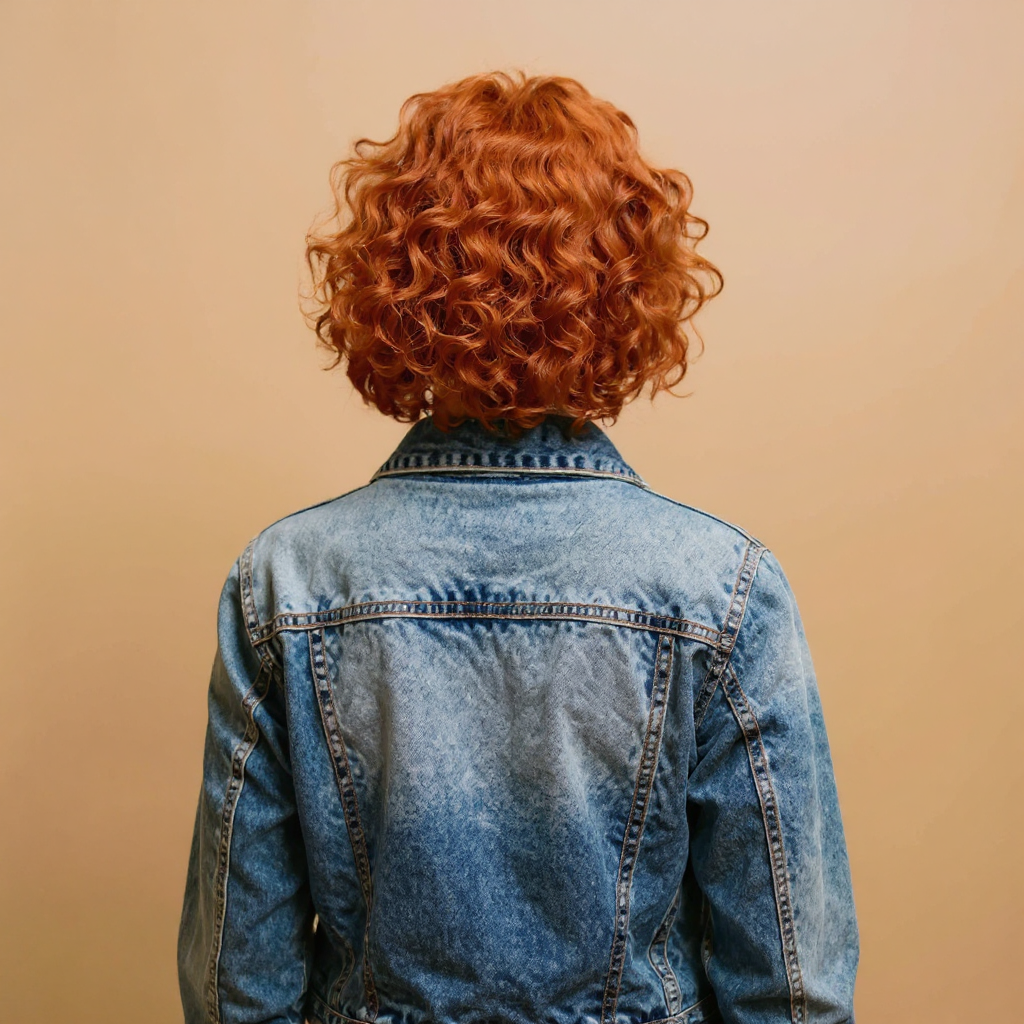
fashion lookbook, full body and three-quarter angle shots, catalog photography lighting, varied studio poses, keep the denim jacket and yellow shirt outfit identical
Consistent Characters
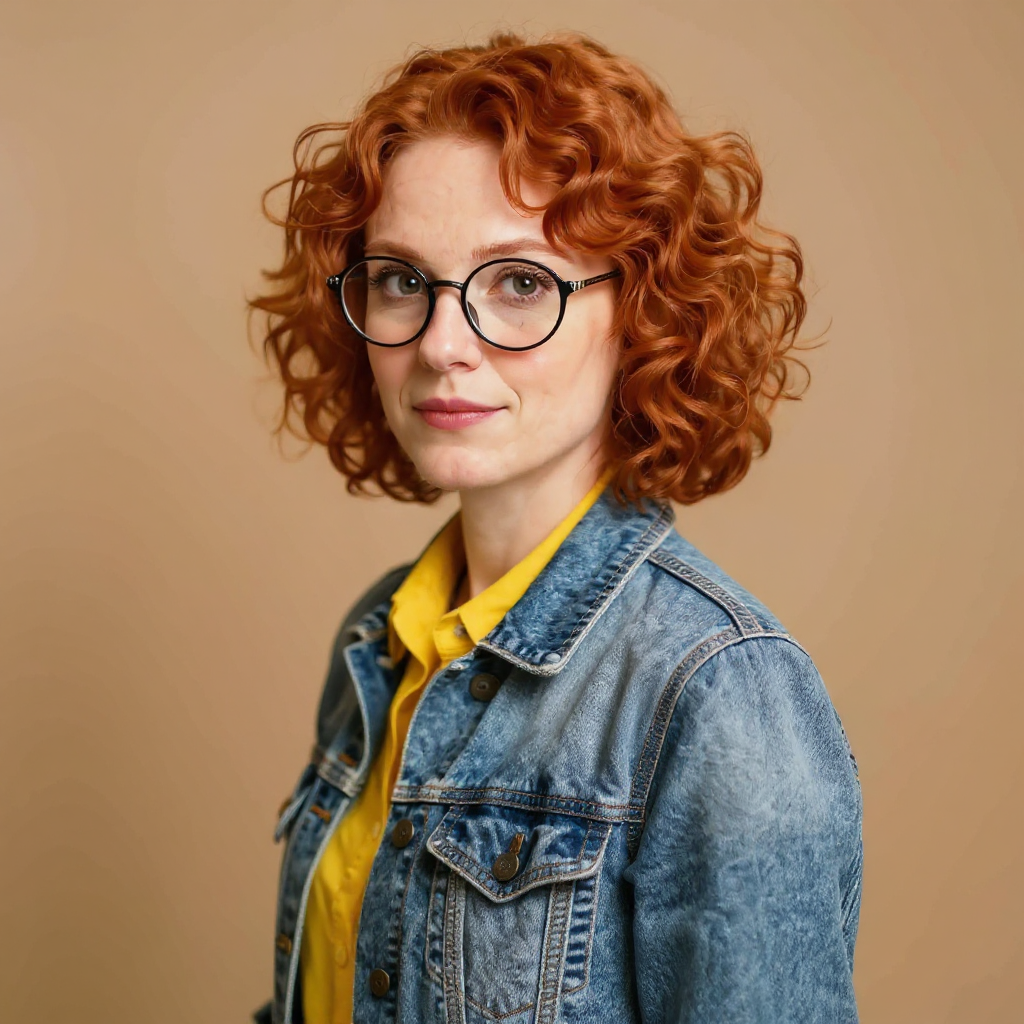
fashion lookbook, full body and three-quarter angle shots, catalog photography lighting, varied studio poses, keep the denim jacket and yellow shirt outfit identical
Consistent Characters
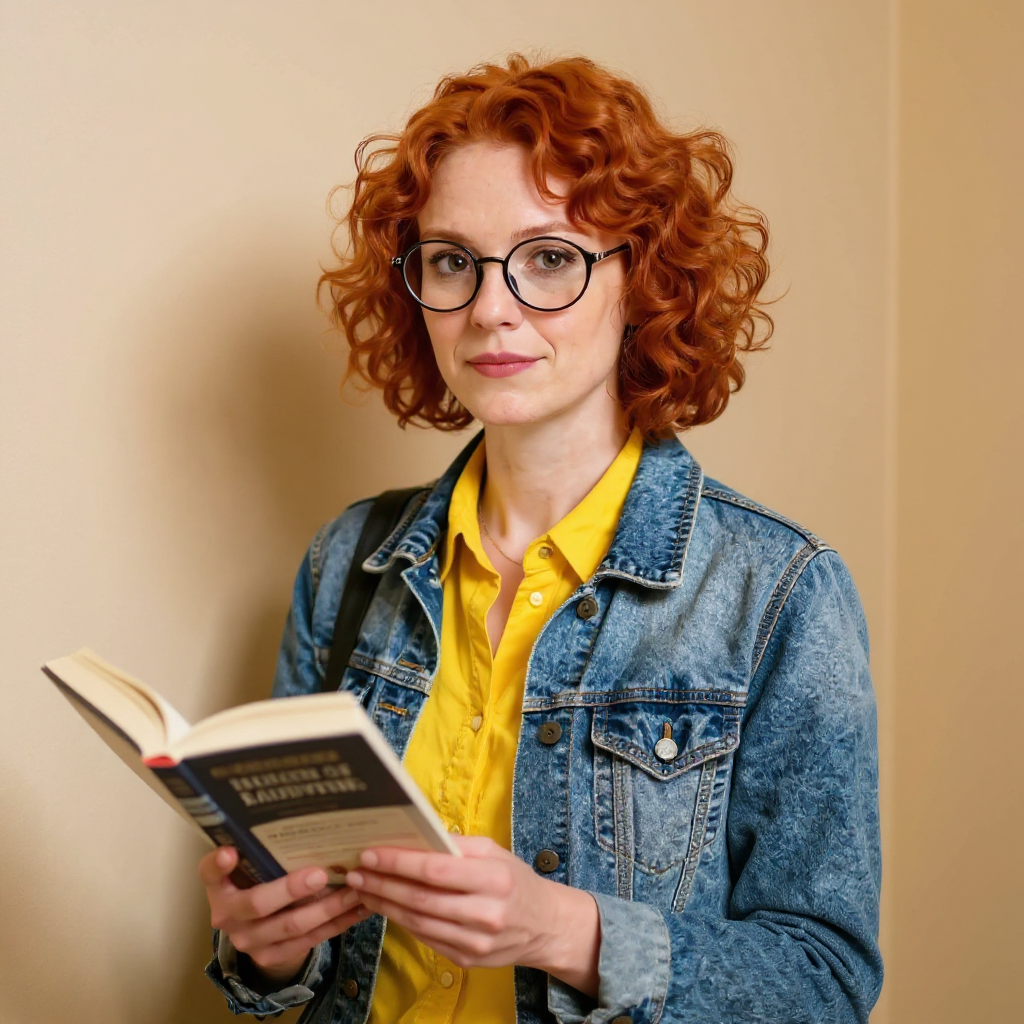
fashion lookbook, full body and three-quarter angle shots, catalog photography lighting, varied studio poses, keep the denim jacket and yellow shirt outfit identical
Consistent Characters
One reference photo, four poses, 4 credits, about 31 seconds, on August 26, 2026.
How It Works
How we ran it, so you can repeat it with your own reference photo:
Start from one clean reference photo
The outfit and the person both need to be clearly visible and well lit in a single source image. Ours was a studio-lit photo of a woman in a denim jacket over a yellow shirt.
Send it to Consistent Characters, not a fresh text prompt
The tool takes that photo as input_image and re-poses the same person in the same outfit instead of generating someone new from text, which is what keeps four shots reading as one shoot.
Request four and pick the angles that work
Setting num_images to 4 returned a front shot, a back shot, a three-quarter turn and a candid pose holding a book, all against the same neutral studio background, for 1 credit per image.
Loved by creators on PixelDojo
Real feedback from people using PixelDojo, pulled from our in-product surveys.
ease of use, variety of tools, high quality trainings, and a well-maintained discord channel
Ease of use, friendliness and support of the owner, continued innovation.
it is an amazing site to create a pics and vids for those who don't have the hardware themselves
good tools in one place
Prompt updates, strong features, and a community that is always willing to help and hear/act on professional feedback. I've never had a better experience.
user friendly all in one thing
Explore more AI tools on PixelDojo
AI Tools
Compare & Switch
- Best AI Image Generators
- Best AI Video Generators
- Midjourney Alternatives
- Civitai Alternatives
- Runway Alternatives
- Leonardo Alternatives
- Pika Alternatives
- Luma Alternatives
- Magnific Alternatives
- Veo Alternatives
- Flux Alternatives
- Freepik Alternatives
- Seedance Alternatives
- Seedream Alternatives
- Pixverse Alternatives
- GPT Image Alternatives
- Synthesia Alternatives
- Playground Alternatives
- NightCafe Alternatives
- Canva AI Alternatives
- ElevenLabs Alternatives
- ComfyUI Alternatives
- Fal Alternatives
- Replicate Alternatives
Common Questions
Everything you need to know about Fashion Lookbook
What does a four-image lookbook set cost?
1 credit per image on the flux-kontext backbone we used, so four images came to 4 credits. Other backbones cost more per image, for example Nano Banana Pro at 3 credits per image or Qwen Image 2 Pro at 2 credits per image.
Does the background change across shots too?
Ours stayed on the same plain neutral studio tone in all four. The background field also accepts white, gray, black, green screen or original if you want something other than neutral.
Can I put the lookbook in a real location instead of a studio background?
Set background to original to keep the reference photo's own setting, or run one of the four results through an image edit afterward to place the outfit somewhere else entirely.
How long does it take?
About 31 seconds for all four images in our August 26, 2026 run.
Does it work from a photo I already own?
Yes. A reference photo is the only required input, passed as input_image, so any photo where the outfit and person are clearly visible works.
How do I call it from the API?
POST to /api/v1/models/consistent-characters/run with input_image and num_images set to how many poses you want.