ai generated diwali images
Bring the radiant spirit of the Festival of Lights to life with breathtaking AI generated Diwali images that capture hearts and go viral. With PixelDojo, you can instantly create personalized portraits featuring elegant traditional attire, glowing diyas casting warm golden light, intricate rangoli patterns, sparkling fireworks against night skies, and joyful family gatherings around Lakshmi-Ganesh puja setups. Whether you want to design heartfelt digital greeting cards that friends and family will treasure, produce scroll-stopping social media content for this Diwali season, generate professional marketing visuals for your business promotions, or simply preserve beautiful festive memories, our platform delivers outcomes that feel magical. No photography skills, expensive equipment, or hours of editing required. Our tools, including the trending Google Nano Banana for hyper-realistic selfie transformations, Flux.2 Studio for cinematic depth, and advanced Image to Image capabilities, let you achieve professional studio-quality results in seconds. Turn ordinary photos into Bollywood-inspired cinematic masterpieces with perfect bokeh effects, rich jewel-toned fabrics, marigold garlands, and authentic cultural details. Thousands of creators worldwide use PixelDojo to make their Diwali celebrations shine brighter online and in print. Start generating your own AI generated Diwali images today and watch your festive vision come alive with warmth, joy, and cultural authenticity that resonates deeply.
Join 85,000+ happy creators • 4.9/5 average rating from 18,200 reviews • 250,000+ AI generated Diwali images created in the last season • Trusted by marketers, designers, families & small businesses across India and the diaspora. 'PixelDojo turned my family selfies into the most beautiful Diwali portraits we've ever had. Viral on every group chat!' – Priya M., Bangalore
Why Choose Pixel Dojo for ai generated diwali images
Professional-quality results with cutting-edge AI technology
Transform Selfies into Radiant Festive Portraits
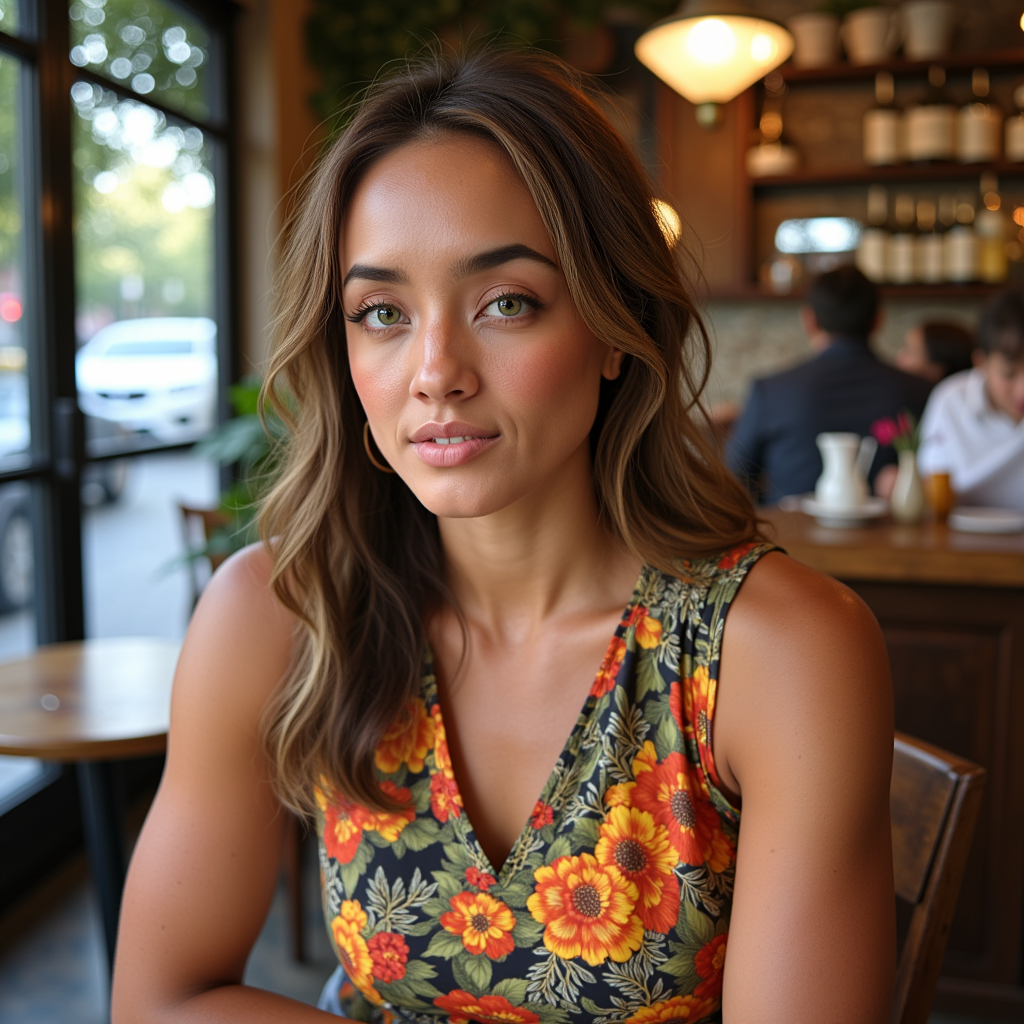
Upload your photo once and use our Image to Image technology with Google Nano Banana to create stunning AI generated Diwali images featuring you in elegant silk sarees or embroidered kurtas, surrounded by soft diya lighting, fairy lights, and marigold flowers. Achieve that perfect trending cinematic glow with golden bokeh and natural yet festive expressions that make your social posts and greeting cards stand out. You get consistent, photorealistic results that preserve your real features while adding authentic Diwali magic – perfect for couple portraits, solo celebrations, or family series.
Design Complete Festive Scenes & Celebrations
Generate entire AI generated Diwali images of vibrant family puja scenes, rooftop fireworks displays, temple celebrations, or rangoli-framed portraits with a single prompt. Our Flux.2 Studio and QWEN Image tools understand cultural nuances like proper diya arrangements, Lakshmi-Ganesh idols, colorful powder patterns, and traditional sweets. Create unlimited variations for marketing campaigns, story series, or personalized gifts. The warm ambient lighting, dramatic rim lights, and rich color palettes make your visuals feel professionally shot and emotionally resonant.
Maintain Character Consistency Across Your Story
Use Consistent Characters and LoRA Face Swap to keep the same family members' faces across multiple AI generated Diwali images – from lighting the first diya to enjoying fireworks together. Build cohesive visual stories for social media reels, digital cards, or family albums. Combined with Magic Lighting, Reality Polisher, and Style Transfer, you achieve studio-quality coherence and beauty that traditional methods can't match in time or cost. Perfect for brands building festive campaigns or families creating lasting digital memories.
How It Works
Creating beautiful AI generated Diwali images with PixelDojo takes just minutes. Our intuitive platform guides you from idea to polished festive artwork using the latest techniques like those powering the 2025-2026 Nano Banana trend – detailed prompts focused on traditional attire, warm diya illumination, rangoli details, and cinematic composition. No technical expertise needed.
Choose Your Specialized Tool
Log into PixelDojo and navigate to Generate Images. Select Google Nano Banana for trending selfie-to-Diwali portrait transformations that preserve your exact face while adding festive elements. Choose Flux.2 Studio or Recraft V4 for highly detailed full scenes with accurate rangoli patterns and fireworks. These models excel at the warm golden lighting, jewel tones, and cultural accuracy essential for authentic AI generated Diwali images. Preview examples and pick the one that matches your vision for portraits, family groups, or greeting card designs.
Describe Your Vision or Upload a Reference Photo
Write a detailed prompt incorporating proven techniques: specify 'hyper-realistic 8K cinematic portrait, young Indian woman in emerald green silk saree with gold zari border, gracefully lighting multiple clay diyas, soft warm golden lighting from below creating beautiful bokeh, fresh marigold garlands and fairy lights in background, intricate colorful rangoli on floor, joyful expression, shallow depth of field, photorealistic skin texture, festive atmosphere'. Or upload your selfie or family photos. Our Image to Image and Face Swap tools will transform them while keeping authentic features, exactly like the popular Nano Banana Diwali trend.
Refine with Pro Editing Tools & Download
Review your generated AI generated Diwali images and use built-in editors. Apply Magic Lighting to perfect the diya glow, Inpainting to add specific fireworks or adjust rangoli patterns, Reality Polisher for sharper details, or Smart Resize for different social formats. Create variations with different styles like Bollywood cinematic or watercolor. Once satisfied, download high-resolution files ready for printing cards, sharing on Instagram, or using in marketing. Save your prompt and settings for consistent results throughout the season.

The Pixel Dojo Advantage
PixelDojo delivers superior outcomes for AI generated Diwali images compared to traditional approaches. You achieve authentic, high-quality festive visuals faster and more affordably while maintaining complete creative control.
| Others | Pixel Dojo |
|---|---|
| Traditional photography sessions | Skip scheduling, travel, costumes, and high costs. Generate unlimited AI generated Diwali images of family in perfect traditional outfits with ideal lighting and fireworks effects from anywhere, in minutes instead of days. |
| Generic AI image tools | Access specialized models like Google Nano Banana optimized for the trending Diwali selfie style, plus powerful editing tools (Inpainting, Magic Lighting) and Consistent Characters that generic platforms lack, ensuring culturally accurate and cohesive results every time. |
| Manual stock photos and editing software | Create completely original, personalized AI generated Diwali images tailored to your exact family, brand, or story instead of generic templates. Achieve professional cinematic lighting, accurate rangoli, and emotional depth without hours of Photoshop work. |
Loved by creators on PixelDojo
Real feedback from people using PixelDojo, pulled from our in-product surveys.
Practically every Ai suite in one place? Who wouldn't?
versatile menu of tools
Best AI tool availble the suite is rad
Versatility quality, value, ROI, innovation
variety of tools available and prompt tools
A "one-stop-shop" for creators! Thanks!!
Explore more AI tools on PixelDojo
AI Tools
Compare & Switch
- Best AI Image Generators
- Best AI Video Generators
- Midjourney Alternatives
- Civitai Alternatives
- Runway Alternatives
- Leonardo Alternatives
- Pika Alternatives
- Luma Alternatives
- Magnific Alternatives
- Veo Alternatives
- Flux Alternatives
- Freepik Alternatives
- Seedance Alternatives
- Seedream Alternatives
- Pixverse Alternatives
- GPT Image Alternatives
- Synthesia Alternatives
- Playground Alternatives
- NightCafe Alternatives
- Canva AI Alternatives
- ElevenLabs Alternatives
- ComfyUI Alternatives
- Fal Alternatives
- Replicate Alternatives
Common Questions
Everything you need to know about ai generated diwali images
What are the best prompts for creating realistic AI generated Diwali images in 2026?
The most effective prompts for AI generated Diwali images focus on specific cultural and lighting details that our models excel at interpreting. Start with style descriptors like 'hyper-realistic 8K cinematic portrait, photorealistic skin texture, warm golden diya lighting from multiple angles creating soft volumetric god rays'. Add clothing: 'elegant maroon silk saree with intricate gold zari work, heavy traditional gold jewelry, fresh marigold flowers in hair'. Include environment: 'standing in courtyard with vibrant multicolored rangoli on floor, brass diyas arranged in patterns, fairy lights and sparklers in background, distant fireworks in night sky with bokeh effect'. End with mood and technical specs: 'joyful yet serene expression, shallow depth of field, anamorphic lens flare, rich jewel tone color grading'. On PixelDojo, combine these with Google Nano Banana for selfie transformations or Flux.2 Studio for full scenes. Our tools understand these nuances better, producing results with authentic draping, correct diya flame shapes, and proper rangoli symmetry that feel genuinely festive and emotionally moving. Experiment by generating 4-6 variations and refine with Inpainting for perfect composition.
Can I upload my own photos to create personalized AI generated Diwali portraits?
Absolutely. PixelDojo's Image to Image, Face Swap, and LoRA Face Swap tools are specifically designed for this popular 2025-2026 trend. Upload your selfie or family group photos as reference images. Our Google Nano Banana implementation keeps your exact facial features, skin tone, and expression while seamlessly dressing you in traditional Diwali attire like silk sarees, kurtas, or lehengas with accurate jewelry and hairstyles. You can specify additional elements like holding a diya, standing before a rangoli, or posing on a rooftop with fireworks. The outcome is a natural-looking festive version of yourself or your loved ones that friends will swear was taken by a professional photographer during actual celebrations. This is far more authentic than starting from scratch. After generation, use our Reality Polisher to enhance skin details and Magic Lighting to perfect the warm diya glow. Many users create entire series – individual portraits, couple shots, and family puja scenes – all with consistent faces for cohesive greeting cards or social albums. The process takes under two minutes per image and requires no advanced prompting skills.
How can I generate AI generated Diwali images featuring my entire family consistently?
PixelDojo makes family AI generated Diwali images simple through our Consistent Characters feature combined with multiple reference uploads. First, generate or upload base images of each family member. Then use the Consistent Characters tool to lock in faces across different scenes. Craft a group prompt such as: 'Indian family of five celebrating Diwali puja together indoors, parents in silk saree and kurta pajama, children in festive clothes, all faces matching reference images exactly, gathered around decorated altar with Lakshmi and Ganesha, numerous glowing diyas casting warm light, rangoli on floor, everyone smiling naturally, cinematic family portrait, soft bokeh background with fairy lights'. Our models maintain age-appropriate clothing, natural interactions, and perfect lighting. You can create multiple scenes – one lighting the lamp, another enjoying sweets and fireworks, another exchanging gifts. The editing suite lets you adjust poses with Pose Control or inpaint additional elements like specific sweets or decorations. This capability is perfect for creating digital storybooks, animated cards using our video tools, or consistent branding for family businesses during the festive season. Results look like professional studio shoots but cost nothing beyond your subscription.
Which PixelDojo tools work best for creating AI generated Diwali greeting cards and social media content?
For greeting cards and social media, we recommend starting with Google Nano Banana or GPT Image 2 for quick, trending portrait styles that perform exceptionally well on Instagram and WhatsApp. These produce the warm, glowing aesthetic perfect for 'Happy Diwali' overlays. For more complex cards, use Flux.2 Studio or Seedream 5 Lite to generate full scenic compositions with space for text. After generation, our Edit Images suite shines: Background Remover to isolate subjects for transparent PNG cards, Smart Resize for perfect Instagram Stories or Facebook post dimensions, Magic Lighting to enhance the festive glow, and Style Transfer to match specific traditional Indian painting aesthetics like Madhubani or Warli if desired. Many creators add Text to Speech or Text to Music for video versions using our video generation tools like Kling Video or PixVerse, turning static AI generated Diwali images into short festive reels. The platform allows batch generation so you can create 20 unique variations for different family members or customer segments quickly. All downloads are high-resolution and print-ready, making them ideal for both digital sharing and physical cards. Our users report significantly higher engagement rates when using these authentic, emotionally warm visuals compared to generic stock imagery.
Are PixelDojo's AI generated Diwali images culturally accurate and suitable for professional use?
Yes. Our models have been trained on diverse, high-quality datasets that include authentic Indian cultural references, ensuring accurate representation of Diwali elements – from the correct number of wicks in diyas and traditional rangoli symmetry to proper draping of regional attire and common puja arrangements. Tools like Flux.1 Studio and QWEN Image particularly excel at these details. You can further refine with Inpainting to correct any minor elements. For professional use, all images you generate are yours to use commercially. Many businesses use them for Diwali campaigns, emailers, website banners, and product packaging with excellent results. The quality is high enough for large-format printing or billboard use after upscaling with our Magnific Upscaler or Creative Upscaler. We also offer Usage Reports in your account to track creations. To maximize professionalism, use prompts that include 'photorealistic, studio lighting, commercial photography style, 8k resolution'. Our community examples and prompt library include many professionally executed Diwali campaigns. Because you control every detail through iterative generation and editing, you can ensure the final AI generated Diwali images perfectly align with your brand values and cultural sensitivity requirements. Cancel your subscription anytime if you no longer need access.
How much does it cost to create high-quality AI generated Diwali images with PixelDojo?
PixelDojo offers excellent value with a free trial allowing you to generate your first set of AI generated Diwali images at no cost. Our flexible subscriptions provide generous monthly credits that easily cover hundreds of high-resolution images plus editing steps. Because one good prompt can generate multiple variations instantly, most users create everything they need for an entire Diwali season within the base plan. There are no per-image surcharges for standard use, and you can buy additional API credits if running high-volume campaigns. Features like Consistent Characters and advanced editing are included. Compared to hiring a photographer for traditional Diwali family shoots or paying for stock licenses, the savings are substantial while delivering far more personalized and original results. All plans include access to 40+ cutting-edge tools including the trending Google Nano Banana, video generation for Diwali reels, and upscalers. You can cancel anytime with no penalties. Many users find the investment pays for itself through increased social engagement, better marketing performance, and the time saved. Check your Usage Report anytime to see exactly how your credits are being used. The quality and speed mean you get professional studio outcomes without the studio price tag.