LinkedIn Headshots AI Generator
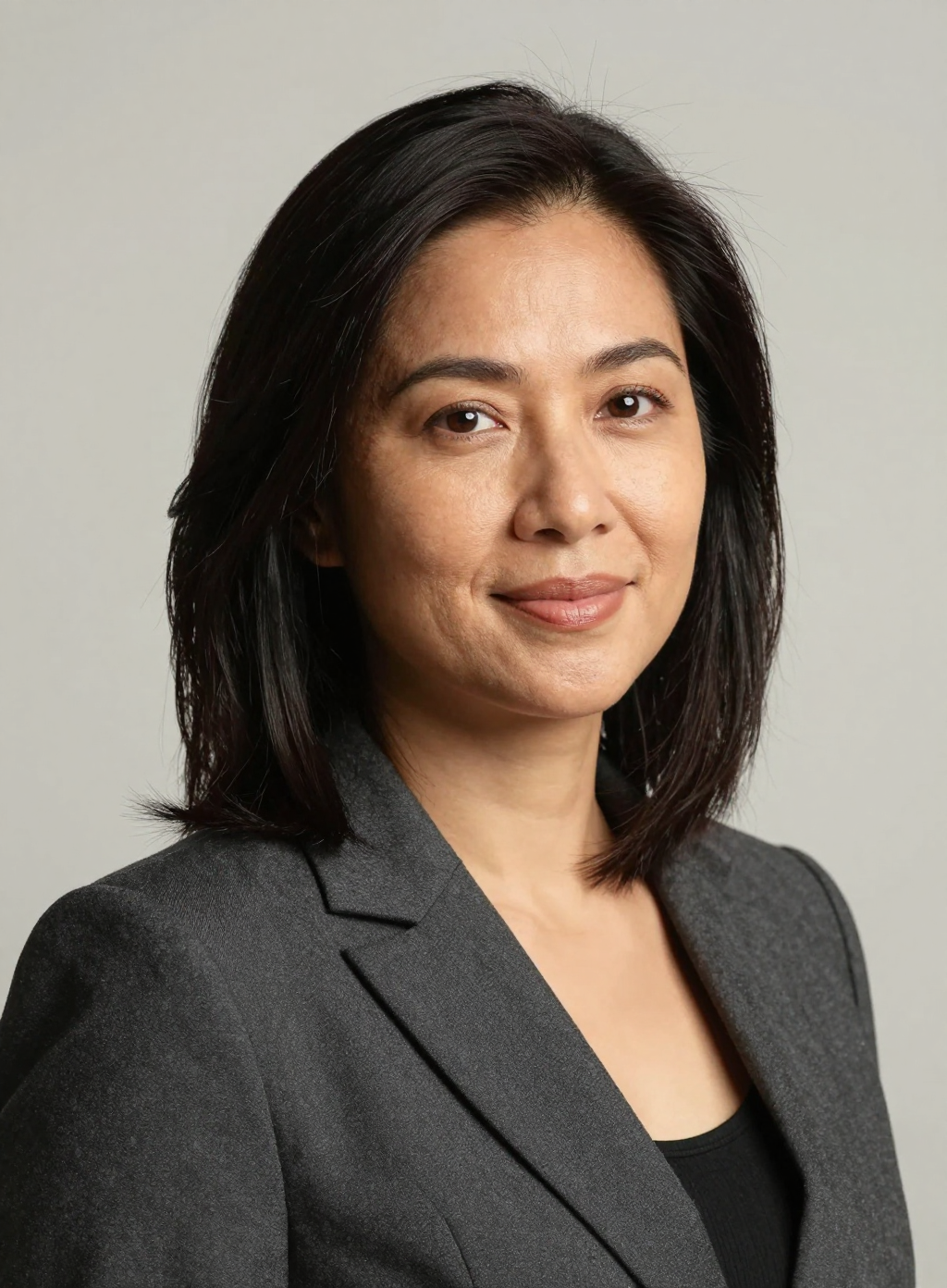
Generated on PixelDojo with Z-Image Turbo. Produced by PixelDojo's generation pipeline.
You can make a LinkedIn headshot with AI by describing your desired look, outfit and lighting in one prompt and generating on a fast portrait model, no camera or studio booking needed. We ran this on August 26, 2026 on Z-Image Turbo for 0.5 credit, and the headshot came back in about 17 seconds with sharp focus on the eyes and natural looking skin. This page walks through the prompt details that mattered and what to change if the first result needs a different look.
The headshot from the first prompt
Every example below was produced on PixelDojo. Hover to see the prompt.
Professional LinkedIn headshot of a woman in her 30s with shoulder length dark hair, a tailored charcoal blazer, warm studio lighting, plain light gray background, natural skin texture, sharp focus on the eyes, photorealistic corporate portrait style
Z-Image Turbo
One prompt, one headshot, August 26, 2026: 0.5 credit on Z-Image Turbo, about 17 seconds, kept on the first result.
Why Choose Pixel Dojo for LinkedIn Headshots
Professional-quality results with cutting-edge AI technology
0.5 credit per headshot
Z-Image Turbo is priced at half a credit per image, with no separate charge for the portrait aspect ratio.
About 17 seconds, measured
Timed from request to finished file on August 26, 2026, fast enough to try a few outfit or lighting variations back to back.
Eyes and skin held up at full size
The two details that make a headshot look artificial, over-smoothed skin and eyes that do not quite focus on the camera, both came back looking natural on the first generation.
How It Works
Three steps, one headshot, ready for a profile photo:
Describe the outfit and the light, not just the face
Our prompt named a tailored charcoal blazer, warm studio lighting and a plain light gray background alongside the subject, on Z-Image Turbo for 0.5 credit. It returned in about 17 seconds as a 1024 by 1392 image with correct facial anatomy and no warped features, since a headshot crop keeps hands out of frame entirely.
Use a portrait aspect ratio, not square
We set aspect_ratio to 3:4 instead of the model's default 1:1, which is closer to how profile photo crops actually get used and left more headroom above the subject.
Set it as your profile photo directly
The output resolution, 1024 by 1392, is well above the pixel size LinkedIn actually displays a profile photo at, so the file uploads without needing an upscale pass first.
Loved by creators on PixelDojo
Real feedback from people using PixelDojo, pulled from our in-product surveys.
It has all the tools I can think of...
deployment rate of splendid features is incredible. Legend
large selection of tools on one platform
the amount you can do on this site
all in one place
It is a lot of fun to uae and easy too.
Explore more AI tools on PixelDojo
AI Tools
Compare & Switch
- Best AI Image Generators
- Best AI Video Generators
- Midjourney Alternatives
- Civitai Alternatives
- Runway Alternatives
- Leonardo Alternatives
- Pika Alternatives
- Luma Alternatives
- Magnific Alternatives
- Veo Alternatives
- Flux Alternatives
- Freepik Alternatives
- Seedance Alternatives
- Seedream Alternatives
- Pixverse Alternatives
- GPT Image Alternatives
- Synthesia Alternatives
- Playground Alternatives
- NightCafe Alternatives
- Canva AI Alternatives
- ElevenLabs Alternatives
- ComfyUI Alternatives
- Fal Alternatives
- Replicate Alternatives
Common Questions
Everything you need to know about LinkedIn Headshots
What does an AI LinkedIn headshot cost?
0.5 credit on Z-Image Turbo, the model we used. That is the flat price per image regardless of aspect ratio or resolution.
How fast is it?
About 17 seconds in our August 26, 2026 run, from the prompt to the finished 1024 by 1392 file.
What should I put in the prompt?
Describe your age range, hairstyle, outfit and the lighting and background you want, the way a photographer would brief a studio shoot. Ours specified a charcoal blazer, warm studio light and a plain gray background.
What aspect ratio works best for a profile photo?
3:4 gave us more headroom than the model's 1:1 default and matches how most profile photo crops get used. Z-Image Turbo also supports 16:9, 9:16 and other standard ratios.
Do I need to upload my own photo?
No. Our headshot was generated entirely from a text description, no reference photo involved. Putting your own face into a result instead needs a face-preserving edit model rather than a plain text prompt.
How do I call this from the API?
POST to /api/v1/models/z-image-turbo/run with your API key, a prompt and an aspect_ratio. It is the same key and request shape as every other model in the catalog.