Restaurant Social Media Content AI Generator
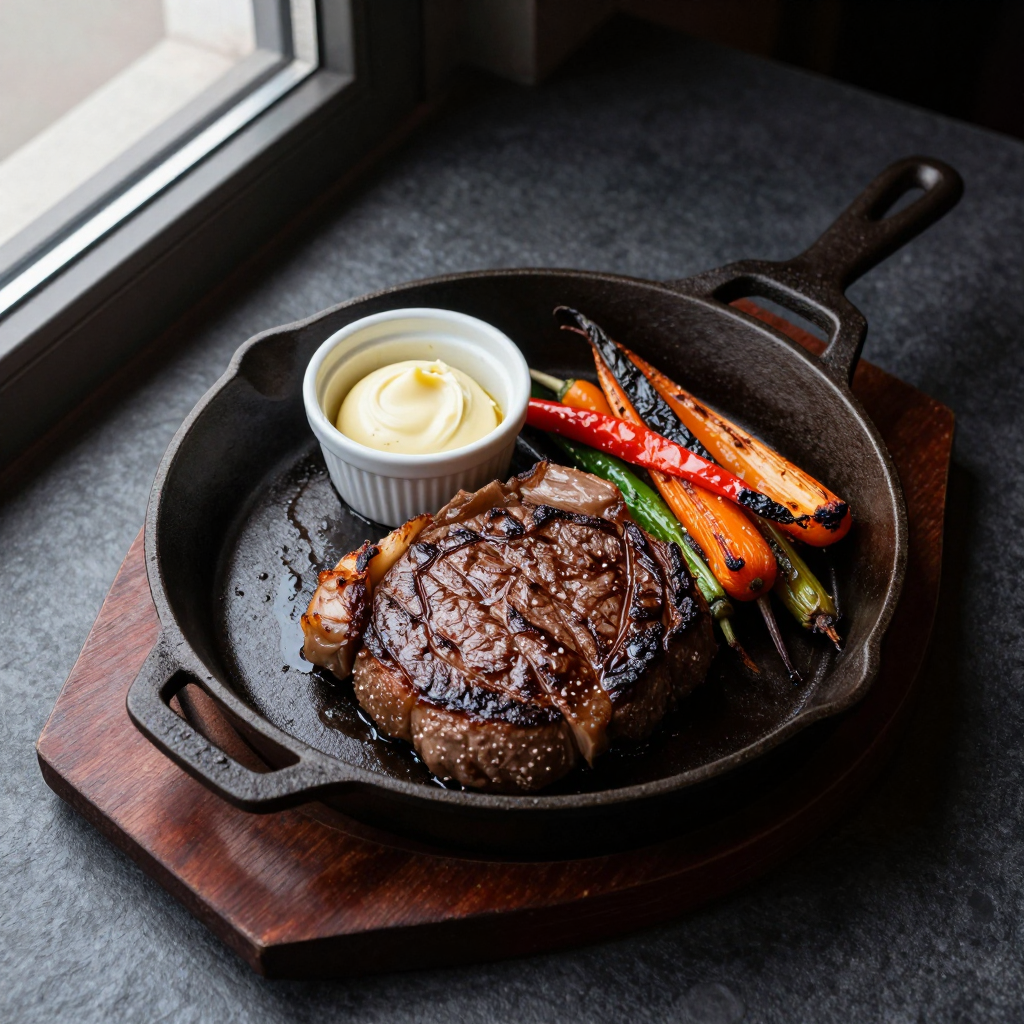
Generated on PixelDojo with Z-Image Turbo. Produced by PixelDojo's generation pipeline.
You can make restaurant social media content with AI by describing an actual dish in plating detail and generating it as a food photo. We ran this on Z-Image Turbo on August 26, 2026 for 0.5 credit in about 14 seconds, producing an overhead shot of a plated steak with sides. This page walks through the prompt, what came back, and how to build a week of posts from it.
The dish photo, first result kept
Every example below was produced on PixelDojo. Hover to see the prompt.
Overhead shot of a sizzling cast iron skillet steak with roasted vegetables and a ramekin of garlic butter, dark slate table, moody window light, styled for a restaurant social media post
Z-Image Turbo
One prompt, one dish photo, August 26, 2026: 0.5 credit on Z-Image Turbo, about 14 seconds, kept on the first result.
Why Choose Pixel Dojo for Restaurant Social Media Content
Professional-quality results with cutting-edge AI technology
0.5 credit per photo
Z-Image Turbo charges a flat 0.5 credit whether the dish is simple or has several elements on the plate.
About 14 seconds, measured
Timed from request to finished file on August 26, 2026, with the first result kept and no retries.
Cheap enough to run several angles
At 0.5 credit per request, generating four separate plating angles for a week of posts costs 2 credits total.
How It Works
Three steps to a post ready dish photo:
Describe the dish like a menu photographer would
Name the actual food, the plate or pan, the surface and the light rather than a general mood. Ours asked for a cast iron skillet steak with roasted vegetables and a ramekin of garlic butter on a dark slate table with window light. It ran on Z-Image Turbo for 0.5 credit and came back in about 14 seconds as a 1024 by 1024 image.
Run a few plating variations back to back
Z-Image Turbo returns one image per request at 0.5 credit, so change a detail in the prompt, the garnish or the angle, and run it again. Four separate calls cost 2 credits total and each finishes in around 15 seconds, giving a small set to choose from for a post or a story.
Post it or run it through the menu as well
A social post can use the file as generated. For a printed menu, where the image needs to hold up larger, run it through Creative Upscale first for 0.5 credit before it goes to print.
Loved by creators on PixelDojo
Real feedback from people using PixelDojo, pulled from our in-product surveys.
I love this app
It has all the tools I can think of...
deployment rate of splendid features is incredible. Legend
large selection of tools on one platform
the amount you can do on this site
all in one place
Explore more AI tools on PixelDojo
AI Tools
Compare & Switch
- Best AI Image Generators
- Best AI Video Generators
- Midjourney Alternatives
- Civitai Alternatives
- Runway Alternatives
- Leonardo Alternatives
- Pika Alternatives
- Luma Alternatives
- Magnific Alternatives
- Veo Alternatives
- Flux Alternatives
- Freepik Alternatives
- Seedance Alternatives
- Seedream Alternatives
- Pixverse Alternatives
- GPT Image Alternatives
- Synthesia Alternatives
- Playground Alternatives
- NightCafe Alternatives
- Canva AI Alternatives
- ElevenLabs Alternatives
- ComfyUI Alternatives
- Fal Alternatives
- Replicate Alternatives
Common Questions
Everything you need to know about Restaurant Social Media Content
What does an AI restaurant photo cost?
0.5 credit on Z-Image Turbo, the model we used for this run. It returns one image per request, so a set of four angles costs 2 credits across four separate calls.
How fast is it?
About 14 seconds in our August 26, 2026 run, measured from the prompt to the finished 1024 by 1024 file.
Do I need to photograph the actual dish?
No. Our skillet steak shot came from a text description alone. If you have a real photo of the dish and just want the background or lighting cleaned up, send it to the Image Editor instead.
Can I generate a week of posts from one dish?
Run the prompt several times with small changes to the angle or garnish, at 0.5 credit per run, then space the results out across the week instead of posting the same shot repeatedly.
Will the image hold up on a printed menu?
Run it through Creative Upscale first for 0.5 credit. The base 1024 by 1024 file is fine for social posts but gets soft at large print sizes without the upscale pass.
Can I automate this for every dish on the menu?
Yes. POST a plating description for each dish to /api/v1/models/z-image-turbo/run with your API key and generate the full set with the same request shape.