Screenplay Storyboards AI Generator
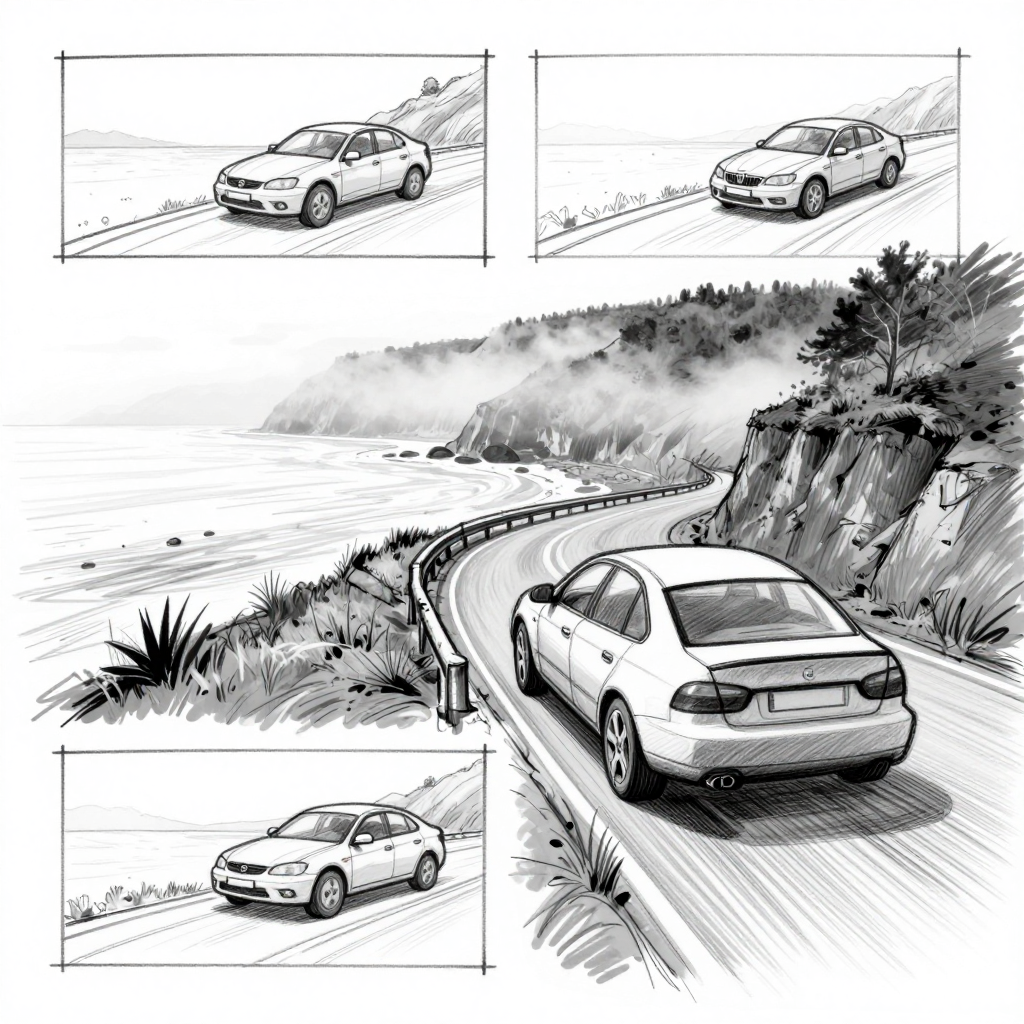
Generated on PixelDojo with z-image-turbo. Produced by PixelDojo's generation pipeline.
You can storyboard a screenplay with AI: describe each scene like a shot list, generate the frame with a fast image model, then revise individual shots before you hand the boards to a crew. We ran the frame generation step on August 26, 2026, turning one scene description into storyboard art for 0.5 credit in about 22 seconds. This page walks through the workflow using the exact prompt and the real cost for the step we ran.
The storyboard frame from step one, first result kept
Every example below was produced on PixelDojo. Hover to see the prompt.
Black and white storyboard sketch of a car pulling over on a coastal cliff road at dawn, fog rolling across the frame, loose pencil linework, rough shading, wide establishing shot framing, hand drawn previz style
z-image-turbo
One scene, one storyboard frame, August 26, 2026: 0.5 credit on Z Image Turbo, about 22 seconds, kept on the first result.
Why Choose Pixel Dojo for Screenplay Storyboards
Professional-quality results with cutting-edge AI technology
0.5 credit per frame
Z Image Turbo priced the storyboard frame at 0.5 credit, the cheapest tier in the image catalog, which matters when a scene needs several draft frames before one gets approved.
About 22 seconds, measured
Timed from the prompt to the finished file on August 26, 2026, with no retries needed.
Four angles from one prompt
We asked for a single scene and the model returned three small framed shots plus one larger detailed shot of the same beat in one file, which is closer to real shot coverage than we asked for.
How It Works
Three steps, one scene list, boards a director can read:
Describe the scene like a shot list, not a screenplay slug
Storyboards need coverage more than one pretty frame: the establishing shot, the medium shot, the close angle. Our scene was a car pulling over on a foggy coastal road at dawn, so the prompt named the setting, the fog and a loose pencil sketch style, then ran on Z Image Turbo for 0.5 credit. It came back in about 22 seconds as a 1024 by 1024 grayscale sketch, and without being asked for multiple shots, it laid out three small framed panels of the car from different angles around one larger detailed panel of the same car on the cliff road. That is closer to a real storyboard page than a single frame.
Revise a shot without redrawing the whole board
When a director wants a different camera height or a prop moved, send that one frame to the Image Editor with a plain instruction on the Flux Edit model, at 1 credit per edit. That is cheaper and faster than regenerating the whole scene from the prompt again.
Move through the whole scene list in one session
Chain the shot by shot generation and any edits inside one Canvas session, so a full scene list stays in a single workspace instead of scattered downloads. Automating it over the API means the same shot list can call one frame per beat with a script.
Loved by creators on PixelDojo
Real feedback from people using PixelDojo, pulled from our in-product surveys.
Practically every Ai suite in one place? Who wouldn't?
versatile menu of tools
Best AI tool availble the suite is rad
Versatility quality, value, ROI, innovation
variety of tools available and prompt tools
A "one-stop-shop" for creators! Thanks!!
Explore more AI tools on PixelDojo
AI Tools
Compare & Switch
- Best AI Image Generators
- Best AI Video Generators
- Midjourney Alternatives
- Civitai Alternatives
- Runway Alternatives
- Leonardo Alternatives
- Pika Alternatives
- Luma Alternatives
- Magnific Alternatives
- Veo Alternatives
- Flux Alternatives
- Freepik Alternatives
- Seedance Alternatives
- Seedream Alternatives
- Pixverse Alternatives
- GPT Image Alternatives
- Synthesia Alternatives
- Playground Alternatives
- NightCafe Alternatives
- Canva AI Alternatives
- ElevenLabs Alternatives
- ComfyUI Alternatives
- Fal Alternatives
- Replicate Alternatives
Common Questions
Everything you need to know about Screenplay Storyboards
What does an AI storyboard cost?
0.5 credit per frame on Z Image Turbo, the model we used. Revising an existing frame through the Image Editor is 1 credit per edit.
How fast is one frame?
About 22 seconds in our August 26, 2026 run, measured from the prompt to the finished 1024 by 1024 file.
Do storyboard frames have to be in color?
No. Ours came back as a grayscale pencil sketch because the prompt asked for loose pencil linework and rough shading, which is the traditional storyboard look.
Will one prompt give me more than one angle?
Sometimes. Our single scene prompt came back with three small framed shots plus one larger detailed shot of the same beat in one file, without being asked for multiple panels. Treat that as a bonus, not a guarantee, and write a separate prompt per shot if you need a specific angle.
How do I change a detail on one frame without redoing the whole board?
Send that frame to the Image Editor with a plain instruction, like moving the car or changing the light, at 1 credit per edit. That keeps the rest of the board untouched.
How do I automate a full scene list?
Z Image Turbo and the Image Editor are each available at POST /api/v1/models/{apiId}/run with the same API key, so a scene list can call one frame per beat automatically.