Twitch Emotes and Overlays AI Generator
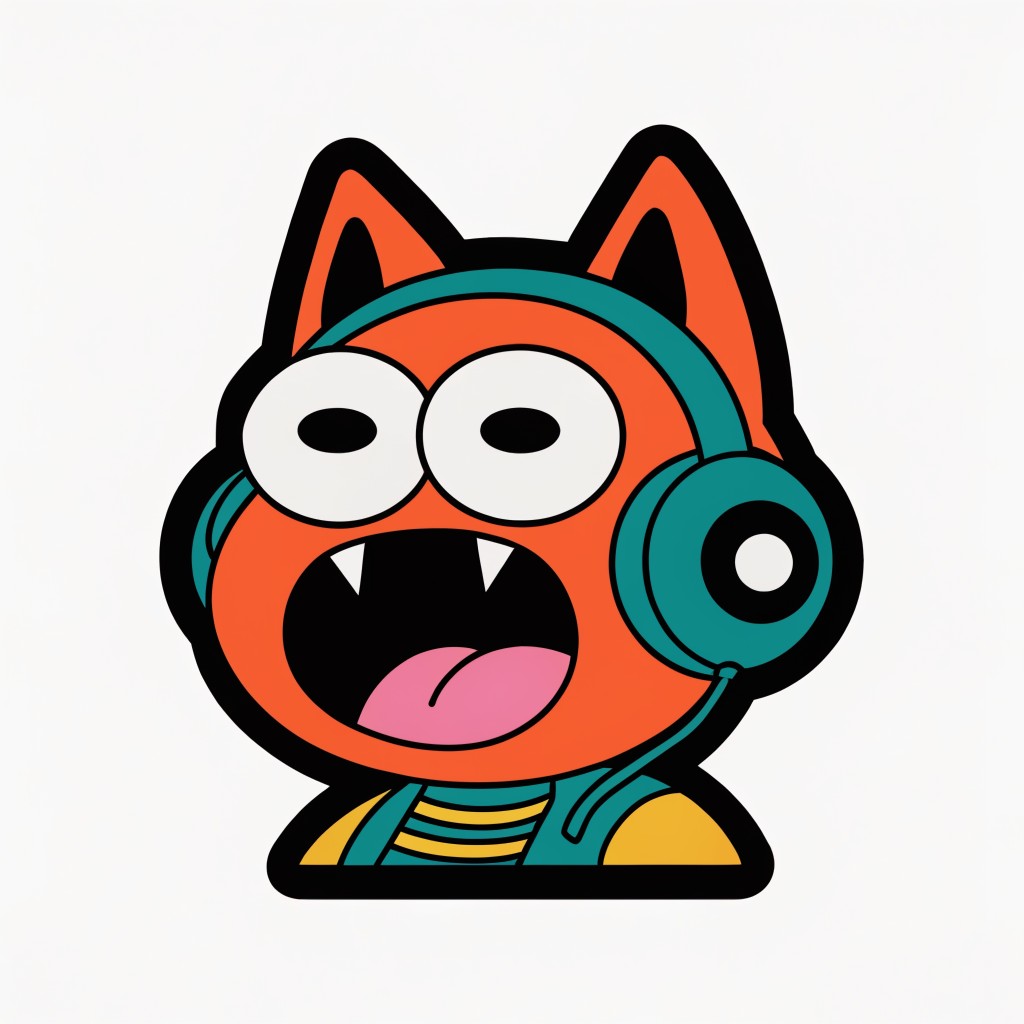
Generated on PixelDojo with Recraft V4.1. Produced by PixelDojo's generation pipeline.
A Twitch emote or overlay panel is a flat, bold-outline sticker image, not a photorealistic scene. We generated the emote below with Recraft V4.1's standard raster tier on August 26, 2026: 1 credit, back in about 20 seconds. This page covers the prompt pattern that gets a clean sticker result and when to reach for the pricier tier instead.
The 1 credit emote, first result kept
Every example below was produced on PixelDojo. Hover to see the prompt.
A cheerful emote design of a hyped gaming cat wearing a headset mid scream, bold outlines, flat colors, die-cut sticker style, centered on a plain background
Recraft V4.1
What one prompt returned
What came back
An orange cartoon cat with pointed ears, wide white eyes with black pupils, mouth open showing two fang teeth and a pink tongue, wearing teal green headphones and a yellow striped shirt. Thick black outlines run around every shape, the colors are flat with no shading gradient, and the character sits centered on a plain off-white background.
The background is plain, not transparent
Ours came back on a solid off-white background rather than a transparent one. If you need true transparency for a Twitch emote upload, plan on a background removal pass afterward rather than expecting it out of the box.
Standard tier is enough for emote size
The standard tier outputs around 1024 pixels for 1 credit. The pro tier outputs around 2048 pixels for 5 credits, which is more resolution than an emote or a small overlay panel ever displays at.
Standard tier, 1 credit, about 20 seconds turnaround on August 26, 2026.
How It Works
How we generated it, so you can repeat it:
Describe it as a sticker, not a photo
Naming the style directly gets a cleaner result than describing the subject alone. Our prompt read: A cheerful emote design of a hyped gaming cat wearing a headset mid scream, bold outlines, flat colors, die-cut sticker style, centered on a plain background.
Stay on the standard raster tier
Recraft V4.1's standard tier costs 1 credit and outputs around 1024 pixels, plenty for anything that renders small on a stream overlay or in a chat window. The pro tier costs 5 credits for roughly double the resolution.
Generate a set, then remove the background
Run a few prompt variations for different emote expressions or overlay panels, then clean up the background separately since the raster output comes back solid, not transparent.
Loved by creators on PixelDojo
Real feedback from people using PixelDojo, pulled from our in-product surveys.
It is a lot of fun to uae and easy too.
So many different models to try out
You keep adding to it to stay up to date and that is GOLD.
very easy to use and good support
Very easy to use
super easy to use
Explore more AI tools on PixelDojo
AI Tools
Compare & Switch
- Best AI Image Generators
- Best AI Video Generators
- Midjourney Alternatives
- Civitai Alternatives
- Runway Alternatives
- Leonardo Alternatives
- Pika Alternatives
- Luma Alternatives
- Magnific Alternatives
- Veo Alternatives
- Flux Alternatives
- Freepik Alternatives
- Seedance Alternatives
- Seedream Alternatives
- Pixverse Alternatives
- GPT Image Alternatives
- Synthesia Alternatives
- Playground Alternatives
- NightCafe Alternatives
- Canva AI Alternatives
- ElevenLabs Alternatives
- ComfyUI Alternatives
- Fal Alternatives
- Replicate Alternatives
Common Questions
Everything you need to know about Twitch Emotes and Overlays
What does an AI-generated Twitch emote cost?
Recraft V4.1's standard raster tier costs 1 credit per image and outputs around 1024 pixels, which is more than enough for an emote or a small overlay panel.
How fast is it?
About 20 seconds in our August 26, 2026 run, measured from submission to the finished file.
Does it come out with a transparent background?
No. Our run returned a solid off-white background. Run a separate background removal step if you need a transparent PNG for upload.
Can I get a vector version instead of a raster image?
Yes. Setting variant to svg on the same model returns an editable SVG file instead of a PNG or WebP, which scales cleanly at any overlay size.
Is the pro tier worth it for emotes?
Usually not. Pro costs 5 credits for roughly double the pixel dimensions of standard, and an emote renders small enough on stream that the extra resolution rarely shows.
How do I call it from the API?
POST to /api/v1/models/recraft-v4.1/run with a prompt, tier set to standard, and variant set to raster or svg.