Coloring Pages AI Generator
Generated on PixelDojo. Produced by PixelDojo's generation pipeline.
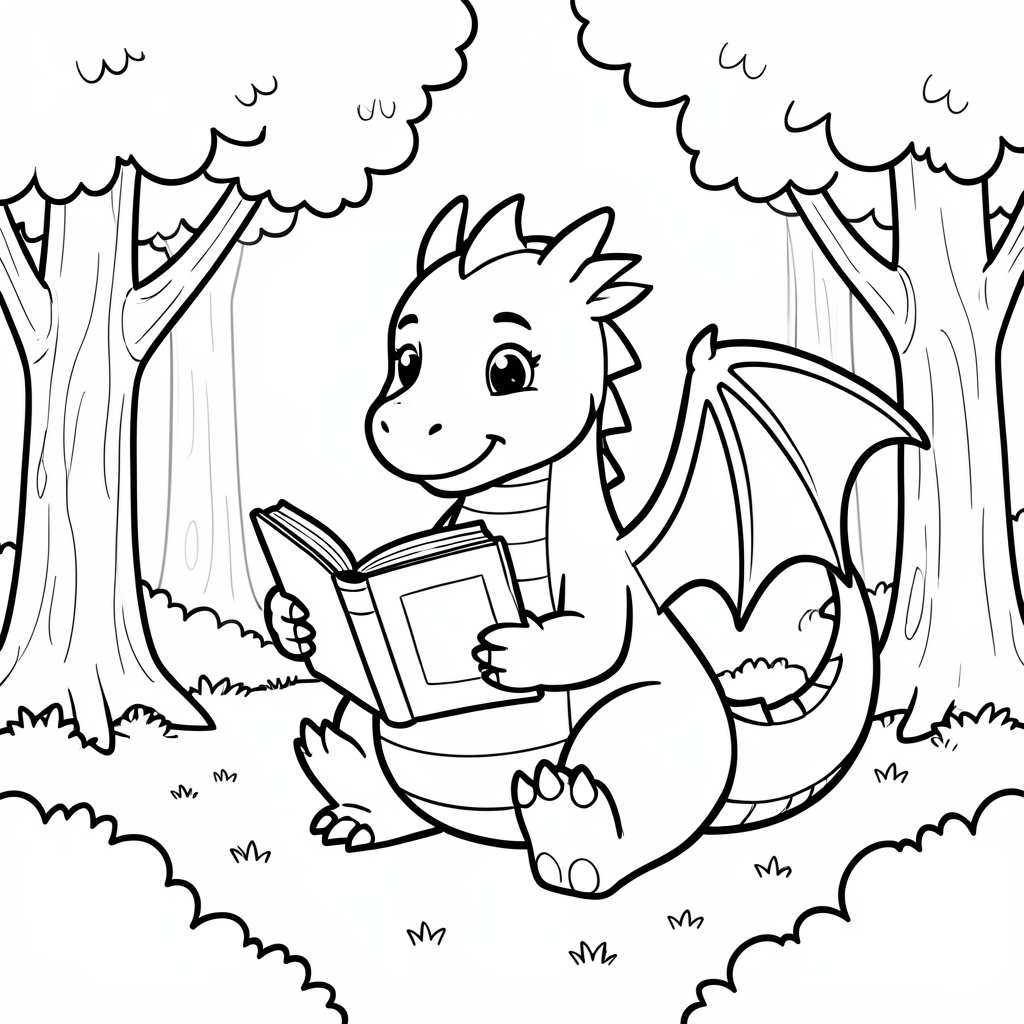
Flux 2 Klein 9B is the best pick for coloring pages. It was the only model of the three that returned genuinely thick, even black outlines with large open areas to fill and a pure white background, and it was also the cheapest at 0.5 credits in about 16 seconds. We sent one dragon coloring page prompt to Flux 2 Klein 9B, Flux Dev and QWEN Image 2.0 on August 26, 2026 and kept the first result from each. Flux Dev charged 1 credit, came back in about 12 seconds, and drew the richest scene, but it shaded the trees grey in a brief that asked for no shading. QWEN Image 2.0 charged 1 credit, returned 2048 by 2048 pixels and the best drawn dragon of the three, then delivered it as a pencil sketch on cream paper. All three are below, ranked, each with the reason to pass.
Side-by-side, same prompt
Every model below ran the identical prompt on PixelDojo so the outputs are directly comparable: “A coloring page of a friendly dragon reading a book in a forest clearing, clean black outlines only, no shading, plain white background, thick lines for children”
Flux 2 Klein 9B
16sThick even outlines, big fillable shapes, pure white ground. The only one printable as is. 0.5 credits, about 16 seconds.
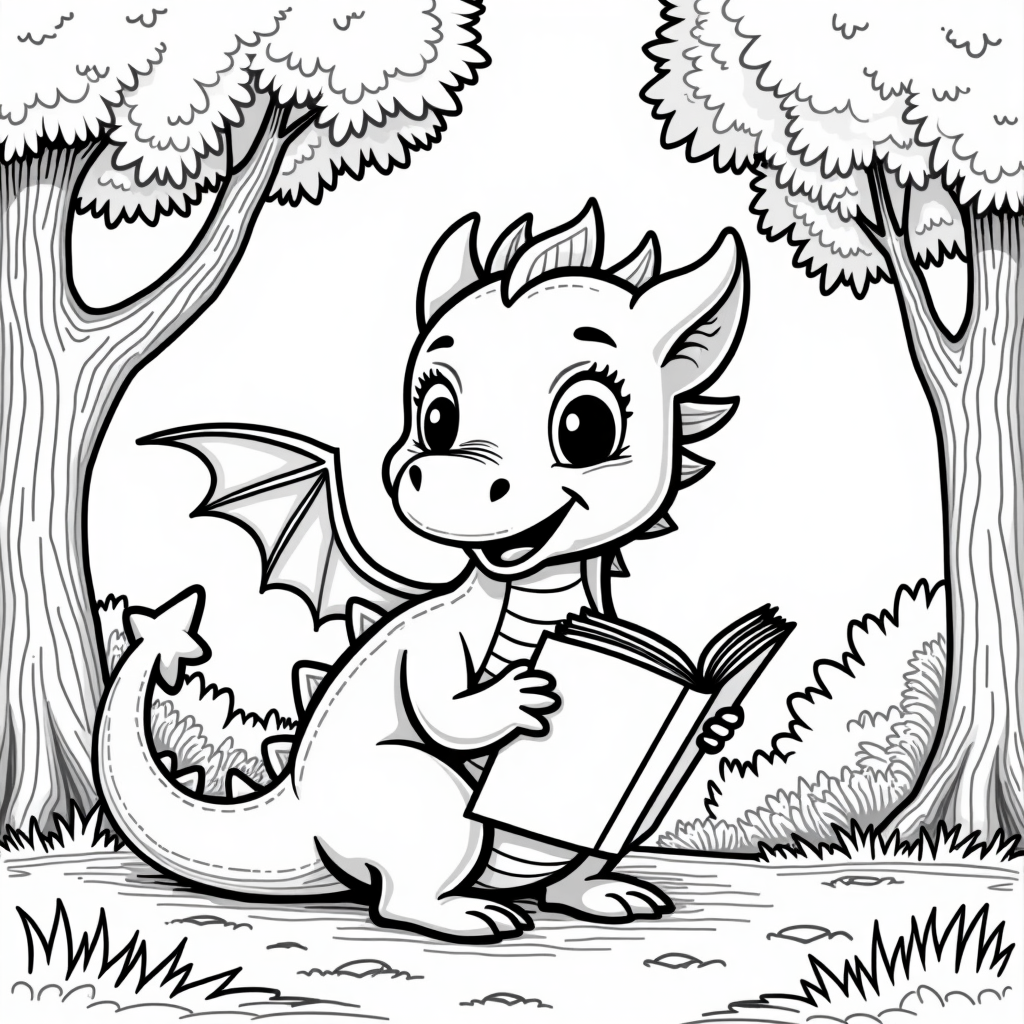
Flux Dev
12sRichest scene and the fastest run, but grey shading in the trees and a stray black border need cleanup. 1 credit, about 12 seconds.
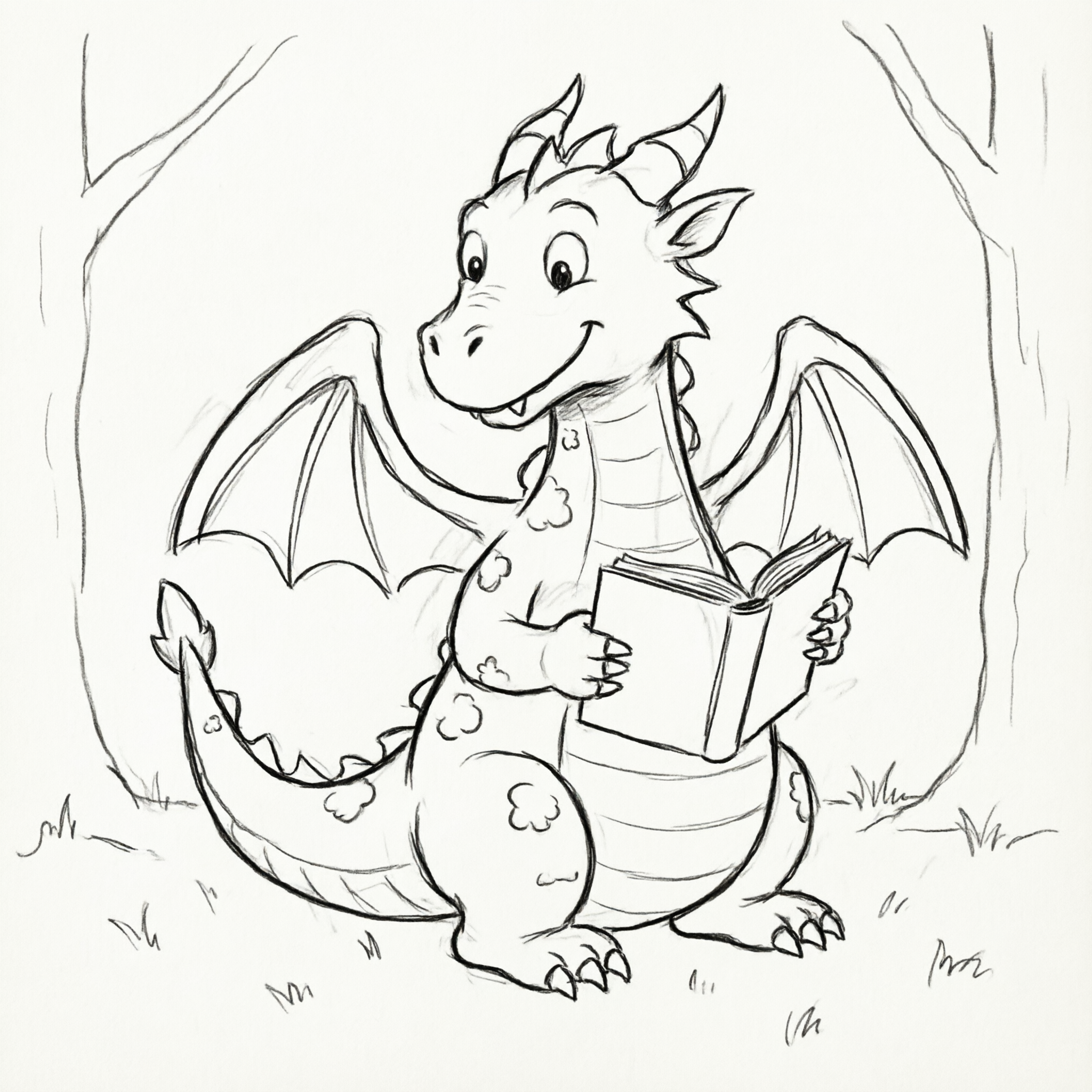
QWEN Image 2.0
13sBest drawn dragon and the biggest file at 2048 by 2048, but delivered as a graphite sketch on cream paper. 1 credit, about 13 seconds.
The three placings, with the honest catch on each
1. Flux 2 Klein 9B, 0.5 credits, about 16 seconds
This is the only one of the three you could print and hand to a child. The outlines are thick, black and consistent in weight all the way around, and the interiors are left almost entirely empty, which is exactly what a young child needs to colour inside the lines. The scene is built out of big simple shapes, tree canopies drawn as rounded lobes, bushes as scalloped mounds, grass as a handful of tufts, so nothing in the frame is too small to fill with a crayon. The dragon itself sits in the middle holding an open book, smiling, with a striped belly and a folded wing, and the background is pure white. It was also the cheapest of the three at 0.5 credits, half what either sibling charges. Two small faults. The dragon's near arm and leg get muddled where the book meets its body, and there is one faint grey line on a tree at the left edge. Skip it if you want a detailed page for an adult colourist, or if you need a large print file, since this came back at 1024 by 1024.
2. Flux Dev, 1 credit, about 12 seconds
Flux Dev drew the fullest scene and did it fastest, in about 12 seconds. Two big trees frame the clearing with textured bark, feathery canopies, a hatched bush on the right and individual blades of grass across the foreground, and the dragon has the most appealing face of the three, with large expressive eyes and a soft smile. As a page for an older child or an adult colourist there is far more here to work with than the winner offers. The problem is that it did not follow the no shading instruction. The tree trunks and canopies are filled with grey tone, the background carries soft grey washes, and a thick black border runs along three edges of the frame that nobody asked for. Between the grey fills and the very fine detail lines, a young child would have almost nothing they could colour cleanly. Output is 1024 by 1024. Skip it if the page is for a small child, or if you are not willing to run a cleanup pass to strip the greys.
3. QWEN Image 2.0, 1 credit, about 13 seconds
QWEN Image 2.0 drew the best dragon and delivered it in the wrong medium. The creature is the most correctly constructed of the three, with both wings resolved, both hands on the book, proper claw and horn placement and a genuinely warm expression, and the file is 2048 by 2048 pixels, four times the pixel count of either sibling. That is a great illustration. It is not a coloring page. The whole image is a graphite pencil sketch, with visible construction strokes doubled along every contour, soft tonal smudging and a cream paper ground rather than white. Printed straight, it would come out grey and fuzzy, and the doubled lines mean there is no single clean edge to colour up to. Skip it if you need finished line art, because turning this into a usable page means an edit pass to threshold the greys out and flatten the background to white.
One dragon, three models, 2.5 credits. Every result arrived in under 20 seconds, and only one of them prints as a coloring page without cleanup.
Why Choose Pixel Dojo for Coloring Pages
Professional-quality results with cutting-edge AI technology
Ranked on whether the file prints as a coloring page
Line thickness, absence of shading and a clean white ground decided first place. Price and turnaround sorted the two below it.
The whole comparison cost 2.5 credits
Flux 2 Klein 9B 0.5 credits, Flux Dev 1 credit, QWEN Image 2.0 1 credit, one image each at default settings on August 26, 2026.
The cheapest model won outright here
Half the price of both siblings, and the only result that needed no cleanup. Paying more bought detail this brief did not want.
How It Works
How these three pages were produced:
Write a brief that describes the ink, not the picture
We asked for a friendly dragon reading a book in a forest clearing, with clean black outlines only, no shading, a plain white background and thick lines for children. The last four phrases are doing all the work, and they are the ones models disagree about.
Run each model once at default settings
No aspect ratio overrides, no seeds, no second attempts. What a plain prompt returns first time is what a parent or a teacher would actually get, so that is what was compared.
Time every run and judge the files as printables
We bracketed each request with a clock and recorded the charge. Flux Dev 1 credit in about 12 seconds, QWEN Image 2.0 1 credit in about 13 seconds, Flux 2 Klein 9B 0.5 credits in about 16 seconds. All three were downloaded and inspected at full size before ranking.
Loved by creators on PixelDojo
Real feedback from people using PixelDojo, pulled from our in-product surveys.
A well resourced sunscription with attention to updates.
Easy to use and there's lots of options.
super lora download
Great variety of tools to create and modify images and video.
Lots of Tools, and the one time I needed support I got help right away
Easy to use once you get the hang of it
Explore more AI tools on PixelDojo
AI Tools
Compare & Switch
- Best AI Image Generators
- Best AI Video Generators
- Midjourney Alternatives
- Civitai Alternatives
- Runway Alternatives
- Leonardo Alternatives
- Pika Alternatives
- Luma Alternatives
- Magnific Alternatives
- Veo Alternatives
- Flux Alternatives
- Freepik Alternatives
- Seedance Alternatives
- Seedream Alternatives
- Pixverse Alternatives
- GPT Image Alternatives
- Synthesia Alternatives
- Playground Alternatives
- NightCafe Alternatives
- Canva AI Alternatives
- ElevenLabs Alternatives
- ComfyUI Alternatives
- Fal Alternatives
- Replicate Alternatives
Common Questions
Everything you need to know about Coloring Pages
Which AI model is best for coloring pages?
Flux 2 Klein 9B in this test. It was the only one that returned thick even black outlines, large open fillable areas and a pure white background, and it did it for 0.5 credits in about 16 seconds. Pick Flux Dev when you want a busier page for an older child and are willing to clean up grey shading, and QWEN Image 2.0 only if you want a large illustration rather than line art.
What did all three cost together?
2.5 credits on August 26, 2026. Flux 2 Klein 9B charged 0.5 credits, Flux Dev 1 credit and QWEN Image 2.0 1 credit, one image each at default settings.
Why do models add grey shading to a coloring page?
Because the underlying training data for the subject is full of shaded drawings. Saying no shading once is often not enough. Naming the outcome twice, as clean black outlines only and again as no grey tones, plus asking for a plain white background, gets you closer, and picking a model that already leans flat gets you there fastest.
Which output is biggest for printing?
QWEN Image 2.0 at 2048 by 2048 pixels, four times the pixel count of the 1024 by 1024 results from the other two. On a standard sheet of paper the 1024 pixel files still print acceptably, because bold line art has no fine detail to lose.
Can I generate coloring pages through the API?
Yes. POST to /api/v1/models/flux-2-klein-9b/run, /api/v1/models/flux-dev/run or /api/v1/models/qwen-image-2.0/run with your API key and a prompt. Same key and request shape for all three, so a loop can generate a whole book of pages from a list of subjects.
How do I make a whole set of pages that look alike?
Keep every word of the style half of the prompt identical and change only the subject. In our brief that means holding clean black outlines only, no shading, plain white background and thick lines for children fixed, and swapping the dragon for whatever comes next.