Double Exposure Effects AI Generator
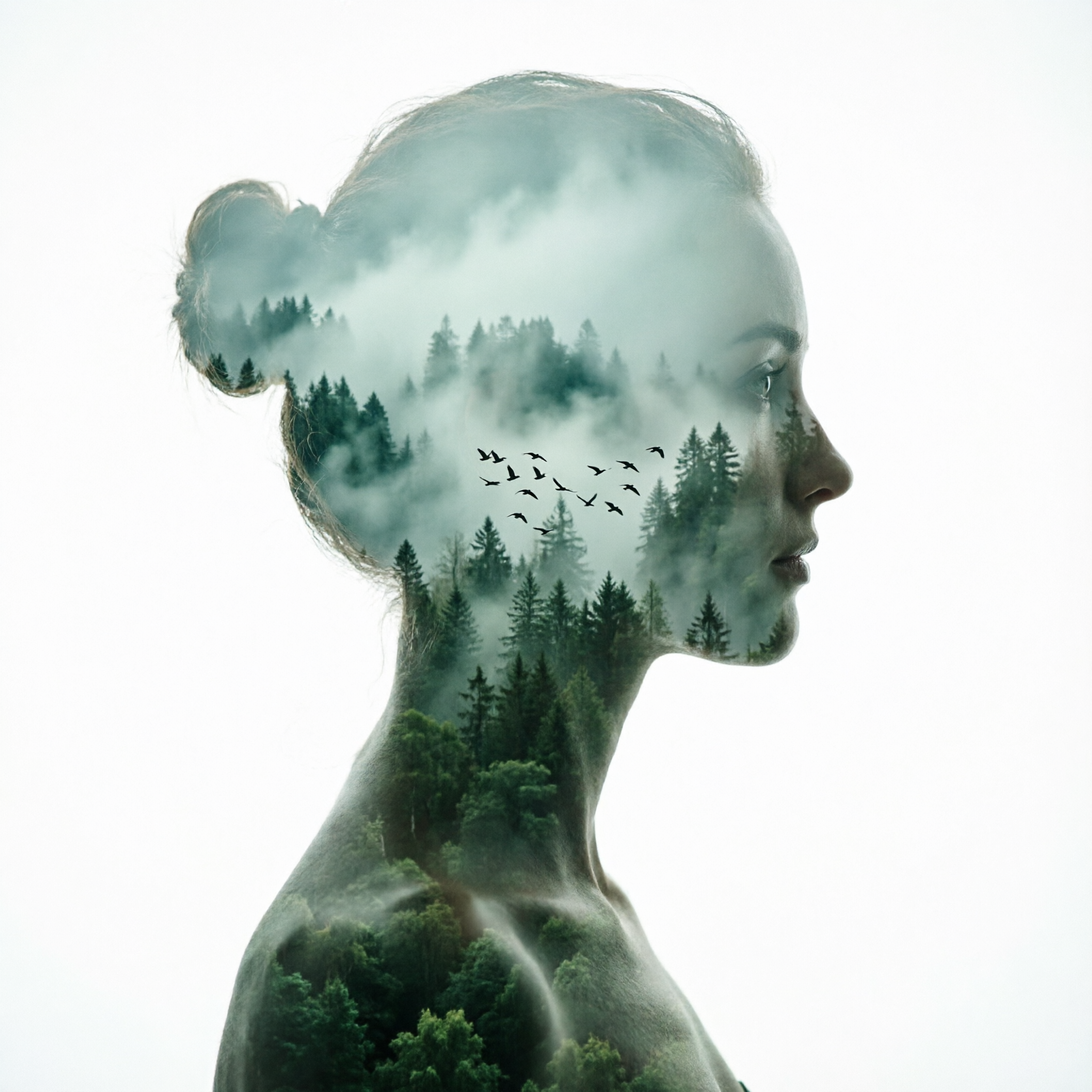
Generated on PixelDojo with QWEN Image 2.0. Produced by PixelDojo's generation pipeline.
QWEN Image 2.0 is the best model for double exposure effects at 1 credit, because it was the only one of three that kept a real face and a readable landscape visible in the same area of the frame. We ran one double exposure prompt through three models on August 26, 2026. Seedream 4.5 charged the same 1 credit and built by far the richest forest inside the head, but it silhouetted the face completely, which is a different look. Z Image Turbo cost half a credit, finished in about 12 seconds, and still produced a genuine blend. This is one of the few styles where the cheapest model in the test stays competitive.
Side-by-side, same prompt
Every model below ran the identical prompt on PixelDojo so the outputs are directly comparable: “Double exposure portrait of a woman's profile silhouette filled with a misty pine forest at dawn, a flock of birds rising through the trees, clean white background, high contrast with muted green tones”
QWEN Image 2.0
14sThe only true blend. Real skin, a lit eye and lips on one side, forest and low cloud washing across the cheek and jaw. Layered depth inside the mask. 1 credit, about 14 seconds, 2048 by 2048 pixels.
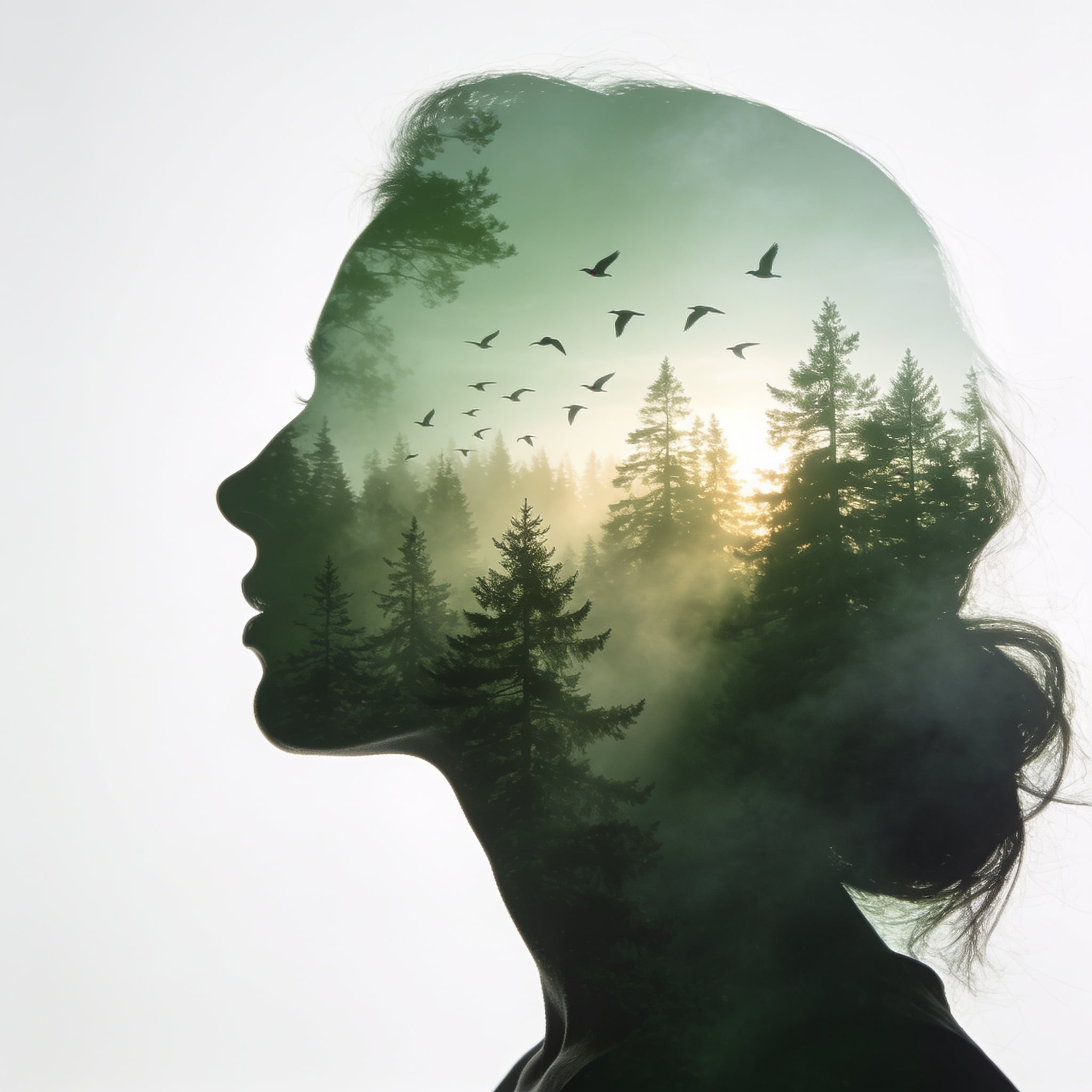
Seedream 4.5
38sThe richest interior scene: a real horizon, sun through the treeline, mist in bands, a dozen clearly drawn birds. Pure white background. But the face is a solid silhouette. 1 credit, about 38 seconds.
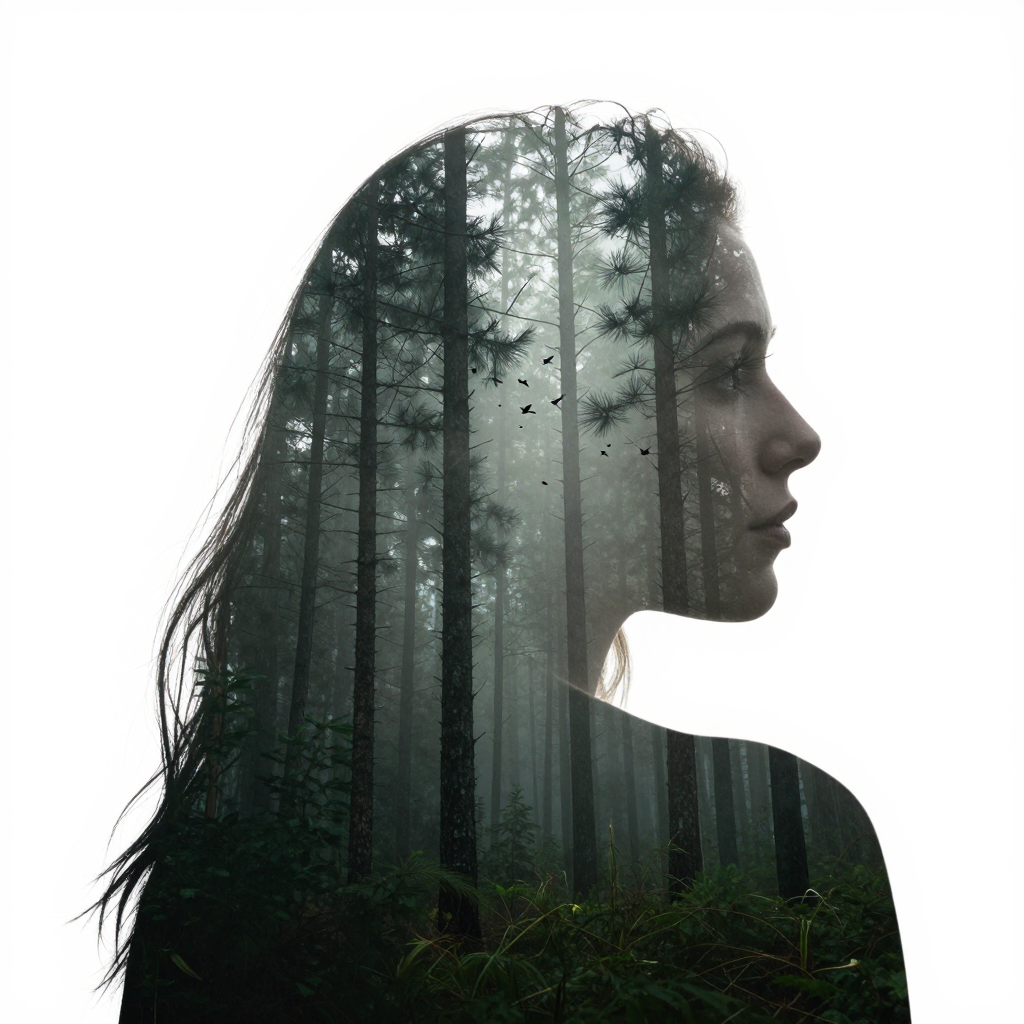
Z Image Turbo
12sHalf the price and the fastest run, and still a real double exposure with the face kept and the cleanest hair to branch transition of the three. Only 1024 by 1024 pixels. 0.5 credits, about 12 seconds.
Which model kept both exposures readable, in order
1. QWEN Image 2.0, 1 credit, about 14 seconds
The winner, and the only result that behaved like an actual double exposure, because both pictures survive. You get a full profile with real skin, a lit eye, a brow and lips on one side of the frame, and a misty forest valley washing across the temple, cheek and jaw from the other. The depth inside the mask is properly layered: dark spruce spires in the middle distance, a bank of low cloud sitting over them, and dense green canopy filling the neck and shoulders. A flock of about a dozen birds reads clearly at cheek height. It came back at 2048 by 2048 pixels. Two honest problems. The light is cool and overcast rather than the dawn we asked for, with no warm tone anywhere in the frame. And the background is a pale grey, not pure white, so knocking it out for a layout needs a levels pass first. There is also a small dark smudge under the eye. Skip it if you need warm light, or a clean white cut out with no retouching.
2. Seedream 4.5, 1 credit, about 38 seconds
The best landscape of the three by a distance, sitting inside the weakest blend. Seedream 4.5 filled the head with a complete scene rather than a texture: a real horizon line, the sun burning through a treeline, mist rolling between the pines in bands, and roughly a dozen large birds rising through the sky, each one clearly drawn rather than a speck. The background is genuinely white, so this is the file that cuts out cleanly with no editing at all. The catch is the face. It is a solid silhouette. No eye, no skin, no features, just a green filled outline of a forehead, nose, lips and chin. That makes it a silhouette fill rather than a two exposure blend, which is a fair look on its own but not what most people mean by the term. It was also the slowest run here at about 38 seconds, three times Z Image Turbo for the same 1 credit. Skip it if the face has to show through the trees.
3. Z Image Turbo, 0.5 credits, about 12 seconds
Half the price of either of the others and the fastest run of the three, and it still produced a proper double exposure. The face is kept on one side of the silhouette with visible skin, an eye and a lip line, while tall dark pine trunks fill the rest of the head and recede into fog. The transition at the crown is the cleanest here: individual hair strands break out past the silhouette edge and read as bare branches, which is the exact trick this style depends on. The background is pure white. Two limits. It returned 1024 by 1024 pixels, a quarter of the pixel count of the other two, so treat it as a web file rather than a print file. And the birds are tiny dark specks near the eye line instead of a readable flock. The light is flat grey rather than the dawn in the prompt, same failing as the winner. Skip it if the output has to print large, and use it to test twenty compositions for 10 credits before you commit.
Three models, one silhouette prompt, same day. Charged 1 credit, 1 credit and 0.5 credits. The whole comparison came to 2.5 credits.
Why Choose Pixel Dojo for Double Exposure Effects
Professional-quality results with cutting-edge AI technology
Ranked on whether both images survive
A double exposure only works when the portrait and the landscape are both readable in the same part of the frame. We ranked on that first, then on how much of the prompt was followed, then on price and speed.
The whole test cost 2.5 credits
QWEN Image 2.0 and Seedream 4.5 charged 1 credit each. Z Image Turbo charged 0.5. Running all three before you commit costs less than one image from most premium models.
None of the three delivered the dawn light
We asked for dawn and got flat overcast grey from both QWEN Image 2.0 and Z Image Turbo. Only Seedream 4.5 put a sun in the frame. If warm light matters, name the direction it comes from as well as the hour.
How It Works
How the blend was judged, step by step:
Name both exposures and the background
Our prompt named the profile silhouette, the misty pine forest that fills it, and the clean white field behind it. Three separate instructions, not one style word.
Run one image per model at defaults
QWEN Image 2.0, Seedream 4.5 and Z Image Turbo each got the identical prompt with no extra settings, and every request was timed from submission to finished file.
Check the face before the forest
Look at the eye and the lip line first. If they are gone you have a silhouette fill. If skin and trees are both readable in the same area, the two exposures actually blended.
Loved by creators on PixelDojo
Real feedback from people using PixelDojo, pulled from our in-product surveys.
So many different models to try out
You keep adding to it to stay up to date and that is GOLD.
very easy to use and good support
Very easy to use
super easy to use
it's very easy to use
Explore more AI tools on PixelDojo
AI Tools
Compare & Switch
- Best AI Image Generators
- Best AI Video Generators
- Midjourney Alternatives
- Civitai Alternatives
- Runway Alternatives
- Leonardo Alternatives
- Pika Alternatives
- Luma Alternatives
- Magnific Alternatives
- Veo Alternatives
- Flux Alternatives
- Freepik Alternatives
- Seedance Alternatives
- Seedream Alternatives
- Pixverse Alternatives
- GPT Image Alternatives
- Synthesia Alternatives
- Playground Alternatives
- NightCafe Alternatives
- Canva AI Alternatives
- ElevenLabs Alternatives
- ComfyUI Alternatives
- Fal Alternatives
- Replicate Alternatives
Common Questions
Everything you need to know about Double Exposure Effects
Which AI model is best for double exposure effects?
QWEN Image 2.0 at 1 credit. In our August 26, 2026 test it was the only model of three that kept real skin, an eye and a lip line visible while a forest washed across the same part of the face. It returned in about 14 seconds at 2048 by 2048 pixels.
What is the cheapest model for double exposure portraits?
Z Image Turbo at 0.5 credits, which finished in about 12 seconds. It produced a real blend with the face intact and a pure white background. The trade is resolution, since it returned 1024 by 1024 pixels against 2048 by 2048 from the other two.
Which one gives a white background I can cut out?
Seedream 4.5 and Z Image Turbo both returned a genuinely white field around the silhouette, so either cuts out with no editing. QWEN Image 2.0 came back on a pale grey, which needs a levels pass before it will knock out cleanly.
Why does the face disappear in some double exposure results?
Because the model treats the silhouette as a mask to fill rather than a second exposure to blend. Seedream 4.5 did exactly that on our prompt and returned a featureless outline. If you want the face kept, say so in the prompt: name the eye, the skin and the lip line as things that stay visible.
What should a double exposure prompt actually say?
Name all three parts separately. Ours named the silhouette, what fills it, and the background. Prompts that only say double exposure tend to come back as one picture with a texture laid over it rather than two images sharing a frame.
Can I run these three from the API?
Yes. POST to /api/v1/models/{apiId}/run with your API key, using qwen-image-2.0, seedream-4 or z-image-turbo as the id. Same key and same request shape for all three, so swapping models is a one word change.