Low Poly Models AI Generator
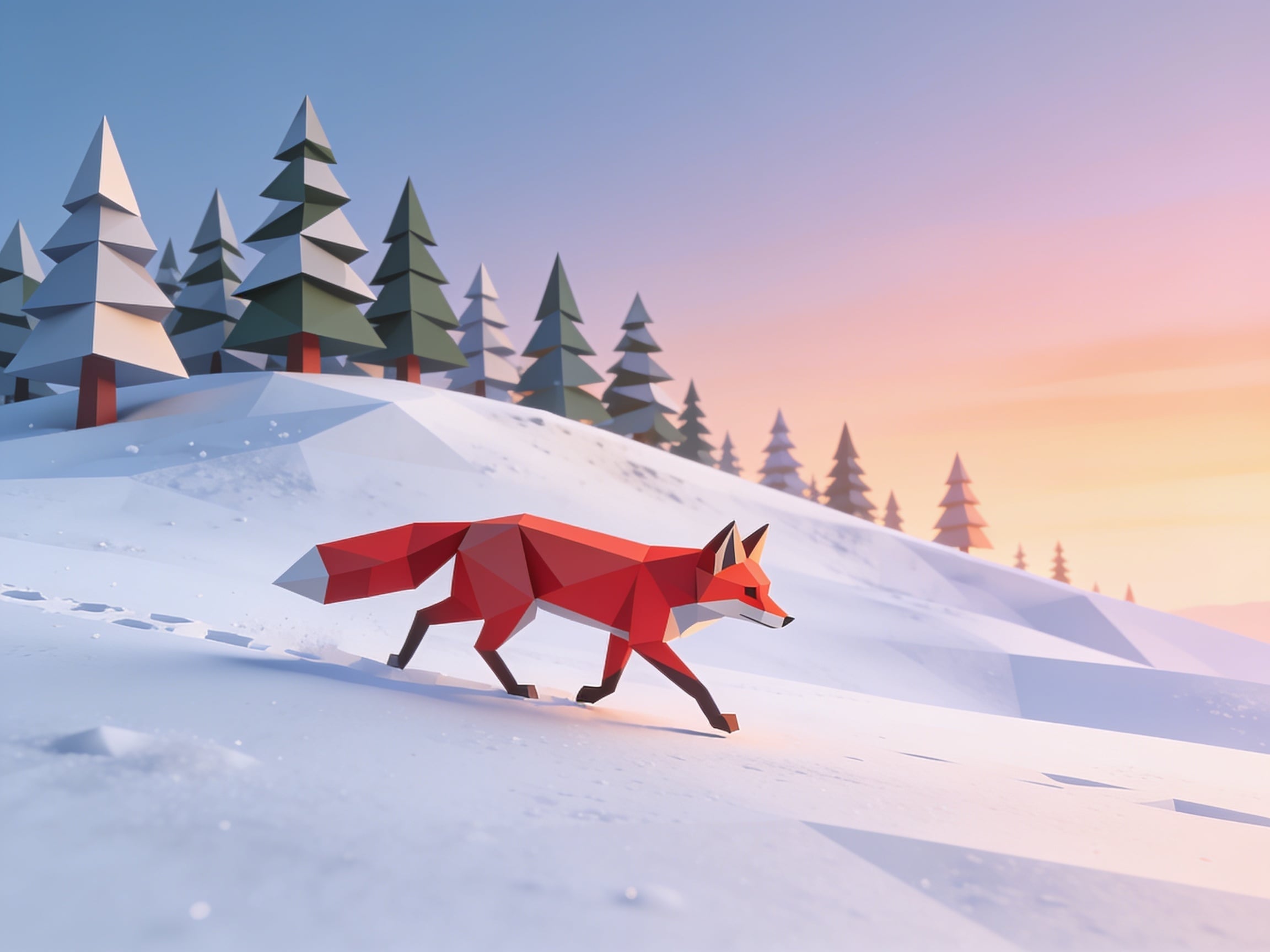
Generated on PixelDojo. Produced by PixelDojo's generation pipeline.
Seedream 4.5 produced the most convincing low poly render, and Flux 2 Klein 9B did the best flat graphic version for half the price. We sent one faceted fox prompt to three image models on August 26, 2026. Seedream 4.5 cost 1 credit, took 27 seconds, and was the only one that faceted the ground as well as the subject, returning 2304 by 1728 without being asked for a widescreen frame. Flux 2 Klein 9B cost 0.5 credits and finished in 15 seconds with clean flat planes and no blur anywhere. Z Image Turbo also cost 0.5 credits and took 15 seconds, but it put a photographic depth of field blur behind the fox that fights the style.
Side-by-side, same prompt
Every model below ran the identical prompt on PixelDojo so the outputs are directly comparable: “A low poly 3D illustration of a red fox trotting across fresh snow at dawn, flat triangular facets, faceted pine trees on the ridge behind, soft gradient sky, minimal geometric style”
Seedream 4.5
27sThe only file where the snow is faceted too, not just the fox. 1 credit, 27 seconds, 2304 by 1728 unprompted.
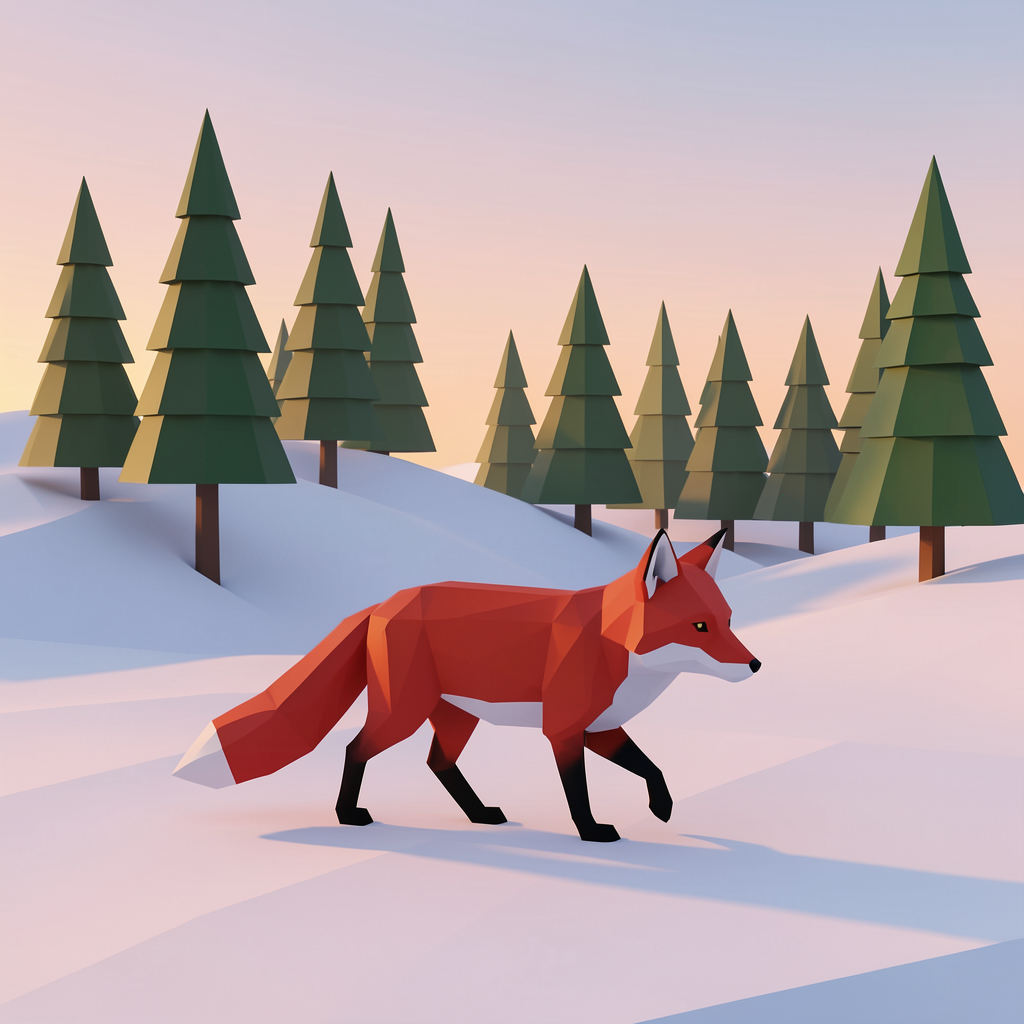
Flux 2 Klein 9B
15sFlat, clean and blur free for 0.5 credits in 15 seconds. Fewer facets, more of a vector look.
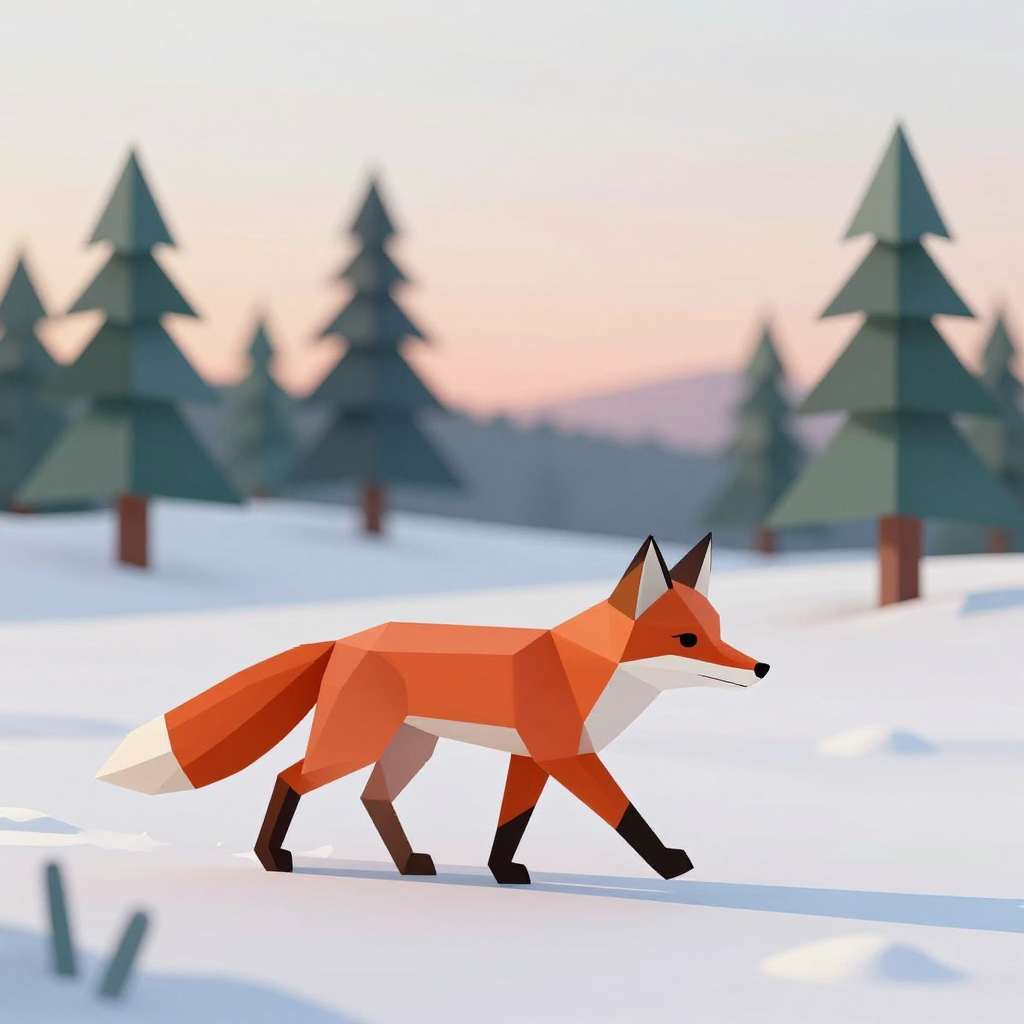
Z Image Turbo
15sGood faceted fox for 0.5 credits in 15 seconds, undercut by a photographic background blur.
Facet count, background and file size, in placing order
1. Seedream 4.5, 1 credit, 27 seconds
Low poly is a whole scene decision, so we ranked on how much of the frame stayed faceted rather than on how good the animal looked. Seedream 4.5 is the only file that keeps it up everywhere. The fox is densely triangulated across the shoulder, flank and brush, caught mid stride with a warm rim light from the low sun. The snow is not a smooth gradient. It is a slope built from large visible polygon planes, with a run of paw prints tracking back to the left edge. Behind it a ridge of stepped cone pines recedes into a peach and blue sky. It also returned 2304 by 1728, the largest file here, and it chose that landscape frame on its own with no aspect ratio set. Skip it if you need a square crop, or if you are sifting many variants, since 27 seconds is nearly double what the cheaper two took.
2. Flux 2 Klein 9B, 0.5 credits, 15 seconds
Half a credit, 15 seconds, and the cleanest graphic result of the three. Everything in the frame is flat. The pines are stepped tiered cones in two greens, the snow is broad soft planes with no noise, the sky is a plain peach to lilac gradient and nothing anywhere is blurred. The fox is faceted, sits in a believable trotting pose, and casts one clean shadow. Because it is so flat it works well as a wallpaper, a slide background or a game menu plate, and at 0.5 credits you can generate a set for the price of one image on most models. Skip it if you want the picture to read as a rendered 3D object. The facets on the fox are noticeably fewer and larger than on Seedream 4.5, so the result feels like vector illustration rather than geometry with light on it. It returned 1024 by 1024.
3. Z Image Turbo, 0.5 credits, 15 seconds
Same price and same 15 seconds as Flux 2 Klein 9B, and the fox itself is arguably the sharpest of the three: chunky orange facets, a white tipped brush, dark stockings on the legs and a clean geometric muzzle. The problem is everything behind it. The pine trees are rendered with a heavy photographic depth of field blur, which is a camera effect, and it fights the flat geometric look the rest of the image is going for. The snow is also nearly featureless, with almost no facet structure to it, so the ground reads as smooth white. Two small teal shards sit in the lower left corner that do not resolve into anything. Skip it if the background matters as much as the subject. Keep it when you want a faceted character to cut out and place somewhere else, which is what it does best.
One prompt, three models, one session. Two of the three cost half a credit. Every file arrived inside 30 seconds, and the widest frame came back without asking.
Why Choose Pixel Dojo for Low Poly Models
Professional-quality results with cutting-edge AI technology
Half a credit gets you low poly
Two of the three models here cost 0.5 credits per image. The most expensive run in the test was 1 credit.
Judge the ground, not the animal
All three faceted the fox. Only one faceted the snow underneath it, which is what separates a render from a sticker.
One model picked its own frame
With no aspect ratio set, Seedream 4.5 returned 2304 by 1728 while the other two returned 1024 by 1024 squares.
How It Works
The three steps behind these renders:
Identical prompt, defaults everywhere
Each model got the same wording naming flat triangular facets, faceted pines and a minimal geometric style. No aspect ratio, no negative prompt, no retries, first result kept.
Timed with clock brackets
A reading before each request and another when the file landed. That produced 15, 15 and 27 seconds.
Scored the frame, not the fox
We opened each file and looked at the snow, the trees and the sky as well as the animal. Faceting everywhere set the order, with price and speed as the tiebreak.
Loved by creators on PixelDojo
Real feedback from people using PixelDojo, pulled from our in-product surveys.
Great for all your ideas use it encourage more people to use it
Because it is awesome
exceptional quality and great overall design of platform and interface. very intuative. love the creative freedom.
Qwen image 2 is amazing!!
Creative freedom, range of tools and options.
I love the training feature
Explore more AI tools on PixelDojo
AI Tools
Compare & Switch
- Best AI Image Generators
- Best AI Video Generators
- Midjourney Alternatives
- Civitai Alternatives
- Runway Alternatives
- Leonardo Alternatives
- Pika Alternatives
- Luma Alternatives
- Magnific Alternatives
- Veo Alternatives
- Flux Alternatives
- Freepik Alternatives
- Seedance Alternatives
- Seedream Alternatives
- Pixverse Alternatives
- GPT Image Alternatives
- Synthesia Alternatives
- Playground Alternatives
- NightCafe Alternatives
- Canva AI Alternatives
- ElevenLabs Alternatives
- ComfyUI Alternatives
- Fal Alternatives
- Replicate Alternatives
Common Questions
Everything you need to know about Low Poly Models
Which AI model is best for low poly art?
Seedream 4.5 on this test. It faceted the whole scene rather than just the subject, for 1 credit in 27 seconds at 2304 by 1728. Flux 2 Klein 9B is the better pick if you want flat vector style output at half the price.
How much does a low poly image cost?
0.5 credits on Flux 2 Klein 9B and Z Image Turbo, 1 credit on Seedream 4.5. Running all three on the same prompt cost 2 credits in total.
Which one was fastest?
Flux 2 Klein 9B and Z Image Turbo tied at 15 seconds, with Seedream 4.5 at 27. All three finished inside half a minute on August 26, 2026.
Why does my low poly image have blurry backgrounds?
The model is applying a camera depth of field effect, which happened on one of our three runs. Low poly is a flat geometric look, so blur reads as a mistake. Naming flat facets and a minimal geometric style helps, but the reliable fix is picking a model that did not do it.
Can I use these images as game assets?
They are flat images, not meshes, so they work as concept art, menu plates, backgrounds and marketing frames rather than as models you can import. If you need an actual 3D file, that is a different tool and a different price.
Can I call these models from an API?
Yes. POST to /api/v1/models/seedream-4/run, /api/v1/models/flux-2-klein-9b/run or /api/v1/models/z-image-turbo/run with the same key and the same request shape.