Pixel Art Models
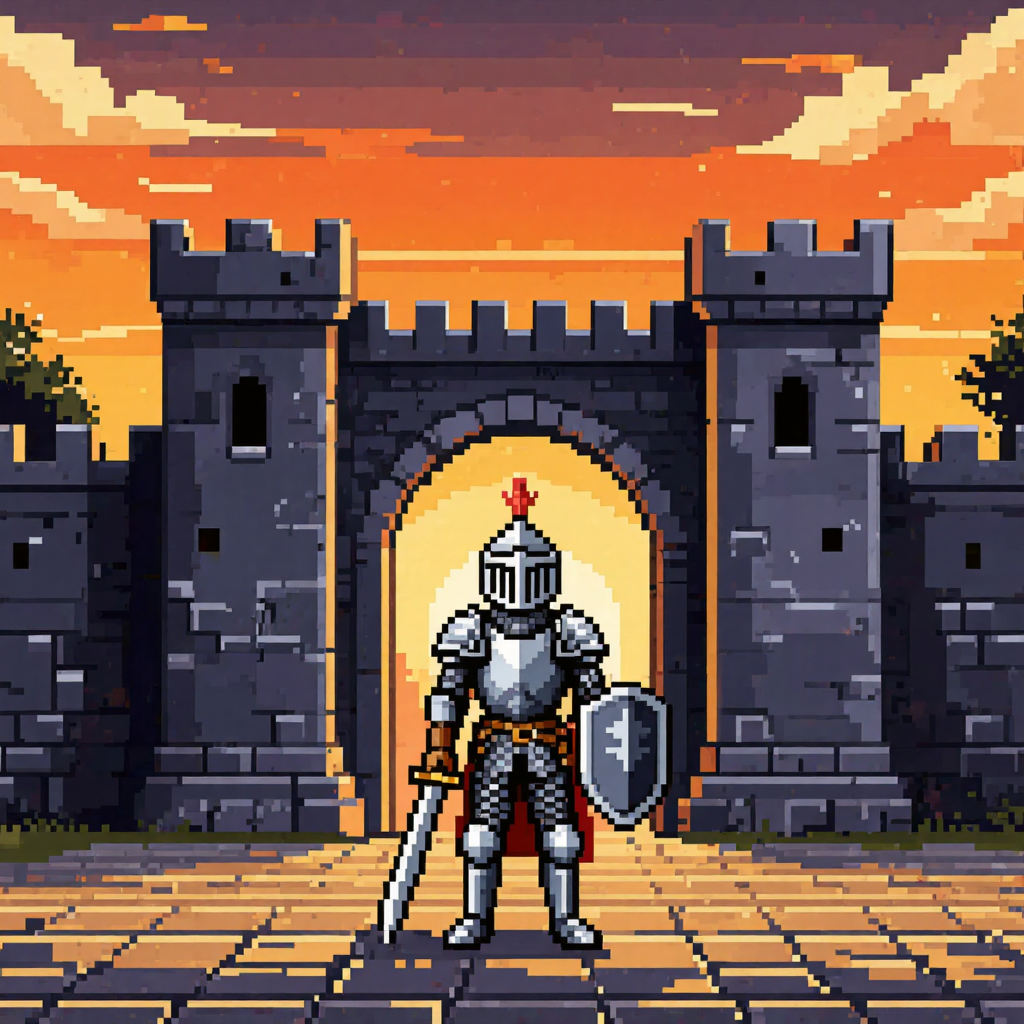
Generated on PixelDojo with Kling Image, Flux 2 Klein 9B, QWEN Image 2.0. Produced by PixelDojo's generation pipeline.
Kling Image made the most convincing pixel art of the three we ran. We sent one 16 bit knight prompt to Kling Image, Flux 2 Klein 9B and QWEN Image 2.0 on August 26, 2026 and timed each request. Kling Image cost 1 credit, took about 50 seconds, and held a chunky uniform pixel grid with a tight palette across the whole frame. Flux 2 Klein 9B cost 0.5 credits, the cheapest run in this test, finished in about 20 seconds and laid out a proper side scrolling stage. QWEN Image 2.0 cost 1 credit, took about 16 seconds and returned the largest and prettiest file at 2048 by 2048, but it smoothed its shading into an illustration rather than a sprite. We ranked on pixel discipline first, because that is the thing you cannot fix later, then on price and measured speed.
Side-by-side, same prompt
Every model below ran the identical prompt on PixelDojo so the outputs are directly comparable: “Pixel art of a lone knight standing at the gates of a walled town at sunset, 16-bit game sprite style, limited color palette, crisp square pixels, side-scrolling scene”
Kling Image
50sTruest pixel discipline. Hard stepped cloud edges, a tight palette and a readable hero sprite. 1 credit, about 50 seconds.
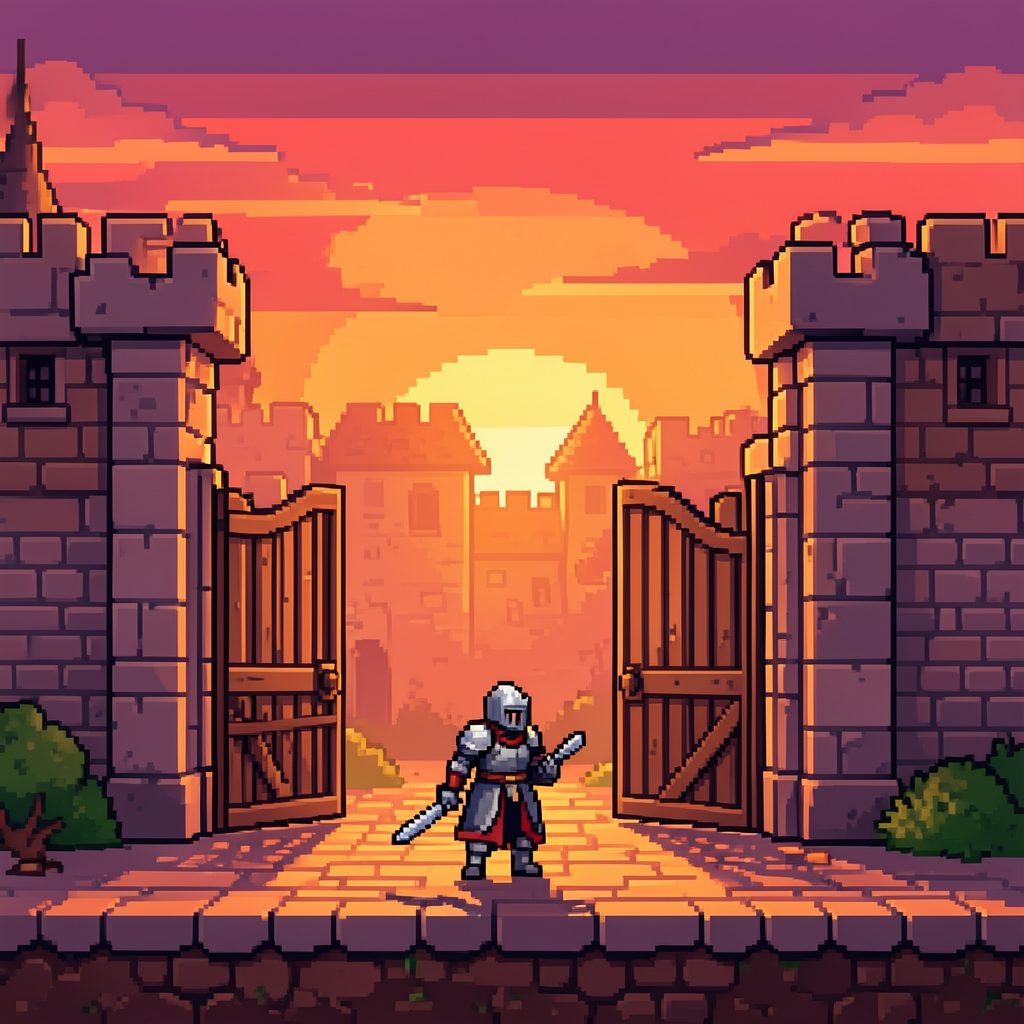
Flux 2 Klein 9B
20sCheapest run at 0.5 credits and the only real side scroller layout, with a ground tile strip. About 20 seconds.
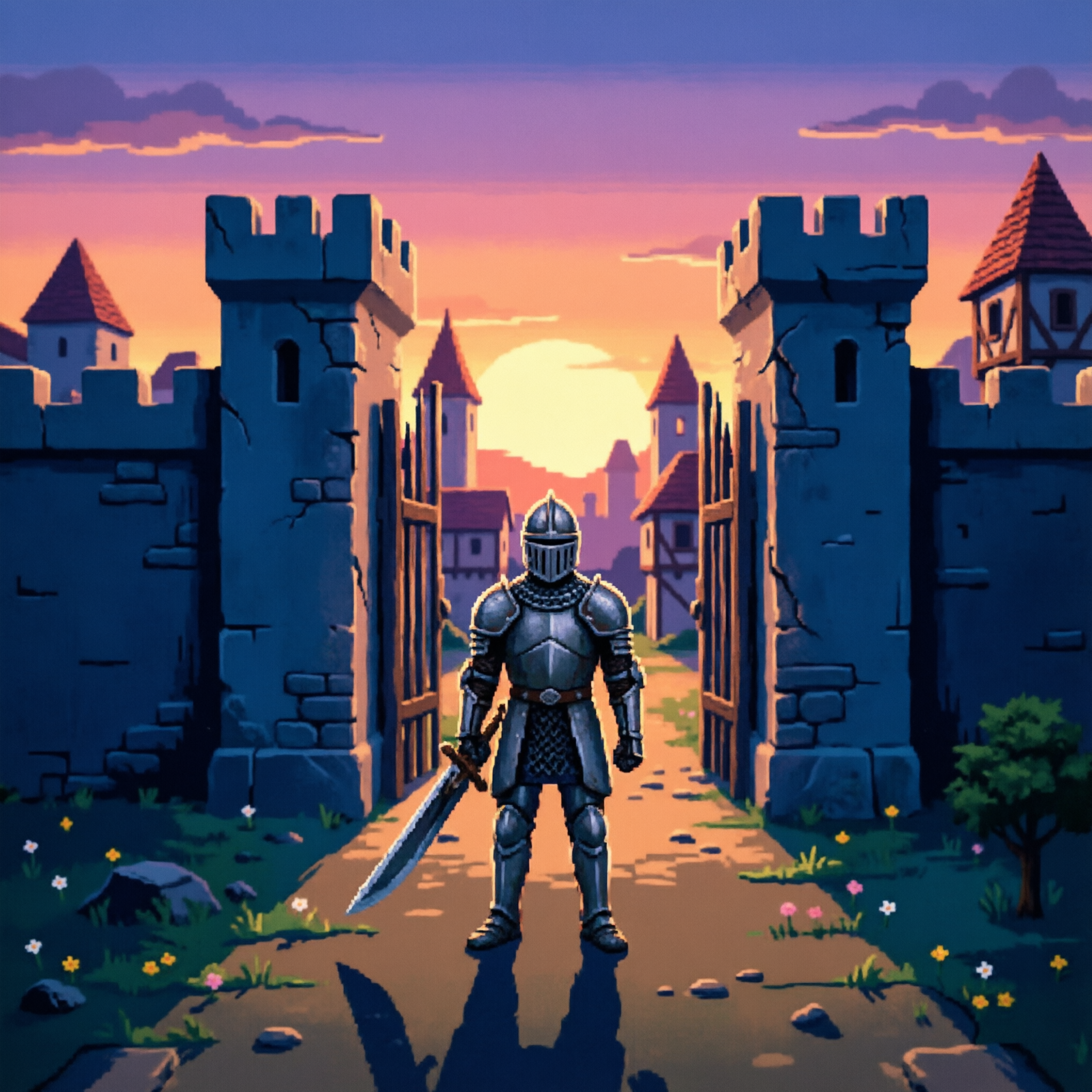
QWEN Image 2.0
16sBest looking picture and largest file at 2048 by 2048, but the shading is smooth, so it reads as pixel styled art. 1 credit, about 16 seconds.
The three results, ranked by how much pixel is really in them
1. Kling Image, 1 credit, about 50 seconds
Kling Image was the only run that behaved like actual pixel art all the way to the edges of the frame. The sky is built from visible blocks with hard stepped cloud edges and no blending between the orange and gold bands. The palette stays small: warm sky, slate grey stone, silver armour, one red for the helmet plume and cape. The gate is a symmetrical stone wall with crenellated towers, arrow slits and an arched opening lit from behind, and the ground is a cobbled floor in stepped perspective. The knight himself is a clean readable sprite with a visored helm, pauldrons, a mail skirt, a sword held low and a heraldic shield. This is the file you could hand to an artist as a reference and they would recognise the discipline. Skip it if you are in a hurry. At about 50 seconds it was two and a half times slower than the other two, and it came back at 1024 by 1024.
2. Flux 2 Klein 9B, 0.5 credits, about 20 seconds
Flux 2 Klein 9B was the cheapest thing in this whole test at half a credit and it understood the words side scrolling better than either rival. The composition is a stage rather than a picture: two stone gate towers frame the shot, a flat cobbled floor strip runs across the bottom with a dirt cross section beneath it, bushes anchor both corners and the town behind is pushed into warm haze so a character could walk in front of it. The sunset runs purple to orange in banded steps and the black outlining is consistent. There is one clear artifact. Our knight reads as holding a blade in each hand, with a second sword duplicated on his left side. Skip it if you need a flawless hero sprite on the first try. At half a credit you can afford several attempts, which is the honest way to use it.
3. QWEN Image 2.0, 1 credit, about 16 seconds
QWEN Image 2.0 was the fastest of the three at about 16 seconds and it gave us the biggest and most attractive file at 2048 by 2048. The scene is genuinely lovely: a purple to gold sunset with layered clouds, cracked stone walls, half timbered houses with red tiled roofs behind the gate, wildflowers in the grass and a long shadow cast toward the camera from a full plate knight. The catch is that this is pixel styled illustration, not pixel art. The armour has smooth gradients, the shading blends instead of stepping, and the effective pixel grid is far too fine to be a sprite. Downsample it and the detail collapses. Skip it if you need something a game engine will accept as an asset. Pick it when you want a banner, a store page header or a chapter opener that gestures at the retro look.
One sprite prompt, three models, timed the same day. Prices ran 0.5 to 1 credit. Measured turnaround ran about 16 to about 50 seconds.
Why Choose Pixel Dojo for Pixel Art Models
Professional-quality results with cutting-edge AI technology
Pixel look and pixel discipline are different things
All three read as retro at thumbnail size. Only one held a consistent grid and a limited palette when we opened it full size.
The floor here is half a credit
Flux 2 Klein 9B costs 0.5 credits per image. The whole three model comparison cost 2.5 credits.
Speed and quality did not line up
The fastest run made the least authentic sprite and the slowest made the most authentic one, on the same prompt the same day.
How It Works
How to test a pixel art model yourself in about a minute:
Ask for the grid, not just the vibe
Our prompt named 16 bit sprite style, a limited colour palette and crisp square pixels. Without those words a model will happily hand you a painting with retro colours.
Open the result at full size and look at a cloud
A flat area of sky is the fastest tell. Real pixel art steps in hard blocks. Imitation pixel art blends, and you will see it in the sky long before you see it in the armour.
Shrink it and see what survives
Scale the file down toward sprite size. Genuine pixel discipline stays readable. Smoothed illustration turns to mush, which tells you whether it can ever be a game asset.
Loved by creators on PixelDojo
Real feedback from people using PixelDojo, pulled from our in-product surveys.
All the tools, readily available and easy to understand
You guys, the LORA training is the BEST in the space right now, great job with that!
Tons of variety. Ease of use. Tools for beginners and advance users.
easiest workflow to get best output image or video
awesome functionality, UX, constant flood of improvements, discord interactivity
Awesome site with so many features
Explore more AI tools on PixelDojo
AI Tools
Compare & Switch
- Best AI Image Generators
- Best AI Video Generators
- Midjourney Alternatives
- Civitai Alternatives
- Runway Alternatives
- Leonardo Alternatives
- Pika Alternatives
- Luma Alternatives
- Magnific Alternatives
- Veo Alternatives
- Flux Alternatives
- Freepik Alternatives
- Seedance Alternatives
- Seedream Alternatives
- Pixverse Alternatives
- GPT Image Alternatives
- Synthesia Alternatives
- Playground Alternatives
- NightCafe Alternatives
- Canva AI Alternatives
- ElevenLabs Alternatives
- ComfyUI Alternatives
- Fal Alternatives
- Replicate Alternatives
Common Questions
Everything you need to know about Pixel Art Models
What is the best AI model for pixel art?
Kling Image in our August 26, 2026 test. It cost 1 credit, took about 50 seconds, and was the only one that kept a chunky uniform pixel grid and a small palette across the entire frame instead of blending its shading.
What is the cheapest pixel art model?
Flux 2 Klein 9B at 0.5 credits per image, and it finished in about 20 seconds. It also produced the only real side scrolling stage layout, with a ground tile strip a character could stand on.
Why does AI pixel art often look wrong to game artists?
Most models paint the impression of pixels at high resolution rather than working on a real grid, so the shading blends and the pixel size drifts across the image. Our QWEN Image 2.0 result is a clear example: beautiful at full size, and it falls apart if you downsample it toward sprite dimensions.
Can I use these as game assets directly?
Treat them as reference and background art rather than drop in sprites. Even the tidiest of our three would need a pass in a pixel editor to snap it to a fixed grid and lock the palette before an animator could work with it.
How fast are these models?
Measured on August 26, 2026 from request to finished file: about 16 seconds for QWEN Image 2.0, about 20 seconds for Flux 2 Klein 9B, about 50 seconds for Kling Image. Queue load moves these numbers.
How do I run them from the API?
POST to /api/v1/models/kling-image/run, /api/v1/models/flux-2-klein-9b/run or /api/v1/models/qwen-image-2.0/run with your API key. One key covers all of them, so batching a set of scenes is a loop over one string.