Sticker Designs AI Generator
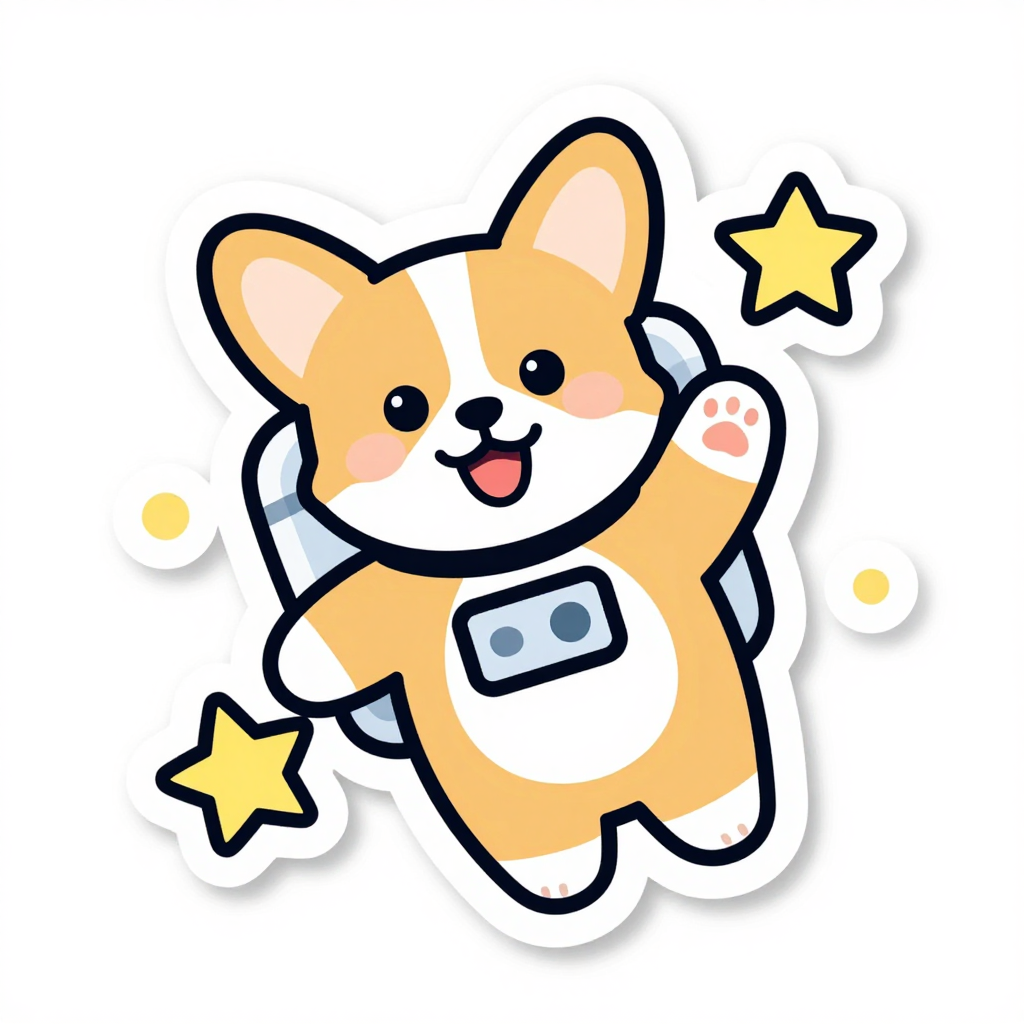
Generated on PixelDojo. Produced by PixelDojo's generation pipeline.
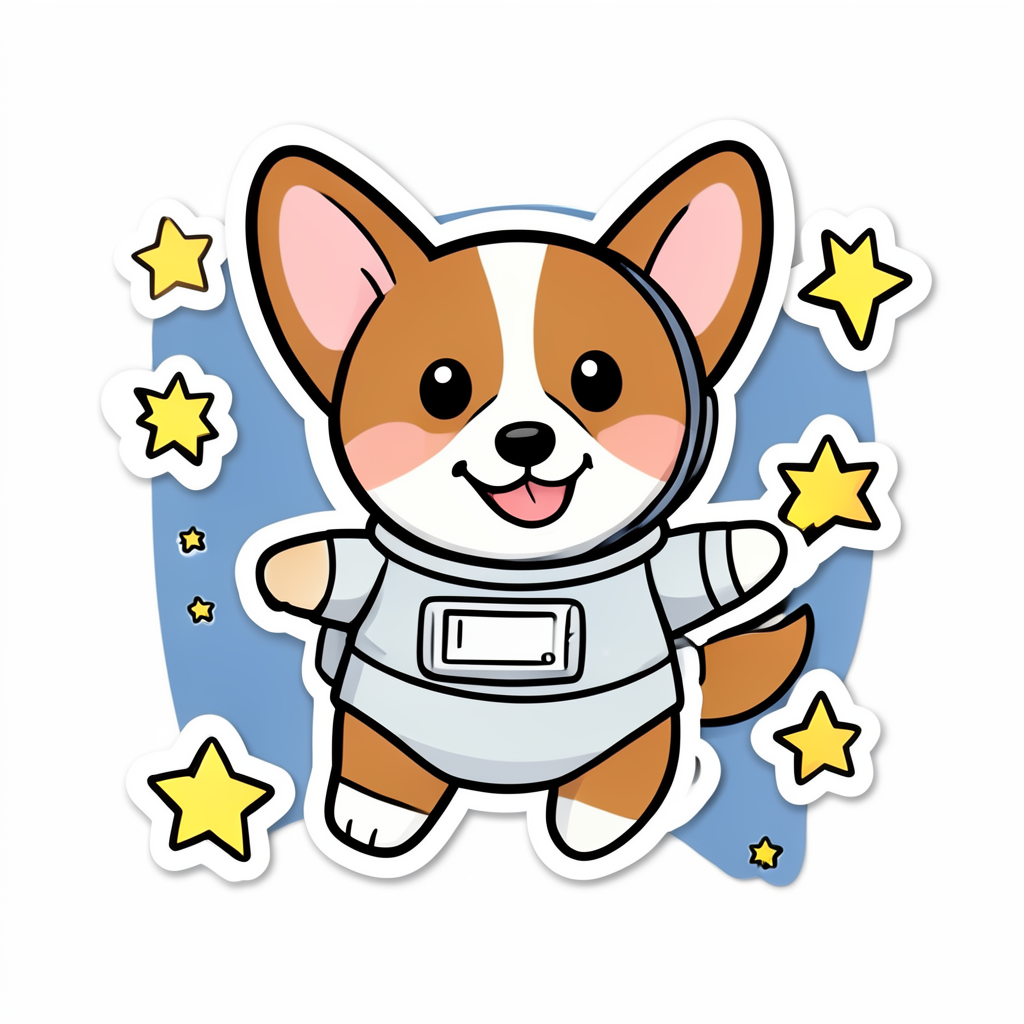
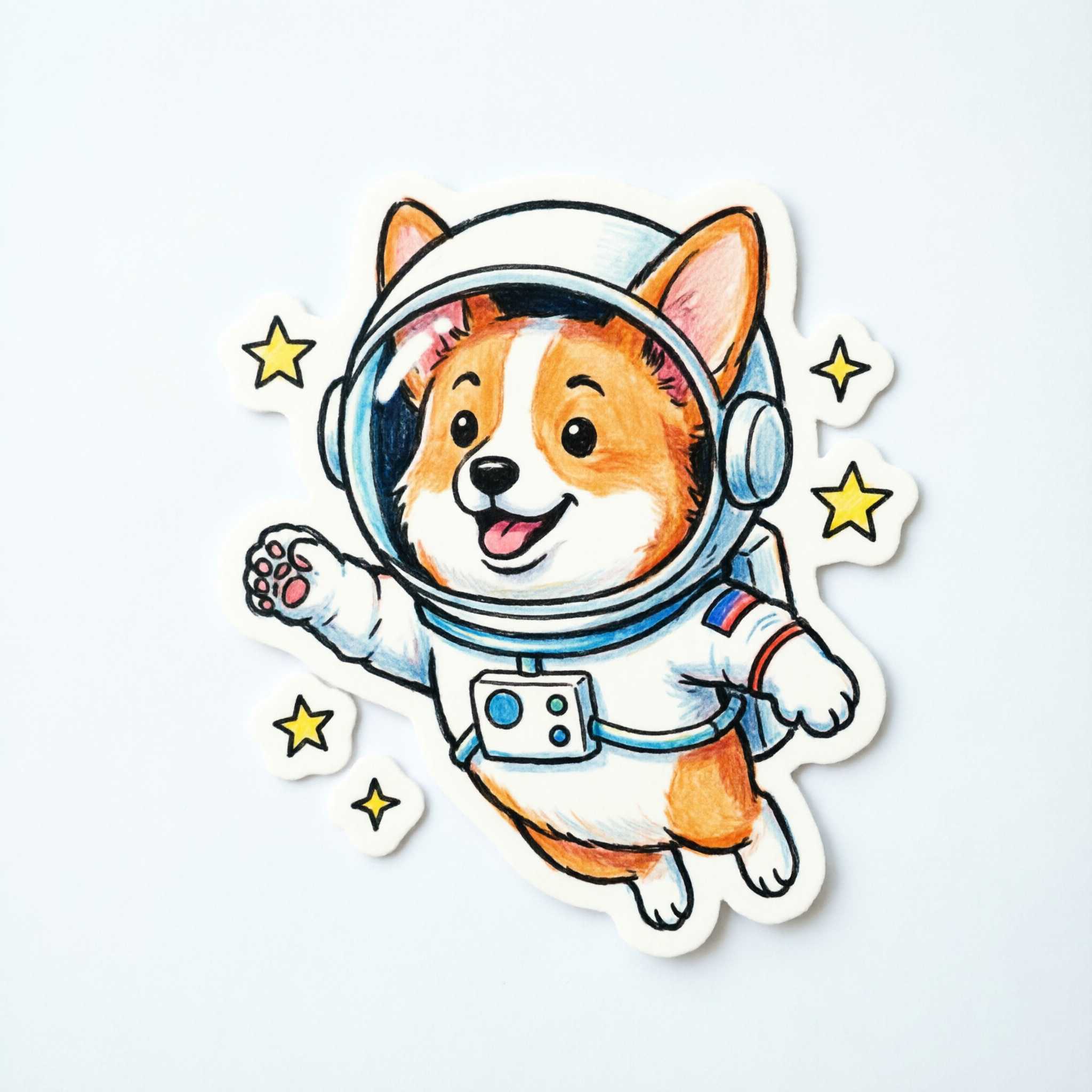
Z Image Turbo is the best pick for sticker designs. It was the only one of the three that returned a true die cut sticker, flat colours, one continuous white cut border and a clean white background, for 0.5 credits in about 11 seconds. We sent the same corgi astronaut sticker prompt to Z Image Turbo, Flux 2 Klein 4B and QWEN Image 2.0 on August 26, 2026 and kept the first result from each. Flux 2 Klein 4B costs 0.1 credits, five times less than the winner, and came back in about 12 seconds with clean line work but a stray blue backdrop shape behind the dog. QWEN Image 2.0 charged 1 credit, returned 2048 by 2048 pixels and drew by far the best character, but delivered it as a photograph of a printed sticker. All three outputs are below, ranked, each with a reason to pass.
Side-by-side, same prompt
Every model below ran the identical prompt on PixelDojo so the outputs are directly comparable: “A cheerful sticker design of a corgi astronaut floating among stars, bold outlines, flat colors, die-cut style”
Z Image Turbo
11sA real die cut. One continuous white border wrapping the dog and two stars, flat fills, pure white ground. 0.5 credits, about 11 seconds.
Flux 2 Klein 4B
12sCheapest by five times at 0.1 credits, about 12 seconds. Even line weight, but it adds a blue oval backdrop you have to cut away.
QWEN Image 2.0
13sBest drawing and 2048 by 2048 pixels, but rendered as a photo of a printed sticker with a drop shadow. 1 credit, about 13 seconds.
How the three finished, and what each one costs you
1. Z Image Turbo, 0.5 credits, about 11 seconds
This is the only result you could hand straight to a cutting machine. Z Image Turbo drew one continuous white cut border that wraps the corgi and two of the stars as a single shape, with a couple of small dots cut separately, which is exactly how a die cut sticker is laid out. Fills are genuinely flat with no gradient shading, outlines are a consistent dark navy at an even weight, and the background is pure white with nothing else in it. The character reads well too, kawaii proportions, one paw raised with a pink pad showing, blush marks on the cheeks. It was also the fastest of the three at about 11 seconds and the middle price at 0.5 credits. The one thing it under delivered is the astronaut idea. The helmet is only implied by two small grey shapes at the shoulder, so the dog reads as a dog in a white suit. Skip it if the costume detail matters or you need a large print file, since this came back at 1024 by 1024.
2. Flux 2 Klein 4B, 0.1 credits, about 12 seconds
At 0.1 credits this is the cheapest image in the whole comparison by a factor of five, and it is a serious option when you are generating sticker concepts in bulk rather than one final design. The line work is clean and even, the corgi is on model with big ears and a friendly face, and the white cut borders around the six yellow stars are handled well as separate shapes. Two problems stop it winning. It painted a soft blue oval behind the dog, which is not a sticker element and has to be removed before anything can be cut, and the helmet is drawn as a thin arc that does not close around the head, so the ears sit outside the glass in a way that looks like a mistake rather than a style choice. Output is 1024 by 1024, and the wait was about 12 seconds. Skip it when you want a finished cut file first time instead of a starting point.
3. QWEN Image 2.0, 1 credit, about 13 seconds
QWEN Image 2.0 drew the best picture and delivered it in the least usable form. The artwork is the strongest of the three by a clear margin, with a properly closed helmet dome and a highlight on the glass, a chest control box with coloured buttons, a flag patch on the sleeve and warm coloured pencil texture through the fur. It also came back at 2048 by 2048 pixels, four times the pixel count of either sibling, so there is real print resolution here. The catch is that it interpreted sticker as a photograph of a sticker. The design sits on a pale grey surface with a soft drop shadow under it, slightly rotated, with paper texture visible. That makes it a good shop listing mockup and a poor production asset, because you have to cut the sticker out of the photo before you can use it. The pencil shading also breaks the flat colours instruction. Skip it if you need a flat asset with no background.
Three models, one sticker brief, 1.6 credits for the whole comparison. Every result landed in under 15 seconds.
Why Choose Pixel Dojo for Sticker Designs
Professional-quality results with cutting-edge AI technology
Judged on how close each file is to printable
Flat colours, one clean cut border and a plain background decided first place. Price and speed sorted the rest.
The whole test cost 1.6 credits
Flux 2 Klein 4B 0.1 credits, Z Image Turbo 0.5 credits, QWEN Image 2.0 1 credit. The Flux 2 Klein 4B frame came from an earlier run of this same prompt on the same day.
A cheap model is a real strategy for stickers
At 0.1 credits per image you can generate a whole sheet of concepts for the price of one premium render, then finish only the ones worth cutting.
How It Works
What we did, step by step:
Write one sticker brief that names the cut and the fills
We used a cheerful sticker design of a corgi astronaut floating among stars, with bold outlines, flat colors and die-cut style. Those last three phrases are the ones that decide whether you get a cut file or an illustration.
Send it to each model once at default settings
No aspect ratio changes, no seeds, no second attempts. The Flux 2 Klein 4B frame came from an earlier run of the identical prompt on the same day, so all three results answer the same words.
Time each run, then open the files and judge them as cut files
We bracketed each request with a clock, recorded the charge, downloaded all three and looked at them at full size. Z Image Turbo 0.5 credits in about 11 seconds, Flux 2 Klein 4B 0.1 credits in about 12 seconds, QWEN Image 2.0 1 credit in about 13 seconds.
Loved by creators on PixelDojo
Real feedback from people using PixelDojo, pulled from our in-product surveys.
The overall quality of the site and it's amazing variety of tools. The continued updates of the UI. The unbelievable level of tech support.
THIS IS SO DOPE !
I have already recommended it to friends
All the tools, plus the guidance
Excellent tools. Ease of use. Well thought out interface. Wide variety of AI tools and features which are up to date with more added each month
I really like how the site is kept up to date, and the leaderboard (where I'm currently #11 most popular artist)
Explore more AI tools on PixelDojo
AI Tools
Compare & Switch
- Best AI Image Generators
- Best AI Video Generators
- Midjourney Alternatives
- Civitai Alternatives
- Runway Alternatives
- Leonardo Alternatives
- Pika Alternatives
- Luma Alternatives
- Magnific Alternatives
- Veo Alternatives
- Flux Alternatives
- Freepik Alternatives
- Seedance Alternatives
- Seedream Alternatives
- Pixverse Alternatives
- GPT Image Alternatives
- Synthesia Alternatives
- Playground Alternatives
- NightCafe Alternatives
- Canva AI Alternatives
- ElevenLabs Alternatives
- ComfyUI Alternatives
- Fal Alternatives
- Replicate Alternatives
Common Questions
Everything you need to know about Sticker Designs
Which AI model is best for sticker designs?
Z Image Turbo in this test. It was the only model that returned a true die cut layout, with flat colours, one continuous white cut border and a clean white background, for 0.5 credits in about 11 seconds. Pick Flux 2 Klein 4B when you want cheap volume at 0.1 credits an image, and QWEN Image 2.0 when you want a listing mockup rather than a cut file.
What did the comparison cost?
1.6 credits in total. Flux 2 Klein 4B charges 0.1 credits, Z Image Turbo 0.5 credits and QWEN Image 2.0 1 credit, one image each. The Flux 2 Klein 4B result was reused from an earlier run of the identical prompt on August 26, 2026.
How do I get a transparent background for cutting?
Generate on a plain white ground first, which is what the sticker wording in the prompt is doing, then remove the background as a second step. A model that returns a photo of a sticker, or one that paints a coloured backdrop shape, costs you an extra cleanup pass before that step will work cleanly.
Which one gives the biggest file for printing?
QWEN Image 2.0 at 2048 by 2048 pixels, four times the pixel count of the 1024 by 1024 results from the other two. If you want that resolution with a flat design, generate on a cheaper model and upscale rather than accepting the mockup framing.
Can I generate stickers through the API?
Yes. POST to /api/v1/models/z-image-turbo/run, /api/v1/models/flux-2-klein-4b/run or /api/v1/models/qwen-image-2.0/run with your API key and a prompt. Same key and same request shape for all three, so a loop can produce a sheet of variants in one pass.
What wording actually produces a die cut look?
Name the cut. Asking for bold outlines, flat colors and die-cut style is what produced the white border in our test, and every model responded to it differently. Adding sticker alone tends to get you a picture of a sticker instead of the sticker itself.