Bria 3.2 vs Flux Dev
Generated on PixelDojo. Produced by PixelDojo's generation pipeline.
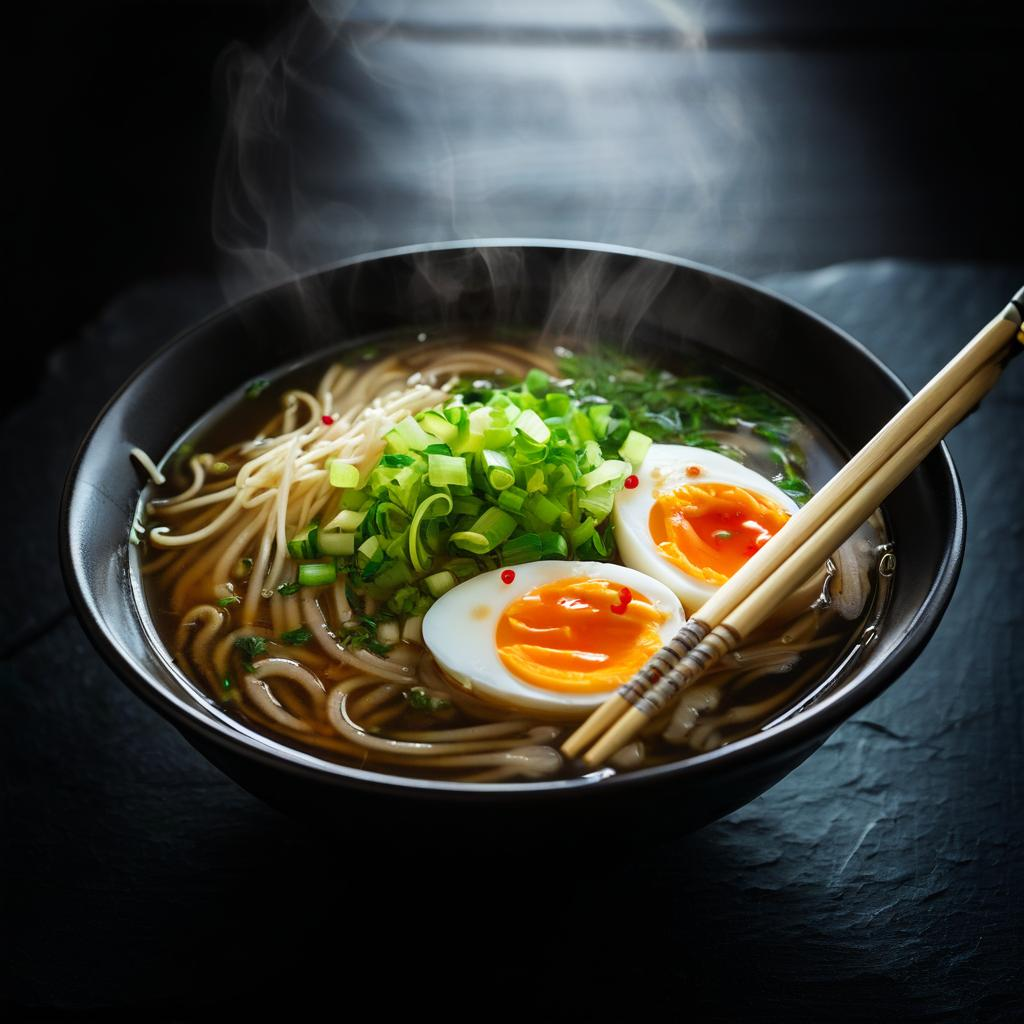
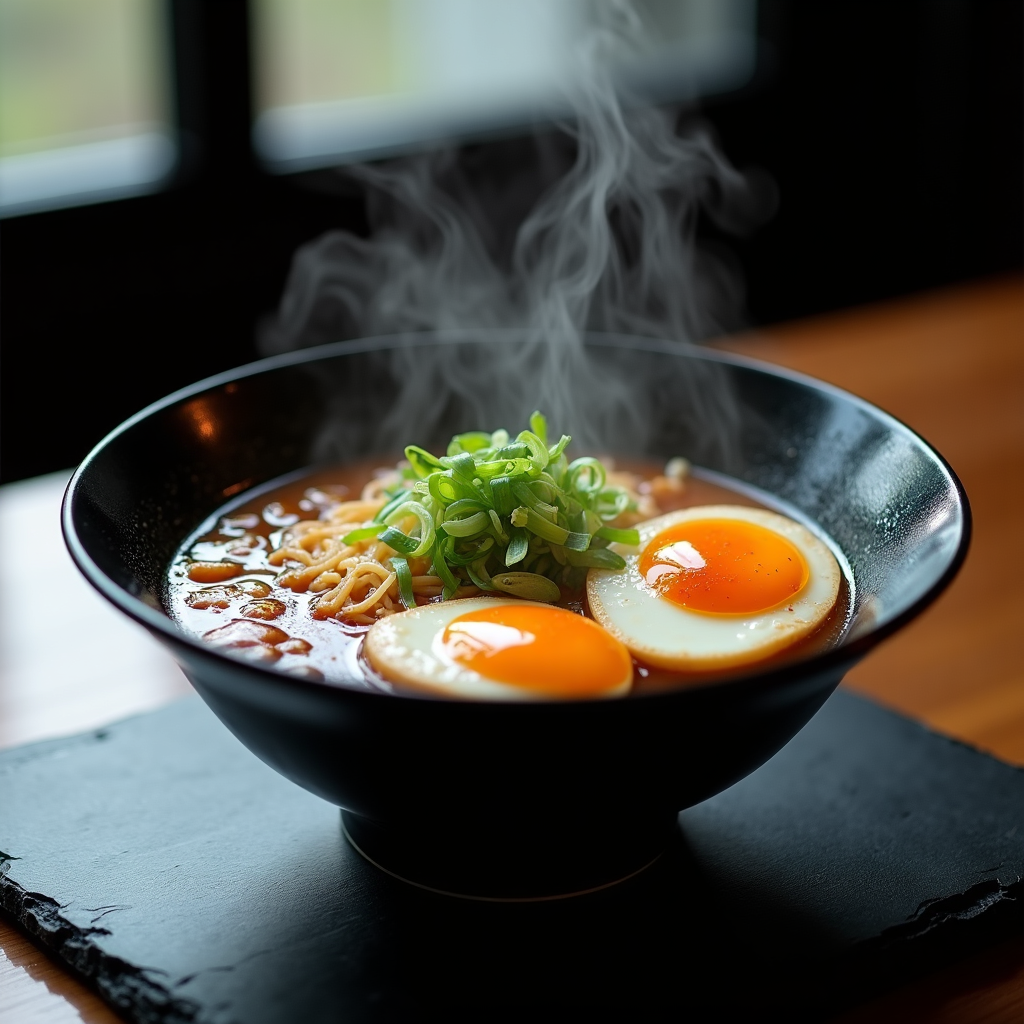
Bria 3.2 and Flux Dev both cost 1 credit per image. We sent both the same overhead ramen bowl prompt on August 26, 2026 with default settings: Bria 3.2 returned its file in about 13 seconds and Flux Dev took about 180 seconds. Neither model held the strict overhead camera angle we asked for, but both rendered the steam, the egg and the broth convincingly.
The same ramen prompt on both models
Every example below was produced on PixelDojo. Hover to see the prompt.
Overhead shot of a steaming bowl of ramen with a soft egg, scallions and chili oil, dark slate table, moody window light
Bria 3.2
Overhead shot of a steaming bowl of ramen with a soft egg, scallions and chili oil, dark slate table, moody window light
Flux Dev
Same prompt, same 1 credit price, two models. Bria 3.2: about 13 seconds. Flux Dev: about 180 seconds.
Why Choose Pixel Dojo for Bria 3.2 vs Flux Dev
Professional-quality results with cutting-edge AI technology
Bria 3.2 was the fast option
About 13 seconds against about 180 seconds for Flux Dev on the identical prompt, same day, same default settings.
Both rendered convincing steam and egg detail
The soft boiled egg halves and rising steam came through clearly on both outputs without a retry.
How It Works
How we ran the comparison, so you can repeat it:
Send the identical prompt to both
The same overhead ramen prompt went to bria-3-2 and to flux-dev with default settings on each.
Bracket each request with a timestamp
We recorded the second before submitting and the second the finished file arrived, for both models.
Check the camera angle against the prompt
We compared what each model actually shot against the strict overhead angle we asked for, not just the food styling.
The Pixel Dojo Advantage
Same prompt, same day, same 1 credit price. The gap is turnaround and how each one handled the camera angle we asked for.
| Others | Pixel Dojo |
|---|---|
| Bria 3.2: 1 credit, about 13 seconds on our run | Flux Dev: 1 credit, about 180 seconds on the identical prompt |
| Bria 3.2: 9 aspect ratio presets, fixed 1K resolution, up to 4 images per call | Flux Dev: 12 aspect ratio presets plus a custom width and height mode, up to 4 images per call |
| Bria 3.2: chose a high three-quarter angle, chopsticks resting across the bowl, a few visible chili flakes | Flux Dev: also chose a three-quarter angle, two egg halves floating in the broth, warm window light streaming from one side |
| Bria 3.2: has an explicit photography or art medium toggle to bias the render | Flux Dev: no medium toggle, style comes entirely from the prompt wording |
Loved by creators on PixelDojo
Real feedback from people using PixelDojo, pulled from our in-product surveys.
I have already recommended it to friends
All the tools, plus the guidance
Excellent tools. Ease of use. Well thought out interface. Wide variety of AI tools and features which are up to date with more added each month
I really like how the site is kept up to date, and the leaderboard (where I'm currently #11 most popular artist)
This is the best image generator I've used so far. Well done!
es facil de comprender asi uno no sea programador
Explore more AI tools on PixelDojo
AI Tools
Compare & Switch
- Best AI Image Generators
- Best AI Video Generators
- Midjourney Alternatives
- Civitai Alternatives
- Runway Alternatives
- Leonardo Alternatives
- Pika Alternatives
- Luma Alternatives
- Magnific Alternatives
- Veo Alternatives
- Flux Alternatives
- Freepik Alternatives
- Seedance Alternatives
- Seedream Alternatives
- Pixverse Alternatives
- GPT Image Alternatives
- Synthesia Alternatives
- Playground Alternatives
- NightCafe Alternatives
- Canva AI Alternatives
- ElevenLabs Alternatives
- ComfyUI Alternatives
- Fal Alternatives
- Replicate Alternatives
Common Questions
Everything you need to know about Bria 3.2 vs Flux Dev
Is Bria 3.2 cheaper than Flux Dev?
No, they are the same price. Both cost a flat 1 credit per image, so the decision comes down to speed and small compositional differences, not cost.
Which one is faster?
Bria 3.2 was much faster in our test, about 13 seconds against about 180 seconds for Flux Dev on the same prompt, same day.
Did either one shoot a true overhead angle?
No. We asked for an overhead shot and both models returned a high three-quarter angle instead. If a strict top-down camera angle is non-negotiable for your brief, plan on a follow-up edit regardless of which one you pick.
Does Bria 3.2 have a photography mode?
Yes, a medium setting that biases toward photography or art, on top of the base prompt. Flux Dev has no equivalent toggle; its output style depends entirely on how the prompt is worded.
Which has more size options?
Flux Dev. It offers 12 aspect ratio presets plus a custom width and height mode. Bria 3.2 offers 9 aspect ratio presets at a fixed 1K resolution with no custom dimensions.
How do I call either from the API?
POST to /api/v1/models/bria-3-2/run or /api/v1/models/flux-dev/run with your API key and a prompt. Same key, same request shape, one string changes.