diwali ai images
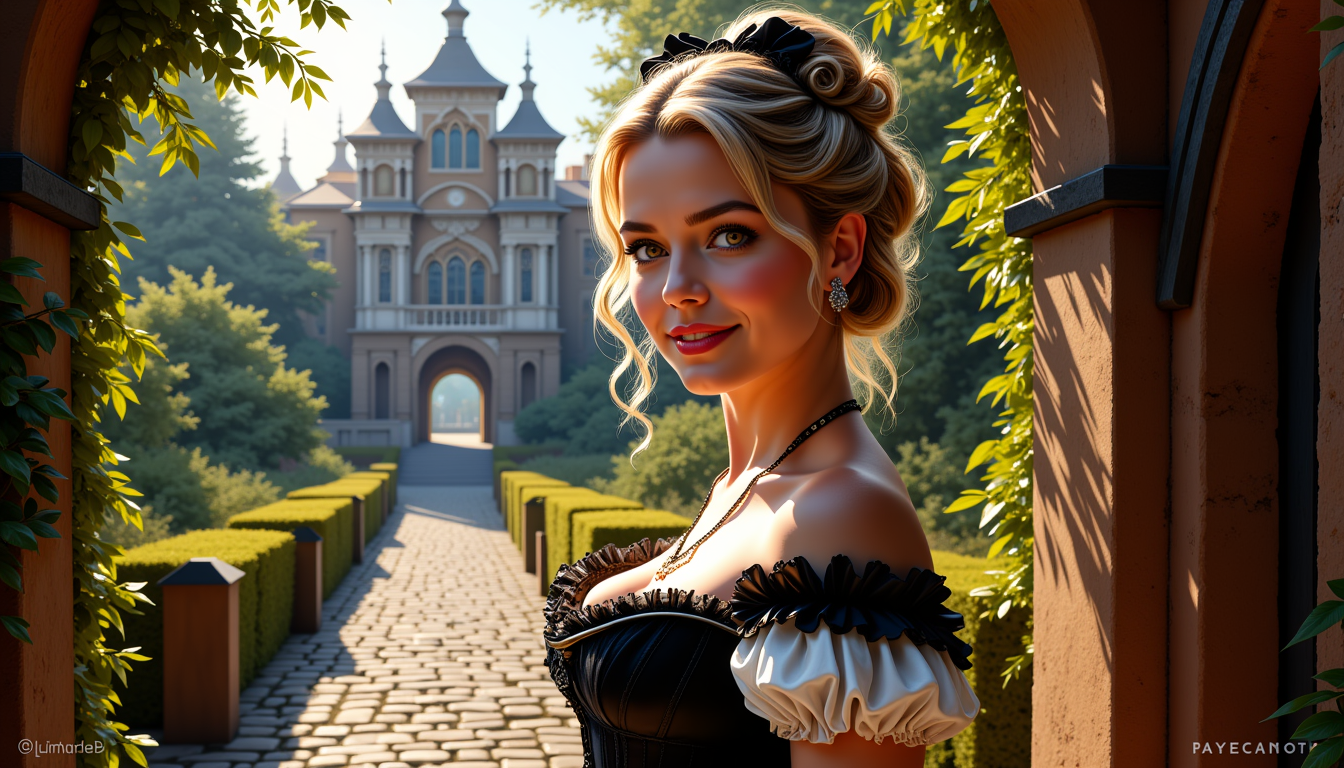
Imagine capturing the pure magic of Diwali – the warm flicker of countless diyas casting golden light on joyful faces, intricate rangoli patterns welcoming prosperity, marigold garlands framing family moments, and fireworks painting the night sky with hope and celebration. With PixelDojo's Diwali AI images generator, you can create these breathtaking visuals in seconds, tailored exactly to your vision. Whether you want personalized portraits of yourself or loved ones dressed in elegant traditional silk sarees and kurtas, complete with soft diya lighting and cinematic bokeh, or full festive scenes of Lakshmi-Ganesh puja, rooftop fireworks displays, or children playing with sparklers, the results look photorealistic and emotionally resonant. You’ll produce heartfelt digital greeting cards that make families smile, viral social media content that boosts engagement during the Festival of Lights, professional marketing visuals for your business, and beautiful prints to decorate your home. No design experience or expensive software is required. Simply describe your scene or upload a photo, and our advanced tools like Google Nano Banana and Flux.2 Studio handle the cultural details – accurate rangoli designs, realistic flame glow, traditional attire, and devotional atmospheres – so you can focus on sharing joy. Thousands of creators worldwide use PixelDojo every festival season to create unique, authentic Diwali AI images that strengthen connections, honor traditions, and stand out beautifully. Start generating today and light up your celebrations with custom art that truly captures the spirit of renewal, prosperity, and togetherness.
Join 35,000+ creators who generated over 250,000 Diwali AI images last season. Rated 4.9/5 from 2,400+ reviews. "PixelDojo turned our family selfie into the most beautiful Lakshmi puja portrait with perfect diya lighting and rangoli. Our relatives couldn't believe it was AI!" – Priya Sharma
Why Choose Pixel Dojo for diwali ai images
Professional-quality results with cutting-edge AI technology
Create Personalized Diwali Portraits That Radiate Joy
Upload your selfies or family photos and watch them transform into stunning, festival-ready masterpieces. Our AI adds elegant jewel-toned sarees, embroidered kurtas, soft warm lighting from diyas illuminating faces from below, marigold garlands, fairy lights with dreamy golden bokeh, and subtle festive touches while perfectly preserving your real facial features and expressions. The outcome? Shareable, heartwarming portraits perfect for profile pictures, family WhatsApp groups, printed cards, or social media posts that receive hundreds of loving comments. Achieve professional studio-quality festive photography without hiring a photographer or spending hours editing. Users consistently report higher engagement and emotional responses when sharing these authentic Diwali AI images that blend their real selves with the vibrant spirit of the Festival of Lights.
Design Authentic Festival Scenes Full of Cultural Richness
Bring traditional Diwali moments to life with hyper-detailed scenes of families performing Lakshmi puja around flower-adorned altars with incense and sweets, women creating colorful rangoli at dawn, couples lighting diyas on flower-decorated rooftops with city skylines and fireworks in the background, or children laughing with phooljhadi sparklers. PixelDojo excels at rendering accurate cultural elements – precise rangoli patterns, realistic clay diya textures and flames, traditional jewelry, coordinated ethnic wear, and warm devotional atmospheres. The result is visuals that feel genuine and respectful, perfect for storytelling, educational content, or simply evoking the feelings of prosperity and togetherness. Move beyond generic decorations to create meaningful art that resonates deeply with Indian audiences globally and strengthens your connection to heritage.
Produce Viral Social Content & Professional Greeting Cards Fast
Generate scroll-stopping Instagram carousels, LinkedIn festive banners, YouTube thumbnails, e-greeting cards, and marketing assets featuring Bollywood-inspired glamour, retro 90s vibes, cinematic night shots, or serene traditional motifs. Create dozens of unique variations in minutes instead of days, then refine with built-in tools for perfect composition. Businesses use these for promotional campaigns while individuals create personalized wishes that stand out in crowded inboxes. The outcome is increased engagement, stronger brand recall during festival season, saved time and money, and the pride of sharing original creations that look premium. With cancel-anytime access to 40+ cutting-edge AI tools loved by thousands of creators worldwide, you gain unlimited creative freedom to celebrate Diwali your way.
How It Works
Creating beautiful Diwali AI images with PixelDojo takes just minutes. Our platform combines powerful generation tools with easy editing features so anyone can produce culturally rich, high-quality festive visuals. Follow these steps to transform simple ideas or personal photos into radiant celebrations filled with diyas, rangoli, fireworks and joy.
Step 1: Choose Your Tool
Log into PixelDojo and select the ideal generator for your Diwali vision. Choose Google Nano Banana for trending personalized portraits that perfectly blend reference faces with festive attire and lighting, Flux.2 Studio or Flux.1 Studio for ultra-detailed cinematic scenes with realistic rangoli and bokeh effects, Grok Image for creative Bollywood-inspired styles, or Recraft V4 and QWEN Image 2 for vibrant, high-fidelity results. Each tool is optimized for the warm golden tones, intricate patterns, and emotional depth that make Diwali AI images special.
Step 2: Enter Your Prompt or Upload Reference
Write a clear prompt incorporating key festive elements or upload your photo for personalization. Effective examples include: "Ultra-realistic 4K portrait of a joyful Indian family performing Lakshmi puja, wearing coordinated traditional silk attire in red and gold, surrounded by glowing clay diyas with warm lighting from below, intricate colorful rangoli on the floor, marigold garlands, incense smoke, soft cinematic bokeh, devotional atmosphere" or "Photorealistic young woman in elegant lehenga lighting diya on decorated rooftop at night, fireworks in background, fairy lights creating golden bokeh, wind in hair, festive yet natural expression." The AI instantly generates multiple high-quality options capturing authentic Diwali spirit.
Step 3: Customize, Enhance & Download
Review variations and refine using Edit Images tools. Apply Magic Lighting to intensify the signature warm diya glow, Inpainting to add more fireworks or sweets, Image to Image for style adjustments, or Consistent Characters to maintain the same faces across a series of family scenes. Use Reality Polisher for crisp details and Magnific Upscaler or Portrait Upscaler for print-ready 4K resolution. Once perfect, download your Diwali AI images for social media, cards, prints, or presentations. Many creators build entire festive campaigns or family albums this way.
![=== Scene ===
Description: An octopus somehow ends up in a suburban backyard and slithers onto a trampoline, its tentacles spreading out in all directions. It tries to bounce — clumsily, with suction cups sticking briefly to the surface before releasing. The movement is weirdly graceful and hilarious. A sprinkler gently sprays in the background, mist catching the sunlight.
Tone: {"palette":"Greens, hose-wet trampoline black, soft blues from the sprinkler mist — all slightly desaturated and sun-faded","mood":"Delightful, bizarre, real — the kind of thing you'd rewind 3 times saying ‘What the hell did I just watch?’"}, {"enhancers":["realistic octopus tentacle movement and skin texture","suction cup interaction with trampoline surface","moisture glistening in the sunlight on skin and trampoline fabric","gentle spray from backyard sprinkler casting water particles through sunbeams","accurate trampoline dip and vibration from tentacle pressure"]}, cartoon octopus, dry skin, floating bounce, fake trampoline motion, stylized environment, underwater lighting
=== Shot ===
Composition: Fixed mid-wide angle from the side of the trampoline at ground level, like a security cam or home video. Slight lens compression and sun flare in the top corner. Shallow depth of field on the octopus motion.
Camera Motion: The octopus slowly inches forward, then flops its body upward in a half-bounce, followed by tentacles flailing slightly in mid-air before landing in a wet slurp. It pauses, blinks (somehow), then tries again — determined but confused.](https://cdn.pixeldojo.ai/cdn-cgi/image/f=auto,q=90,w=3840/pixeldojo/generated-images/1765925022922-izd9e226s.png)
The Pixel Dojo Advantage
Why PixelDojo outperforms other options for creating Diwali AI images
| Others | Pixel Dojo |
|---|---|
| Traditional graphic design or stock templates | Generate unlimited personalized variations featuring your own face, specific family members, exact cultural details like accurate rangoli and puja setups, and perfect festive lighting in minutes instead of days or weeks of manual work. |
| Generic AI image tools | Access specialized models like Google Nano Banana and Flux.2 Studio that excel at authentic Indian festival elements, warm diya glow, traditional attire, and culturally respectful depictions, delivering consistent high-quality results tailored to Diwali. |
| Manual photo editing software | Automatically create complex scenes with realistic fireworks, intricate rangoli patterns, cinematic bokeh, and devotional atmospheres that would take hours of skilled editing, while offering easy refinement tools like Magic Lighting and Inpainting. |
Loved by creators on PixelDojo
Real feedback from people using PixelDojo, pulled from our in-product surveys.
All the tools needed in one dashboard
Very fair and very broad in tools.
Accurate results
Great site and so much fun to use!
very useful set of tools for image creation, upscaling and enhancement
ease of use, variety of tools, high quality trainings, and a well-maintained discord channel
Explore more AI tools on PixelDojo
AI Tools
Compare & Switch
- Best AI Image Generators
- Best AI Video Generators
- Midjourney Alternatives
- Civitai Alternatives
- Runway Alternatives
- Leonardo Alternatives
- Pika Alternatives
- Luma Alternatives
- Magnific Alternatives
- Veo Alternatives
- Flux Alternatives
- Freepik Alternatives
- Seedance Alternatives
- Seedream Alternatives
- Pixverse Alternatives
- GPT Image Alternatives
- Synthesia Alternatives
- Playground Alternatives
- NightCafe Alternatives
- Canva AI Alternatives
- ElevenLabs Alternatives
- ComfyUI Alternatives
- Fal Alternatives
- Replicate Alternatives
Common Questions
Everything you need to know about diwali ai images
How can I create personalized Diwali AI images using my own photos on PixelDojo?
Personalization is one of PixelDojo's strongest features for Diwali AI images. Simply upload your selfie or family photos as a reference image when using tools like Google Nano Banana, which is particularly popular for this trend, or Flux.2 Studio. The AI preserves your exact facial features, skin tone, and expression while transforming the image with traditional Diwali elements such as jewel-toned sarees or kurtas with intricate embroidery, soft warm lighting from clay diyas positioned below to create a flattering golden glow, marigold garlands, fairy lights producing beautiful bokeh, and festive backgrounds like rangoli or rooftops. You can then enhance further with Face Swap, Consistent Characters for matching family sets, or Image to Image tools. This produces photorealistic results ideal for custom greeting cards, social media posts, or gifts that feel deeply personal. Most users create an entire series of coordinated images in under 30 minutes, making it perfect for last-minute festival preparations. The process requires no technical skills and delivers results that consistently impress friends and family.
What are the best prompts and techniques for generating authentic Diwali AI images with rangoli, diyas and puja scenes?
Effective prompts focus on specific cultural details for the best Diwali AI images. Try: "Hyper-realistic 8K family of four performing Lakshmi Ganesh puja in decorated living room, silk sarees and kurtas in rich jewel tones, brass idols surrounded by fresh marigolds, multiple lit clay diyas with realistic flame glow and soft smoke, intricate colorful rangoli on floor, warm devotional golden lighting, incense sticks, plate of sweets and coins, cinematic composition, photorealistic." For portraits: "Cinematic portrait of beautiful Indian woman in red gold lehenga gracefully lighting earthen diya, soft warm lighting from below illuminating her face, fairy lights and marigold garlands creating golden bokeh background, gentle smile, traditional jewelry and bindi, shallow depth of field, ultra detailed." Add style modifiers like "Bollywood inspired retro 90s aesthetic" or "rooftop night scene with fireworks and city skyline" for variety. PixelDojo's tools like Grok Image and Recraft V4 excel at interpreting these prompts accurately. Use the reference image feature for personalization. After generation, Magic Lighting enhances the signature warm festive glow while Inpainting can add extra diyas or adjust rangoli patterns. These techniques produce images that honor tradition while looking professionally crafted.
Can I use PixelDojo to create both Diwali AI images and matching animated videos or greeting cards?
Yes, PixelDojo is a complete creative platform. After generating your base Diwali AI images with tools like Flux.2 Studio or Google Nano Banana, you can seamlessly extend them into videos using Kling Video, WAN 2.7 Video, Seedance 2, or Grok Video. For example, animate flickering diya flames, launching fireworks, gentle camera movement across a rangoli, or a family walking through a decorated home. Features like Kling Reference to Video or WAN Reference to Video let you use your generated image as a starting point for consistent, high-quality motion. For greeting cards, download high-resolution versions, add text with simple editing, or create series using Consistent Characters. The Portrait Upscaler and Magnific Upscaler ensure your images look sharp for both digital sharing and professional printing. This end-to-end workflow allows you to create cohesive campaigns – static images for posts, animated versions for stories or reels, and polished cards for email or print – all while maintaining the authentic warm aesthetic and cultural accuracy of the Festival of Lights. Many users build complete festive content libraries this way.
How does PixelDojo ensure cultural accuracy and respect in generated Diwali AI images?
PixelDojo prioritizes respectful, accurate representations of Indian festivals. Our models are trained on diverse, high-quality datasets that include authentic Diwali photography, traditional art, and cultural documentation. When you use specific prompts mentioning elements like proper Lakshmi-Ganesh altar setup, correct placement and style of rangoli (often geometric or floral with vibrant powders and petals), traditional diya shapes and lighting direction, specific festival sweets, marigold usage, incense, and regionally appropriate attire, the results are remarkably faithful. Community-shared prompt templates on the platform further refine outputs based on real user feedback from previous Diwali seasons. Tools like Image Analyzer let you check compositions, while editing features such as Inpainting allow fine-tuning any details to better match your vision. We focus on positive, celebratory depictions that emphasize joy, prosperity, family bonding, and devotion rather than stereotypes. Creators regularly praise how these Diwali AI images feel genuine and emotionally connective, making them suitable for both personal use and professional or educational contexts. Our platform evolves with user input to continuously improve cultural representation.
What editing and enhancement tools are available to perfect my Diwali AI images after generation?
PixelDojo offers a full suite of post-generation tools to elevate your Diwali AI images to professional standards. Magic Lighting lets you intensify or adjust the signature warm golden glow from diyas for more dramatic, inviting results. Inpainting allows precise additions like extra fireworks, more flowers in rangoli, or specific sweets on a puja plate without regenerating the entire image. Background Remover and Image Outpainting help expand scenes or isolate subjects for cards. Reality Polisher sharpens fine details like fabric textures, jewelry, and flame reflections. For portraits, Consistent Characters and LoRA Face Swap maintain perfect facial consistency across multiple images, ideal for family story series. Smart Resize optimizes for different platforms while preserving quality. Finally, use the powerful Magnific Upscaler, Creative Upscaler, or Portrait Upscaler to create print-ready files up to 4K or beyond with enhanced detail. These tools work together seamlessly so you can start with a strong generated image and refine it into exactly what you need – whether it's a viral social media graphic, framed wall art, or polished business marketing asset. The entire process remains intuitive and fast.
Is PixelDojo good for businesses or marketers creating Diwali AI images for campaigns and social media?
Absolutely. PixelDojo is a favorite among marketers, small business owners, and social media managers during festival season. You can rapidly generate cohesive visual campaigns featuring your products in festive settings (using Virtual Try-On for clothing or home decor), custom banners with Lakshmi puja themes, email header images, Instagram Reels thumbnails, and LinkedIn posts that convey warmth and cultural connection. The speed means you can create, test, and iterate dozens of concepts in the time it takes to brief a designer. Tools like Style Transfer help match your brand aesthetic while keeping authentic Diwali elements. High-resolution outputs work perfectly for both digital and print advertising. Many users report significant increases in engagement, website traffic, and sales during Diwali because the images feel personal, premium, and respectful rather than generic. The subscription is flexible with the ability to cancel anytime, making it ideal for seasonal peaks. Combined with the Developer API for advanced users, it scales from solo entrepreneurs to agencies. Whether you're promoting a restaurant with special Diwali sweets imagery, a fashion brand with ethnic wear portraits, or simply building community through heartfelt visuals, PixelDojo delivers results that drive real outcomes while honoring the Festival of Lights.