Flux Kontext Pro vs Kling Image Edit
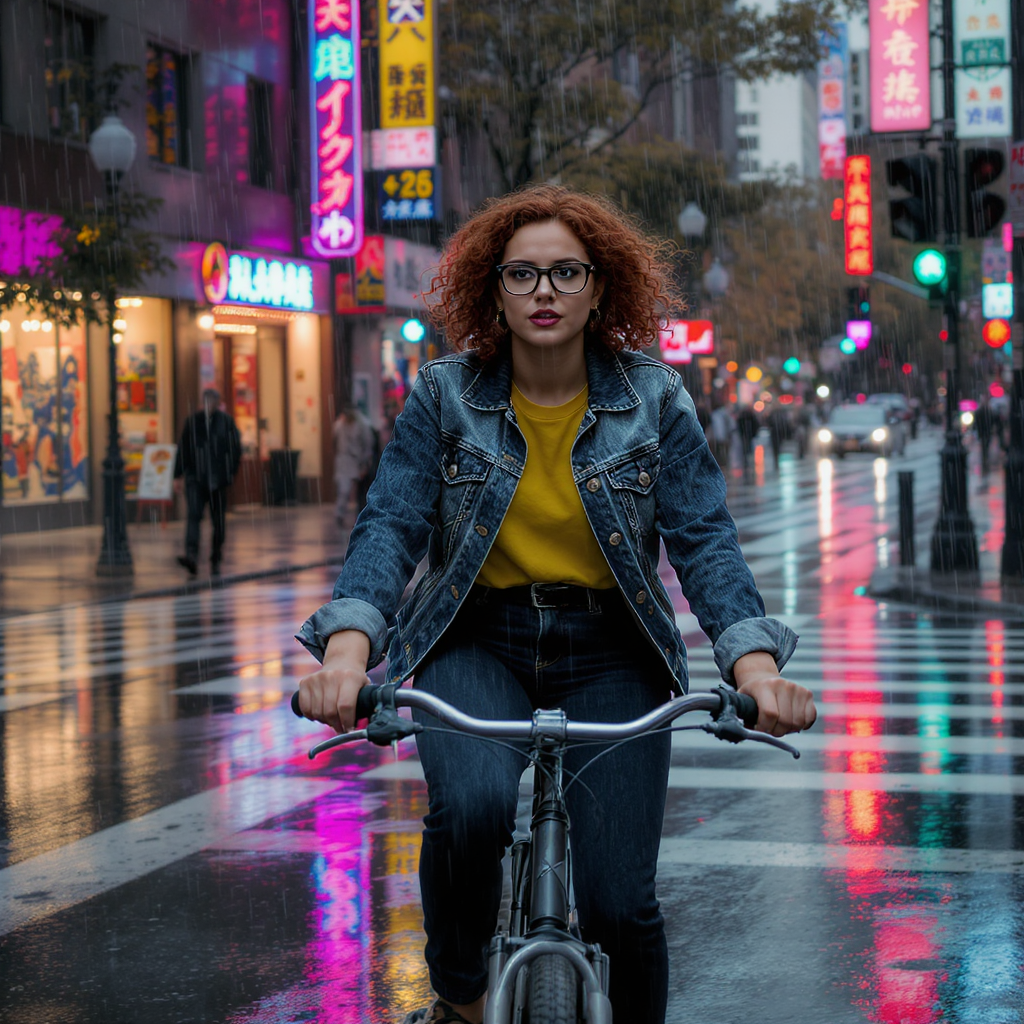
Generated on PixelDojo. Produced by PixelDojo's generation pipeline.
Flux Kontext Pro and Kling Image Edit both cost 1 credit per image, and both kept a reference character's face, glasses, hair color and outfit intact while moving her into a completely different scene. On August 26, 2026 we sent each model the same reference photo and the same instruction: put her on a bicycle at a neon-lit crosswalk at dusk, keep everything about her identical. Flux Kontext Pro returned its result in about 21 seconds. Kling Image Edit took about 38 seconds but can return up to nine takes from one call. Price is a tie. Speed and batch size are where they split.
Same reference photo, same instruction, two models
Every example below was produced on PixelDojo. Hover to see the prompt.
Place this exact woman on a bicycle crossing a rainy city crosswalk at dusk, neon shop signs reflecting in puddles, cinematic wide shot, keep her face, glasses, red curly hair, denim jacket and yellow shirt identical
Flux Kontext Pro
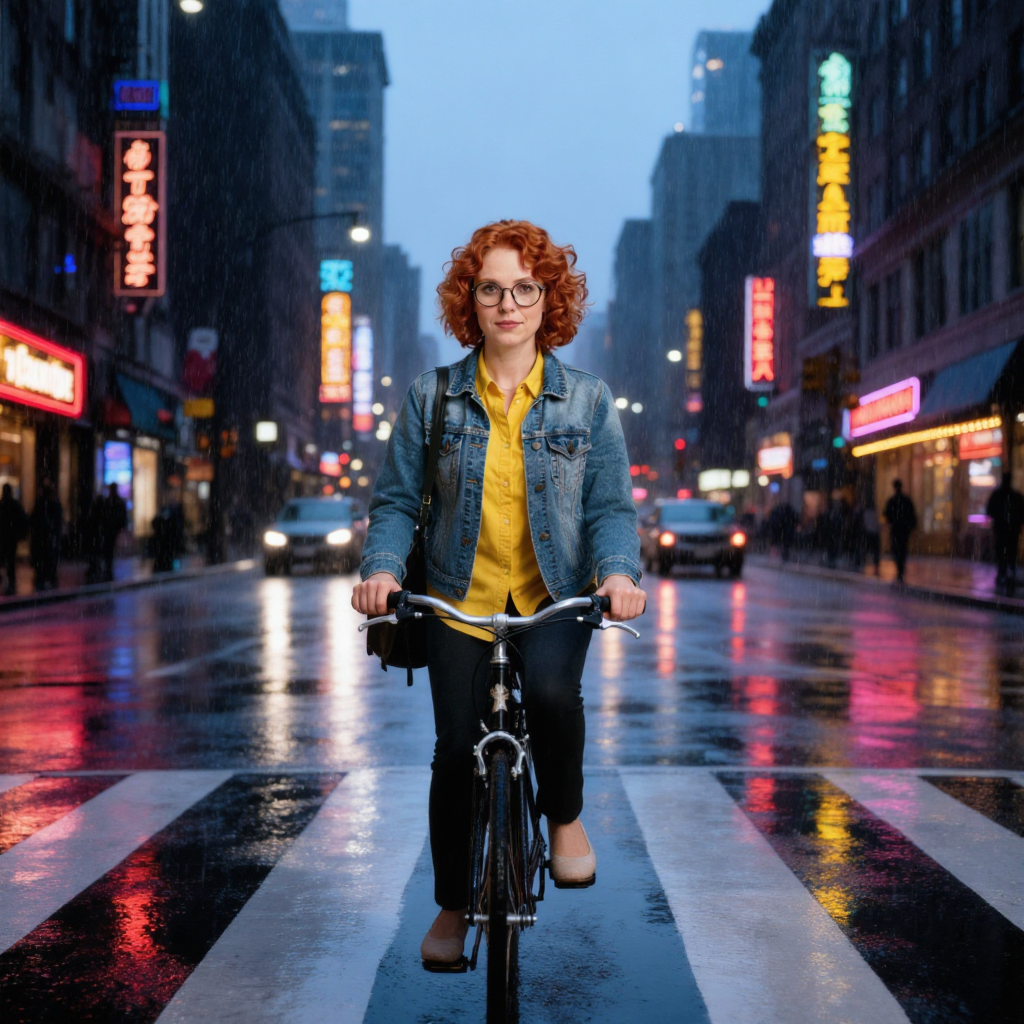
Place this exact woman on a bicycle crossing a rainy city crosswalk at dusk, neon shop signs reflecting in puddles, cinematic wide shot, keep her face, glasses, red curly hair, denim jacket and yellow shirt identical
Kling Image Edit
What each edit actually produced
What we sent both models
A plain studio headshot: a woman with red curly hair, round glasses, a denim jacket over a yellow shirt, against a flat background, plus the instruction to place her on a bicycle crossing a rainy neon-lit crosswalk at dusk, keeping her face, glasses, hair and outfit identical.
What Flux Kontext Pro returned
A wide cinematic shot of the same woman stopped on a bicycle at a crosswalk, red curly hair, round glasses, denim jacket over the yellow shirt, rain visibly falling, wet asphalt reflecting pink and green neon signage. Hair came back styled a little fuller than the source, which is expected on a scene edit rather than a pixel copy.
What Kling Image Edit returned
A photorealistic version of the same woman riding a bicycle across the same rain-slicked crosswalk, red curly hair, round glasses, denim jacket over the yellow top, neon shop signage reflected in the wet street. The hairstyle read as a shorter curled bob rather than the source's longer curls, a smaller identity drift than Flux's but still a drift.
When to pick Flux Kontext Pro
Pick it when turnaround matters most: 21 seconds against Kling's 38 in our test, and it works for both fresh generation and editing from the same tool if you need both in one place.
When to pick Kling Image Edit
Pick it when you want more than one take per call. num_images runs 1 to 9 at 1 credit each, plus a choice of 1K or 2K output at no extra cost and 8 aspect ratios. Flux Kontext Pro returns exactly one image per request.
Why Choose Pixel Dojo for Flux Kontext Pro vs Kling Image Edit
Professional-quality results with cutting-edge AI technology
Same price either way
1 credit per image on both. The decision is not about cost, it is about turnaround and how many takes you want per call.
Both held identity on the first try
Face, glasses, hair color and outfit survived the scene change on both models with no retries or masking needed.
Kling scales to a batch, Flux does not
Need nine variations of one edit instruction in a single request? Kling Image Edit's num_images field does that for 9 credits. Flux Kontext Pro is one image per call.
How It Works
How we ran the comparison, so you can repeat it:
Start from one reference image
We used the same studio headshot as the base image for both models, so any difference in the result comes from the model, not the input.
Write the edit as one instruction
One sentence named the new scene and what had to stay identical: face, glasses, hair color, denim jacket, yellow shirt.
Send it to both models and time the reply
Same prompt, same reference image, one call to each apiId. Flux Kontext Pro answered in about 21 seconds, Kling Image Edit in about 38.
The Pixel Dojo Advantage
One reference photo, one scene-change instruction, run through both models on the same day.
| Others | Pixel Dojo |
|---|---|
| Flux Kontext Pro: 1 credit per image, about 21 seconds, one image per call | Kling Image Edit: 1 credit per image, about 38 seconds, up to 9 images per call |
| Flux Kontext Pro: fixed single output, 1024x1024 in our test, no separate resolution field | Kling Image Edit: 1K or 2K selectable at the same price, 1024x1024 at the 1K default we ran |
| Flux Kontext Pro: 9 aspect ratios, works for both generation and editing | Kling Image Edit: 8 aspect ratios, edit-only, PNG, JPEG or WEBP output |
| Flux Kontext Pro identity result: face, glasses, hair color and jacket held, hair a little fuller than source | Kling Image Edit identity result: same markers held, hairstyle read as a shorter curl than the source |
Loved by creators on PixelDojo
Real feedback from people using PixelDojo, pulled from our in-product surveys.
es facil de comprender asi uno no sea programador
amazing web site
phenomenal site. would highly recommend
Amazing features, easy to use, privacy
the number of options, and especially the quick response to questions on Discord
Love you guys!!
Explore more AI tools on PixelDojo
AI Tools
Compare & Switch
- Best AI Image Generators
- Best AI Video Generators
- Midjourney Alternatives
- Civitai Alternatives
- Runway Alternatives
- Leonardo Alternatives
- Pika Alternatives
- Luma Alternatives
- Magnific Alternatives
- Veo Alternatives
- Flux Alternatives
- Freepik Alternatives
- Seedance Alternatives
- Seedream Alternatives
- Pixverse Alternatives
- GPT Image Alternatives
- Synthesia Alternatives
- Playground Alternatives
- NightCafe Alternatives
- Canva AI Alternatives
- ElevenLabs Alternatives
- ComfyUI Alternatives
- Fal Alternatives
- Replicate Alternatives
Common Questions
Everything you need to know about Flux Kontext Pro vs Kling Image Edit
What does Flux Kontext Pro cost compared to Kling Image Edit?
The same: 1 credit per image on both. Kling Image Edit can return up to 9 images from one call at 1 credit each, so a nine-image spread costs 9 credits; Flux Kontext Pro returns exactly one image per call.
Which one is faster?
Flux Kontext Pro, in our test. It returned in about 21 seconds against about 38 seconds for Kling Image Edit on the identical reference photo and instruction, timed on August 26, 2026.
Which one keeps a subject's identity more accurately?
Both held the face, glasses, hair color and outfit in our one test. Flux Kontext Pro's result came back with slightly fuller hair styling than the source; Kling Image Edit's came back with a shorter curl than the source. Neither dropped an identity marker the instruction named.
Can either one return more than one image per request?
Kling Image Edit can: num_images accepts 1 to 9, at 1 credit each. Flux Kontext Pro's Kontext tier returns one image per call, matching the base Flux Pro tier's behavior.
What resolution do they output?
Flux Kontext Pro has no separate resolution field; ours came back at 1024x1024. Kling Image Edit offers 1K or 2K at the same price; we ran the 1K default and also got 1024x1024.
How do I call them from the API?
POST to /api/v1/models/flux-kontext-pro/run or /api/v1/models/kling-image-edit/run with the same API key. Both accept a prompt plus a reference image URL.