Image to Image vs Flux Redux
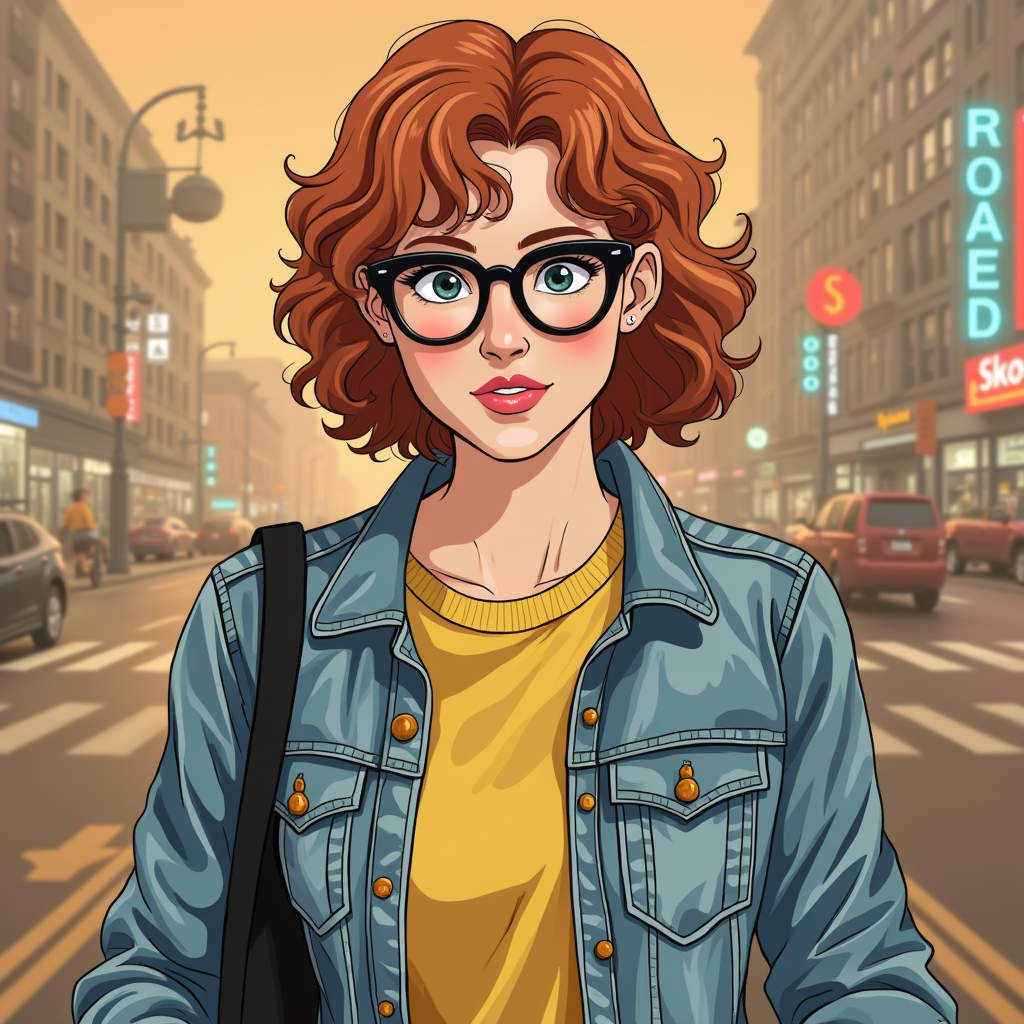
Generated on PixelDojo. Produced by PixelDojo's generation pipeline.
Image to Image and Flux Redux both cost 1 credit per image. We sent the same reference photo of a woman with red curly hair and glasses to both, on August 26, 2026. Image to Image also took a text instruction to place her on a bicycle in a rainy crosswalk, and it turned the photo into a stylized illustrated close-up rather than the literal scene. Flux Redux has no prompt field in its schema at all, so it worked from the photo alone and returned a photorealistic variation that kept her identity but dropped the background entirely.
One took a prompt, one only takes a photo
Every example below was produced on PixelDojo. Hover to see the prompt.
Place this exact woman on a bicycle crossing a rainy city crosswalk at dusk, neon shop signs reflecting in puddles, cinematic wide shot, keep her face, glasses, red curly hair, denim jacket and yellow shirt identical
Image to Image
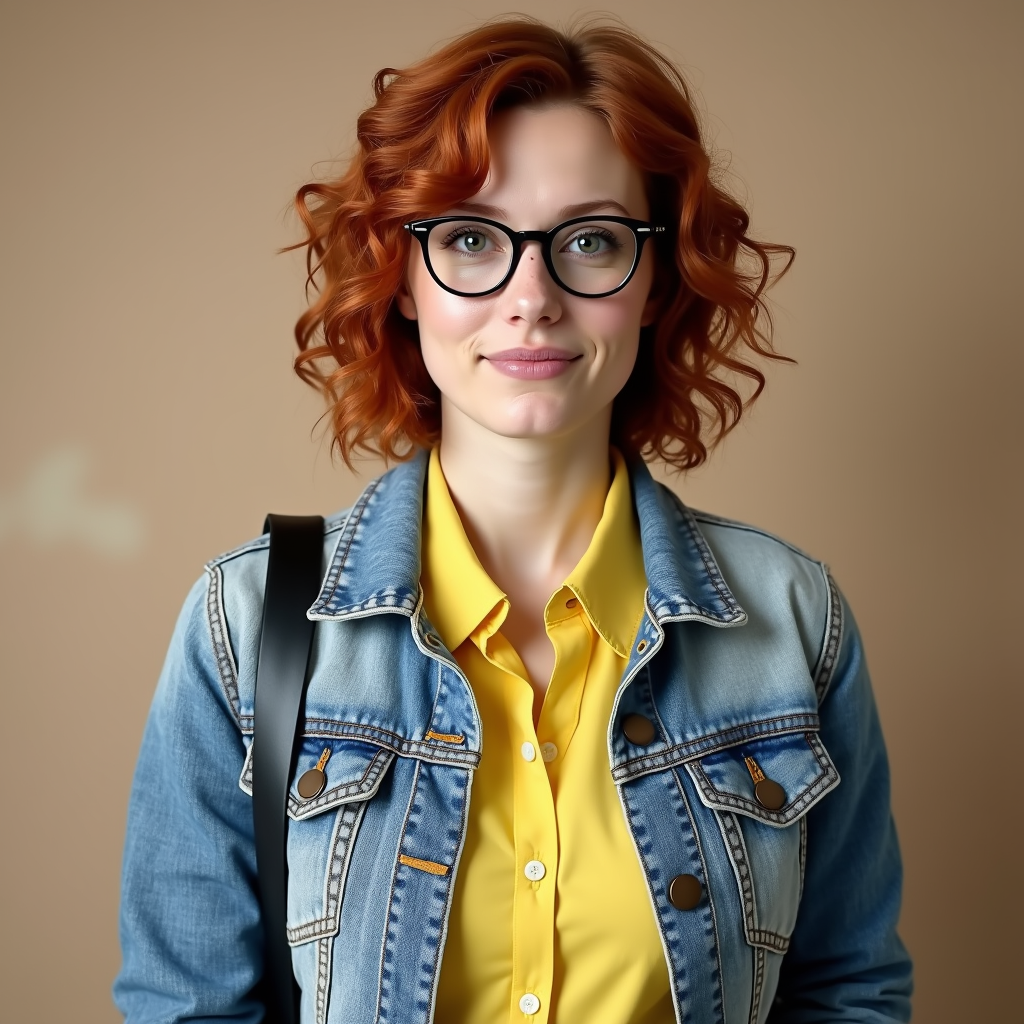
No prompt sent. Source image only: a character reference sheet showing a woman with red curly hair, round glasses, and a denim jacket over a yellow shirt.
Flux Redux
Same reference photo, same day, same 1 credit price. Image to Image took a text prompt and restyled into illustration. Flux Redux took no prompt and kept a photorealistic likeness on a plain background.
Why Choose Pixel Dojo for Image to Image vs Flux Redux
Professional-quality results with cutting-edge AI technology
Both are the same price
1 credit per image on either model. The real difference is whether you can steer the result with words.
Image to Image is the one with a prompt field
It accepts a text instruction alongside the source photo, with a prompt_strength setting that controls how much the output follows the new wording versus the original image.
Flux Redux is the one for pure variations
No prompt field exists on it at all. Send an image and it returns a re-imagining of that image, which on our run kept her identity closer to photorealistic than the other model did.
How It Works
How we ran the comparison, so you can repeat it:
Send the same source photo to both
The same character reference photo went to image-to-image-flux with the scene-placement prompt attached, and to redux-flux with no prompt, since it has none.
Bracket each request with a timestamp
We logged the second before submitting and the second the finished file arrived, for both models, on the same day.
Compare identity match against scene match
We checked which output kept the person more recognizable and which one actually placed her in the described scene.
The Pixel Dojo Advantage
Same reference photo, same day, same 1 credit price. Whether a prompt field exists at all is the real split.
| Others | Pixel Dojo |
|---|---|
| Image to Image: 1 credit flat, about 38 seconds on our run, prompt plus source image | Flux Redux: 1 credit flat, about 37 seconds on our run, source image only, no prompt field in its schema |
| Image to Image: prompt_strength setting (default 0.8) controls how far the output drifts from the source | Flux Redux: no strength control, the output is entirely the model's re-imagining of the source image |
| Image to Image: our output became a flat illustrated close-up, no bicycle or rain, hazy street background | Flux Redux: our output stayed photorealistic and kept the identity, but on a plain studio background with no scene at all |
| Image to Image: built on Flux Dev LoRA, also accepts custom LoRA weights | Flux Redux: offers a Schnell variant at 0.5 credits for faster, lower-step variations |
Loved by creators on PixelDojo
Real feedback from people using PixelDojo, pulled from our in-product surveys.
super lora download
Great variety of tools to create and modify images and video.
Lots of Tools, and the one time I needed support I got help right away
Easy to use once you get the hang of it
Love it make anything I can think of so far
Great for all your ideas use it encourage more people to use it
Explore more AI tools on PixelDojo
AI Tools
Compare & Switch
- Best AI Image Generators
- Best AI Video Generators
- Midjourney Alternatives
- Civitai Alternatives
- Runway Alternatives
- Leonardo Alternatives
- Pika Alternatives
- Luma Alternatives
- Magnific Alternatives
- Veo Alternatives
- Flux Alternatives
- Freepik Alternatives
- Seedance Alternatives
- Seedream Alternatives
- Pixverse Alternatives
- GPT Image Alternatives
- Synthesia Alternatives
- Playground Alternatives
- NightCafe Alternatives
- Canva AI Alternatives
- ElevenLabs Alternatives
- ComfyUI Alternatives
- Fal Alternatives
- Replicate Alternatives
Common Questions
Everything you need to know about Image to Image vs Flux Redux
Does Flux Redux take a text prompt?
No. Its schema has no prompt field at all, only a source image URL plus settings like aspect ratio and output format. It generates variations of the image you send, nothing more.
What does Image to Image cost compared to Flux Redux?
The same, 1 credit per image for either model at default settings. Flux Redux does offer a cheaper Schnell variant at 0.5 credits.
Why didn't Image to Image follow the scene instruction literally?
At its default prompt_strength of 0.8, our run reinterpreted the source image into a stylized illustration rather than placing the same photorealistic woman into the described rainy crosswalk scene. A lower prompt_strength would stay closer to the source image.
Which one keeps the person looking more like the original photo?
Flux Redux, in our test. It stayed photorealistic and kept her face, hair, glasses and jacket close to the source, though it dropped the background scene entirely.
Which should I use for restyling a photo with a text instruction?
Image to Image, since it is the one that actually accepts a prompt. Use Flux Redux when you want a variation of an image with no text steering at all.
How do I call either one from the API?
POST to /api/v1/models/image-to-image-flux/run with a prompt and an image URL, or /api/v1/models/redux-flux/run with just a redux_image URL. Same API key for both.