Kling Image Edit vs WAN 2.6 Image Edit
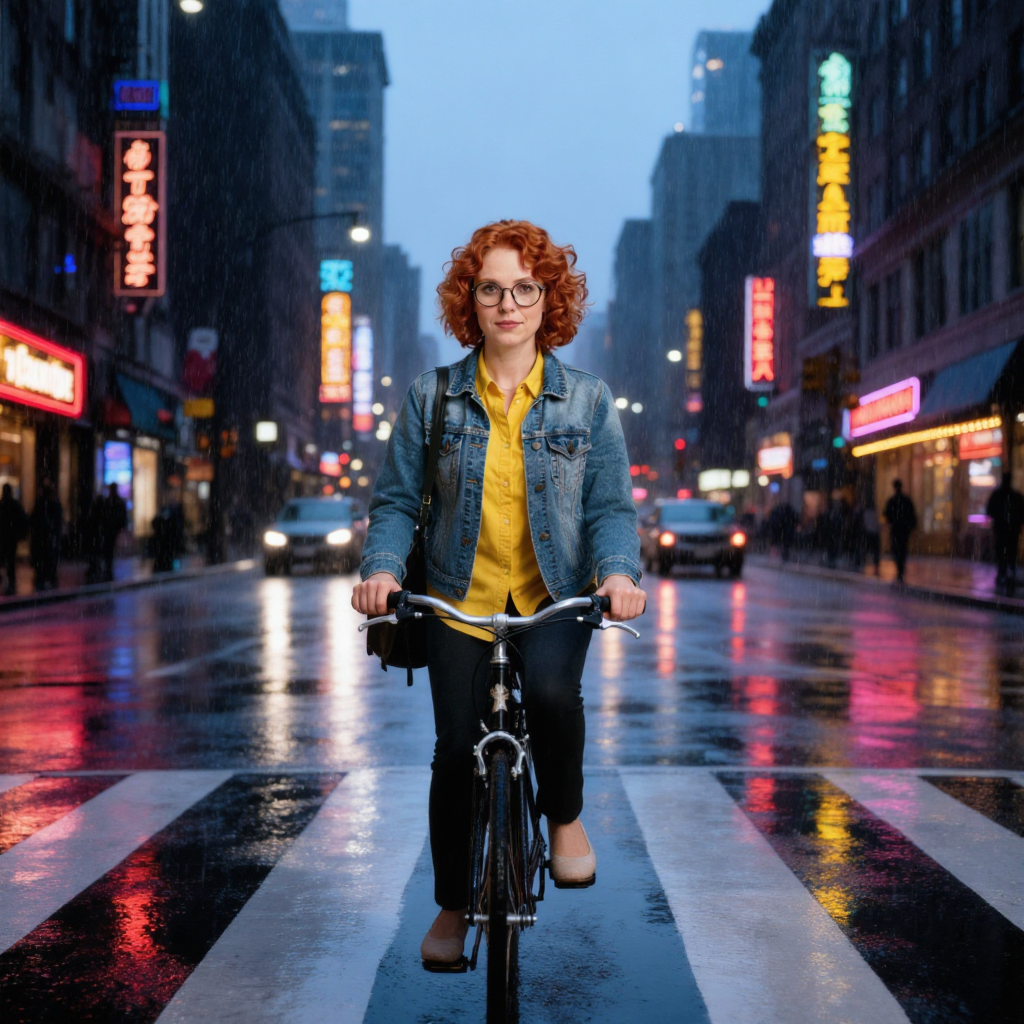
Generated on PixelDojo. Produced by PixelDojo's generation pipeline.
Kling Image Edit and WAN 2.6 Image Edit both cost 1 credit per image at their default tiers, and both label their default output tier 1K. Given the same reference photo and the same instruction to place her on a bicycle in a rainy crosswalk, Kling Image Edit's 1K measured 1024x1024 and took about 38 seconds. WAN 2.6 Image Edit's 1K measured 1280x1280, about 60 percent more pixels, and took about 22 seconds. Same label, different pixel count, at the identical price.
The same reference photo and scene instruction on both
Every example below was produced on PixelDojo. Hover to see the prompt.
Place this exact woman on a bicycle crossing a rainy city crosswalk at dusk, neon shop signs reflecting in puddles, cinematic wide shot, keep her face, glasses, red curly hair, denim jacket and yellow shirt identical
Kling Image Edit
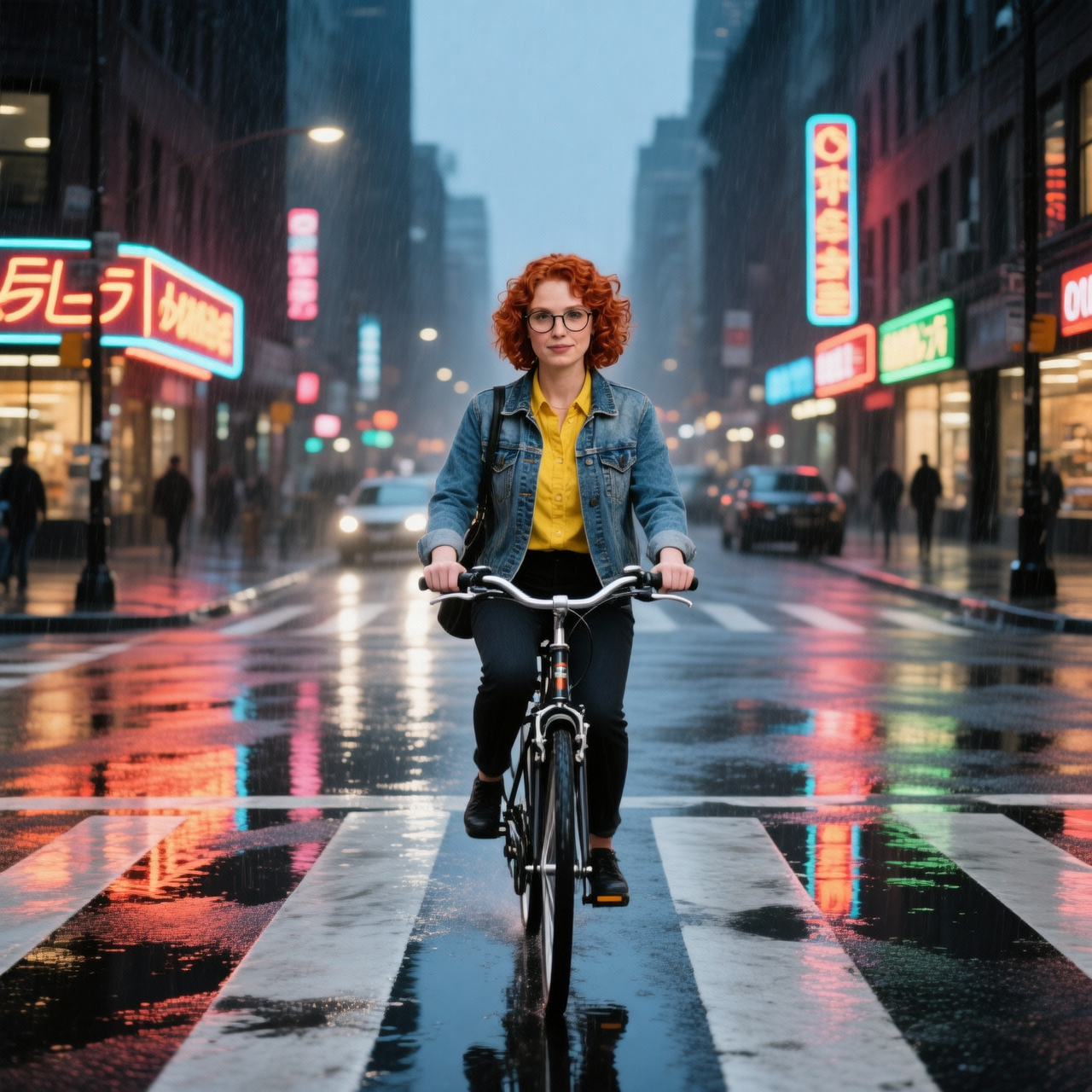
Place this exact woman on a bicycle crossing a rainy city crosswalk at dusk, neon shop signs reflecting in puddles, cinematic wide shot, keep her face, glasses, red curly hair, denim jacket and yellow shirt identical
WAN 2.6 Image Edit
Same reference photo, same instruction, same 1 credit price, both labeled 1K. Kling: 1024x1024 in about 38 seconds. WAN 2.6: 1280x1280 in about 22 seconds.
Why Choose Pixel Dojo for Kling Image Edit vs WAN 2.6 Image Edit
Professional-quality results with cutting-edge AI technology
Both preserved identity cleanly
Face, glasses, red curly hair and the denim jacket over the yellow shirt all carried over correctly on both outputs.
WAN 2.6 Image Edit's 1K is the bigger file
1280x1280 against 1024x1024 for Kling Image Edit's 1K, at the same 1 credit price and faster on our run.
How It Works
How we ran the comparison, so you can repeat it:
Start from one reference photo
The same character photo went to both tools at their default 1K resolution setting.
Send the identical scene instruction
Both got the same request: place her on a bicycle in a rainy city crosswalk at dusk, keep the face, glasses, hair and outfit identical.
Measure the actual pixel dimensions
We opened both files and read the real width and height instead of trusting the '1K' label to mean the same thing on both.
The Pixel Dojo Advantage
Same reference photo, same instruction, same 1 credit price, same '1K' label on both. The measured file tells a different story than the label.
| Others | Pixel Dojo |
|---|---|
| Kling Image Edit: 1 credit at 1K, about 38 seconds on our run, measured 1024x1024 | WAN 2.6 Image Edit: 1 credit at 1K, about 22 seconds on the identical prompt and photo, measured 1280x1280 |
| Kling Image Edit: up to 9 reference images per request, 8 aspect ratio presets, a 2K tier available | WAN 2.6 Image Edit: up to 4 reference images per request, size presets plus explicit width by height values, a 2K tier available |
| Kling Image Edit: has its own tool page in the dashboard | WAN 2.6 Image Edit: API and Canvas only, no dedicated tool page in the dashboard |
| Kling Image Edit: both models kept the crosswalk, neon signage and rain consistent with the reference photo | WAN 2.6 Image Edit: same, no visible quality gap on this run beyond the pixel count difference |
Loved by creators on PixelDojo
Real feedback from people using PixelDojo, pulled from our in-product surveys.
Accurate results
Great site and so much fun to use!
very useful set of tools for image creation, upscaling and enhancement
ease of use, variety of tools, high quality trainings, and a well-maintained discord channel
Ease of use, friendliness and support of the owner, continued innovation.
it is an amazing site to create a pics and vids for those who don't have the hardware themselves
Explore more AI tools on PixelDojo
AI Tools
Compare & Switch
- Best AI Image Generators
- Best AI Video Generators
- Midjourney Alternatives
- Civitai Alternatives
- Runway Alternatives
- Leonardo Alternatives
- Pika Alternatives
- Luma Alternatives
- Magnific Alternatives
- Veo Alternatives
- Flux Alternatives
- Freepik Alternatives
- Seedance Alternatives
- Seedream Alternatives
- Pixverse Alternatives
- GPT Image Alternatives
- Synthesia Alternatives
- Playground Alternatives
- NightCafe Alternatives
- Canva AI Alternatives
- ElevenLabs Alternatives
- ComfyUI Alternatives
- Fal Alternatives
- Replicate Alternatives
Common Questions
Everything you need to know about Kling Image Edit vs WAN 2.6 Image Edit
Which is cheaper, Kling Image Edit or WAN 2.6 Image Edit?
Neither, they tie at 1 credit per image at their default settings.
Do they really both output 1K resolution?
They both call their default tier 1K, but the actual pixel count differs. On our run Kling Image Edit's 1K measured 1024x1024 and WAN 2.6 Image Edit's 1K measured 1280x1280, about 60 percent more pixels at the same price.
Which one is faster?
WAN 2.6 Image Edit, in our test: about 22 seconds against about 38 seconds for Kling Image Edit on the identical reference photo and instruction.
How many reference images can each one take?
Kling Image Edit accepts up to 9 images per request. WAN 2.6 Image Edit accepts up to 4. If you are fusing more than 4 source images in one call, Kling Image Edit is the one that supports it.
Does WAN 2.6 Image Edit have its own page in the dashboard?
No, it is API and Canvas only with no dedicated tool page, while Kling Image Edit has a page in the dashboard. Both are reachable the same way through the API.
How do I call either from the API?
POST to /api/v1/models/kling-image-edit/run with image_url, or to /api/v1/models/wan-2.6-image-edit/run with image_urls as an array. Same API key for both.