kling o3 AI Generator
Generated on PixelDojo. Produced by PixelDojo's generation pipeline.
Imagine turning a simple idea into a breathtaking, print-ready 4K cinematic image in seconds—no camera, no studio, no design skills required. With PixelDojo's Kling Image tool powered by Kling O3, you achieve professional photorealistic portraits, marketing campaigns, storyboards, and social content that look like they came from a high-end production. You lock in consistent characters across an entire series, blend multiple references into cohesive scenes, and download native 4K files ready for billboards or Instagram. Thousands of creators already use this to launch brands faster, visualize concepts instantly, and produce scroll-stopping visuals that convert. Start now and see your vision come to life with outcomes that wow clients and audiences.
Real video examples generated on PixelDojo
Every example below was produced on PixelDojo. Hover to see the prompt.
The women hear alien sounds outside the ship
image-to-video
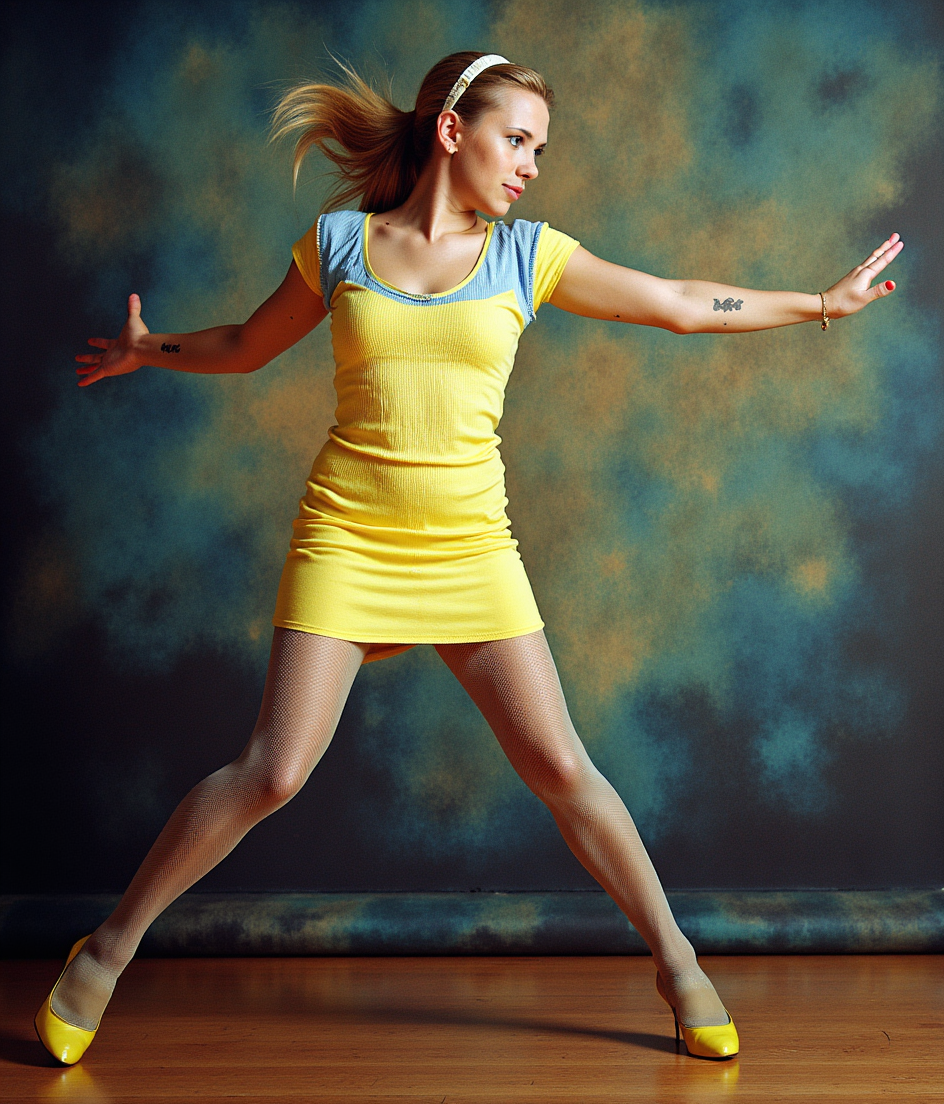
kling o3 on PixelDojo
flux-pose-control

Kira-Super
stable-diffusion
The sailboat rocks gently on the calm sea
happyhorse-1.0-video
The woman talks and smiles while putting on a baseball cap
image-to-video
Merged video from "lobster on the loose" - 5 clips
image-to-video
Models you can run on PixelDojo for kling o3
Switch models without switching tools. Each one runs in the same PixelDojo studio.
What you can do with kling o3 on PixelDojo
Kling O3 Text to Video
We give you Kling O3 text-to-video on PixelDojo so you can turn written prompts into short clips. Set subject, motion, and scene in the prompt and generate from the same workspace as your other tools.
Stills Into Moving Shots
We support Kling O3 image-to-video so a still can become a moving shot. Upload a frame, describe the action, and generate clips that follow the source image.
Iterate Shots in One Place
We let you rerun Kling O3 jobs, tweak prompts, and keep takes together. Compare versions and pick the clip that fits the cut without switching products.
Queue Jobs and Export
We queue Kling O3 generations and return files you can download for editing. Manage outputs on PixelDojo and move finished clips into your usual post workflow.
Loved by thousands of creators worldwide who generate millions of Kling O3 images monthly. 40+ cutting-edge AI tools, 4.9/5 average creator rating, cancel anytime with no risk.
Why Choose Pixel Dojo for kling o3
Professional-quality results with cutting-edge AI technology
Print-Ready 4K Cinematic Masterpieces
You produce native 4K images with genuine fine detail in textures, lighting, and composition—no upscaling artifacts. Perfect for magazines, ads, and large displays that look professionally photographed.
Unbreakable Character Consistency
You lock a character, product, or mascot once using elements and references, then generate unlimited variations that stay identical across poses, scenes, and campaigns. Ideal for storyboards and brand series.
Multi-Reference Scene Blending
You upload up to 10 images to fuse styles, faces, products, and environments into one cohesive, cinematic result. Create unique marketing visuals or concept art that feels custom-shot.
How It Works
You create stunning Kling O3 images on PixelDojo in three simple steps using the dedicated Kling Image tool plus editing options like Image to Image and Inpainting.
Step 1: Choose Your Tool
Log into PixelDojo and select Generate Images, then pick Kling Image for O3-powered generation. This gives you access to native 4K, multi-reference support, and element consistency right away. Pair it later with Consistent Characters or Style Transfer for even more control.
Step 2: Enter Your Prompt
Describe your scene in natural language including subject, lighting, camera angle, and mood. For example: 'Cinematic 4K portrait of a confident entrepreneur in a sunlit loft, golden hour lighting, shallow depth of field, photorealistic skin texture.' Add up to 10 reference images or elements like @Character1 for consistency.
Step 3: Customize & Download
Choose 1K, 2K, or native 4K resolution and any aspect ratio from 16:9 to 9:16. Generate, then refine with Edit Images tools like Inpainting, Background Remover, or Magic Lighting. Download watermark-free PNG or JPEG instantly, ready for your campaign.
The Pixel Dojo Advantage
Why PixelDojo outperforms other options for Kling O3 image generation
| Others | Pixel Dojo |
|---|---|
| Traditional photography and studios | You skip expensive shoots, models, and locations. Generate unlimited 4K cinematic variations in minutes instead of days, at a fraction of the cost, while keeping full creative control. |
| Generic AI tools | You get native 4K output, up to 10-reference blending, and true element consistency that generic tools lack. Plus 40+ specialized tools like Kling Video, Flux.2 Studio, and Character Sheets all in one place. |
| Manual photo editing software | You achieve professional results without years of Photoshop training. Instant generation plus one-click edits like Reality Polisher and Image Outpainting let you iterate faster than any manual workflow. |
Loved by creators on PixelDojo
Real feedback from people using PixelDojo, pulled from our in-product surveys.
large selection of tools on one platform
the amount you can do on this site
all in one place
It is a lot of fun to uae and easy too.
So many different models to try out
You keep adding to it to stay up to date and that is GOLD.
Explore more AI tools on PixelDojo
AI Tools
Compare & Switch
- Best AI Image Generators
- Best AI Video Generators
- Midjourney Alternatives
- Civitai Alternatives
- Runway Alternatives
- Leonardo Alternatives
- Pika Alternatives
- Luma Alternatives
- Magnific Alternatives
- Veo Alternatives
- Flux Alternatives
- Freepik Alternatives
- Seedance Alternatives
- Seedream Alternatives
- Pixverse Alternatives
- GPT Image Alternatives
- Synthesia Alternatives
- Playground Alternatives
- NightCafe Alternatives
- Canva AI Alternatives
- ElevenLabs Alternatives
- ComfyUI Alternatives
- Fal Alternatives
- Replicate Alternatives
Common Questions
Everything you need to know about kling o3
How do I generate native 4K Kling O3 images on PixelDojo?
Select the Kling Image tool in Generate Images, enter a detailed prompt with lighting and composition details, choose 4K resolution, and generate. PixelDojo delivers genuine 4K pixels without upscaling so your images stay sharp for print and large screens. You can then enhance with P-Image Upscale or Clarity Pro if needed.
Can I keep the same character consistent across multiple Kling O3 images?
Yes. Use the elements feature or upload reference images in Kling Image, then mention @Element1 in your prompt. PixelDojo's Consistent Characters and Character Sheets tools lock identity so your subject looks identical in every scene, pose, and lighting setup—perfect for storyboards and brand campaigns.
What is the best way to use multi-reference images with Kling O3 on PixelDojo?
Upload up to 10 images covering face, style, product, and environment. Describe in your prompt how to blend them, such as 'combine the character from image 1 with the lighting from image 2 in a cinematic 16:9 scene.' Follow up with Image to Image or Style Transfer for extra refinement and download production-ready files.
How does Kling O3 image generation help with marketing and e-commerce visuals?
You create lifestyle product shots, ad campaigns, and social assets at native 4K with realistic lighting and textures. PixelDojo lets you generate variations instantly, remove backgrounds, and apply Magic Lighting so every image matches your brand. Thousands of marketers use this to produce months of content in hours.
Is there a free way to try Kling O3 image generation on PixelDojo?
Yes. Sign up and start generating with Kling Image plus 40+ other tools. You get full access to 4K output, editing features like Inpainting and Background Remover, and can cancel anytime. No long-term commitment—just professional results from your first prompt.
Can I edit Kling O3 images after generation on PixelDojo?
Absolutely. After generating with Kling Image, use Edit Images tools including Image to Image, Inpainting, Change Camera Angle, Style Transfer, and Reality Polisher. You can also upscale with Magnific Upscaler or create videos from your stills using Kling Video, giving you a complete creative pipeline in one platform.