seedance 2.0 examples AI Generator
Generated on PixelDojo. Produced by PixelDojo's generation pipeline.
You can now produce cinematic videos that rival professional productions using Seedance 2.0 examples as your inspiration on PixelDojo. Imagine generating hyper-realistic action sequences with coherent choreography, accurate physics like fabric billowing or debris flying, and seamless multi-shot storytelling complete with native audio—all from a simple idea. PixelDojo puts Seedance 2, Seedance 2.5, Seedance 2 Reference, and complementary tools like Seedream 5 for starting frames right at your fingertips. Recreate viral fight scenes, polished product commercials with realistic lighting and reflections, anime-style animations with locked character designs, or atmospheric cinematic narratives. No film crew, no expensive equipment, no weeks of editing. Your vision becomes 4-15 second clips ready for social media, ads, or full stories. Thousands of creators already use these tools to achieve outcomes that used to require massive budgets, delivering results that captivate audiences and drive engagement instantly.
Real video examples generated on PixelDojo
Every example below was produced on PixelDojo. Hover to see the prompt.
H3 vs Seedance 2
seedance-2-5
A di is spinning a crazy edm dance beat in a club
image-to-video
Integrated_multimodal_description: Shot 1 A young male dancer in streetwear executes sharp…
minimax-h3
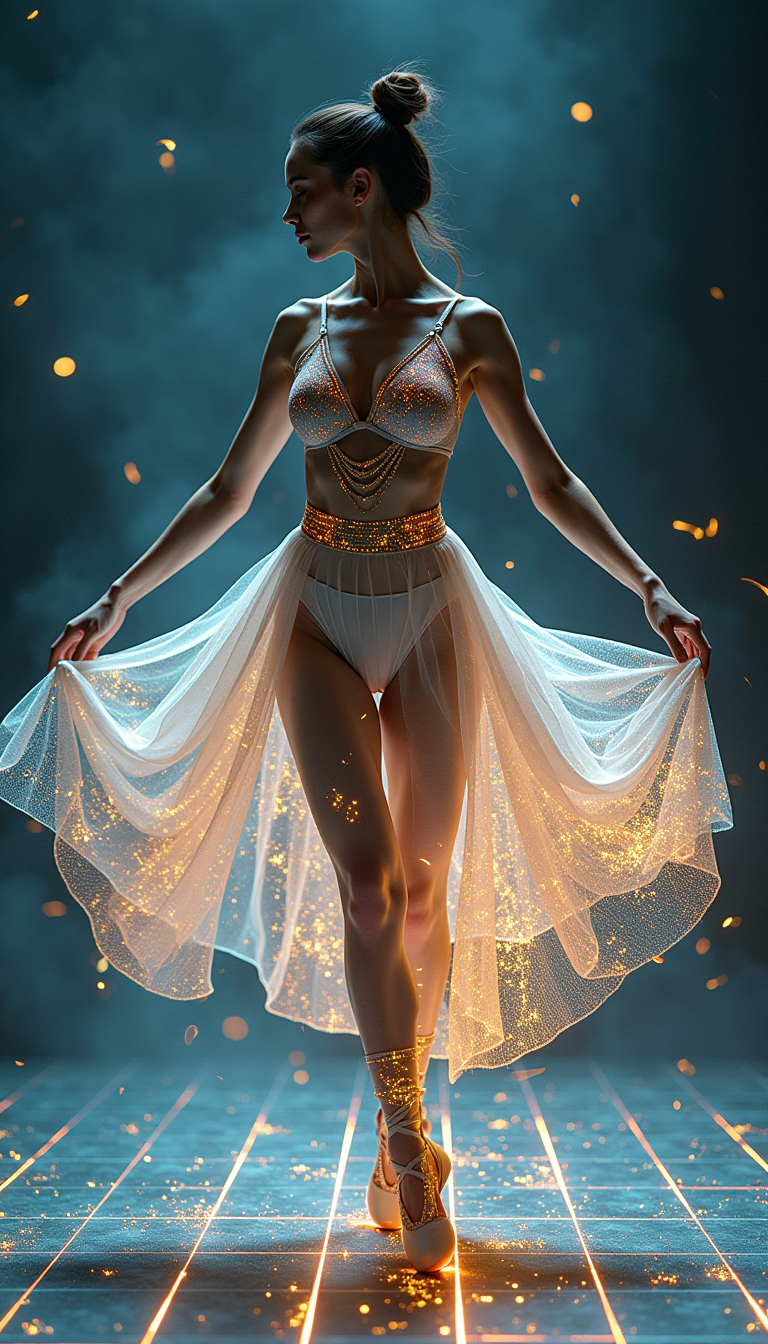
A digital dance goddess
flux
Subtle breathing motion
wan-2.7-video
Subtle slow-motion
wan-2.7-video
Models you can run on PixelDojo for seedance 2.0 examples
Switch models without switching tools. Each one runs in the same PixelDojo studio.
What you can do with seedance 2.0 examples on PixelDojo
Seedance 2.0 Example Gallery
We collect Seedance 2.0 video examples so you can inspect motion, framing, and timing before you generate your own clips.
Prompts Tied to Clips
We show the prompt and settings used for each example so you can reuse a working starting point and edit it for your subject.
Fork Motion and Camera
We let you take an example and produce new takes with different camera paths, pacing, and scene details.
Compare Then Generate
You can scrub examples next to your outputs, then run another Seedance 2.0 pass with clearer direction.
Loved by over 50,000 creators worldwide who have generated more than 2 million videos. PixelDojo Seedance tools earn a 4.9-star average rating for quality and ease. Join the community transforming ideas into professional content daily.
Why Choose Pixel Dojo for seedance 2.0 examples
Professional-quality results with cutting-edge AI technology
Hollywood-Level Action and Physics Instantly
You achieve usable fight choreography, slow-motion effects, bullet time, and real-world physics in every clip. Recreate Seedance 2.0 examples of collisions, fabric motion, or sports sequences that look filmed on set. PixelDojo's Seedance 2 handles rapid motion while keeping characters consistent, letting you produce content that wows viewers and performs in feeds without any production team.
Locked Character and Brand Consistency Across Shots
You maintain exact faces, outfits, hairstyles, and color palettes throughout entire videos. Upload references via Seedance 2 Reference or start with Consistent Characters and Ideogram Character tools. This lets you build series, mascots, or campaigns where every frame matches, turning one-off ideas into cohesive stories that strengthen your brand and save countless hours of manual matching.
Immersive Ads and Stories with Native Synced Audio
You create product commercials and narrative films complete with dialogue, sound effects, music, and perfect lip-sync in multiple languages. Seedance 2 generates audio and video together so everything lines up naturally. Recreate e-commerce examples with reflections and material physics or cinematic tales with atmospheric lighting—your audience hears and sees a polished, professional result that converts viewers into customers.
How It Works
PixelDojo makes recreating and creating Seedance 2.0 examples straightforward. Combine video generation with image tools, editing, and enhancement for complete control over your cinematic output.
Step 1: Choose Your Tool
Log into PixelDojo and go to Generate Videos. Select Seedance 2 for text-to-video or Seedance 2 Reference when you have images, video clips, or audio to guide the output. For the strongest starting point, first create a still using Generate Images tools like Seedream 5, Flux.2 Studio, or Nano Banana 2. If you need a specific person, use Characters & Faces options such as Consistent Characters or Ideogram Character to lock identity before generating video. This combination gives you director-level control from the first frame.
Step 2: Enter Your Prompt
Write a detailed, director-style prompt. Use time-coded format like [0-4s]: wide establishing shot of a misty forest, [4-9s]: medium push-in as the character steps forward. Reference uploaded files as [Image1] for style or character, [Video1] for camera movement. Put spoken lines in double quotes for automatic lip-sync and voice. Describe physics (leaves scattering on impact), camera language (dolly zoom, crane shot), lighting, and audio mix. PixelDojo's interface supports multimodal inputs so you can combine everything in one generation for results that match the best Seedance 2.0 examples.
Step 3: Customize & Download
Preview your clip, then refine it using Edit Videos tools: Seedance 2 Video Edit or Seedance 2.5 Video Edit for adjustments, Video Autocaption for subtitles, Video Reframe for different platforms, or Merge Videos for longer sequences. Enhance quality with Upscale & Enhance options like FLUX Video Upscale, Magnific Upscaler, or Clarity Pro. Add extra audio via Text to Music or Seed Audio 1.0 if needed. Download in high resolution and start sharing. The entire process from idea to finished video happens inside one platform.
The Pixel Dojo Advantage
PixelDojo gives you a complete advantage when producing Seedance 2.0 style videos compared to slower or more limited approaches.
| Others | Pixel Dojo |
|---|---|
| Traditional video production | You skip hiring crews, renting locations, and weeks of post-production. Generate multi-shot cinematic clips with realistic physics and native audio in minutes using Seedance 2 and Seedance 2 Reference, delivering professional results at a tiny fraction of the usual cost and time. |
| Generic AI tools | You get specialized Seedance 2, Seedance 2.5, and Seedance 2 Reference models plus 40+ supporting tools for images, editing, upscaling, and characters all in one place. This produces higher consistency, better physics, and more controllable multi-shot output than scattered generic generators. |
| Manual photo editing and animation | You automate complex motions, character locking, camera planning, and audio synchronization that would take hours or days in traditional software. PixelDojo handles the heavy lifting so you focus on creative direction instead of technical labor. |
Loved by creators on PixelDojo
Real feedback from people using PixelDojo, pulled from our in-product surveys.
versatile menu of tools
Best AI tool availble the suite is rad
Versatility quality, value, ROI, innovation
variety of tools available and prompt tools
A "one-stop-shop" for creators! Thanks!!
Lots of different tools. It's easy to purchase more credits.
Explore more AI tools on PixelDojo
AI Tools
Compare & Switch
- Best AI Image Generators
- Best AI Video Generators
- Midjourney Alternatives
- Civitai Alternatives
- Runway Alternatives
- Leonardo Alternatives
- Pika Alternatives
- Luma Alternatives
- Magnific Alternatives
- Veo Alternatives
- Flux Alternatives
- Freepik Alternatives
- Seedance Alternatives
- Seedream Alternatives
- Pixverse Alternatives
- GPT Image Alternatives
- Synthesia Alternatives
- Playground Alternatives
- NightCafe Alternatives
- Canva AI Alternatives
- ElevenLabs Alternatives
- ComfyUI Alternatives
- Fal Alternatives
- Replicate Alternatives
Common Questions
Everything you need to know about seedance 2.0 examples
What are the best Seedance 2.0 examples I can recreate using PixelDojo tools?
You can recreate action and fight scenes with coherent choreography and contact physics, cinematic multi-shot stories with automatic lens switches, product commercials featuring realistic lighting and material reflections, and anime or stylized content with locked character designs. Start with Seedance 2 or Seedance 2 Reference, add images from Seedream 5 or Flux.2 Studio, and use detailed prompts. PixelDojo users regularly match or exceed the quality of popular public examples in minutes.
How do I use time-coded multi-shot prompting for Seedance 2.0 videos on PixelDojo?
In the Seedance 2 generator, structure your prompt with timestamps such as [0-4s]: wide establishing shot, static camera, misty bamboo forest at dawn. [4-9s]: medium shot, slow push-in. Include camera terms like dolly zoom, orbit, or crane shot plus transition language like hard cut to. Combine with reference tags and audio descriptions. PixelDojo supports this natively so you get professional scene planning in a single 4-15 second generation.
Can I keep characters consistent across Seedance 2.0 example videos on PixelDojo?
Yes. Use Seedance 2 Reference to upload up to nine images that lock face, body, outfit, and style. Alternatively, generate a character sheet first with Consistent Characters, Character Sheets, or Ideogram Character, then feed it into video generation. This produces series, brand content, or animated stories where identity never drifts, exactly like the strongest Seedance 2.0 examples.
Which PixelDojo tools work best with Seedance 2 for creating high-quality examples?
Pair Seedance 2 and Seedance 2 Reference with Generate Images tools (Seedream 5, Flux.2 Studio, Nano Banana 2) for first frames. Edit with Seedance 2 Video Edit, Kling Video Edit, or WAN 2.7 Video Edit. Upscale using FLUX Video Upscale or Magnific Upscaler. Add music via Text to Music or Seed Audio 1.0 and captions with Video Autocaption. The 40+ tools let you go from idea to polished, shareable video without leaving the platform.
How long can Seedance 2.0 videos be when I generate them on PixelDojo?
You can create clips from 4 to 15 seconds, ideal for social posts, ads, and short stories. For longer content, use Grok Imagine Video Extend, Merge Videos, or generate sequential shots with Seedance 2 Reference to maintain continuity. Many creators chain multiple generations into complete narratives while keeping the cinematic quality of original Seedance 2.0 examples.
Is it easy to start creating Seedance 2.0 examples on PixelDojo without experience?
Absolutely. The interface is designed for creators of all levels. Choose Seedance 2, paste a detailed prompt inspired by public examples, add optional references, and generate. Thousands of users begin with no prior video skills and produce professional results immediately. You can try it today, cancel anytime, and access 40+ cutting-edge tools loved by creators worldwide.