Seedream 5 vs QWEN Image Max
Generated on PixelDojo. Produced by PixelDojo's generation pipeline.
Use Seedream 5 when a specific person or object has to appear correctly, because it can take a reference photo and edit from it. QWEN Image Max cannot accept a reference image at all, so the same request becomes a guess from words alone. We sent the same character-placement prompt to both on August 26, 2026: Seedream 5, given the actual reference photo, cost 1.25 credits and took about 155 seconds. QWEN Image Max, working from text only, cost 2 credits and took about 20 seconds. This page shows both results and what the missing reference image actually changes.
One reference photo, one guess from words alone
Every example below was produced on PixelDojo. Hover to see the prompt.
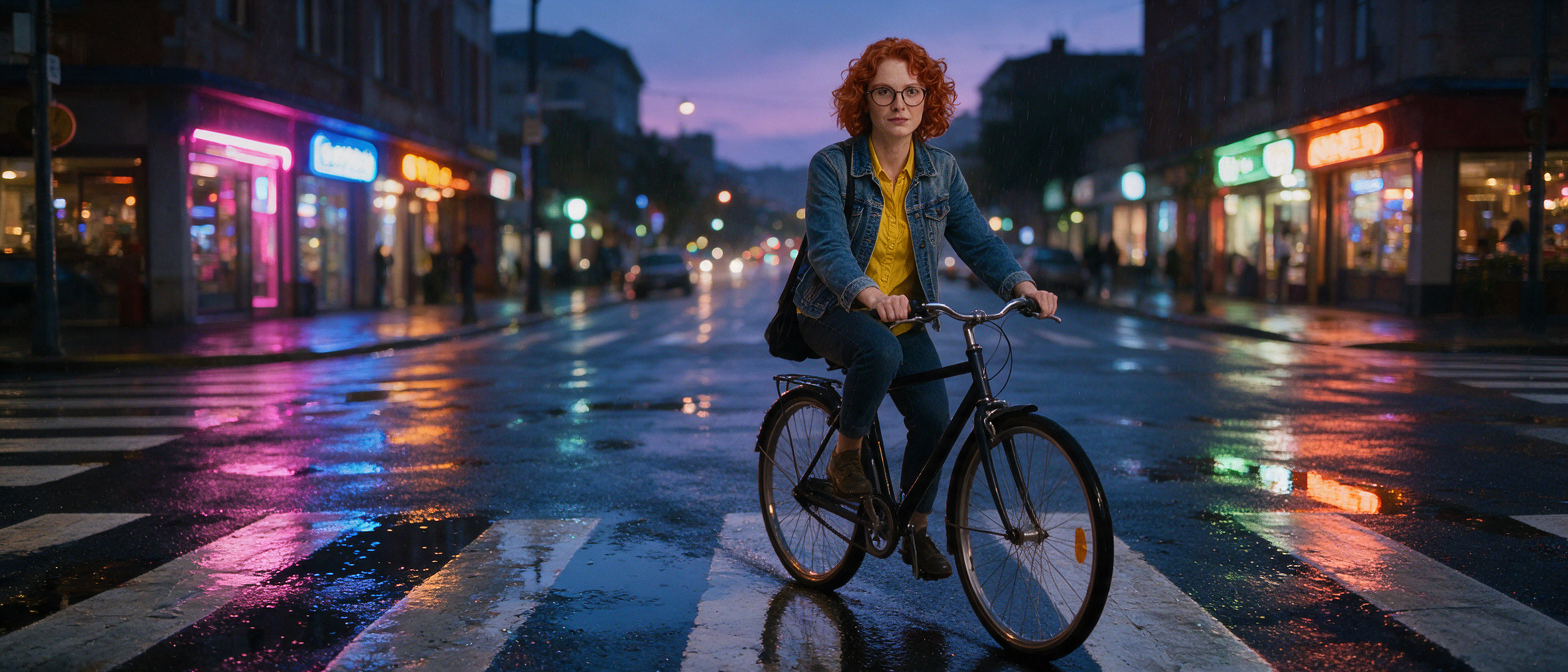
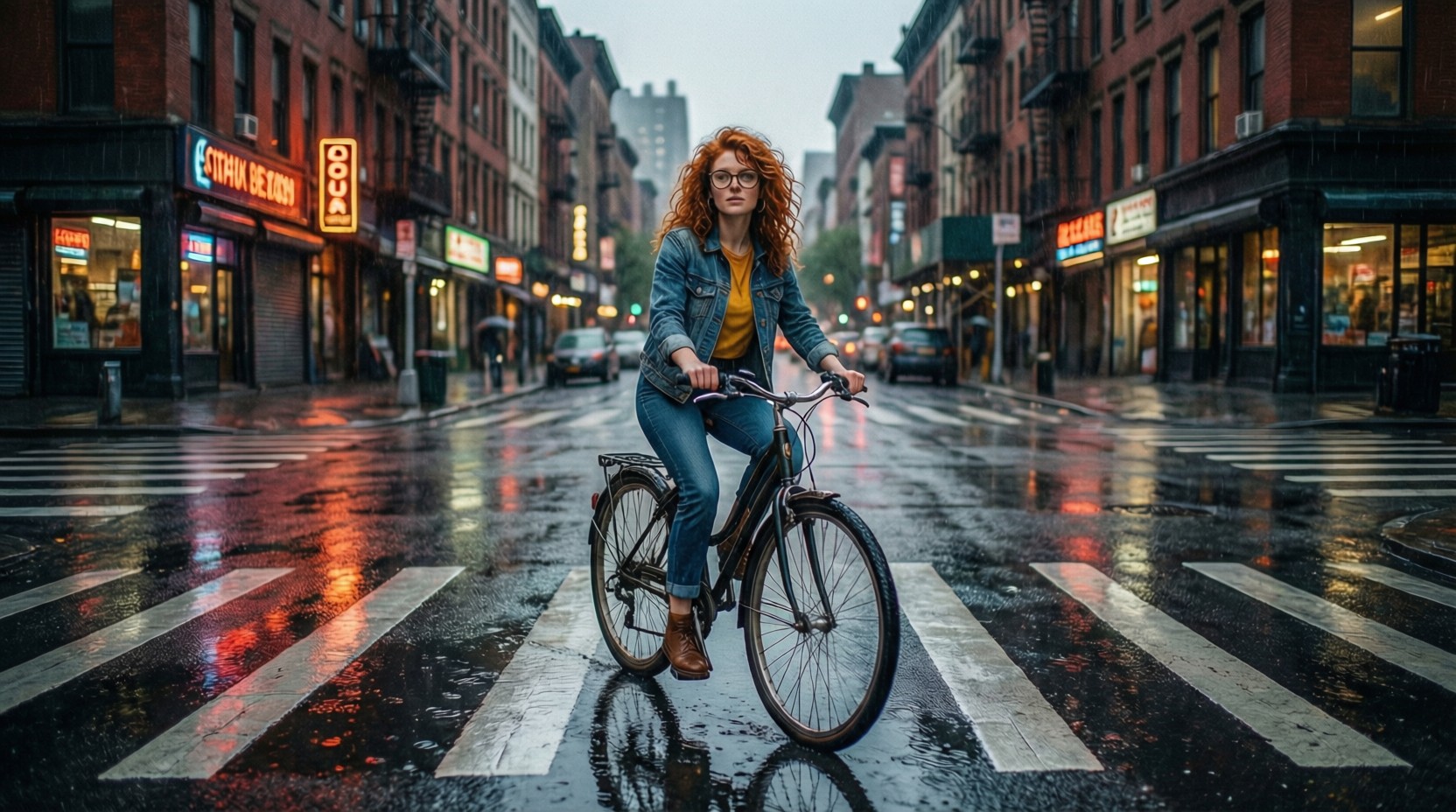
Place this exact woman on a bicycle crossing a rainy city crosswalk at dusk, neon shop signs reflecting in puddles, cinematic wide shot, keep her face, glasses, red curly hair, denim jacket and yellow shirt identical
Seedream 5
Place this exact woman on a bicycle crossing a rainy city crosswalk at dusk, neon shop signs reflecting in puddles, cinematic wide shot, keep her face, glasses, red curly hair, denim jacket and yellow shirt identical
QWEN Image Max
What the two runs actually measured
The runs were not apples to apples, on purpose
We had a real reference photo of a specific woman, a character sheet generated earlier the same day. Seedream 5 took that image as input and edited it into a new scene. QWEN Image Max has no image input field in its schema at all, so it received only the text describing her and had to invent a matching person from scratch.
Seedream 5's test: 1.25 credits, about 155 seconds
The auto_1K size tier, one reference image, editing toward: place her on a bicycle crossing a rainy city crosswalk at dusk with neon signs. The finished image measured 1568 by 672 pixels. The woman who came back has the same red curly hair, round glasses, denim jacket, and yellow shirt as the reference photo, on a bicycle in a wet crosswalk with pink and blue neon reflected in the pavement under a dusk sky.
QWEN Image Max's test: 2 credits, about 20 seconds
Text-to-image only, same prompt wording. The finished image measured 1664 by 928 pixels: a woman with red curly hair, round glasses, a denim jacket over a yellow top, and jeans, on a bicycle at a rainy brick-lined crosswalk with neon signage. The framing, face, and street architecture are all different from Seedream 5's result, because there was no source photo to anchor them to. Text on the storefront signs also came out as illegible or garbled lettering rather than real words.
This is a schema difference, not a settings difference
QWEN Image Max's capability list is text-to-image only. There is no reference-image field to send one through, on this catalog entry or its sibling QWEN Image Plus. Seedream 5 accepts up to 10 reference image URLs in the same request that carries the prompt.
Price and speed both favor QWEN Image Max when identity is not the goal
2 credits and about 20 seconds is cheap and fast for a fresh, unconstrained scene. The tradeoff is that nothing about the output is tied to a specific existing subject.
Same prompt, same day, one real capability gap. Seedream 5 with a reference photo: 1.25 credits, about 155 seconds. QWEN Image Max from text only: 2 credits, about 20 seconds.
Why Choose Pixel Dojo for Seedream 5 vs QWEN Image Max
Professional-quality results with cutting-edge AI technology
Pick Seedream 5 to keep a face and outfit consistent
It is the only one of the two that can take a reference photo, so a specific person actually appears rather than being reinvented from a description.
Pick QWEN Image Max for a fast, cheap fresh scene
2 credits and about 20 seconds when there is no existing subject to preserve, only a text idea.
Both can render at wide framing in one call
Seedream 5 returned a 1568x672 cinematic crop and QWEN Image Max a 1664x928 frame, both without any extra cropping step.
How It Works
How we ran the comparison, so you can repeat it:
Start from a real reference photo
We used a character sheet image generated earlier the same day: a woman with red curly hair, round glasses, a denim jacket, and a yellow shirt.
Send the same scene-placement prompt to both models
Seedream 5 received the reference photo alongside the prompt. QWEN Image Max received only the prompt text, since it has no image input.
Compare what came back
POST to /api/v1/models/seedream-5/run or /api/v1/models/qwen-image-max/run. Ours charged 1.25 and 2 credits and returned in about 155 and 20 seconds, with only one of the two actually matching the source photo.
The Pixel Dojo Advantage
Real numbers and a real capability gap from the same day, same prompt.
| Others | Pixel Dojo |
|---|---|
| Seedream 5: 1.25 credits at the 1K tier, 2.5 at 2K, on this reference-image edit. | QWEN Image Max: a flat 2 credits, text-to-image only, no reference tier to choose. |
| Seedream 5 measured turnaround: about 155 seconds for the edit. | QWEN Image Max measured turnaround: about 20 seconds from text alone. |
| Seedream 5 output: 1568x672, matching the reference photo's face, hair, glasses, and outfit exactly. | QWEN Image Max output: 1664x928, a different-looking woman built from the words, not the actual reference photo. |
| Seedream 5 accepts up to 10 reference image URLs per request. | QWEN Image Max has no reference-image field in its schema at all. |
| Seedream 5 rendered legible neon signage reflected correctly in the wet street. | QWEN Image Max's storefront signs came out as garbled, illegible lettering. |
Loved by creators on PixelDojo
Real feedback from people using PixelDojo, pulled from our in-product surveys.
Top notch quality and strong prompt adherence.
A well resourced sunscription with attention to updates.
Easy to use and there's lots of options.
super lora download
Great variety of tools to create and modify images and video.
Lots of Tools, and the one time I needed support I got help right away
Explore more AI tools on PixelDojo
AI Tools
Compare & Switch
- Best AI Image Generators
- Best AI Video Generators
- Midjourney Alternatives
- Civitai Alternatives
- Runway Alternatives
- Leonardo Alternatives
- Pika Alternatives
- Luma Alternatives
- Magnific Alternatives
- Veo Alternatives
- Flux Alternatives
- Freepik Alternatives
- Seedance Alternatives
- Seedream Alternatives
- Pixverse Alternatives
- GPT Image Alternatives
- Synthesia Alternatives
- Playground Alternatives
- NightCafe Alternatives
- Canva AI Alternatives
- ElevenLabs Alternatives
- ComfyUI Alternatives
- Fal Alternatives
- Replicate Alternatives
Common Questions
Everything you need to know about Seedream 5 vs QWEN Image Max
Can QWEN Image Max edit an existing photo?
No. Its schema is text-to-image only, on both the Plus and Max catalog entries. There is no reference-image field to send one through.
Can Seedream 5 keep a specific person's face across a scene change?
Yes. Send the reference photo as one of up to 10 image URLs alongside the prompt, and it edits from that image rather than generating a fresh person. Our test kept the hair, glasses, jacket, and shirt from the reference intact.
Which is cheaper?
Seedream 5's 1K tier, at 1.25 credits, against QWEN Image Max's flat 2 credits. Seedream 5's 2K tier costs 2.5 credits, which is more than QWEN Image Max.
Which is faster?
QWEN Image Max, at about 20 seconds against about 155 seconds for Seedream 5's reference-image edit in our test on August 26, 2026. Editing from a source image takes longer than generating fresh from text.
Which should I use for a character in a new scene?
Seedream 5, if the character already exists as a photo and has to look the same. QWEN Image Max, if you only have a description and a fresh interpretation is fine.
How do I call each one from the API?
POST to /api/v1/models/seedream-5/run with image_urls and a prompt for Seedream 5, or /api/v1/models/qwen-image-max/run with just a prompt for QWEN Image Max. Same API key both times.