Stable Diffusion Web Alternatives
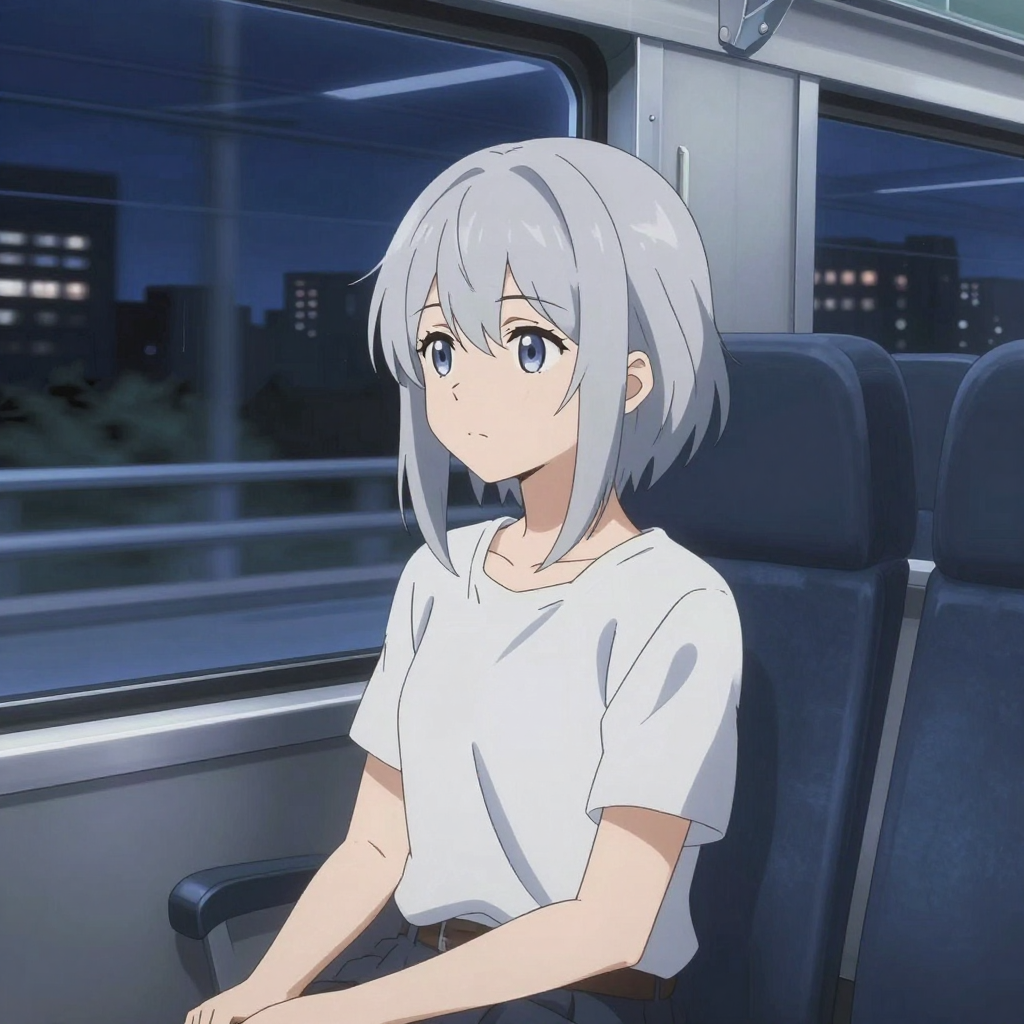
Generated on PixelDojo with Z Image Turbo. Produced by PixelDojo's generation pipeline.
Two different things go by this name, and the answer depends on which one you mean. Stable Diffusion Web is a browser page that runs Stable Diffusion XL with nothing to install, and the local Stable Diffusion WebUI is an open source interface you run on your own graphics card. PixelDojo replaces both with hosted models that are newer than SDXL and a LoRA trainer that does not need a GPU in your house. On August 26, 2026 we ran a cel shaded anime prompt through Z Image Turbo. It cost half a credit and finished in about 17 seconds.
The half credit anime run, first result kept
Every example below was produced on PixelDojo. Hover to see the prompt.
An anime girl with silver hair rides a night train, city lights streaking past the window, wistful mood, clean cel shading
Z Image Turbo
Two products, one search, and what replaces each
What each version of the name gets right
The browser page is genuinely free and needs no account or install, which makes it the fastest way to see what a diffusion model does. The local WebUI gives total control: your own checkpoints, your own LoRAs, extensions, and no per image cost once the hardware is paid for. Neither of those advantages is imaginary.
The costs that are easy to miss
The local route needs a specific Python version and enough video memory, and the low memory flags exist because people hit that wall. Many users have moved on to other node based interfaces for newer model families. That is a maintenance job, and it is separate from the creative one.
What the half credit run produced
A clean cel shaded frame of a silver haired girl with blue eyes in a white tee, sitting on a dark blue train seat. Through the window there is a night skyline with lit apartment windows and a motion blurred rail sliding past. Her expression is flat and thoughtful rather than posed, which is what the wistful instruction asked for.
Models newer than SDXL, priced per image
Z Image Turbo is 0.5 credits and Flux 2 Klein 4B is 0.1. Flux, Flux Dev, Qwen Image 2.0 and Seedream 4.5 are 1 credit. Seedream 5 is 2.5 and Nano Banana Pro is 3. There are 144 models on the account in total, image and video.
LoRA training without owning the hardware
Hosted trainers cover the Flux 2, WAN 2.2 Image and Z Image families. You upload the training images, the training runs on our infrastructure, and the finished LoRA is usable in generation straight away. No local environment and no checkpoint wrangling.
The pieces around generation are already built
Editing at 1 credit, the creative upscaler at 0.5, a community gallery, saved prompts and a REST API with one key. On a local install each of those is an extension you find, install and keep working.
One live run, timed on August 26, 2026: Z Image Turbo, 0.5 credits, about 17 seconds, 1024 by 1024 pixels, first result kept.
Why Choose Pixel Dojo for Stable Diffusion Web Alternatives
Professional-quality results with cutting-edge AI technology
Half a credit per image
Z Image Turbo is 0.5 credits, and Flux 2 Klein 4B is 0.1 if you want to draft even cheaper before a final pass.
About 17 seconds with nothing installed
Timed on August 26, 2026 from request to finished file at 1024 by 1024 pixels. No Python version to match and no video memory flags.
Style work stays possible
Hosted LoRA training keeps the part people stay on local installs for, which is a model tuned to your own look, without the machine underneath it.
How It Works
The run behind the number on this page, start to finish:
Skip the install entirely
No checkpoint download, no Python version to match, no memory flags. We opened the generator and pasted a prompt, which is the whole setup step.
Choose the cheap fast model first
Z Image Turbo at 0.5 credits returned a 1024 by 1024 image in about 17 seconds. Draft at that price, then re-run the keeper on a heavier model if the composition earns it.
Add your own style later
When a look needs to be yours rather than the model's, train a LoRA on the hosted trainers and use it in generation. The training images go up, the finished LoRA comes back, and no hardware changes hands.
The Pixel Dojo Advantage
Both readings of the name are useful tools, and this table is about trade offs rather than winners. The free browser page and the local interface are answering different questions, and so is this.
| Others | Pixel Dojo |
|---|---|
| Browser page running Stable Diffusion XL, free with no install | Newer models on the same no install footing, from 0.1 credits for Flux 2 Klein 4B to 3 for Nano Banana Pro |
| Local interface needs a matching Python version and enough video memory | Nothing to install, and our anime test finished in about 17 seconds from a browser |
| Your own LoRAs, trained on your own graphics card | Hosted LoRA training for the Flux 2, WAN 2.2 Image and Z Image families, usable in generation as soon as it finishes |
| Extensions add editing, upscaling and control, one install at a time | Editing at 1 credit and the creative upscaler at 0.5 sit in the same catalog as the generators |
| Image generation only, video is a separate project | 144 models spanning image, video, editing, upscaling and audio on one subscription |
| Scripting means wiring up a local API on your own machine | One hosted REST API with an OpenAPI spec and a hosted MCP server for agents |
Loved by creators on PixelDojo
Real feedback from people using PixelDojo, pulled from our in-product surveys.
Great site and so much fun to use!
very useful set of tools for image creation, upscaling and enhancement
ease of use, variety of tools, high quality trainings, and a well-maintained discord channel
Ease of use, friendliness and support of the owner, continued innovation.
it is an amazing site to create a pics and vids for those who don't have the hardware themselves
good tools in one place
Explore more AI tools on PixelDojo
AI Tools
Compare & Switch
- Best AI Image Generators
- Best AI Video Generators
- Midjourney Alternatives
- Civitai Alternatives
- Runway Alternatives
- Leonardo Alternatives
- Pika Alternatives
- Luma Alternatives
- Magnific Alternatives
- Veo Alternatives
- Flux Alternatives
- Freepik Alternatives
- Seedance Alternatives
- Seedream Alternatives
- Pixverse Alternatives
- GPT Image Alternatives
- Synthesia Alternatives
- Playground Alternatives
- NightCafe Alternatives
- Canva AI Alternatives
- ElevenLabs Alternatives
- ComfyUI Alternatives
- Fal Alternatives
- Replicate Alternatives
Common Questions
Everything you need to know about Stable Diffusion Web Alternatives
Do you mean the website or the local WebUI?
Both get searched under this name. Stable Diffusion Web is a browser page running Stable Diffusion XL with no install and no account. The local Stable Diffusion WebUI is an open source interface you run on your own graphics card. This page answers for both, because the replacement is the same.
What replaces SDXL if I want newer output?
Z Image Turbo at 0.5 credits is the fast draft model and it produced our anime frame in about 17 seconds. Flux Dev and Qwen Image 2.0 are 1 credit, Seedream 5 is 2.5 and Nano Banana Pro is 3. Running the same prompt through two of them costs a few credits and settles the question.
Can I still train and use my own LoRAs?
Yes, and you do not need a GPU for it. Hosted trainers cover the Flux 2, WAN 2.2 Image and Z Image families, and a finished LoRA is usable in generation as soon as training completes.
Is there an API, the way people script a local install?
Yes. POST to /api/v1/models/{apiId}/run with one key and poll the job you get back. The same key covers all 144 models, there is an OpenAPI spec for typed clients, and a hosted MCP server if an agent is doing the calling.
Why not just stay local?
If your hardware is already bought, your environment already works and you like tuning it, staying local is a reasonable choice. The trade is your time and your video memory against a per image credit. Once a Python version or a driver update breaks an evening, the arithmetic changes.