Vacation Rental Listing Photos
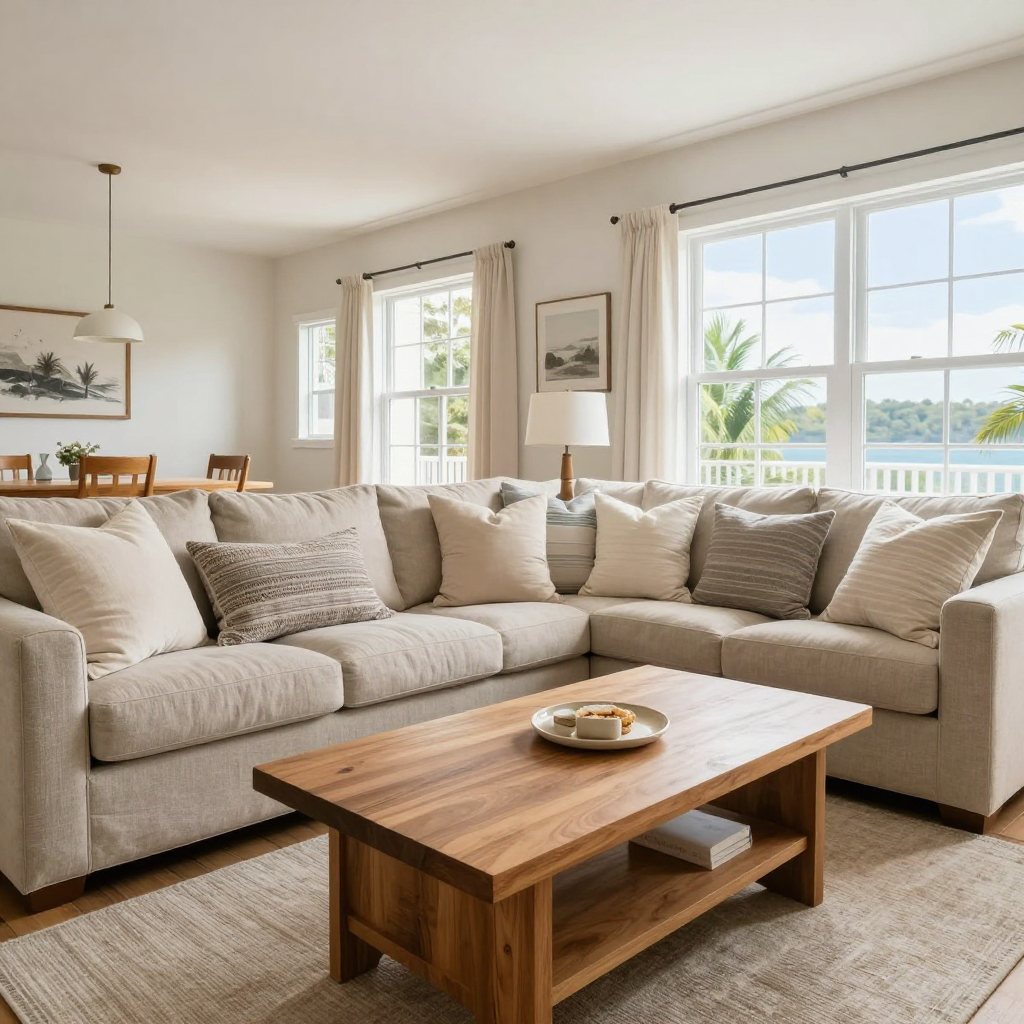
Generated on PixelDojo with z-image-turbo. Produced by PixelDojo's generation pipeline.
You can improve vacation rental listing photos with AI in two different ways: generate a reference photo of how a well staged room should look if the space is not furnished yet, or send your own photo of the real room to an image editor with instructions to brighten it and clear the clutter. We ran the first path on August 26, 2026, generating a staged coastal living room on Z-Image Turbo for 0.5 credit in about 15 seconds.
The 0.5 credit staging reference, water view included
Every example below was produced on PixelDojo. Hover to see the prompt.
Bright interior photograph of a cozy vacation rental living room, natural window light, neatly styled throw pillows on a linen sofa, a warm wood coffee table, wide angle real estate photography style, tidy and inviting
z-image-turbo
One prompt, one staged interior, August 26, 2026: 0.5 credit on Z-Image Turbo, about 15 seconds, a bright room with a water view and no clutter in sight.
Why Choose Pixel Dojo for Vacation Rental Listing Photos
Professional-quality results with cutting-edge AI technology
0.5 credit per attempt
Cheap enough to try a few furniture styles or lighting moods before you commit to buying or shooting anything.
About 15 seconds, measured
Timed from request to finished file on August 26, 2026. Fast enough to run several room styles back to back.
Editing keeps your real room, generating does not
The Image Editor works from the actual photo you send it, so use it once a real room exists instead of a from scratch prompt that will invent a different space.
How It Works
Two paths, depending on whether the room already exists:
Generate a staging reference if the room is not furnished yet
Our prompt asked for a bright interior photograph of a cozy vacation rental living room, natural window light, neatly styled throw pillows on a linen sofa, a warm wood coffee table, wide angle real estate photography style, tidy and inviting. Z-Image Turbo ran it for 0.5 credit and returned the photo in about 15 seconds. It came back as a full sectional sofa with matching pillows, a live edge wood coffee table with a small plate and a stack of books, tall windows showing water and palm trees outside, and a dining table visible in the background. This is a generated scene, not a photo of any real property, useful for planning furniture and light before you shoot the actual space.
Edit the real photo instead, once the room exists
Send an actual photo of your listing to the Image Editor with an instruction such as brightening the room, clearing the clutter on the counter, and adding fresh throw pillows to the sofa. This runs on the Flux Edit model for 1 credit and works from your real walls, windows and floor, fixing what looks off in the shot instead of inventing a different room the way a from scratch prompt does.
Upscale before uploading to the listing site
Run the finished photo through Creative Upscale for 0.5 credit before it goes on the listing, so the detail holds up when a guest zooms in on a thumbnail.
Loved by creators on PixelDojo
Real feedback from people using PixelDojo, pulled from our in-product surveys.
Best AI tool availble the suite is rad
Versatility quality, value, ROI, innovation
variety of tools available and prompt tools
A "one-stop-shop" for creators! Thanks!!
Lots of different tools. It's easy to purchase more credits.
Amazing performance!
Explore more AI tools on PixelDojo
AI Tools
Compare & Switch
- Best AI Image Generators
- Best AI Video Generators
- Midjourney Alternatives
- Civitai Alternatives
- Runway Alternatives
- Leonardo Alternatives
- Pika Alternatives
- Luma Alternatives
- Magnific Alternatives
- Veo Alternatives
- Flux Alternatives
- Freepik Alternatives
- Seedance Alternatives
- Seedream Alternatives
- Pixverse Alternatives
- GPT Image Alternatives
- Synthesia Alternatives
- Playground Alternatives
- NightCafe Alternatives
- Canva AI Alternatives
- ElevenLabs Alternatives
- ComfyUI Alternatives
- Fal Alternatives
- Replicate Alternatives
Common Questions
Everything you need to know about Vacation Rental Listing Photos
What does it cost to improve a listing photo with AI?
0.5 credit to generate a staging reference on Z-Image Turbo, the model we used, or 1 credit on Flux Edit to brighten and declutter an actual photo of the room. Add 0.5 credit to upscale before uploading either result.
Does AI edit my actual room or invent a new one?
Both are possible and they do different jobs. A text prompt generates a scene from nothing, useful for planning before the room exists. Sending a real photo to the Image Editor works from that exact room and fixes lighting or clutter without replacing the space.
How fast does it come back?
About 15 seconds in our August 26, 2026 run for the generated reference, measured from the prompt to the finished 1024 by 1024 file. Editing an existing photo runs on a separate model with its own timing.
Do I need professional camera equipment first?
No for a staging reference, since it is generated from text alone. Yes for the editing path, since the Image Editor needs an actual photo of your room to brighten and clean up.
Will the photo hold up when a guest zooms in?
Our base file came back at 1024 by 1024 pixels. Run it through Creative Upscale first, for 0.5 credit, before it goes live on a listing site.
Can I process several rooms at once?
Yes. Both models run at the same base URL, POST /api/v1/models/z-image-turbo/run or /api/v1/models/flux-edit/run, with the same API key, so a whole property's worth of rooms can go through the same pipeline.