Pet Portraits AI Generator
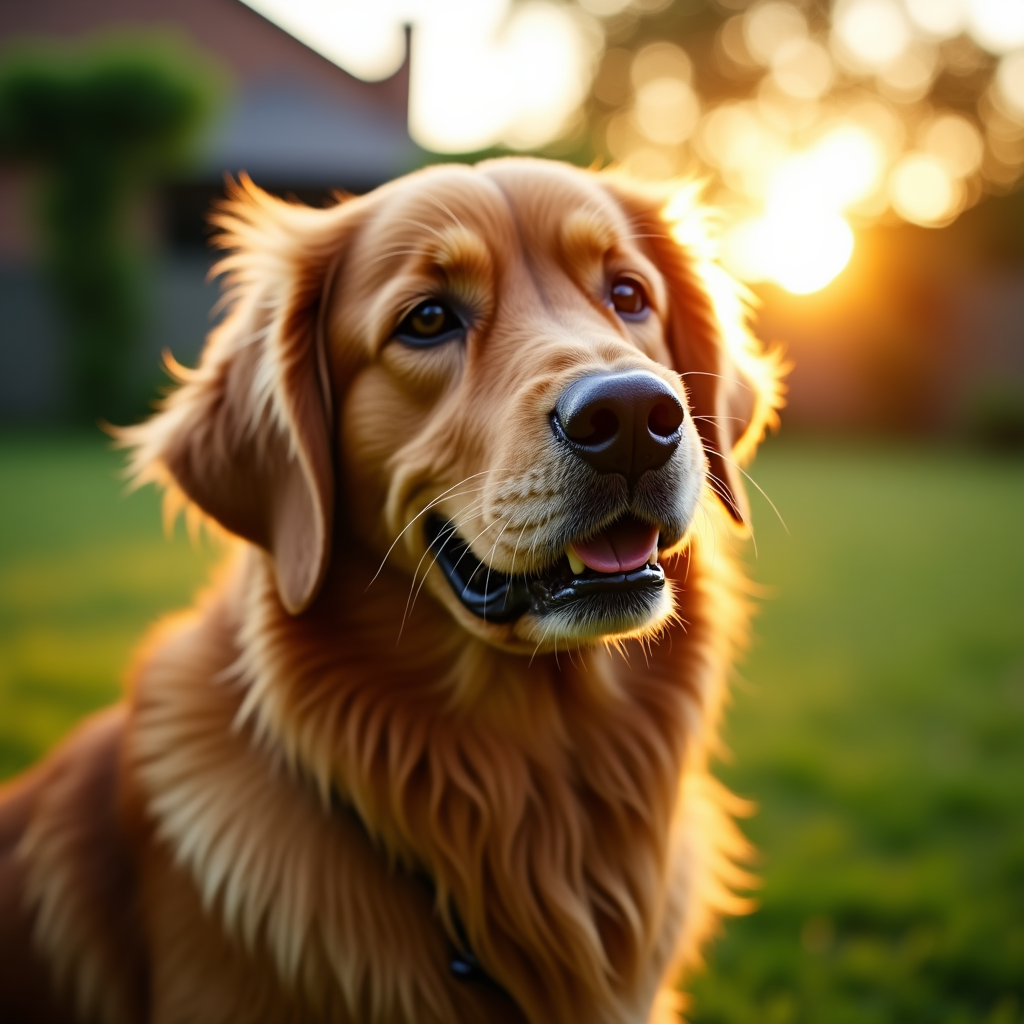
Generated on PixelDojo with Flux. Produced by PixelDojo's generation pipeline.
You can make a pet portrait with AI by describing your pet's breed, pose and the light the way a portrait photographer would, then generating on a model built for faces and fur. We ran this on August 26, 2026 on Flux for 1 credit, and the portrait came back in about 14 seconds with individual fur strands and a warm backlit glow. This page walks through the prompt details that mattered and what to change for a different breed or mood.
The portrait from the first prompt
Every example below was produced on PixelDojo. Hover to see the prompt.
Portrait of a golden retriever sitting in a garden at golden hour, fur texture in focus, shallow depth of field, warm natural light, documentary pet photography style
Flux
One prompt, one portrait, August 26, 2026: 1 credit on Flux, about 14 seconds, kept on the first result.
Why Choose Pixel Dojo for Pet Portraits
Professional-quality results with cutting-edge AI technology
1 credit per portrait
Flux charges 1 credit per image with no extra charge for the backlit lighting or the garden background.
About 14 seconds, measured
Timed from request to finished file on August 26, 2026, fast enough to try a second breed or pose right after.
Fur and eyes came back sharp
Individual fur strands stayed crisp around the face and ears, and both eyes held their catchlight instead of going flat or glassy.
How It Works
Three steps, one pet portrait, ready to print or share:
Name the breed, the pose and the light
Our prompt asked for a golden retriever sitting in a garden at golden hour, fur texture in focus, shallow depth of field, on Flux for 1 credit. It returned in about 14 seconds as a 1024 by 1024 image with the sun sitting directly behind the dog's head.
Let the backlight do the work
Naming golden hour specifically produced a rim light along the fur and a soft flare behind the ear, which is the effect that makes a pet portrait look intentional rather than like a snapshot.
Run it in the app or over the API
Generate from the tool page, or POST the prompt to /api/v1/models/flux/run. Ours took about 14 seconds and charged 1 credit.
Loved by creators on PixelDojo
Real feedback from people using PixelDojo, pulled from our in-product surveys.
THIS IS SO DOPE !
I have already recommended it to friends
All the tools, plus the guidance
Excellent tools. Ease of use. Well thought out interface. Wide variety of AI tools and features which are up to date with more added each month
I really like how the site is kept up to date, and the leaderboard (where I'm currently #11 most popular artist)
This is the best image generator I've used so far. Well done!
Explore more AI tools on PixelDojo
AI Tools
Compare & Switch
- Best AI Image Generators
- Best AI Video Generators
- Midjourney Alternatives
- Civitai Alternatives
- Runway Alternatives
- Leonardo Alternatives
- Pika Alternatives
- Luma Alternatives
- Magnific Alternatives
- Veo Alternatives
- Flux Alternatives
- Freepik Alternatives
- Seedance Alternatives
- Seedream Alternatives
- Pixverse Alternatives
- GPT Image Alternatives
- Synthesia Alternatives
- Playground Alternatives
- NightCafe Alternatives
- Canva AI Alternatives
- ElevenLabs Alternatives
- ComfyUI Alternatives
- Fal Alternatives
- Replicate Alternatives
Common Questions
Everything you need to know about Pet Portraits
What does an AI pet portrait cost?
1 credit on Flux, the model we used. That is the flat price per image regardless of breed or background.
How fast is it?
About 14 seconds in our August 26, 2026 run, from the prompt to the finished 1024 by 1024 file.
What should I put in the prompt?
Name the breed, the pose and the lighting the way a photographer would brief a shoot. Ours specified a golden retriever sitting in a garden at golden hour with fur texture in focus.
Does it work for cats and other pets?
The same prompt structure applies. Swap the breed and pose description, for example a tabby cat curled on a windowsill, and keep the lighting and depth of field instructions.
Do I need to upload a photo of my pet?
No. Our portrait was generated entirely from a text description. Turning a photo of your actual pet into a stylized portrait instead needs an image editing model rather than a plain text prompt.
How do I call this from the API?
POST to /api/v1/models/flux/run with your API key and a prompt. It is the same key and request shape as every other model in the catalog.