Plant Shop Product Cards AI Generator
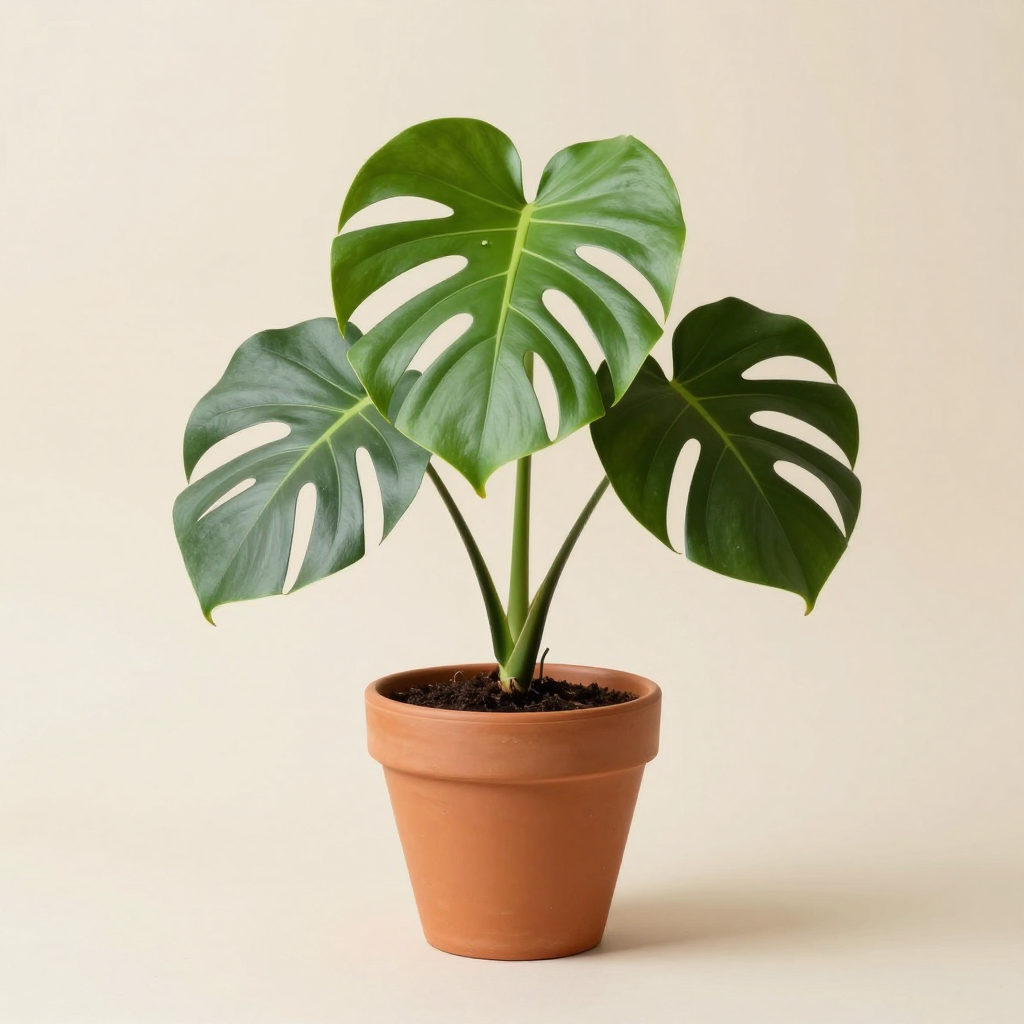
Generated on PixelDojo with z-image-turbo. Produced by PixelDojo's generation pipeline.
You can make plant shop product cards with AI by generating a clean studio photo of each plant, adding the plant name and price with an image editor, and upscaling before you print tags or upload to your online store. We ran the first step on August 26, 2026, generating a potted monstera on a plain studio background on Z-Image Turbo for 0.5 credit in about 17 seconds.
The 0.5 credit product shot, catalog ready as is
Every example below was produced on PixelDojo. Hover to see the prompt.
Studio product photograph of a potted monstera plant in a terracotta pot on a seamless light beige background, soft diffused lighting, subtle shadow beneath the pot
z-image-turbo
One prompt, one plant, August 26, 2026: 0.5 credit on Z-Image Turbo, about 17 seconds, centered and clean enough to use as a thumbnail as is.
Why Choose Pixel Dojo for Plant Shop Product Cards
Professional-quality results with cutting-edge AI technology
0.5 credit per plant
Cheap enough to shoot a full catalog without a studio, a camera or physical plants on hand yet.
About 17 seconds, measured
Timed from request to finished file on August 26, 2026. Fast enough to run a whole inventory list in one sitting.
Consistent lighting across a catalog
Keeping the background and lighting wording identical between prompts, and only swapping the plant, is what keeps a whole shop's photos looking like one set.
How It Works
Three steps from blank prompt to a store ready product card:
Describe the plant like a product, not a garden
Our prompt asked for a studio product photograph of a potted monstera plant in a terracotta pot on a plain light beige background, soft diffused lighting, subtle shadow beneath the pot. Z-Image Turbo ran it for 0.5 credit and returned the photo in about 17 seconds. The result is a single monstera with three glossy fenestrated leaves in a terracotta pot with visible soil, centered on a plain warm beige backdrop with a soft shadow beneath the pot and no other clutter in frame. It is usable as a listing thumbnail without any further work if you do not need a name or price printed on the image itself.
Add the name and price with the Image Editor
Send the photo to the Image Editor with an instruction such as adding the text Monstera Deliciosa, dollar 28 in a small clean label near the bottom of the frame. Editing an existing image this way runs on the Flux Edit model for 1 credit, and it types the exact wording you give it rather than trusting a from scratch prompt to spell a plant name correctly.
Batch the rest of the inventory
Run the same product style prompt for each plant you sell, swapping only the plant and pot description and keeping the lighting and background wording the same for a consistent catalog look. Each new photo is 0.5 credit, so a 20 plant catalog costs 10 credits before any name and price edits.
Loved by creators on PixelDojo
Real feedback from people using PixelDojo, pulled from our in-product surveys.
The guy that operates the website is constantly updating it
I’ve been using PixelDojo for around 8 months now and it’s always worked wonderfully while constantly adding features.
The site is easy to navigate and use.
All the tools, readily available and easy to understand
You guys, the LORA training is the BEST in the space right now, great job with that!
Tons of variety. Ease of use. Tools for beginners and advance users.
Explore more AI tools on PixelDojo
AI Tools
Compare & Switch
- Best AI Image Generators
- Best AI Video Generators
- Midjourney Alternatives
- Civitai Alternatives
- Runway Alternatives
- Leonardo Alternatives
- Pika Alternatives
- Luma Alternatives
- Magnific Alternatives
- Veo Alternatives
- Flux Alternatives
- Freepik Alternatives
- Seedance Alternatives
- Seedream Alternatives
- Pixverse Alternatives
- GPT Image Alternatives
- Synthesia Alternatives
- Playground Alternatives
- NightCafe Alternatives
- Canva AI Alternatives
- ElevenLabs Alternatives
- ComfyUI Alternatives
- Fal Alternatives
- Replicate Alternatives
Common Questions
Everything you need to know about Plant Shop Product Cards
What does an AI plant shop product photo cost?
0.5 credit per plant on Z-Image Turbo, the model we used. Add 1 credit if you send it to the Image Editor to letter in the name and price. A 20 plant catalog with names and prices added runs about 30 credits total.
How fast does it come back?
About 17 seconds in our August 26, 2026 run, measured from the prompt to the finished 1024 by 1024 file.
Can the AI write the plant name and price directly on the photo?
Not reliably from a text prompt, especially for a specific botanical name. Leave the wording out of the generation step and add it afterward with the Image Editor, which types exactly what you give it.
Will every plant in my catalog look consistent?
Keep the background, lighting and framing wording identical across prompts and only change the plant and pot description. That is what kept our result centered and evenly lit, and repeating the same structure keeps a whole catalog matching.
Do I need to photograph the actual plant in stock?
No. Our photo was generated from a text description alone. If you want the exact plant currently in stock, including its particular pot, send a real photo of it to the Image Editor instead and describe the background you want behind it.
Can I automate a whole inventory list?
Yes. The model runs at POST /api/v1/models/z-image-turbo/run with the same API key each time, so a spreadsheet of plant names can be looped through the API to generate a full set of product photos in one batch.