Vinyl Record Sleeve Art
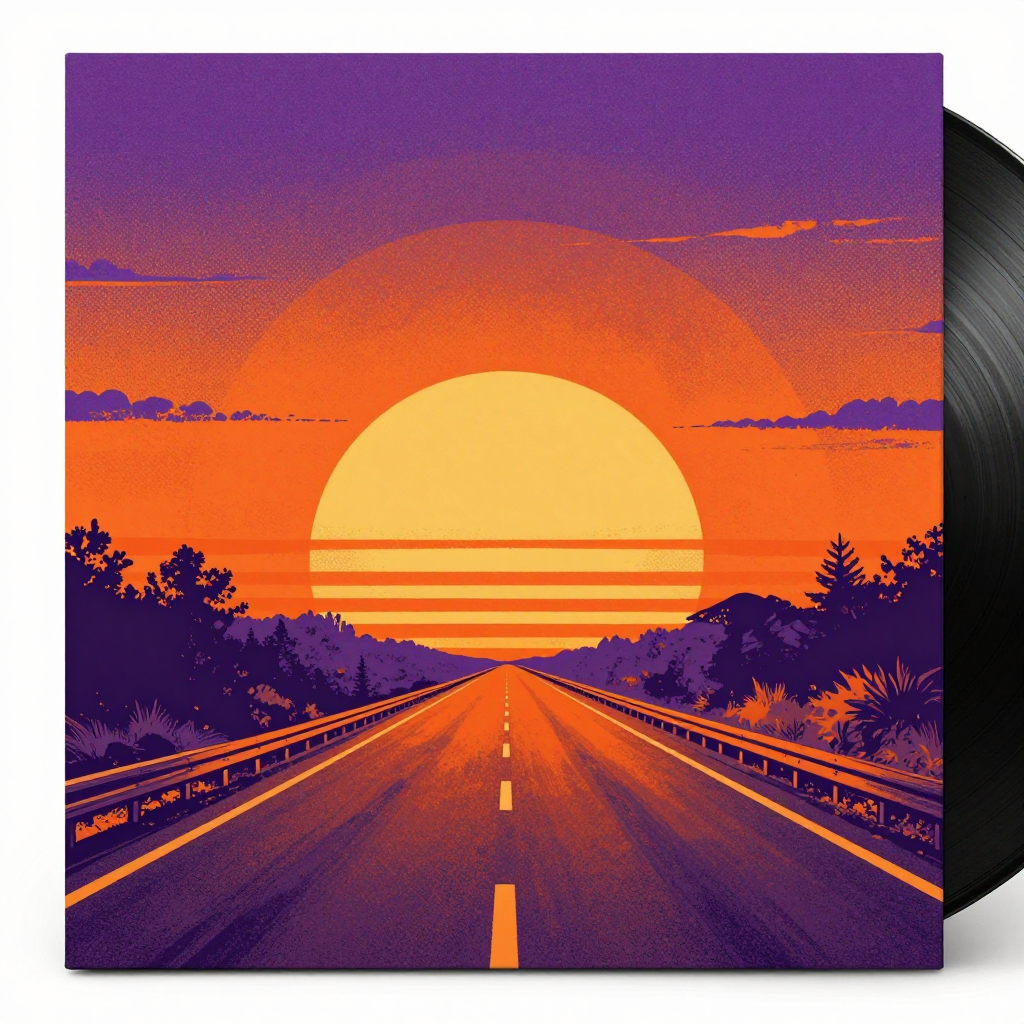
Generated on PixelDojo with z-image-turbo. Produced by PixelDojo's generation pipeline.
You can make vinyl record sleeve art with AI: describe the palette, the print texture and the mood of the album, generate it with an image model, then upscale the file for a real pressing. We ran the first step on August 26, 2026, generating a sunset-over-a-highway cover in a purple and orange halftone style for 0.5 credit in about 14 seconds. This page covers the steps that turn a text description into a pressable sleeve file, prompt and cost included at every stage.
The sleeve art from step one
Every example below was produced on PixelDojo. Hover to see the prompt.
Square album cover illustration for an indie rock band, bold graphic sunset over a highway, retro halftone print texture, vibrant orange and purple palette, vinyl record sleeve art style
z-image-turbo
One prompt, one sleeve, August 26, 2026: 0.5 credit on Z-Image Turbo, about 14 seconds, kept on the first result.
Why Choose Pixel Dojo for Vinyl Record Sleeve Art
Professional-quality results with cutting-edge AI technology
0.5 credit for the base cover
Z-Image Turbo priced the sleeve at 0.5 credit, with no separate charge for the halftone texture or the palette named in the prompt.
About 14 seconds, measured
Timed from request to finished file on August 26, 2026, kept on the first result with no retries.
Print texture rendered without a filter
The halftone dot pattern and the layered sun disc came directly from the prompt's wording, no post-processing pass needed to get the print look.
How It Works
Three steps, one sleeve, ready for a pressing plant:
Write a sleeve brief, not a photo brief
Name the palette, the print texture and the mood, since sleeve art reads as graphic design rather than photography. Our prompt below asked for a bold sunset over a highway, retro halftone print texture and an orange and purple palette, and ran on Z-Image Turbo for 0.5 credit. It came back in about 14 seconds as a 1024 by 1024 square, the sun built from three overlapping halftone discs over a straight highway, a tree line silhouette running along both edges.
Add a band photo or logo if the design needs one
Real photography or a wordmark belongs with the design rather than generated from scratch. Send both to the Image Editor with an instruction to place the logo or blend the photo into the scene, at 1 credit on the Flux Edit model, and it works from the references instead of starting blank.
Upscale to a pressable file
A 12 inch jacket wants a sharp file well past the base 1024 by 1024 size. Run the finished art through Creative Upscale for 0.5 credit before sending it to a pressing plant.
Loved by creators on PixelDojo
Real feedback from people using PixelDojo, pulled from our in-product surveys.
The amazing tools
Top notch quality and strong prompt adherence.
A well resourced sunscription with attention to updates.
Easy to use and there's lots of options.
super lora download
Great variety of tools to create and modify images and video.
Explore more AI tools on PixelDojo
AI Tools
Compare & Switch
- Best AI Image Generators
- Best AI Video Generators
- Midjourney Alternatives
- Civitai Alternatives
- Runway Alternatives
- Leonardo Alternatives
- Pika Alternatives
- Luma Alternatives
- Magnific Alternatives
- Veo Alternatives
- Flux Alternatives
- Freepik Alternatives
- Seedance Alternatives
- Seedream Alternatives
- Pixverse Alternatives
- GPT Image Alternatives
- Synthesia Alternatives
- Playground Alternatives
- NightCafe Alternatives
- Canva AI Alternatives
- ElevenLabs Alternatives
- ComfyUI Alternatives
- Fal Alternatives
- Replicate Alternatives
Common Questions
Everything you need to know about Vinyl Record Sleeve Art
What does AI record sleeve art cost?
0.5 credit for the base image on Z-Image Turbo, the model we used. Add 1 credit if you send it to the Image Editor to place a logo or a band photo, and 0.5 credit to upscale it for print. A full three step run is 2 credits.
How fast is the first cover?
About 14 seconds in our August 26, 2026 run, measured from the prompt to the finished 1024 by 1024 file.
What size does a pressing plant actually need?
A standard 12 inch jacket wants a file well beyond 1024 by 1024. Run the generated cover through Creative Upscale for 0.5 credit before sending it off to print.
Can I add my band's logo or a real photo?
Yes. Send the sleeve art and the logo or photo to the Image Editor together with an instruction to place them, at 1 credit on the Flux Edit model, instead of generating the whole thing from a prompt.
Does the halftone print style need extra editing?
No in our run. The retro halftone texture, the dot pattern and the layered sun disc came through directly from naming them in the prompt.
How do I call this from the API for a whole discography?
POST to /api/v1/models/z-image-turbo/run with your API key and a prompt per release. It is the same key and request shape as every other model in the catalog.