Phone Wallpaper Models AI Generator
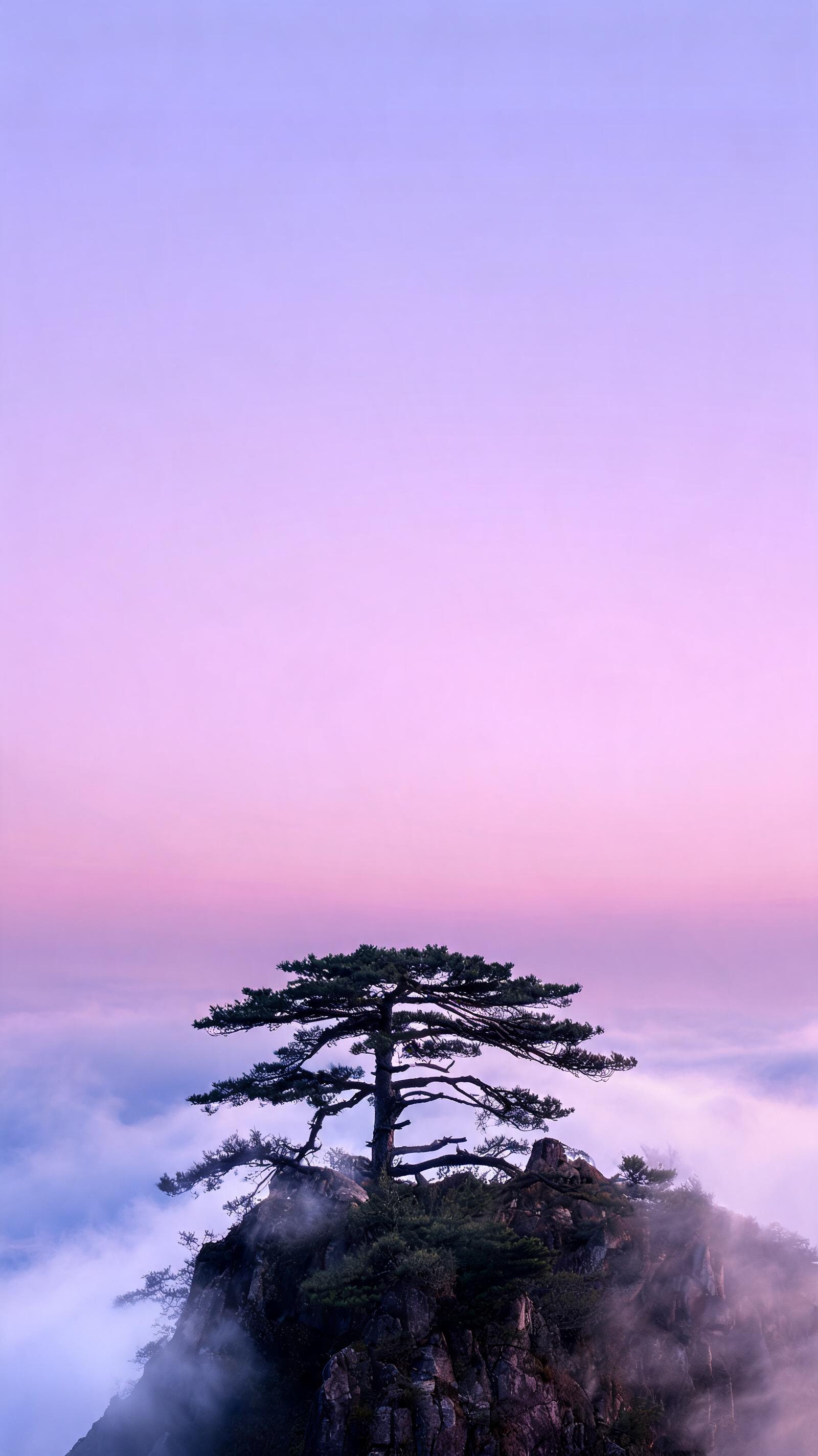
Generated on PixelDojo. Produced by PixelDojo's generation pipeline.
Seedream 5 Lite won this one on pixels. It returned a 1600 by 2848 vertical image for 1 credit in about 35 seconds, which is larger than the screen on a current flagship phone. We sent the same wallpaper prompt to three models on August 26, 2026 at a 9:16 ratio and timed each request. Flux 2 Pro cost 1.5 credits, finished in about 25 seconds, and drew the crispest scene, but only at 752 by 1344. Krea v2 cost 0.5 credits, also finished in about 25 seconds, and gave the moodiest frame at 768 by 1376. All three honoured the vertical ratio. Only one of them came back big enough to use without an upscale.
Side-by-side, same prompt
Every model below ran the identical prompt on PixelDojo so the outputs are directly comparable: “Vertical phone wallpaper: a lone pine on a misty cliff above a purple dawn sky, soft gradient, plenty of clean space at the top for a clock”
Seedream 5 Lite
35s1600 by 2848, bigger than a flagship phone screen, with the top half left clean for the clock. 1 credit, about 35 seconds.
Flux 2 Pro
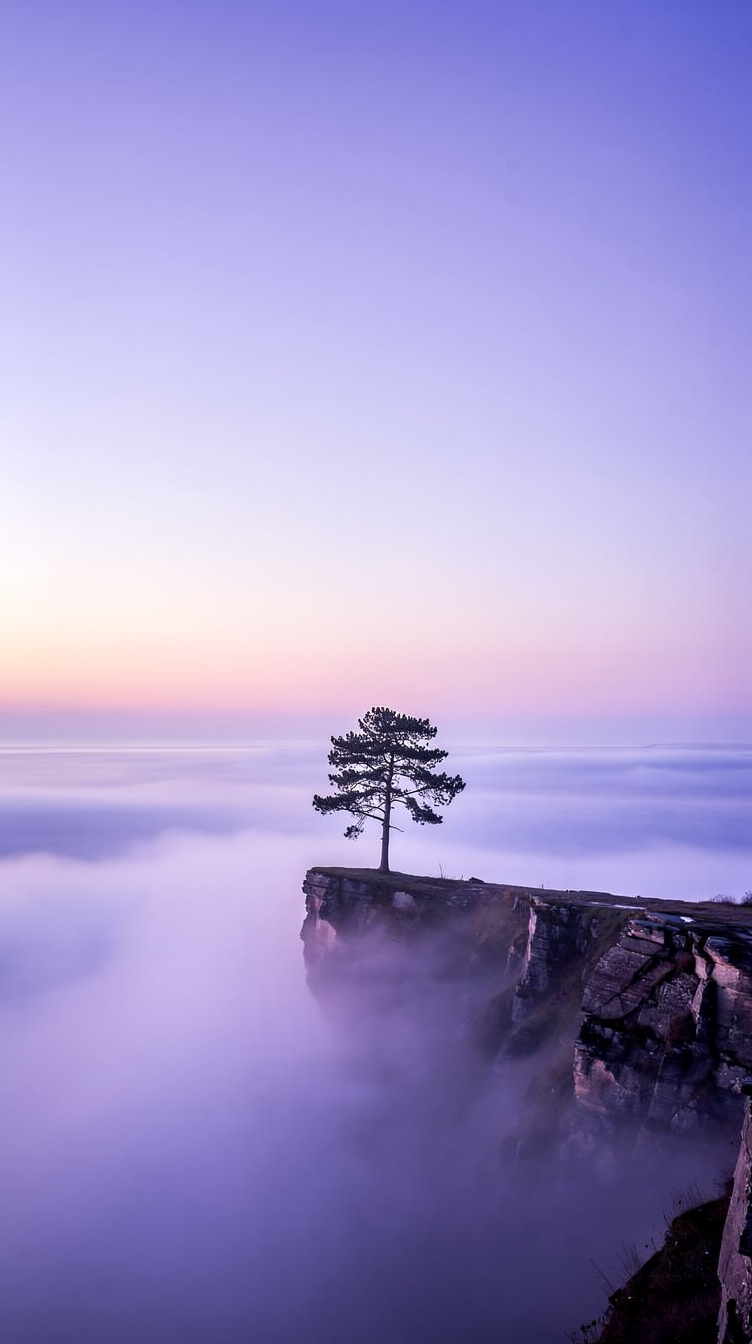
25sSharpest rock and tree detail of the three, but only 752 by 1344 so it needs an upscale. 1.5 credits, about 25 seconds.
Krea v2
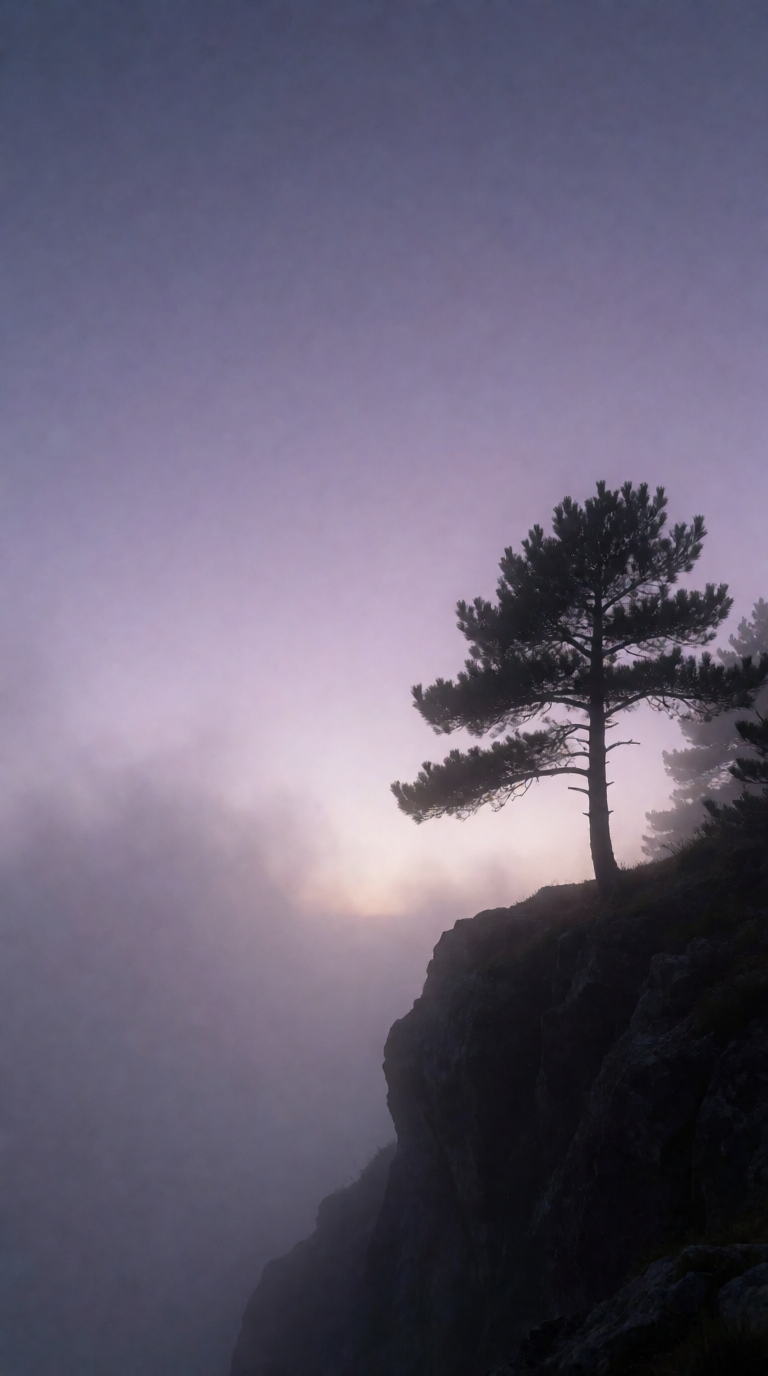
25sCheapest at 0.5 credits and the moodiest frame, soft and hazy at 768 by 1376. About 25 seconds.
Our order of preference, the reasoning, and who should pass
1. Seedream 5 Lite, 1 credit, about 35 seconds
Seedream 5 Lite is the only one of the three that handed back a file you can set as a wallpaper without touching it again. At 1600 by 2848 it clears the screen resolution of a current flagship phone, so the picture is downsampled onto the display rather than stretched. The composition also understood the brief. The top 45 percent of the frame is an empty gradient running lavender into pink, which is exactly where the clock, the date and notifications sit, and the pine tree on its rocky summit above a sea of cloud starts below that band. It cost 1 credit and took about 35 seconds, the slowest of the three, which is a fair trade for four times the pixel count of the others. Skip it if you want something dark. This output is bright and pastel, and a light lock screen makes white system text harder to read.
2. Flux 2 Pro, 1.5 credits, about 25 seconds
Flux 2 Pro drew the best picture in the test and the smallest file. Its cliff edge is rendered with fine strata in the rock, individual needles readable on the pine, and a long fog bank that fades from lilac into a warm horizon line. The upper half is clean gradient, so the clock has room. The catch is 752 by 1344, which is narrower than the screen on most phones sold today, so setting it directly means the system stretches it and the fine detail you paid for softens. An upscale pass fixes that for 0.5 credits on Creative Upscale, which makes the real cost of this route 2 credits and one extra step. Skip it if you want a one call workflow. Choose it when the image matters more than the pipeline and you are happy to enlarge before you use it.
3. Krea v2, 0.5 credits, about 25 seconds
Krea v2 is the cheap moody option. Ours came back at 768 by 1376 with the tree pushed to the right edge of the frame, a dark cliff falling away underneath it, and a low sun glow buried in violet haze on the left. Nothing in it is sharp, and that is the point. It reads as atmosphere rather than landscape, which suits a lock screen where widgets and text sit over the top, and at 0.5 credits it is the cheapest way to fill a wallpaper folder. It matched Flux 2 Pro on speed at about 25 seconds. Skip it if you want detail or a clean bright frame. The haze that makes it calm also flattens the subject, and like Flux 2 Pro it lands under phone screen resolution, so plan on an upscale before you use it.
One vertical prompt, three models, same session. Prices ran from 0.5 to 1.5 credits. Heights ran from 1344 to 2848 pixels.
Why Choose Pixel Dojo for Phone Wallpaper Models
Professional-quality results with cutting-edge AI technology
Ratio is not resolution
All three honoured 9:16. Only Seedream 5 Lite returned enough pixels to fill a modern phone screen without help.
Leave the top third empty
Asking the prompt for clean space at the top worked on every model. The clock and notifications then sit on gradient rather than on your subject.
A folder of wallpapers is small money
The three runs cost 0.5, 1 and 1.5 credits. Twenty wallpapers on the cheapest of them is 10 credits.
How It Works
How the test ran, so you can copy it:
Same prompt, same ratio, nothing else
Each model got the identical wallpaper prompt with the aspect ratio set to 9:16 and every other setting left at its default. First result kept, no retries.
Timed every request
A timestamp before submission and another when the file arrived. That bracket gives about 25, about 25 and about 35 seconds.
Measured the files, then looked at them
We read the pixel dimensions of all three outputs, then judged how much clean space each left at the top of the frame for the clock.
Loved by creators on PixelDojo
Real feedback from people using PixelDojo, pulled from our in-product surveys.
All the tools needed in one dashboard
Very fair and very broad in tools.
Accurate results
Great site and so much fun to use!
very useful set of tools for image creation, upscaling and enhancement
ease of use, variety of tools, high quality trainings, and a well-maintained discord channel
Explore more AI tools on PixelDojo
AI Tools
Compare & Switch
- Best AI Image Generators
- Best AI Video Generators
- Midjourney Alternatives
- Civitai Alternatives
- Runway Alternatives
- Leonardo Alternatives
- Pika Alternatives
- Luma Alternatives
- Magnific Alternatives
- Veo Alternatives
- Flux Alternatives
- Freepik Alternatives
- Seedance Alternatives
- Seedream Alternatives
- Pixverse Alternatives
- GPT Image Alternatives
- Synthesia Alternatives
- Playground Alternatives
- NightCafe Alternatives
- Canva AI Alternatives
- ElevenLabs Alternatives
- ComfyUI Alternatives
- Fal Alternatives
- Replicate Alternatives
Common Questions
Everything you need to know about Phone Wallpaper Models
Which AI model is best for phone wallpapers?
Seedream 5 Lite in this test. It returned 1600 by 2848 for 1 credit in about 35 seconds, which is larger than a flagship phone screen, and it left the top of the frame clear for the clock. Flux 2 Pro drew a sharper scene but only at 752 by 1344.
What resolution should a phone wallpaper be?
Match or beat your screen. Current flagship handsets are around 1300 pixels wide by 2800 tall, so the 1600 by 2848 file from Seedream 5 Lite is comfortable, while the 752 by 1344 and 768 by 1376 files from the other two need an upscale first.
How do I get a 9:16 image instead of a square?
Set the aspect ratio to 9:16 on the request. We did that on all three models and all three obeyed it. The ratio setting is separate from the output size, so check the pixel dimensions of what comes back.
How much does one wallpaper cost?
0.5 credits on Krea v2, 1 credit on Seedream 5 Lite and 1.5 credits on Flux 2 Pro. Adding an upscale pass on Creative Upscale is another 0.5 credits.
Can I generate wallpapers from an API?
Yes. POST to /api/v1/models/seedream-5-lite/run, /api/v1/models/flux-2-pro/run or /api/v1/models/krea-v2/run with the same key and body shape, including an aspect ratio of 9:16.