Tattoo Designs AI Generator
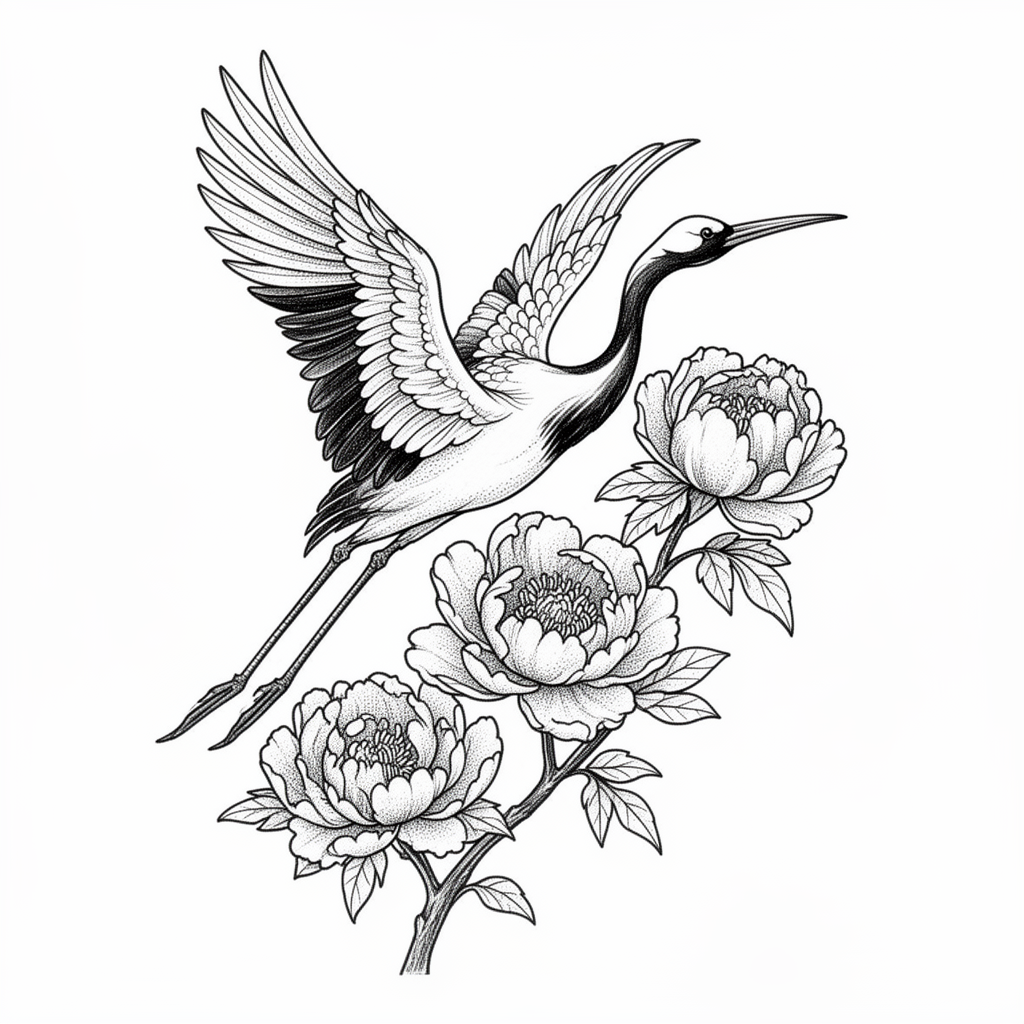
Generated on PixelDojo. Produced by PixelDojo's generation pipeline.
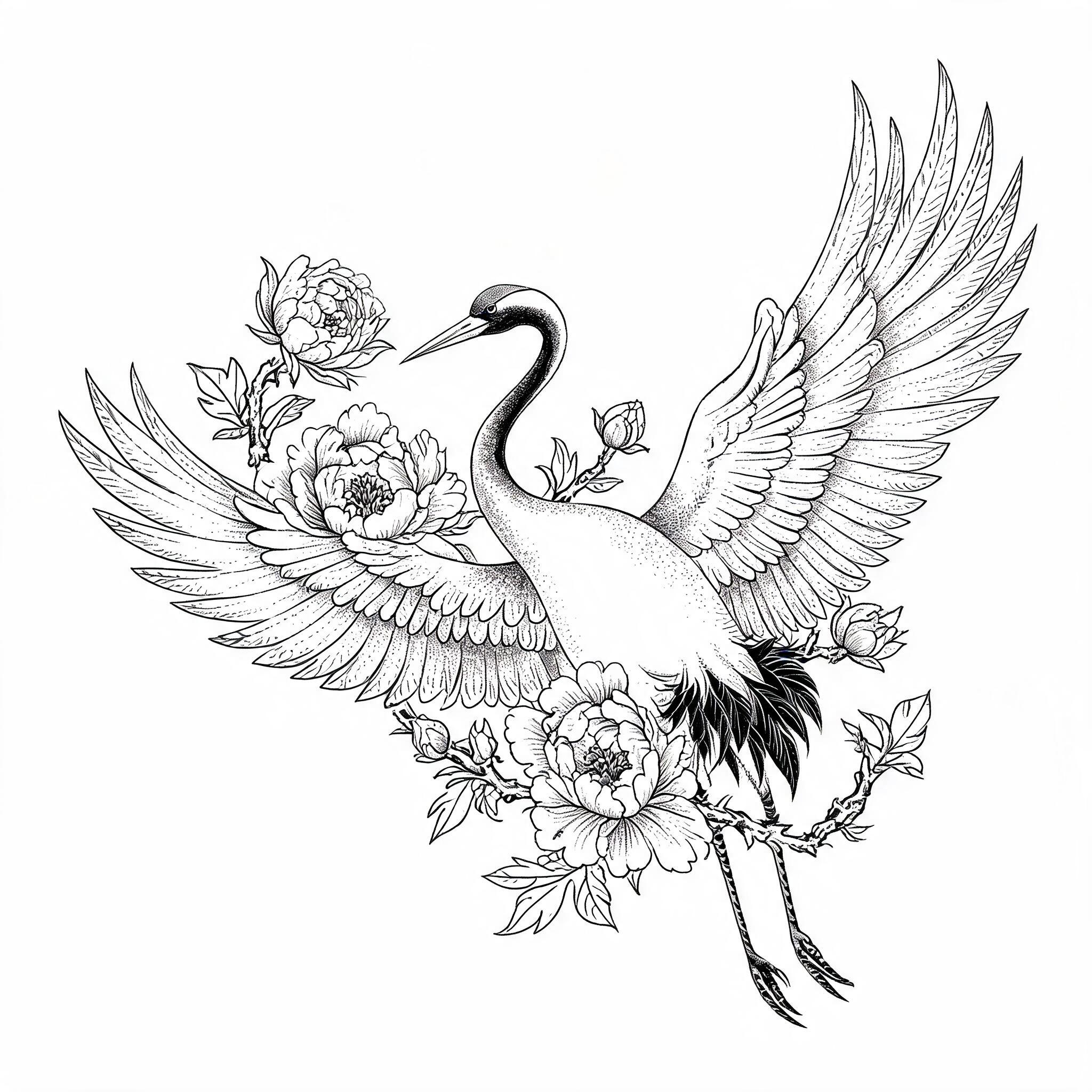
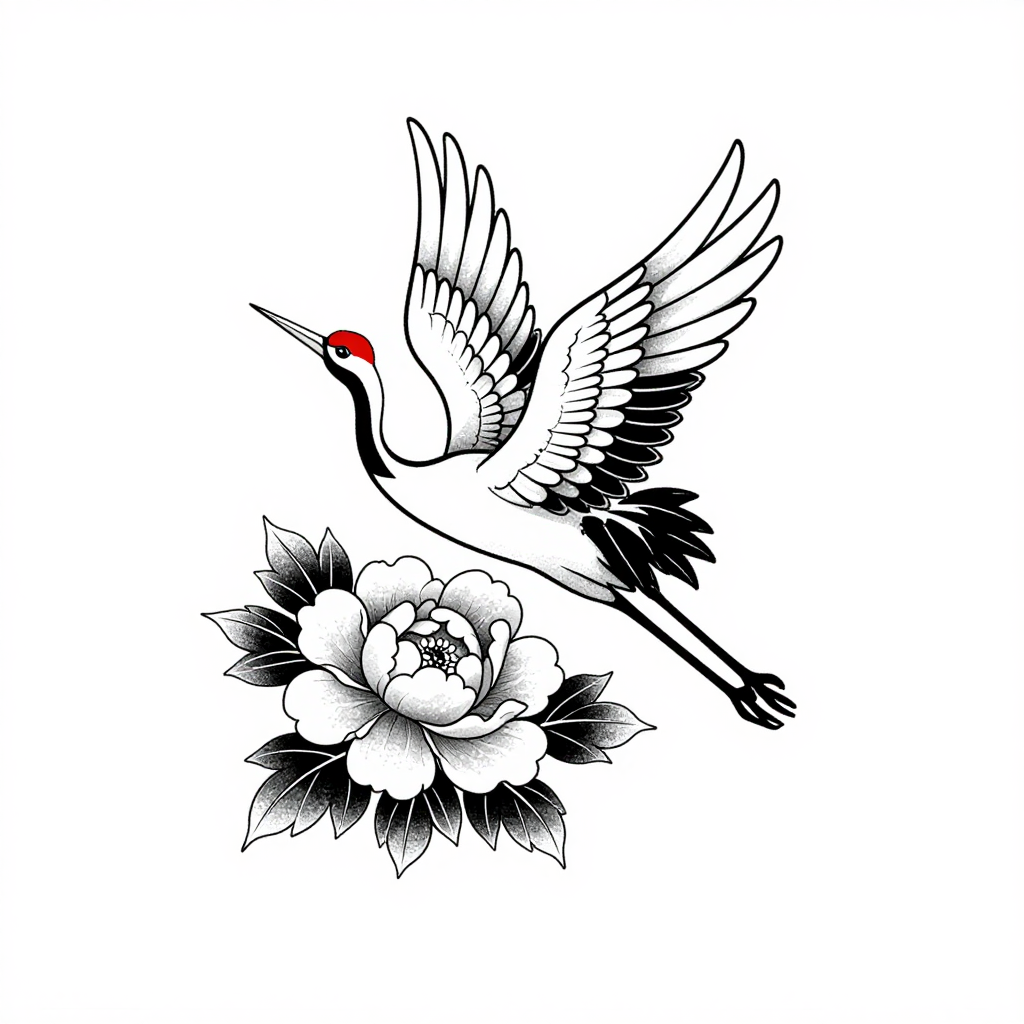
Flux 2 Dev is the best pick for tattoo designs. It produced the most tattoo literate drawing of the three, correct fine line work with real stipple shading, all in black ink, for 1 credit in about 13 seconds. We sent one crane and peony flash prompt to Flux 2 Dev, Seedream 5 Lite and Z Image Turbo on August 26, 2026 and kept the first result from each. Seedream 5 Lite charged the same 1 credit, took about 29 seconds, and was the only model that actually wrapped the flowers around the bird as asked, at 2048 by 2048 pixels. Z Image Turbo cost half as much at 0.5 credits, landed in about 10 seconds, and drew the boldest and most tattooable line weight, but it added a red crown patch to a design specified as black ink. Each result is below, ranked, with an honest reason to skip it.
Side-by-side, same prompt
Every model below ran the identical prompt on PixelDojo so the outputs are directly comparable: “A tattoo design of a crane in flight wrapped around a blooming peony branch, fine line black ink with light stippled shading, clean white background”
Flux 2 Dev
13sThe most tattoo literate of the three. True fine line plus stipple, one solid black wedge, diagonal flow. 1 credit, about 13 seconds.
Seedream 5 Lite
29sThe only one that wove the peony branch through the wings, and the only 2048 by 2048 file. 1 credit, about 29 seconds.
Z Image Turbo
10sBoldest, most durable line weight and half the price, but it added red to a black ink brief. 0.5 credits, about 10 seconds.
Where each model landed, and the catch that comes with it
1. Flux 2 Dev, 1 credit, about 13 seconds
Flux 2 Dev returned the piece most likely to survive a conversation with a tattooer. The crane climbs from the lower left with wings spread, three open peonies sit on a branch below and to the right, and the whole thing runs on a diagonal, which is how an arm or a calf piece is actually laid out. The technique matches the brief closely. Fine outlines carry the shapes, stipple dots build the soft grey in the wing coverts and the petal centres, and one solid black wedge sits in the primary feathers to anchor the value range. The background is pure white with nothing floating in it. Two weaknesses. The crane's legs are rubbery and its beak runs long, and every line is thin, which looks good on screen but tends to blur after a few years in skin unless the artist redraws with weight. Output is 1024 by 1024. Skip it if you need a large stencil file, or a design built from bold lines from the start.
2. Seedream 5 Lite, 1 credit, about 29 seconds
Seedream 5 Lite is the only model that read the word wrapped. Its crane has both wings fully open across the frame, and the peony branch genuinely threads through the wing feathers and passes behind the neck, with buds and leaves breaking the outline at four separate points. That interlocking is the hardest part of the brief and the other two skipped it. The drawing is dense with fine line and stipple, and a single black tail cluster gives it one strong dark. It also came back at 2048 by 2048 pixels, four times the pixel count of the other two, which is the practical reason to choose it, since a stencil gets printed at size and thin lines fall apart when you scale a small file up. The tradeoffs are shape and weight. The composition is wide and horizontal, better suited to a back or chest piece than a limb, and the line work is so fine and so dense in the wings that an artist will need to simplify it. Skip it if you are iterating quickly or want a small simple piece.
3. Z Image Turbo, 0.5 credits, about 10 seconds
Z Image Turbo was the cheapest at 0.5 credits and the fastest at about 10 seconds, and in one respect it beat both siblings. Its line weight is the boldest here, with confident outlines, solid black wing tips and tail feathers, and heavy black shading on the peony leaves. That is neo traditional drawing, and it is the style that actually holds up in skin over time, so a tattooer would have the least redrawing to do from this one. What costs it the top spot is instruction following. It put a red crown patch on the crane's head in a brief that specified black ink, so the design is no longer black and grey. It also placed the crane and the peony as two separate elements floating in the same frame rather than wrapping them together, so there is no interlock. Output is 1024 by 1024 on a clean white ground. Skip it if the piece has to be strictly black and grey, or if the composition needs the elements woven.
One flash brief, three models, 2.5 credits total. Fastest result in about 10 seconds, slowest in about 29 seconds.
Why Choose Pixel Dojo for Tattoo Designs
Professional-quality results with cutting-edge AI technology
Judged on how close each design is to a stencil
Line technique, ink discipline and composition decided the order. Price and turnaround broke the ties underneath.
The comparison cost 2.5 credits
Flux 2 Dev 1 credit, Seedream 5 Lite 1 credit, Z Image Turbo 0.5 credits, one image each at default settings on August 26, 2026.
Two models tie on price and split on everything else
Flux 2 Dev and Seedream 5 Lite both charge 1 credit. One gives you flow and speed, the other gives you a woven composition at four times the resolution.
How It Works
The three steps behind these results:
Write a brief that names the technique, not just the subject
We asked for a crane in flight wrapped around a blooming peony branch, fine line black ink with light stippled shading, on a clean white background. Fine line, stipple and black ink are the terms that decide whether you get flash or an illustration.
Send it to each model once at default settings
No aspect ratio overrides, no seeds, no retries. The first result from a plain prompt is what anyone gets on their first attempt, so that is what got compared.
Time each request, then inspect the files at full size
We bracketed every run with a clock and recorded the charge. Z Image Turbo 0.5 credits in about 10 seconds, Flux 2 Dev 1 credit in about 13 seconds, Seedream 5 Lite 1 credit in about 29 seconds. All three were downloaded and looked at before anything was ranked.
Loved by creators on PixelDojo
Real feedback from people using PixelDojo, pulled from our in-product surveys.
The guy that operates the website is constantly updating it
I’ve been using PixelDojo for around 8 months now and it’s always worked wonderfully while constantly adding features.
The site is easy to navigate and use.
All the tools, readily available and easy to understand
You guys, the LORA training is the BEST in the space right now, great job with that!
Tons of variety. Ease of use. Tools for beginners and advance users.
Explore more AI tools on PixelDojo
AI Tools
Compare & Switch
- Best AI Image Generators
- Best AI Video Generators
- Midjourney Alternatives
- Civitai Alternatives
- Runway Alternatives
- Leonardo Alternatives
- Pika Alternatives
- Luma Alternatives
- Magnific Alternatives
- Veo Alternatives
- Flux Alternatives
- Freepik Alternatives
- Seedance Alternatives
- Seedream Alternatives
- Pixverse Alternatives
- GPT Image Alternatives
- Synthesia Alternatives
- Playground Alternatives
- NightCafe Alternatives
- Canva AI Alternatives
- ElevenLabs Alternatives
- ComfyUI Alternatives
- Fal Alternatives
- Replicate Alternatives
Common Questions
Everything you need to know about Tattoo Designs
Which AI model is best for tattoo designs?
Flux 2 Dev in this test. It gave the most tattoo literate result, with fine outlines, real stipple shading and one solid black anchor, all in black ink, for 1 credit in about 13 seconds. Choose Seedream 5 Lite when you need a woven composition and a 2048 pixel stencil file, and Z Image Turbo when you want bold neo traditional line weight at half the price.
What did all three cost together?
2.5 credits on August 26, 2026. Flux 2 Dev and Seedream 5 Lite each charge 1 credit and Z Image Turbo charges 0.5 credits, one image each at default settings.
Which output is usable as a stencil?
Seedream 5 Lite gives you the most to work with at 2048 by 2048 pixels, against 1024 by 1024 from the other two. A stencil is printed at the size it will be worn, so the larger file loses the least detail. Expect an artist to simplify the densest fine line areas either way.
Why did one design come back with red in it?
Z Image Turbo added a red crown patch even though the prompt asked for black ink. Models fill gaps with what the subject usually looks like, and a crane usually has a red crown. Naming the exact palette twice, once as black ink and once as no color, is the practical fix.
Can I generate tattoo designs through the API?
Yes. POST to /api/v1/models/flux-2-dev/run, /api/v1/models/seedream-5-lite/run or /api/v1/models/z-image-turbo/run with your API key and a prompt. One key covers all three, so a script can produce a whole flash sheet of variations in one pass.
Should I take an AI design straight to a tattooer?
Treat it as a reference, not a stencil. Every result here needed line weight decisions a machine did not make, and the fine line areas in particular need an artist to decide what survives in skin. Bring the image as the idea and let the tattooer redraw it for the body part it is going on.