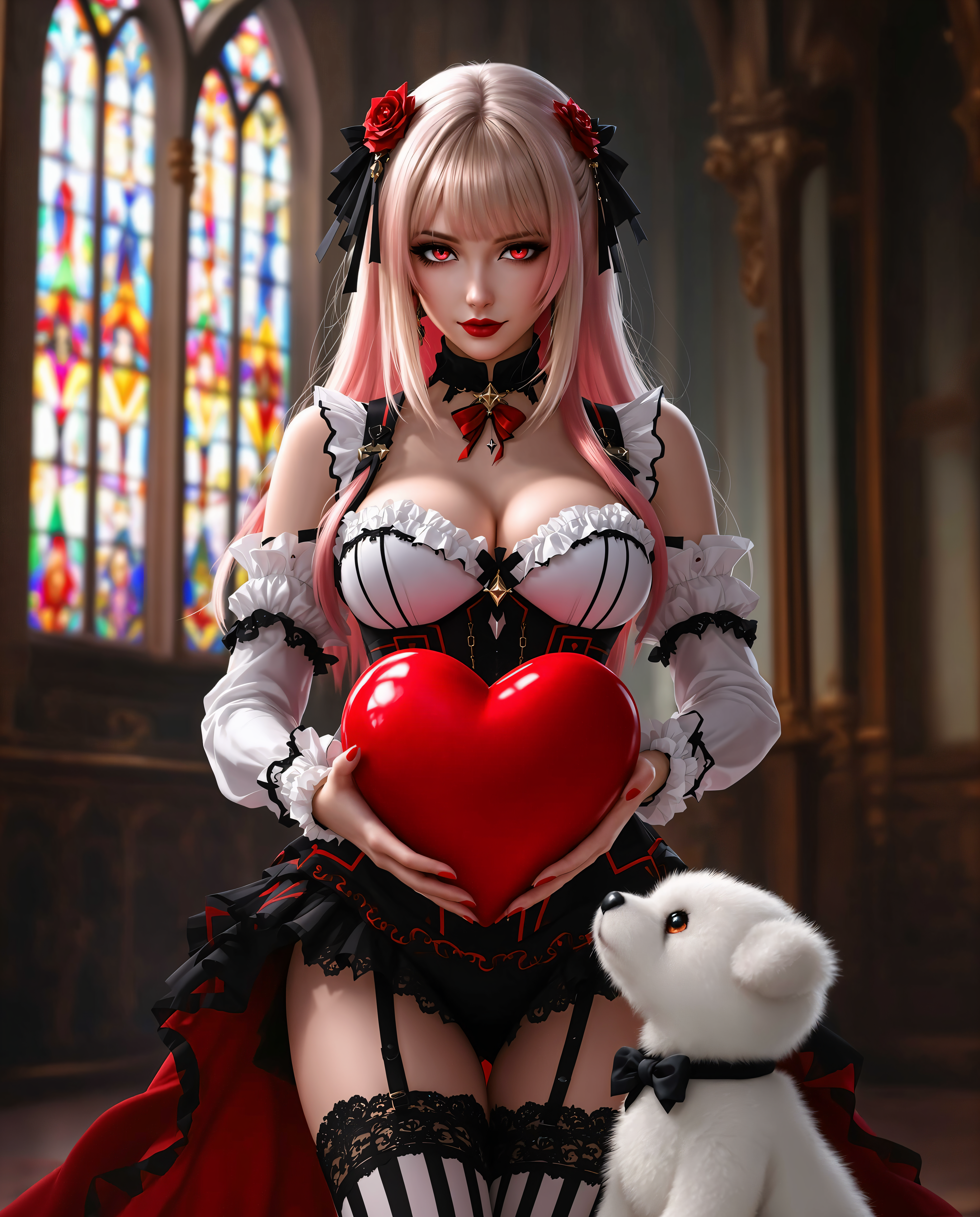
disney pixar ai AI Generator

Imagine turning your family photos into adorable, expressive characters straight out of a blockbuster animated film. Or bringing your own original story ideas to life with vibrant colors, whimsical worlds, and that signature heartwarming charm that makes audiences fall in love. With PixelDojo's Disney Pixar AI capabilities, you can achieve exactly that—without needing artistic training, expensive software, or months of work. Our platform lets you generate professional-quality images in the beloved Pixar style: smooth 3D renders, oversized expressive eyes, soft subsurface shading, dynamic lighting, and emotionally resonant scenes filled with adventure, friendship, and wonder. Whether you want personalized Pixar versions of yourself and your loved ones, original characters for children's books, engaging social media visuals, marketing assets that stand out, or consistent assets for your own animated stories, PixelDojo delivers outstanding results every time. You describe the vision or upload a reference photo, and our 40+ cutting-edge AI tools—including Flux.2 Studio, Recraft V4, PonyXL, Grok Image, and HiDream—handle the magic. Focus on original creations with prompts emphasizing unique personalities, settings, and emotions rather than copying existing IPs. This approach lets you safely build your own heartwarming worlds while capturing the emotional depth and visual polish Pixar is famous for. Thousands of parents, creators, authors, and marketers already use PixelDojo to produce images that look like they came from a major animation studio. The outcome? Content that connects deeply with viewers, drives engagement, sells products, or simply brings joy to your family and friends. Cancel anytime, create as much as you want, and watch your ideas transform into captivating Pixar-style masterpieces in minutes.

AI Generated
Get Started TodayResults in seconds50+ AI models

Join 35,000+ happy creators • 4.9/5 average rating from 2,800+ reviews • Over 4.2 million Pixar-style images generated • Featured in Creative AI Magazine as the top tool for stylized character creation

Why Choose Pixel Dojo for disney pixar ai

Professional-quality results with cutting-edge AI technology

Transform Photos Into Lovable Pixar Characters

Upload selfies or family pictures and instantly see them reimagined as heartwarming 3D animated characters with big expressive eyes, charming personalities, and that unmistakable Pixar glow. Our Image to Image, Face Swap, and LoRA Face Swap tools combined with style-specific models like Flux.2 Studio and Recraft V4 deliver consistent, high-quality results perfect for custom portraits, personalized storybooks, unique profile pictures, or memorable gifts. Create emotional connections that make your audience smile every time they see your work. No more generic filters—get true studio-quality transformations that capture real personalities in a magical new way.

Build Original Whimsical Worlds & Stories

Design your own adventurous characters, enchanted settings, and touching narratives that feel like they belong in a Pixar film. Using detailed text prompts with tools like PonyXL, Grok Image, and Seedream 5 Lite, you can generate vibrant scenes of brave explorers in glowing forests, funny animal friendships, or futuristic family adventures. The outcome is original IP you own completely—ready for children's books, social campaigns, YouTube thumbnails, or full story bibles. Experience the joy of watching your imagination come to life with cinematic lighting, rich textures, and emotional depth that captivates viewers of all ages.

Create Consistent Studio-Quality Assets Fast

Maintain perfect character consistency across dozens of scenes using our Consistent Characters and Ideogram Character tools. Generate, refine with Inpainting or Style Transfer, enhance with Magnific Upscaler, and produce print-ready or video-ready assets in minutes instead of weeks. Whether for a personal project, professional portfolio, or commercial campaign, you get reliable, high-resolution Pixar-style output that looks polished and professional. Creators love how this speed and consistency removes creative blocks and lets them focus on storytelling rather than technical hurdles.

How It Works

Creating Disney Pixar AI images on PixelDojo is straightforward and delivers impressive studio-like results every time. Our specialized tools are optimized for the smooth shading, expressive features, vibrant colors, and emotional storytelling that define the style. Follow these steps to go from idea to finished image in minutes while keeping your creations original and copyright-safe.

1

Choose Your Specialized Generation Tool

Log into PixelDojo and navigate to the Generate Images section. Select tools proven for Pixar-style results such as Flux.2 Studio for cinematic depth and smooth renders, Recraft V4 for vibrant stylized characters, PonyXL for expressive cartoon aesthetics, or Grok Image for creative interpretations. These models excel at producing the big eyes, soft lighting, and whimsical details characteristic of Pixar animation. Start with a preset or blank canvas to begin crafting your original character or scene.

2

Craft a Detailed Original Prompt

Write a rich description focusing on your unique creation: 'Original adventurous young girl with curly brown hair, sparkling oversized eyes full of wonder, freckles across her nose, wearing a red jacket and backpack, exploring an enchanted glowing forest with friendly fireflies at golden hour, heartwarming Pixar 3D animation style, smooth subsurface scattering, vibrant yet soft color palette, expressive face, cinematic composition, highly detailed textures and emotional storytelling'. Avoid referencing specific existing characters or films. This produces unique, safe results that capture the magic. Experiment with lighting, mood, and composition for different outcomes.

3

Refine, Ensure Consistency & Download

Upload a reference photo using Image to Image or Face Swap for personalized Pixar versions of real people. Use Consistent Characters to generate matching poses and scenes across a series. Fine-tune with Magic Lighting, Style Transfer, Inpainting for details, or Reality Polisher. Upscale with Magnific Upscaler or Portrait Upscaler for professional quality. Preview variations, then download high-resolution files ready for sharing, printing, or further video creation with tools like Kling Video. The entire process keeps your workflow fast and your results perfectly on-brand.
Community disney pixar ai Gallery

Real examples created by our community

A striking mid-20s Hindu woman with flawless, radiant skin stands gracefully in the dimly lit hallway of an ancient Hindu temple at midnight. Her floor-length, shiny black hair is impeccably straight, pulled into a high, sleek ponytail that cascades down her back like a dark waterfall. She is dressed in an elegant shiny latex sari, the fabric shimmering with subtle golden embroidery, draped perfectly to accentuate her poised posture. Her heavy, dramatic makeup features smoky, kohl-lined eyes and bold, shiny black painted lips that gleam under the faint light, exuding a mysterious allure. The temple hallway is cloaked in deep shadows, with intricate stone carvings of deities and floral motifs adorning the walls, illuminated by the soft, flickering glow of oil lamps. The atmosphere is serene yet haunting, with a cool, misty air and the faint scent of sandalwood incense lingering. The composition focuses on the woman as the central figure, standing confidently in the middle of the frame, captured from a slight low angle to emphasize her commanding presence against the towering, ancient architecture. The scene is rendered in a cinematic style, reminiscent of dramatic Bollywood aesthetics, with rich contrasts between light and shadow, vibrant yet moody color tones, and a hyper-realistic attention to texture and detail, evoking a sense of timeless mystique.
Portrait series with neutral background
a photo of TOK, Create a high-resolution, professional-grade photograph featuring TOK, a futuristic character that is half man, half robot. TOK is adorned in a sleek, form-fitting shirt that reads "INTRODUCING PIXEL STUDIO" in bold, neon-lit text. 

**Visual Details:**
- TOK's human side should exhibit hyper-realistic skin texture with subtle imperfections, while the robotic side features polished metal surfaces with visible, intricate circuitry and mechanical joints. 
- The shirt should be a vibrant color, contrasting sharply with the environment, with the text glowing softly as if illuminated by internal LED lights.
- Lighting should be dramatic, with key lights highlighting TOK’s features and rim lighting to accentuate the blend of organic and synthetic elements.

**Style:**
- Adopt a cyberpunk aesthetic, reminiscent of high-tech dystopian films, with a focus on sharp, clean lines and futuristic design elements.
- Use a shallow depth of field to blur out the background, focusing on TOK.

**Composition:**
- TOK is positioned centrally, looking slightly off-camera, giving a sense of anticipation or invitation into the world of Pixel Studio.
- The camera angle should be slightly low to emphasize TOK’s imposing presence.
- The background features abstract, neon-lit shapes and sleek, minimalistic furniture or tech equipment.

**Mood and Atmosphere:**
- The scene should evoke a sense of innovation, excitement, and a touch of mystery. 
- Set the time in the evening or night, with the environment lit by a mix of cool and warm tones from various light sources, creating a moody, vibrant atmosphere.

**Technical Aspects:**
- Use a high dynamic range (HDR) to capture the wide range of light and shadow, enhancing the contrast between TOK’s human and robotic parts.
- Implement a soft focus for elements in the background to keep the viewer's focus on TOK.
- Employ a wide aperture to achieve the shallow depth of field, ensuring TOK stands out against a blurred, futuristic backdrop.

**Cohesion:**
- Ensure all elements, from TOK's appearance to the environment, contribute to a narrative of cutting-edge technology merging with human creativity, symbolized by Pixel Studio.
Belle from beauty and the beast, shiny black latex ballgown, the opera gloves are shiny white latex, long black hair in an elegant curly style. Her lips painted shiny black. Heavy dark makeup. In a drk gothic ballroom
late-afternoon sunlight. The composition centers her as the focal point, captured from a low camera angle to emphasize her towering dominance, framed powerfully in the middle of the scene with the grandeur of the palace extending behind her. The mood is intensely regal and cinematic, with the late afternoon glow casting long, dramatic shadows across the marble floors, creating a striking interplay of light and dark that heightens the atmosphere of authority and mystique. The style is hyper-realistic with a high-fashion photography aesthetic, inspired by cinematic portraiture, showcasing meticulous attention to the glossy, reflective textures of the latex dress and heels, the radiant sparkle of the ruby jewelry, and the ornate, detailed architecture of the palace, all rendered in stunning 8K clarity with exceptional depth, sharp focus, and a rich, vibrant color palette.
Create image: 2021 new Honda NSX in metallic pink & white in a 1950' HOUSE driveway, Disney pixar BIG DAFFY DUCK sitting on the hood.. license plate reads "BING PROMPTS"
A breathtaking digital painting of a mystical female figure with a unicorn horn, exuding a magical and ethereal aura, captured in a highly stylized fantasy art style with intricate details and vibrant colors. Her cascading hair glows with sparkling energy, blending deep violets to icy blues, while her ornate white costume with silver filigree and crystal-like sparkles resembles regal armor. The twilight background merges sunset oranges into cool purples, with rippling water and scattered bubbles enhancing the otherworldly, dynamic atmosphere.
masterpiece, best quality, highres, sharp image, more detail <lora:more_details:0.5> <lora:SDXLrender_v2.0:1>, masterpiece, best quality, highres, sharp image, more detail <lora:more_details:0.5> <lora:SDXLrender_v2.0:1>
7 foot tall russet furred werewolf. dancing with a 5'9" tall 45 year old woman with white hair, dressed in a floor length shiny white latex ballgown and corset.
A breathtaking futuristic cityscape at twilight, viewed from a high rocky cliff in the foreground where silhouetted figures stand gazing at the scene, including a few people in casual attire with subtle glowing elements on their clothing, the cliff edge cracked and textured with small rocks and sparse vegetation. Below, a wide reflective river or canal winds through the sprawling metropolis, dotted with sleek, illuminated boats and yachts gliding on the golden-hued water that mirrors the vibrant sunset. The city features towering spires and skyscrapers in a cyberpunk style, with the central tallest tower piercing the sky like a needle, adorned with neon lights in purples, blues, and pinks, surrounded by clusters of high-tech buildings, bridges, and hovering vehicles emitting soft glows. The sky is a dramatic expanse of swirling clouds in deep blues and indigos transitioning to fiery oranges and yellows at the horizon, with a massive curved planetary ring or aurora-like arc glowing in teal and green, arching across the heavens and casting ethereal light. Stars twinkle faintly amid the cosmic nebula effects, evoking a sense of wonder and vastness. Rendered in highly detailed digital art style inspired by anime and sci-fi illustrations, similar to Makoto Shinkai or Studio Ghibli with enhanced realism, using vibrant color palette of cool blues contrasting warm sunset golds, high dynamic range lighting, intricate textures on architecture and water ripples, atmospheric depth with subtle fog and light blooms, ultra-high resolution, cinematic composition with a slight fisheye lens distortion for immersion.
=== Scene ===

Tone: generate an 8-second, hyper-realistic, seamlessly looping video capturing the raw power and physics of a single moment in a street basketball game, rendered in extreme slow motion., {"type":"High-speed sports cinematography, played back in extreme slow motion","duration_seconds":8,"looping":"true, seamless loop","pacing":"Intense, powerful, and dramatic. The slow motion turns a split-second action into a detailed ballet of force.","animated_elements":[{"element":"Ball Impact and Deformation","description":"The primary animation. A defender's hand forcefully impacts the top of a basketball. In slow motion, we see the defender's fingers digging into the pebbled leather, the ball visibly compressing and deforming under the force. The ball's backspin momentarily stops and reverses as it's knocked away. This entire impact and recoil sequence forms the loop."},{"element":"Sweat and Particle Dynamics","description":"The explosive impact sends a fine spray of sweat droplets flying from both the hand and the ball's surface. The droplets hang in the air like tiny jewels in the bright sun. Dust and microscopic rubber particles from the court are kicked up by the motion."},{"element":"Anatomical Realism","description":"The muscles and tendons in the defender's forearm and hand are seen contracting with extreme force. Veins bulge on the skin's surface. The skin on the fingertips whitens from the pressure against the ball."},{"element":"Background Motion","description":"Through the chain-link fence in the deep background, the blurred figures of spectators are seen reacting to the play, their movements also in slow motion, adding to the atmosphere."}]}, {"style":"Hyperrealistic, gritty sports documentary style, emulating the aesthetic of a high-end Nike commercial or a feature film.","camera_setup":{"camera":"Phantom VEO 4K High-Speed Camera","lens":"100mm Telephoto Prime Lens","perspective":"Static, locked-down shot from a very low angle, looking up at the point of impact. This heroic angle makes the action feel monumental and powerful.","description":"The sun is high in the sky, creating high-contrast, sharp-edged shadows. This intense light creates brilliant specular highlights on the sweat-glistened skin and the curved surface of the basketball, emphasizing every texture."},"composition":{"framing":"A tight, dynamic composition focused entirely on the collision between the hand and the ball. The chain-link fence in the background creates a gritty, geometric pattern that cages the action."}}

=== Subject ===

Description: {"base_subject":"An extreme close-up, slow-motion shot of a hand blocking a basketball at the apex of a shot on an iconic urban court.","key_details":[{"element":"The Hand and Arm","description":"The hand of a highly athletic basketball player. The skin glistens with a realistic sheen of sweat, and we can clearly see skin pores, calluses, and the fine lines of the knuckles. The hand is powerful and expressive."},{"element":"The Basketball","description":"A well-worn, official Spalding basketball. The pebbled texture is rendered in extreme detail, with dirt and scuff marks lodged in the grooves. The printed logos are slightly faded from use."},{"element":"The Environment","description":"The background is the iconic, green, tight-mesh chain-link fence of 'The Cage'. The fence is slightly rusted in places. Through the links, the blurred shapes of spectators and the red brick of surrounding Village buildings are visible."}]}
A highly detailed realistic photo (photograph) of a female real person close-up portrait of a mysterious young woman with long, straight black hair in blunt bangs framing her pale face, her piercing red eyes glowing intensely with a subtle crimson gleam, narrowed in a serious and slightly menacing expression, thin eyebrows furrowed, small nose, and neutral mouth set in determination. She wears a vibrant pink zip-up jacket with white accents over a white shirt, the fabric slightly glossy and reflecting soft light. The art style is modern realistic style, cel-shading, and dramatic lighting effects, featuring a bright lens flare from the upper left casting ethereal rays and highlights on her hair and skin, creating a high-contrast, atmospheric mood with cool blue tones in the background blending into warm pinks and whites. Emphasize hyper-realistic textures on the hair strands, subtle shadows under the eyes and chin, and a sense of otherworldly intensity, ultra-high resolution, 8K quality, vibrant color palette dominated by blacks, reds, pinks, and whites.
A highly detailed scene featuring a **Border Collie** perched gracefully on a **weathered, moss-covered log** in the midst of a **lush, misty bog**. The **dog** exudes a sense of curiosity, with its **eyes fixed on a small, vibrant green frog** sitting calmly on a nearby patch of **floating lily pads**. The **lighting** is soft and diffused, reminiscent of an **early morning mist**, casting a **subtle glow** on the scene, enhancing the **mystical atmosphere**. The **composition** is balanced with the dog in the foreground, the frog slightly to the side, and the bog's expansive, yet intimate landscape in the background. 

- **Style**: Capture this in the style of **romanticism**, with attention to the **intricate textures** of the bog's flora and the **reflective surface of the water**.
- **Mood and Atmosphere**: The scene is serene, with an **ethereal quality** created by the **fog** and the **gentle interplay of light and shadow**.
- **Technical Aspects**: Utilize **wide depth of field** to keep both the **dog** and **frog** in sharp focus, while the background subtly blurs to suggest depth. Employ **chiaroscuro** techniques to emphasize the contrast between light and dark areas, enhancing the **drama** and **mystique** of the setting.

This image should evoke a sense of **tranquility and wonder**, inviting the viewer into a **timeless moment** within nature's embrace.
This is a closeup digital painting that captures the detailed features of a realistic photo (photograph) of a female real persons face and upper neck. The art style is highly stylized with a focus on dramatic contrasts and a three dimensional rendering that gives the image a lifelike quality. The medium appears to be digital painting software, as evidenced by the smooth blending of colors and the lack of texture that might be present in a traditional painting. The lighting and shadows are expertly rendered, creating a sense of depth and realism. The colors in the image are quite muted, with a predominance of black, white, and shades of gray. There are also touches of deep red on the lips and a hint of purple in the eyeshadow, which add a pop of color to the otherwise monochromatic scheme. The black and white elements of the image create a stark, almost gothic feel. The objects in the image are primarily the persons hair and a portion of their clothing and cigarette in her mouth smoking. The hair is dark and appears to be styled in a way that gives it volume and movement, with individual strands of hair rendered with great detail. The clothing is not fully visible, but what is seen is a black garment with a lace collar, which adds a touch of elegance to the overall dark aesthetic.The overall effect of the image is one of sophistication and mystery, with a strong emphasis on the subjects facial features and the interplay of light and shadow.
A majestic werewolf stands atop a misty, moonlit mountain, its furry body silhouetted against a dark, starry night sky, as it lets out a haunting, mournful howl, its long, pointed ears perked up and its piercing yellow eyes gleaming with an otherworldly intensity, its sharp teeth bared in a snarling expression, its clawed paws grasping the rocky terrain, amidst a backdrop of ancient, gnarled trees that seem to tremble with the force of the werewolf's primal cry, the air thick with an eerie, supernatural energy.

Start Creating Disney Pixar AI Images Today

40+ cutting edge AI tools, loved by thousands of creators worldwide, cancel anytime, try it today

The Pixel Dojo Advantage

PixelDojo stands out for Disney Pixar AI creation by combining specialized models, consistency tools, and an intuitive workflow that delivers superior outcomes compared to traditional or generic methods.

OthersPixel Dojo
Traditional illustration or 3D modelingAchieve Pixar-level quality and emotional impact in minutes instead of weeks or months, at a fraction of the cost, with unlimited variations so you can iterate until it's perfect.
Generic cartoon or filter appsGet true 3D-rendered depth, subsurface shading, cinematic lighting, and consistent character personalities that feel like they belong in a feature film rather than flat or generic results.
Manual photo editing softwareAutomatically understand complex style instructions and produce emotionally resonant, professionally lit scenes without hours of layer work, masking, or artistic expertise.

Loved by Creators

See what our community says about disney pixar ai

"I turned family vacation photos into the most adorable Pixar-style characters. My kids were obsessed and now we have a whole storybook of our adventures. The Consistent Characters tool made everything match perfectly. Best creative purchase I've made!"

Emily Rodriguez

Mom & Content Creator

"As a children's book author, PixelDojo lets me visualize my stories in true Pixar quality before I even write the final draft. The speed and consistency across scenes is incredible. My illustrations now look like they came from a major studio."

Marcus Chen

Children's Book Author

Common Questions

Everything you need to know about disney pixar ai AI generation

How do I create original Disney Pixar AI images safely without copyright issues?

Focus on originality by describing unique characters, personalities, clothing, settings, and emotions in your prompts rather than naming specific movies, titles, or existing characters. Phrases like 'in the style of heartwarming 3D Pixar animation, smooth shading, expressive oversized eyes, vibrant yet soft color grading' work beautifully with PixelDojo tools such as Flux.2 Studio and Recraft V4. These models interpret your descriptions to create fresh, ownable artwork you can use commercially. Our Image to Image feature lets you transform personal photos into original characters while maintaining the beloved aesthetic. Thousands of creators build their own IPs this way on PixelDojo without issues. We also provide prompt templates in the platform to guide you toward safe, high-quality outputs that capture the magic while staying completely original.

What are the best PixelDojo tools for generating Disney Pixar style AI images?

Flux.2 Studio and Recraft V4 consistently produce the smoothest 3D-like renders with excellent subsurface scattering and emotional expressions. PonyXL excels at stylized whimsical characters, while Grok Image and HiDream offer creative variations with strong lighting control. For personalization, combine these with Image to Image, Face Swap, or LoRA Face Swap to turn real photos into Pixar versions. Use Consistent Characters to keep the same face and style across an entire project. After generation, refine further with Magic Lighting for perfect mood or Magnific Upscaler for gallery-quality resolution. This combination of tools gives you more control and higher quality Pixar-inspired results than any single-model platform, allowing you to achieve exactly the heartwarming, cinematic look you envision.

Can I turn my own photos or family pictures into Disney Pixar AI characters?

Absolutely. PixelDojo makes this one of the most popular uses. Upload any photo to our Image to Image tool or use Face Swap and LoRA Face Swap alongside a Pixar-style prompt. The AI intelligently maps facial features to create charming, exaggerated yet recognizable versions with big expressive eyes, smooth skin shading, and warm expressions. You can generate an entire family as a Pixar cast, place them in whimsical scenes, or create consistent characters for stories. Results look incredibly professional and heartwarming. Many users create personalized gifts, holiday cards, or social media series this way. The process takes under a minute per image, and our editing tools let you adjust expressions, outfits, or backgrounds until it perfectly matches your vision. It's a fun, emotional experience that brings families closer through creative play.

How does PixelDojo help create consistent characters in Pixar style across multiple images?

Our dedicated Consistent Characters tool is specifically designed for this. Generate one perfect character with Flux.2 Studio or Recraft V4, then use the tool to reference that character in new scenes while preserving face, clothing style, proportions, and overall aesthetic. This is invaluable for building story sequences, character sheets, or animated series concepts. You can generate dozens of images showing your character in different poses, environments, and emotions while they look like the exact same actor. Combine with Pose Control for specific actions or Style Transfer to maintain the exact Pixar lighting and shading. This consistency is what separates amateur attempts from professional-looking projects. Users report it saves hours compared to other platforms and helps them create cohesive worlds that feel like real Pixar productions.

Is PixelDojo suitable for both beginners and professional creators making Disney Pixar AI art?

Yes. Beginners love the simple prompt interface and one-click tools that deliver impressive results immediately. The platform offers prompt suggestions, style presets, and an Image Analyzer that suggests improvements to your descriptions. Professionals appreciate the advanced controls: precise parameter adjustment, batch generation, Consistent Characters for production pipelines, high-resolution upscalers like Magnific, and the ability to train custom models with our Flux Trainer if needed. Whether you're making one fun family portrait or producing assets for a full children's book or marketing campaign, PixelDojo scales with you. The 40+ tools mean you always have the right instrument for the job. Plus, with usage reports and flexible subscriptions that you can cancel anytime, it's designed for real creators who value both quality and convenience.

Can I use Disney Pixar AI images from PixelDojo for commercial projects or books?

Yes. Images you create on PixelDojo are yours to use commercially, including in books, merchandise, social media, advertising, and more—as long as they are original creations. We encourage descriptive, unique prompts that result in fresh characters and worlds you fully own. Many authors have successfully illustrated entire children's books, creators have built animated series concepts, and businesses have used the style for engaging campaigns. The high quality from tools like Recraft V4 and Flux.2 Studio means your work looks professional enough for print or digital distribution. We recommend adding your own watermark or further editing for extra uniqueness on major projects. Our community showcases thousands of successful commercial uses. Start with our free trial to experiment, then upgrade to unlock higher limits and commercial rights that support your creative business goals.

Ready to create amazing Disney Pixar style images?

Ready to Create Amazing disney pixar ai Images?

Join thousands of creators using AI to bring their ideas to life