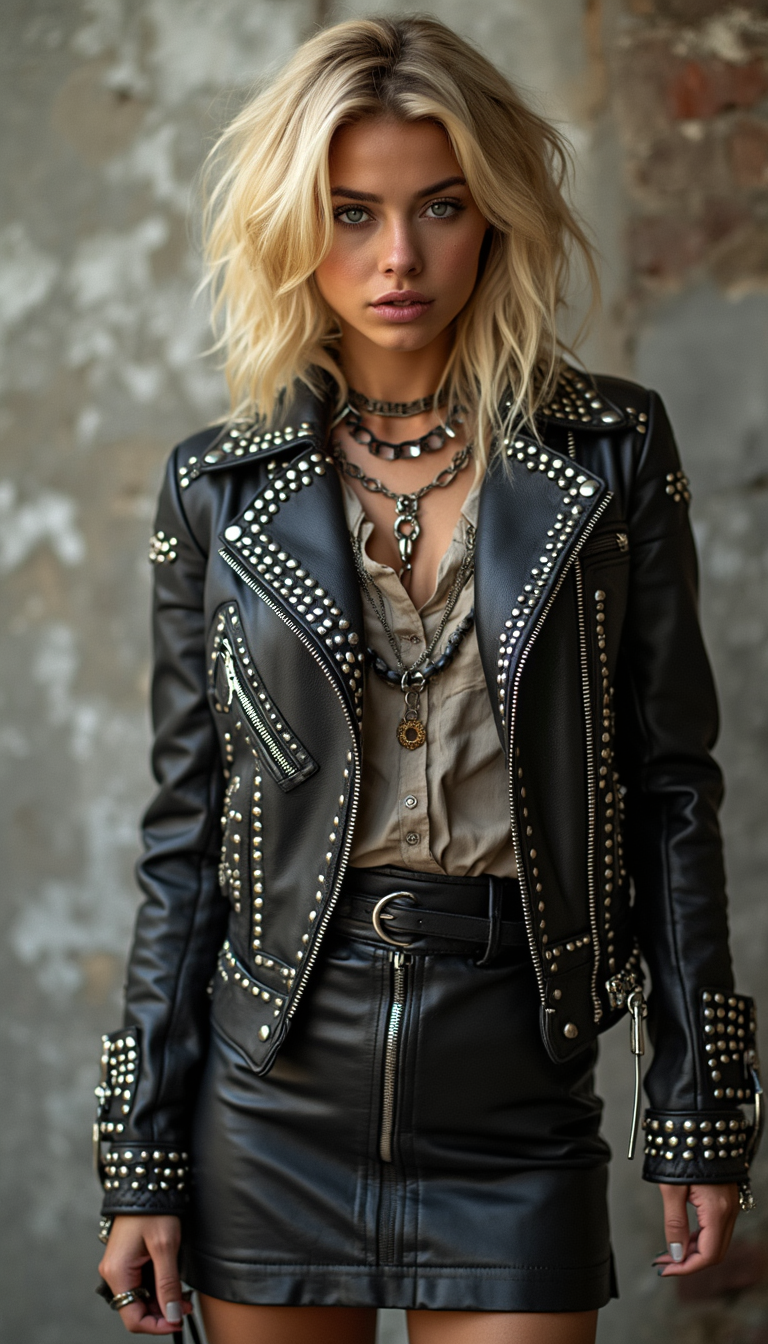
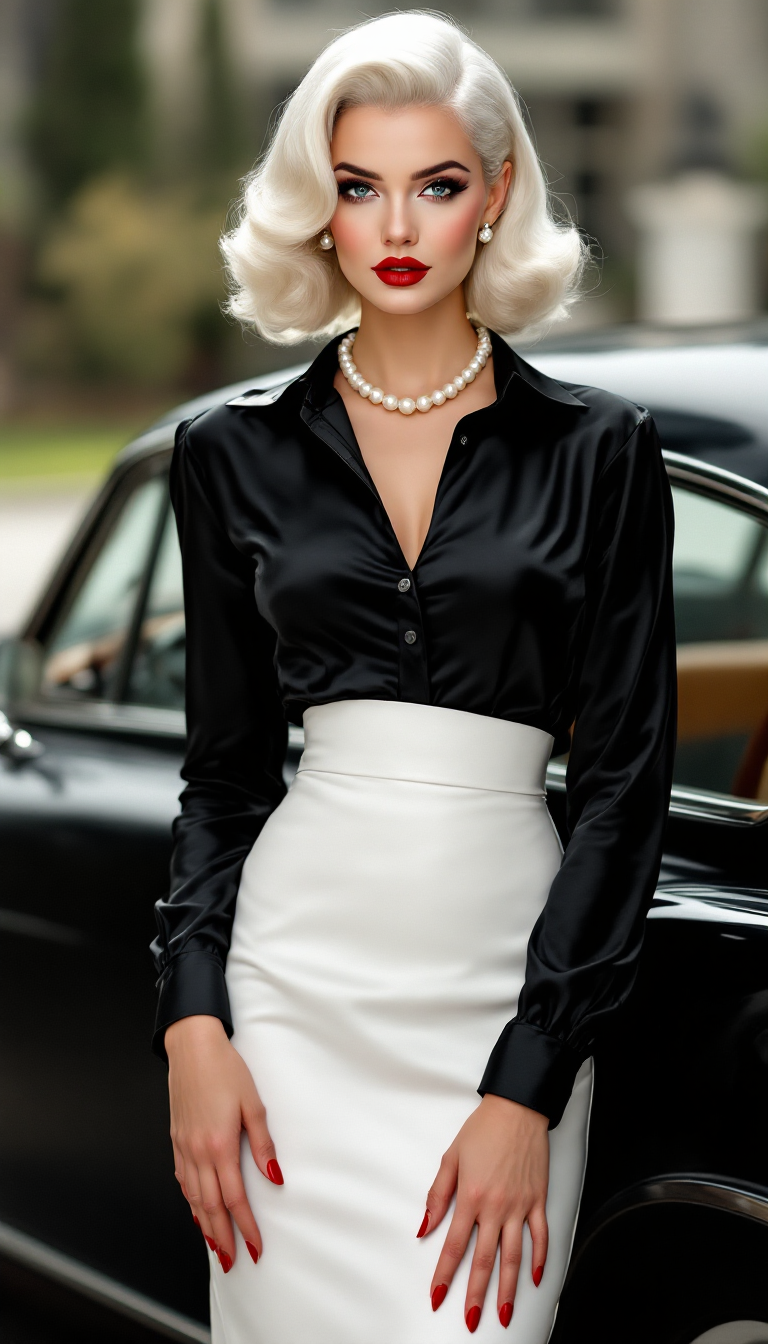
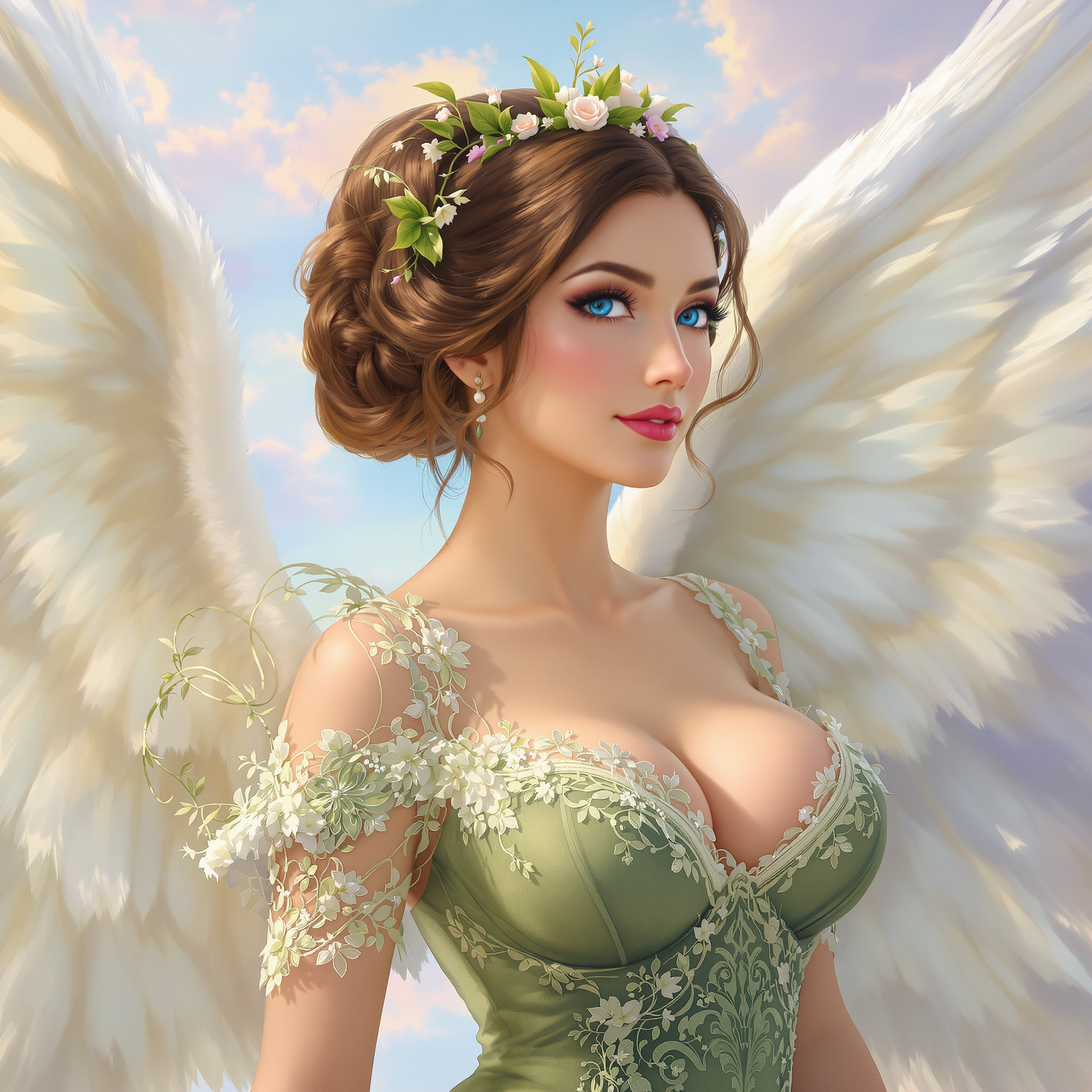
model photoshoot AI Generator

Generate a hyper-realistic beauty portrait of a glamorous fashion model, she's pointing to her right with a surprised look on her face, she's wearing black glasses and a diamond encrusted necklace on her neck, photographed in natural directional light, with luminous skin texture, vibrant lips, and expressive eyes. Include dynamic elements like wind-tousled hair, dramatic diamond jewelry, and a shallow depth of field that enhances facial contours. Use a camera setup such as Canon EOS R5 + RF 85mm f/1.2L lens or Phase One IQ4 with Schneider Kreuznach 110mm LS f/2.8. The image should simulate high-end editorial photography seen in Vogue or Harper’s Bazaar. Add detailed skin micro-texture, soft bokeh, and realistic shadow gradients. Output in 8K, ultra-high fidelity, styled for a luxury skincare or haute couture campaign.
AI Generated
Cancel anytimeCommercial-use license50+ AI models

Elevate your fashion brand's visual content with PixelDojo's AI-powered tools, enabling you to create high-quality model photoshoot images without the complexities of traditional photography. Whether you're a designer, marketer, or content creator, our platform empowers you to produce professional visuals that captivate your audience and enhance your brand's appeal.

Join over 100,000 creators who have generated millions of images using PixelDojo's AI tools. Rated 4.8/5 by our satisfied users.

Why Choose Pixel Dojo for model photoshoot

Professional-quality results with cutting-edge AI technology

Cost-Effective Visual Production

Reduce expenses associated with traditional photoshoots by generating professional model images using AI.

Rapid Content Creation

Accelerate your marketing campaigns with quick turnaround times for high-quality visuals.

Unlimited Creative Possibilities

Experiment with diverse styles, poses, and settings to create unique and engaging images.

How It Works

Creating stunning model photoshoot images with PixelDojo is a straightforward process. Follow these steps to bring your fashion visions to life:

1

Step 1: Choose Your Tool

Select the appropriate AI tool from PixelDojo's suite, such as Flux Creator or Imagen 4, based on your project needs.

2

Step 2: Enter Your Prompt

Input a descriptive text prompt detailing the model photoshoot image you envision. The more specific your description, the more accurate the generated image will be.

3

Step 3: Customize & Download

Review the generated image, make any desired adjustments using the customization options, and download the final version.


Community model photoshoot Gallery

Real examples created by our community

Generate a hyper-realistic beauty portrait of a glamorous fashion model, she's pointing to her right with a surprised look on her face, she's wearing black glasses and a diamond encrusted necklace on her neck, photographed in natural directional light, with luminous skin texture, vibrant lips, and expressive eyes. Include dynamic elements like wind-tousled hair, dramatic diamond jewelry, and a shallow depth of field that enhances facial contours. Use a camera setup such as Canon EOS R5 + RF 85mm f/1.2L lens or Phase One IQ4 with Schneider Kreuznach 110mm LS f/2.8. The image should simulate high-end editorial photography seen in Vogue or Harper’s Bazaar. Add detailed skin micro-texture, soft bokeh, and realistic shadow gradients. Output in 8K, ultra-high fidelity, styled for a luxury skincare or haute couture campaign.
Ancient human male warrior. Lion emblems on smooth battle worn gold mixed with silver full armor, sword and shield. Hyperrealistic apocalyptic intense battleground scene and ominous cloudy sunset sky mixed with red in the clouds background.
A 3D caricature of a superhero with exaggerated features, set against a vibrant, glowing cityscape backdrop at night. The superhero has a massive, square jaw, bulging muscles, and an overly confident grin. He wears a bright red and blue costume with a cape billowing dramatically in the wind. His chest bears a large emblem shaped like a lightning bolt. The scene is humorous yet action-packed, with exaggerated proportions and playful details. The 3D render includes realistic textures and lighting, with spotlights and glowing skyscrapers adding to the dynamic superhero theme
Typography at the very top in the official One Piece logo style, faithfully recreated in glowing neon painterly strokes. The bold letters glow in vivid orange-red with an inner yellow shimmer, outlined in bright sky-blue neon. The central skull-and-crossbones emblem of the logo, wearing Luffy’s straw hat, is precisely rendered in glowing neon strokes: the hat glowing in warm golden-orange with a fiery red band, and the skull outlined in sharp white neon with faint cyan highlights.

At the center foreground of the vertical 8x10 composition sits Tony Tony Chopper in Brain Point form, drawn exactly as in the anime. His oversized round head is topped with his iconic large pink hat, featuring the white medical cross perfectly centered on the front. The hat is painted in glowing neon pink brushstrokes with subtle gradients of rose and hot pink, while the cross glows in crisp white neon with pale blue edging. His short brown fur is built from warm neon browns, oranges, and golds, with ivory accents along his face, chest, and hooves. His antlers are shaped exactly like in the anime, glowing in neon beige with ivory ridges. His large anime-style eyes are bright and round, outlined in glowing black neon with white sclera and vivid navy-blue irises accented by turquoise glows. He wears his blue backpack, glowing in turquoise neon with white highlights along the straps. His pose is cheerful, sitting slightly turned toward the viewer, with his tiny neon hooves visible.

Behind Chopper, the Thousand Sunny rises proudly in the background, built with perfect anime accuracy but glowing in painterly neon strokes. The lion figurehead glows in golden-orange and fiery yellow, its mane segmented in radiant neon brushstrokes and its round face outlined in thick white neon lines. The ship’s wooden hull glows in deep neon browns with luminous gold accents, segmented with glowing white neon strokes to mimic the planking. The orange paddle wheels on the sides are built in bright orange neon with fiery highlights. The Sunny’s masts and sails rise above, rendered in glowing white neon lines with subtle ivory shading, while the central Jolly Roger flag with the straw-hat skull glows in bold white neon with black outlines, accented by a glowing red stripe on the straw hat.

The setting is a vibrant One Piece ocean scene:
	•	Palm trees rise along the lower edges, glowing in vivid green neon with turquoise highlights, their trunks in fiery orange and golden neon strokes.
	•	The ocean horizon glows in layered neon aquas and deep blues, with foamy neon whitecaps curling against the Sunny’s hull.
	•	Above, a massive glowing sun arcs across the background, built from layered neon yellows, oranges, and white-hot highlights.
	•	Rounded anime-style clouds drift across, glowing in white neon edged with pale blue, true to the shapes in the show.
	•	Classic V-shaped seagull silhouettes fly across the upper sky in glowing white neon with faint cyan halos.

Every element — Chopper, the Thousand Sunny with its lion figurehead, sails, paddle wheels, ocean, palm trees, sun, clouds, and seagulls — is depicted with exact anime fidelity, but transformed into glowing painterly neon strokes. The 8x10 vertical composition feels dramatic, balanced, and faithful to One Piece while bursting with luminous neon energy
Low-angle dorm-room boudoir portrait, shallow depth of field, 35mm cinematic frame, focus pulled to a cute blonde college girl perched on the edge of an unmade bed — front and center, knees apart, weight tipped back on her palms; cream cable-knit cardigan slipped wide off both shoulders, unbuttoned and framing her torso, sleeves bunched at the wrists; beneath it, a cornflower blue lace balconette bra, scalloped eyelash trim straining across a heavy pneumatic bust, small satin bow nestled between deep cleavage; matching blue satin thong rides high on sharp hip bones, narrow waist tapering into a flat toned stomach with a pierced navel (tiny sapphire gem); long honey-blonde hair in loose beach waves with curtain bangs, pink glossed lips parted, doe-eyed glance down the lens, freckles dusted across the nose, winged liner, blush-flushed cheeks; delicate collarbone tattoo of cursive script, small star tattoo on ribs; soft window light from camera-left, warm tungsten fill from a bedside lamp camera-right, milky bokeh of fairy lights behind, gentle rim catching the lace texture and satin sheen; creamy skin tones, filmic grain, Portra 400 palette, Petzval-style swirl in the background, intimate amateur-glam aesthetic, crisp eyelash and fabric-weave detail, golden-hour warmth.
a beautiful woman with dark hair, wears a silver sport jacket, she looks to the camera, she stands in front blue lighting, blue tones
A playful dog perched on a moss-covered log in a misty bog, surrounded by tall reeds, shallow murky water, and foggy atmosphere, captured in a photorealistic DSLR photo with soft golden hour lighting, shallow depth of field, and ultra-detailed 8K resolution.
masterpiece, best quality, highres, sharp image, more detail <lora:more_details:0.5> <lora:SDXLrender_v2.0:1>, masterpiece, best quality, highres, sharp image, more detail, This image is a realistic photo (photograph) of a female real person digital artwork that captures a closeup of a person with a cyberpunk aesthetic. The art style is characterized by its high contrast, dramatic lighting, and a futuristic, urban setting that is often associated with cyberpunk genres, she also has bunny ears. The medium appears to be a digital painting, given the smooth blending of colors and the lack of texture that would be present in a traditional painting.The colors in the image are predominantly cool tones with neon accents. The subjects hair is a blend of white and a soft pink, which stands out against the darker background. The hair is styled in a way that suggests movement and volume, with strands sticking out in different directions, giving it a wild and edgy look. The lighting casts shadows that contour the hair, adding depth to the image.The subject is wearing a studded leather jacket with a fur collar, which adds to the cyberpunk vibe. The jacket is detailed with various studs and buckles, and there are visible scratches and scuffs that give it a wellworn, battlescarred appearance. The jackets texture is emphasized by the lighting, which creates highlights and shadows that mimic the raised studs.Around the neck, the subject wears a choker with a cross pendant, which is a common symbol in cyberpunk culture. The choker is studded and has a chain that leads down to a pendant, which is also studded and has a key design. The key pendant is a nod to themes of unlocking and access in cyberpunk narratives.The subjects makeup is bold and dramatic, with red eyeshadow and lipstick that stands out against the pale skin. The red eyes are particularly striking, and the reflection of the neon lights in the eyes adds to the cyberpunk ambiance. There are also visible tattoos on the subjects neck and chest, which are partially obscured by the jacket.The background of the image is a blend of neon signs and urban structures, with a sense of depth created by the layering of the elements. The neon signs are in various colors, with red and blue being the most prominent, and they cast a glow on the subject, enhancing the cyberpunk feel. The urban structures are dark and shadowy, with a sense of decay and abandonment that is common in cyberpunk settings.Overall, the image is a rich tapestry of cyberpunk elements, from the fashion to the makeup, to the urban environment, all coming together to create a compelling and immersive visual experience.
crie um Rockeiro  , homem , de corpo inteiro , voando , forte , pose de costas metade do rosto de lado , barba longa , cabelos cumpridos , cabelos pretos , barba preta ,  roupa de motoqueiro anos 80 , com oculos escuros lentes vermelhas , roupa preta com detalhes prata , olhar confiante , forte , musculoso , voando num céu azul, photography, Neon lights, Unity, Horror scene
A highly ultrarealistic black-and-white photograph in the style of the 1940s. A lone person, dressed in worn wartime clothing, stands in the foreground with a solemn, weary expression. The environment is filled with destruction—ruined buildings, smoke, and debris, evoking the aftermath of war. In the background, something alien lurks—an eerie, otherworldly structure or a hovering spacecraft, slightly blurred yet undeniably present. The atmosphere is heavy with tension, as if history and science fiction have collided. The lighting is dramatic, with deep shadows and a grainy texture, mimicking vintage war photography.
Photoshoot of trump holding up putin in a ballet competition dance off. trump is the ballerina, putin is the swan. Both of them are graceful and professional yet due to the heat of the studio light, they are sweating and it stains their clothes. They are focused in their performance and the image is shot using a professional Sony camera
AI-generated image
Natural DSLR photography, eye-level medium shot of a 30-year-old man, wearing a subtly patterned Abadá (perhaps in pastel or earth tones) over a simple grey t-shirt and dark shorts. No headpiece. The scene is Salvador Carnival, but under soft, diffused light from an overcast sky, muting the usual vibrant colors. He offers a calm smile. Background shows blurred, less saturated hints of the festivities, figures facing away.
Create women she is wearing a black & silver cyberpunk bodysuit, she sitting on a futuristic flying saucer, her bad attitude as symbolized with her mischievous finger. Background a futuristic city with a gold and silver color scheme
This image is a realistic photo (photograph) of a female real person digital artwork that exudes a surreal and otherworldly atmosphere. The art style is reminiscent of digital painting with a touch of fantasy, utilizing vibrant colors and intricate details to create a visually striking and immersive scene.The medium appears to be a digital painting software, which allows for a high level of detail and color saturation. The use of light and shadow is masterfully executed, giving the image depth and dimension.The colors in the image are predominantly cool tones, with shades of blue and purple creating a nighttime or nocturnal setting. The interplay of light and dark blue hues gives the image a sense of depth and adds to the mystical ambiance. There are also hints of warm tones, such as oranges and yellows, which provide contrast and highlight specific elements within the composition.The objects in the image are numerous and contribute to the overall fantastical feel. At the forefront, we see a figure lying on the ground, their body partially obscured by a translucent, sparkling substance that resembles a celestial body or a magical glow. The figures hair and clothing are illuminated by this light, creating a shimmering effect that adds to the ethereal quality of the scene.The figures clothing is detailed with lace and straps, adding a touch of elegance and intricacy to the overall design. The texture of the clothing is rendered with a high level of realism, with the fabric appearing soft and flexible.Around the figure, there are scattered petals and leaves, which float in the air and add to the dreamlike quality of the scene. These elements are illuminated by the same light source, creating a sense of floating motion and adding to the magical atmosphere.In the background, there is a blurred landscape that suggests a natural setting, possibly a forest or a garden. The trees and foliage are rendered with a soft focus, contributing to the dreamy and surreal nature of the image.Overall, the image is a captivating blend of fantasy and digital artistry, utilizing vibrant colors, intricate details, and a masterful use of light and shadow to create a visually stunning and immersive scene.

Start Creating Model Photoshoot Images Today

40+ cutting-edge AI tools, loved by thousands of creators worldwide, cancel anytime, try it today

The Pixel Dojo Advantage

Why PixelDojo outperforms other options for model photoshoot image generation

OthersPixel Dojo
Traditional Model PhotoshootsEliminates the need for expensive equipment, models, and studio rentals, reducing costs and logistical challenges.
Generic AI ToolsOffers a comprehensive suite of over 40 specialized AI tools tailored for diverse creative needs, ensuring high-quality and customized outputs.
Manual Photo EditingSignificantly reduces the time and effort required to produce high-quality visuals, allowing for rapid content creation and iteration.

Loved by creators on PixelDojo

Real feedback from people using PixelDojo, pulled from our in-product surveys.

This thing - has all of the things. Total no brainer, dudes.
Verified PixelDojo creator
good tools in one place
Verified PixelDojo creator
Prompt updates, strong features, and a community that is always willing to help and hear/act on professional feedback. I've never had a better experience.
Verified PixelDojo creator
user friendly all in one thing
Verified PixelDojo creator
I really like the schedule of AI work performed!
Verified PixelDojo creator
The best tools for IA on the web !
Verified PixelDojo creator

Common Questions

Everything you need to know about model photoshoot

How does PixelDojo's AI generate model photoshoot images?

PixelDojo utilizes advanced AI models to interpret your text prompts and generate corresponding images. By inputting a descriptive prompt, the AI creates a visual representation of your idea, allowing for customized and high-quality model photoshoot images.

Is PixelDojo suitable for beginners without photography experience?

Absolutely! PixelDojo is designed with user-friendliness in mind, making it accessible for both beginners and experienced creators. No prior photography or technical skills are required to generate professional-quality images.

Can I customize the generated model photoshoot images?

Yes, after generating an image, you can use PixelDojo's editing tools to make adjustments and tailor the image to your specific needs, including modifying lighting, background, and model poses.

What types of projects can I use PixelDojo for?

PixelDojo is versatile and can be used for various projects, including fashion lookbooks, marketing materials, social media content, product mockups, and more.

Are there any limitations on the number of images I can create?

PixelDojo offers various subscription plans to suit different needs, including options with unlimited image generation. Choose the plan that best fits your requirements.

How does PixelDojo ensure the quality of generated images?

PixelDojo employs state-of-the-art AI models and continuously updates its tools to ensure high-quality and accurate image generation based on user prompts.

Ready to create amazing model photoshoot images?

Ready to Create Amazing model photoshoot Images?

Join thousands of creators using AI to bring their ideas to life