P-Image Upscale
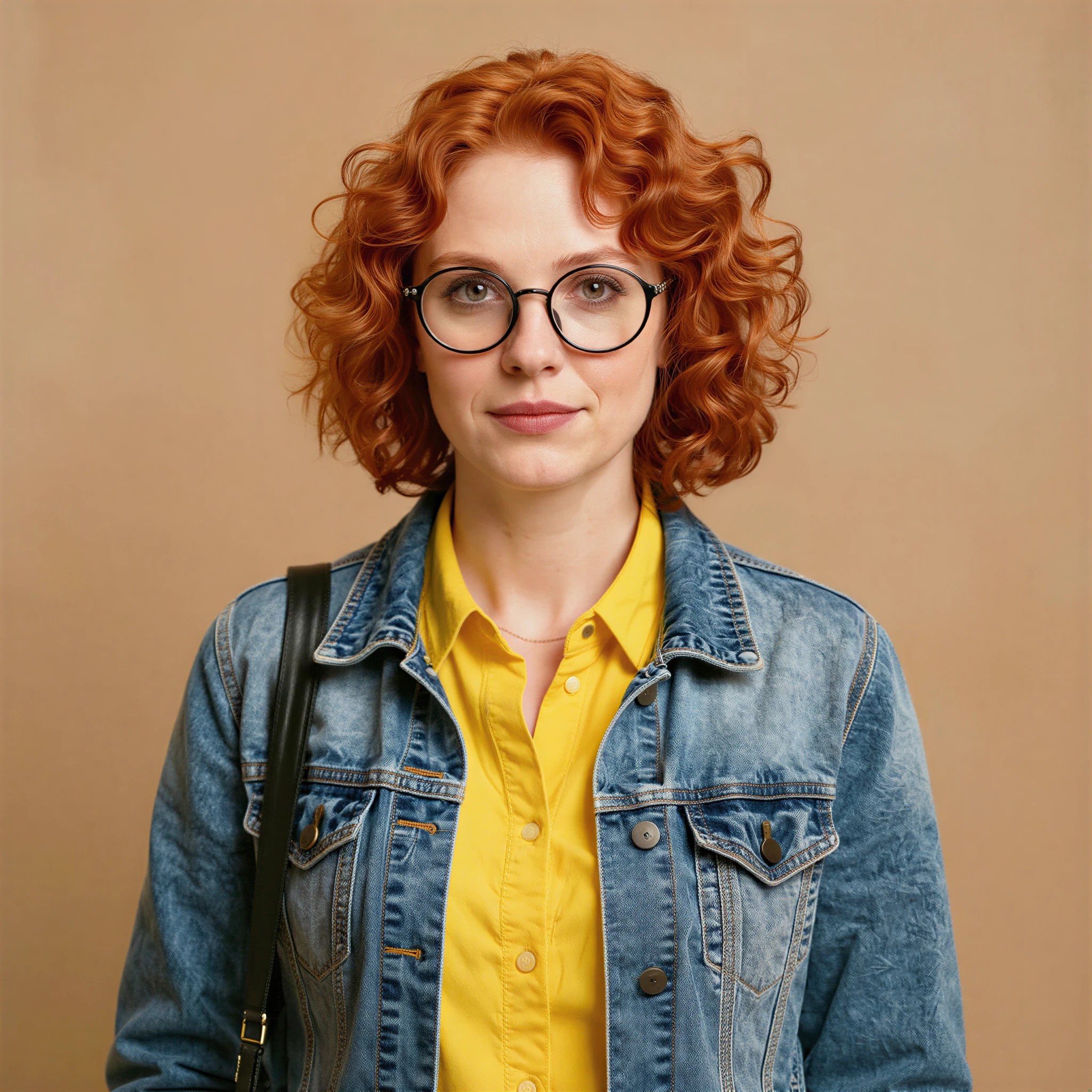
Generated on PixelDojo with P-Image Upscale. Produced by PixelDojo's generation pipeline.
P-Image Upscale costs 0.1 credit for a 4 megapixel target, the cheapest of six target sizes, and our test finished in about 17 seconds on August 26, 2026. It is priced by the megapixel count you ask for, not the size of what you upload. We fed it a 1024x1024 portrait, asked for the default 4MP target, and it came back 2048x2048.
The 0.1 credit pass we timed
Every example below was produced on PixelDojo. Hover to see the prompt.
Upscale to a 4 megapixel target, default settings, no detail or realism enhancement
P-Image Upscale
The rest of the P-Image lineup and a pricier upscaler
Switch models without switching tools. Each one runs in the same PixelDojo studio.
What the megapixel target actually buys
What changed and what did not
Same woman, same red curly hair, same glasses and denim jacket, same tan background, at double the linear resolution. Hair strands and the jacket's stitching read more cleanly at 2048x2048 than they did at 1024x1024. The composition and identity are untouched, which is the point of an upscaler rather than an edit tool.
The megapixel tiers in full
1-4MP is 0.1 credit, 5-8MP is 0.2, 9-16MP is 0.5, 17-32MP is 1, 33-64MP is 2, and 65-128MP is 3. The jump from the cheapest to the most expensive tier is 30x the credits for 32x the pixels.
enhance_realism targets a specific problem
If the source image came from another AI generator, upscaling can exaggerate the too-smooth, plastic quality those models sometimes leave behind. This flag is built to counter that specifically, not to add generic sharpness.
No creative controls
There is no prompt, no engine choice, no content profile. That is the trade for the low price: you get a fast, predictable resolution increase, not a directed reinterpretation of the image.
It shares a form with P-Image, P-Image Edit and P-Image Ideogram
All four run through the same API family, priced independently: 0.1 credit to generate, 0.25 to edit, 0.1 to upscale, and 0.1 to 1 for the text-focused Ideogram variant depending on thinking level.
One field decides the price
POST to /api/v1/models/p-image-upscale/run with an image URL. The target field is the only thing that moves the credit cost.
One image, target 4MP, defaults everywhere else. 0.1 credit, about 17 seconds, 1024x1024 in to 2048x2048 out.
Why Choose Pixel Dojo for P-Image Upscale
Professional-quality results with cutting-edge AI technology
0.1 credit at the cheapest tier
A 1 to 4 megapixel target is 0.1 credit. That is the floor of the whole catalog for an upscale, and it is where we ran our test.
About 17 seconds, measured
Timed on August 26, 2026 from request to finished file, at the default 4MP target with both enhancement flags off.
Six target sizes, one number to change
The target field takes any integer from 1 to 128 megapixels, and the price steps up at 4, 8, 16, 32 and 64. Going from 4MP to 128MP takes the price from 0.1 to 3 credits.
Two enhancement flags, both off by default
enhance_details sharpens texture. enhance_realism is built specifically for AI-generated source images, to cut the plastic look that upscaling can amplify. Neither changes the price.
How It Works
Reproduce the 0.1 credit pass:
Leave the target at its 4MP default
That is the cheapest tier and enough to roughly double the linear resolution of a 1 megapixel source, which is what happened to ours.
Turn on enhance_realism only for AI-sourced images
We left both enhancement flags off for a clean baseline. Flip enhance_realism on specifically when the input came from another generator and looks a little too smooth.
Send the image and check the file size
From the tool page or a POST to /api/v1/models/p-image-upscale/run. Ours charged 0.1 credit and took about 17 seconds, returning at 2048x2048.
Loved by creators on PixelDojo
Real feedback from people using PixelDojo, pulled from our in-product surveys.
Trained my Lora super fast. Still working out how to creat content wit it, but I love it so far.
I love this app
It has all the tools I can think of...
deployment rate of splendid features is incredible. Legend
large selection of tools on one platform
the amount you can do on this site
Explore more AI tools on PixelDojo
AI Tools
Compare & Switch
- Best AI Image Generators
- Best AI Video Generators
- Midjourney Alternatives
- Civitai Alternatives
- Runway Alternatives
- Leonardo Alternatives
- Pika Alternatives
- Luma Alternatives
- Magnific Alternatives
- Veo Alternatives
- Flux Alternatives
- Freepik Alternatives
- Seedance Alternatives
- Seedream Alternatives
- Pixverse Alternatives
- GPT Image Alternatives
- Synthesia Alternatives
- Playground Alternatives
- NightCafe Alternatives
- Canva AI Alternatives
- ElevenLabs Alternatives
- ComfyUI Alternatives
- Fal Alternatives
- Replicate Alternatives
Common Questions
Everything you need to know about P-Image Upscale
How much does P-Image Upscale cost?
0.1 credit for a 1 to 4 megapixel target, the cheapest tier in the catalog. It steps up to 0.2 at 5-8MP, 0.5 at 9-16MP, 1 at 17-32MP, 2 at 33-64MP and 3 at 65-128MP. Our test ran the default 4MP target for 0.1 credit.
How fast is P-Image Upscale?
About 17 seconds in our August 26, 2026 run at the default 4MP target. Higher megapixel targets take longer to render.
What does enhance_realism do?
It is built for images that already came out of an AI generator. Upscaling can make the smooth, plastic look those models sometimes produce more obvious, and this flag pushes back against that specifically. It costs nothing extra to turn on.
Should I use P-Image Upscale or Magnific Upscaler?
P-Image Upscale if you just want more pixels fast and cheap. It starts at 0.1 credit against Magnific's 3, but has no creative sliders, no engine choice, and a plainer ceiling. Pay for Magnific when you want to steer how new detail gets invented, or need a scale factor higher than what P-Image Upscale's flat megapixel targets cover well.
Does P-Image Upscale support batching?
No. The schema takes one image per call, so a batch of upscales is a batch of separate requests, each billed at its own target's tier.
How do I call it from the API?
POST to /api/v1/models/p-image-upscale/run with your API key and an image URL. Add target, enhance_details or enhance_realism if you want anything other than the 4MP default we tested.