Old Photo Restoration
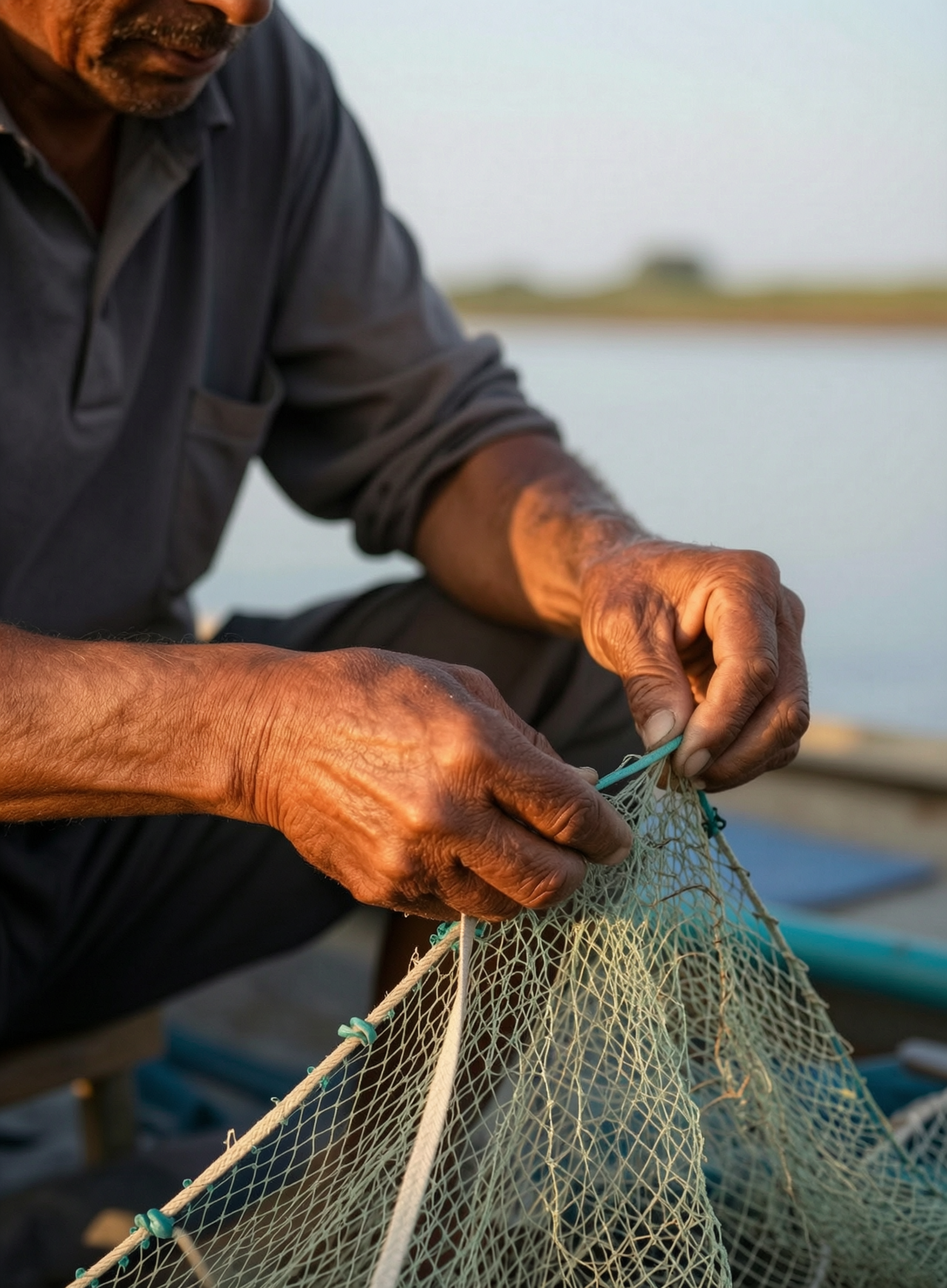
Generated on PixelDojo with WAN 2.7 Image Edit. Produced by PixelDojo's generation pipeline.
Restoring an old photo is one edit call: upload the photo and describe the damage you want gone, not the person in it. We ran that exact kind of instruction through WAN 2.7 Image Edit on August 26, 2026 for 1 credit, back in about 35 seconds. We did not have a genuinely scratched print on hand, so we ran the prompt against an existing clean portrait to see how the model behaves when there is nothing to repair, and what came back is itself the useful part.
The photo we sent in and what came back
Every example below was produced on PixelDojo. Hover to see the prompt.
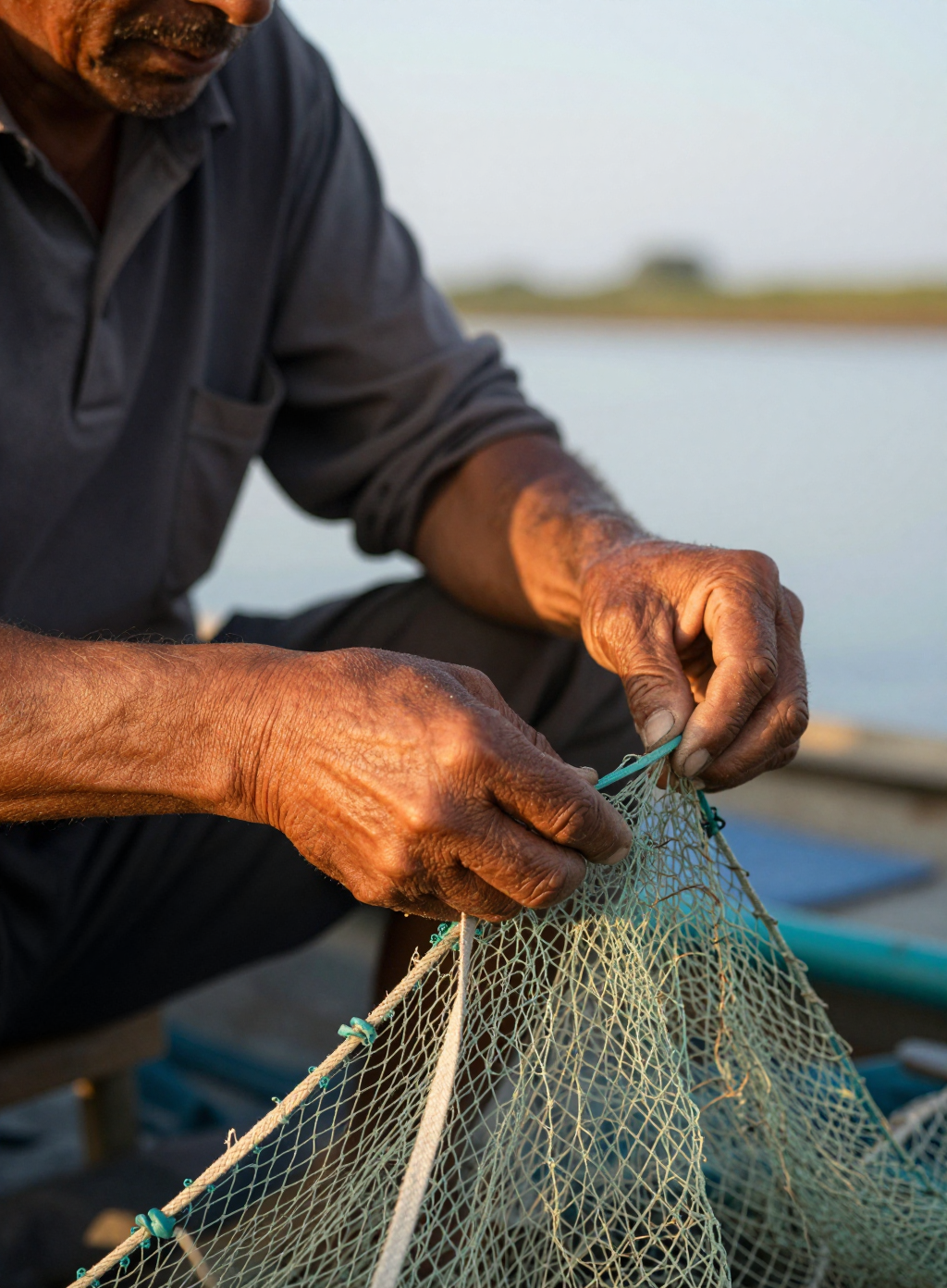
Portrait of a middle-aged fisherman mending a net at golden hour, weathered hands in focus, shallow depth of field, natural skin texture, documentary photography style
Z-Image Turbo
Restore this photo as if repairing an old faded print: remove scratches, dust and creases, correct yellowed color balance back to natural skin tones, sharpen the soft detail in the face and hands, keep the same person, pose and framing exactly
WAN 2.7 Image Edit
1 credit, about 35 seconds, on August 26, 2026. Same pose, same framing, same person, back pixel for pixel.
How It Works
How we ran it, so you can repeat it on a photo of your own:
Name the damage, not the subject
Our prompt read: remove scratches, dust and creases, correct yellowed color balance back to natural skin tones, sharpen the soft detail in the face and hands, keep the same person, pose and framing exactly. Every clause targets something a real scan actually suffers from.
Upload the photo as the reference image
Send it as the input image, not a description of it. The model can already see the scratches or the fading, so re-describing the person spends the prompt on nothing, the same rule that governs a good image to video prompt.
Run it and compare pixel for pixel
WAN 2.7 Image Edit returned our file in about 35 seconds for 1 credit. Since our source photo had no real scratches or fading, the model left the pose, framing and lighting untouched and made only a light sharpen and contrast pass, which is exactly what a restoration tool should do when there is nothing to fix: it should not invent damage to remove.
Loved by creators on PixelDojo
Real feedback from people using PixelDojo, pulled from our in-product surveys.
Creative freedom, range of tools and options.
I love the training feature
the quality is the best
All the tools needed in one dashboard
Very fair and very broad in tools.
Accurate results
Explore more AI tools on PixelDojo
AI Tools
Compare & Switch
- Best AI Image Generators
- Best AI Video Generators
- Midjourney Alternatives
- Civitai Alternatives
- Runway Alternatives
- Leonardo Alternatives
- Pika Alternatives
- Luma Alternatives
- Magnific Alternatives
- Veo Alternatives
- Flux Alternatives
- Freepik Alternatives
- Seedance Alternatives
- Seedream Alternatives
- Pixverse Alternatives
- GPT Image Alternatives
- Synthesia Alternatives
- Playground Alternatives
- NightCafe Alternatives
- Canva AI Alternatives
- ElevenLabs Alternatives
- ComfyUI Alternatives
- Fal Alternatives
- Replicate Alternatives
Common Questions
Everything you need to know about Old Photo Restoration
What should a restoration prompt actually say?
Name the damage, not the subject. Ours read: remove scratches, dust and creases, correct yellowed color balance back to natural skin tones, sharpen the soft detail in the face and hands, keep the same person, pose and framing exactly.
What does it cost?
1 credit on the standard tier we used. WAN 2.7 Image Edit also has a pro tier at 2 credits for a stronger pass on more heavily damaged photos.
How long does it take?
About 35 seconds in our August 26, 2026 run. Queue load can move that figure.
What happens if the photo is not actually damaged?
In our run it did not manufacture damage to remove. It kept the pose, framing and identity exactly and made only a light sharpen and contrast correction, which is the safe outcome if you are unsure how much a photo actually needs.
Will it change the person's face?
Ours came back with the same pose, framing and identity intact. Naming what to keep, the same person, pose and framing exactly, in the prompt is what enforces that.
How do I call it from the API?
POST to /api/v1/models/wan-2.7-image-edit/run with prompt, image_urls, and model set to wan-2.7-standard or wan-2.7-pro.