veo 3.1 google AI Generator
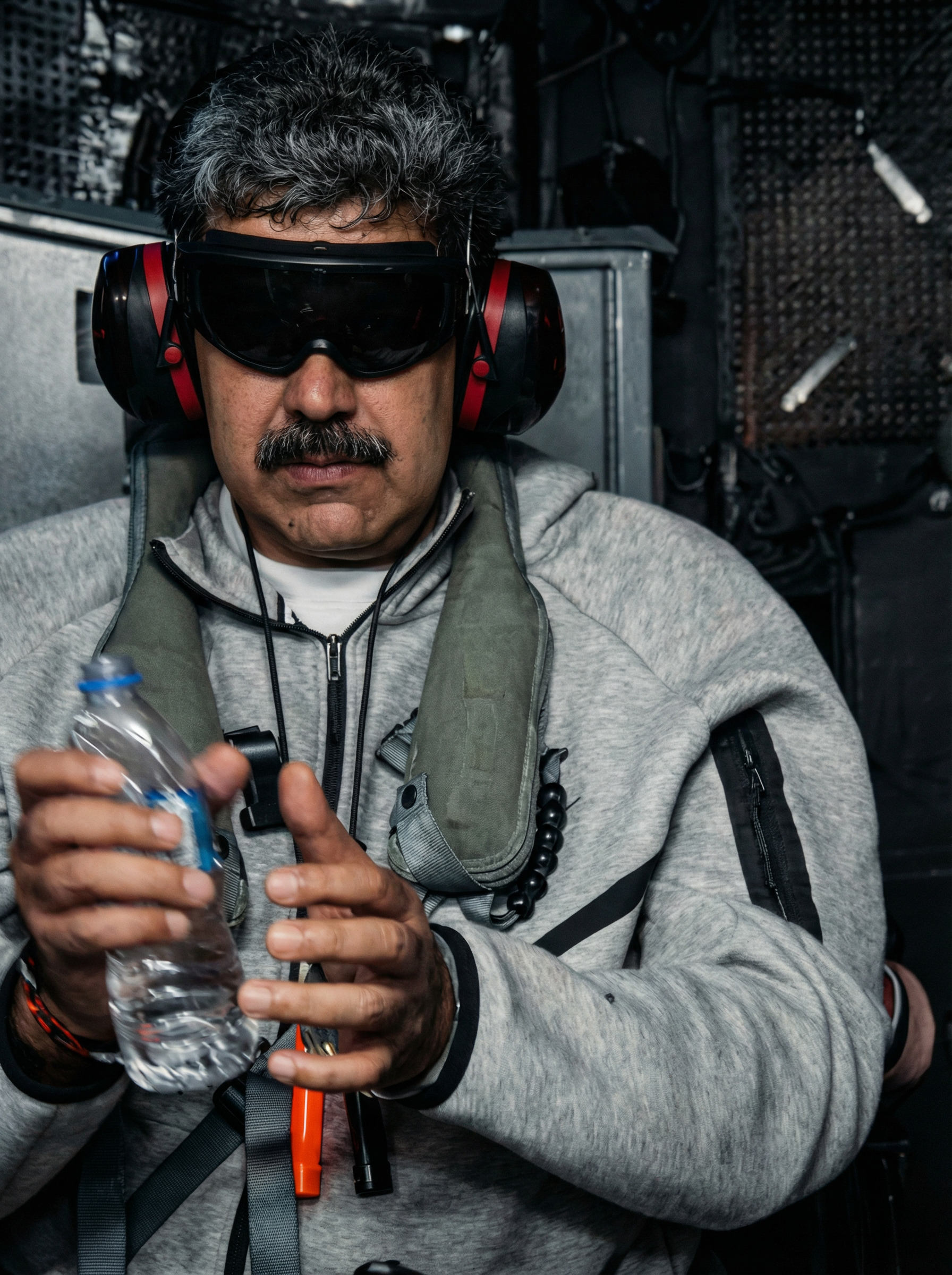
Generated on PixelDojo. Produced by PixelDojo's generation pipeline.
You can now produce Hollywood-quality videos complete with realistic motion, perfect lighting, and fully synchronized native audio without hiring a crew or spending weeks in post-production. PixelDojo puts Google Veo 3.1 directly in your hands so you generate cinematic clips from a simple text prompt or a single photo. Whether you need scroll-stopping social content, product demos that convert, or storyboards that impress clients, you achieve professional results in minutes. Combine Veo 3.1 with PixelDojo’s Nano Banana 2 to first create perfect reference images, then bring them to life with movement, dialogue, and atmosphere. Thousands of creators already use these tools daily to save time, cut costs, and stand out. You stay in complete creative control while the AI handles physics, camera work, and sound. Start with VEO 3.1 today and watch your ideas become finished videos ready for any platform.
Real video examples generated on PixelDojo
Every example below was produced on PixelDojo. Hover to see the prompt.
Enhance and restore this image to hd 8k quality edited with Google Nano Banana Pro
google-gemini-image
A woman smiles as they eat korean food
image-to-video
Hyper realistic shot of a muscle man with tattoos in a gym lifts a heavy barbell
image-to-video
OmniHuman video with 14
image-to-video
The robot head are talking
image-to-video
OmniHuman video with 15
image-to-video
Models you can run on PixelDojo for veo 3.1 google
Switch models without switching tools. Each one runs in the same PixelDojo studio.
What you can do with veo 3.1 google on PixelDojo
Veo 3.1 on PixelDojo
We give creators access to Google Veo 3.1 for text-to-video and image-to-video. Generate short clips with clearer motion and more consistent subjects.
Dialogue and Sound Design
Veo 3.1 can produce video with native audio, including speech and ambient sound. We keep generation, preview, and download in one place so you can iterate without leaving the studio.
Shot Control and Continuity
Describe camera moves, lighting, and scene details in the prompt and refine with follow-up generations. We store your runs so you can compare versions and keep visual continuity across shots.
Export-Ready Creative Workflow
We support common aspect ratios and download formats for social, ads, and editorial use. Pair Veo 3.1 clips with our other tools to storyboard, upscale stills, and assemble a cut.
Loved by thousands of creators worldwide who have generated millions of videos. Access 40+ cutting-edge AI tools including VEO 3.1, cancel anytime, and create without limits.
Why Choose Pixel Dojo for veo 3.1 google
Professional-quality results with cutting-edge AI technology
Cinematic Videos with Native Audio Instantly
You produce clips that look and sound like they were shot on a professional set. Veo 3.1 adds realistic dialogue, sound effects, and ambient noise that perfectly match the action so your audience stays engaged from the first second.
Keep Characters and Products Perfectly Consistent
You maintain the exact look of people, objects, and settings across every shot by uploading up to three reference images. Your brand mascot or spokesperson stays identical no matter the scene, giving you cohesive campaigns that build recognition.
Turn Any Photo into a Moving Story in Seconds
You animate still images into dynamic videos with natural camera movement and micro-details. Start from a product shot or portrait generated with Nano Banana 2 and watch it come alive with believable motion and audio.
How It Works
You create stunning Veo 3.1 videos on PixelDojo in three simple steps. No technical skills required—just describe what you want or upload an image and let the AI do the rest.
Step 1: Choose Your Tool and Prepare References
Open PixelDojo and select VEO 3.1 from the video generation tools. If you need a starting image, first generate it with Nano Banana 2 or GPT Image 2 for photorealistic quality. Upload up to three reference photos of your character, product, or scene to lock in consistency from the start.
Step 2: Enter Your Cinematic Prompt
Type a detailed prompt using the proven formula: cinematography + subject + action + context + style. Include camera moves like “slow dolly in” or “tracking shot,” lighting, and even specific dialogue in quotes. For image-to-video, describe the motion you want added to your photo. PixelDojo’s VEO 3.1 follows your instructions with exceptional accuracy.
Step 3: Customize, Enhance, and Download
Choose 4, 6, or 8-second length, 16:9 or 9:16 aspect ratio, and 1080p or 4K output. Add first and last frames for precise transitions or extend an existing clip. Use PixelDojo’s Video Autocaption, Video Reframe, or FLUX Video Upscale to polish the result, then download your finished video ready for social media, ads, or presentations.
The Pixel Dojo Advantage
Why PixelDojo outperforms other options for Veo 3.1 Google video generation
| Others | Pixel Dojo |
|---|---|
| Traditional video production | You skip expensive crews, locations, and weeks of editing. Generate a finished cinematic clip with audio in minutes at a fraction of the cost while keeping full creative control. |
| Generic AI tools | You get Google’s latest Veo 3.1 with native audio, reference-image consistency, and first/last-frame control plus 40+ complementary tools like Nano Banana 2 and video upscalers all in one place. |
| Manual photo editing and animation | You turn a still image into a moving, talking video automatically. No keyframing, no sound design software—just describe the motion and PixelDojo’s VEO 3.1 delivers professional results instantly. |
Loved by creators on PixelDojo
Real feedback from people using PixelDojo, pulled from our in-product surveys.
Love you guys!!
Trained my Lora super fast. Still working out how to creat content wit it, but I love it so far.
I love this app
It has all the tools I can think of...
deployment rate of splendid features is incredible. Legend
large selection of tools on one platform
Explore more AI tools on PixelDojo
AI Tools
Compare & Switch
- Best AI Image Generators
- Best AI Video Generators
- Midjourney Alternatives
- Civitai Alternatives
- Runway Alternatives
- Leonardo Alternatives
- Pika Alternatives
- Luma Alternatives
- Magnific Alternatives
- Veo Alternatives
- Flux Alternatives
- Freepik Alternatives
- Seedance Alternatives
- Seedream Alternatives
- Pixverse Alternatives
- GPT Image Alternatives
- Synthesia Alternatives
- Playground Alternatives
- NightCafe Alternatives
- Canva AI Alternatives
- ElevenLabs Alternatives
- ComfyUI Alternatives
- Fal Alternatives
- Replicate Alternatives
Common Questions
Everything you need to know about veo 3.1 google
How do I generate videos with Google Veo 3.1 on PixelDojo?
Simply log in to PixelDojo, choose VEO 3.1 from the Generate Videos section, enter a cinematic prompt or upload an image, and click generate. You can add reference images for consistency and download 4K videos with native audio in seconds. Combine with Nano Banana 2 to create the perfect starting photos first.
What are the best prompting techniques for Veo 3.1 Google?
Use the five-part formula: cinematography (camera move and shot type), subject, action, context, and style plus ambiance. Include specific audio like “SFX: thunder” or quoted dialogue. For even better results on PixelDojo, generate reference images with Nano Banana 2 and use first/last frame mode for precise storytelling.
Can I create consistent characters across multiple Veo 3.1 videos?
Yes. Upload up to three reference images of your character, product, or environment using PixelDojo’s VEO 3.1 ingredients-to-video feature. The model keeps identity, clothing, and objects identical across shots so your series or campaign looks professionally produced.
Does Veo 3.1 on PixelDojo generate audio with the video?
Absolutely. Veo 3.1 creates fully synchronized native audio including dialogue, sound effects, and ambient sound based on your prompt. You get complete videos ready to publish without extra audio editing tools.
What resolutions and lengths can I generate with PixelDojo Veo 3.1?
You can create 4, 6, or 8-second clips in 720p, 1080p, or 4K at 16:9 or 9:16 aspect ratios. After generation, use PixelDojo’s FLUX Video Upscale or Creative Upscaler to enhance quality even further for any platform.
Is there a free way to try Google Veo 3.1 video generation on PixelDojo?
PixelDojo offers access to 40+ cutting-edge tools including VEO 3.1 with flexible plans. You can start creating immediately, cancel anytime, and join thousands of creators already producing professional videos every day.