wan 3.0 vs wan 2.2
Generated on PixelDojo. Produced by PixelDojo's generation pipeline.
Stop choosing between speed and quality. On PixelDojo you get both WAN 3.0 and WAN 2.2 in one powerful workspace so you can create the exact visuals your audience craves. Need a scroll-stopping cinematic still in seconds? Fire up WAN Image or WAN 2.2. Ready for a full 30-second scene with spoken dialogue, native sound, and rock-solid character consistency? Switch to WAN 3.0. You walk away with marketing videos, product demos, social stories, and brand assets that look professionally produced – without cameras, crews, or complicated software. Thousands of creators already use these models every day to turn ideas into finished content that converts. Your next campaign, reel, or client deliverable is just a prompt away.
Real video examples generated on PixelDojo
Every example below was produced on PixelDojo. Hover to see the prompt.
W-cinematic
image-to-video
Merged 2 videos
image-to-video
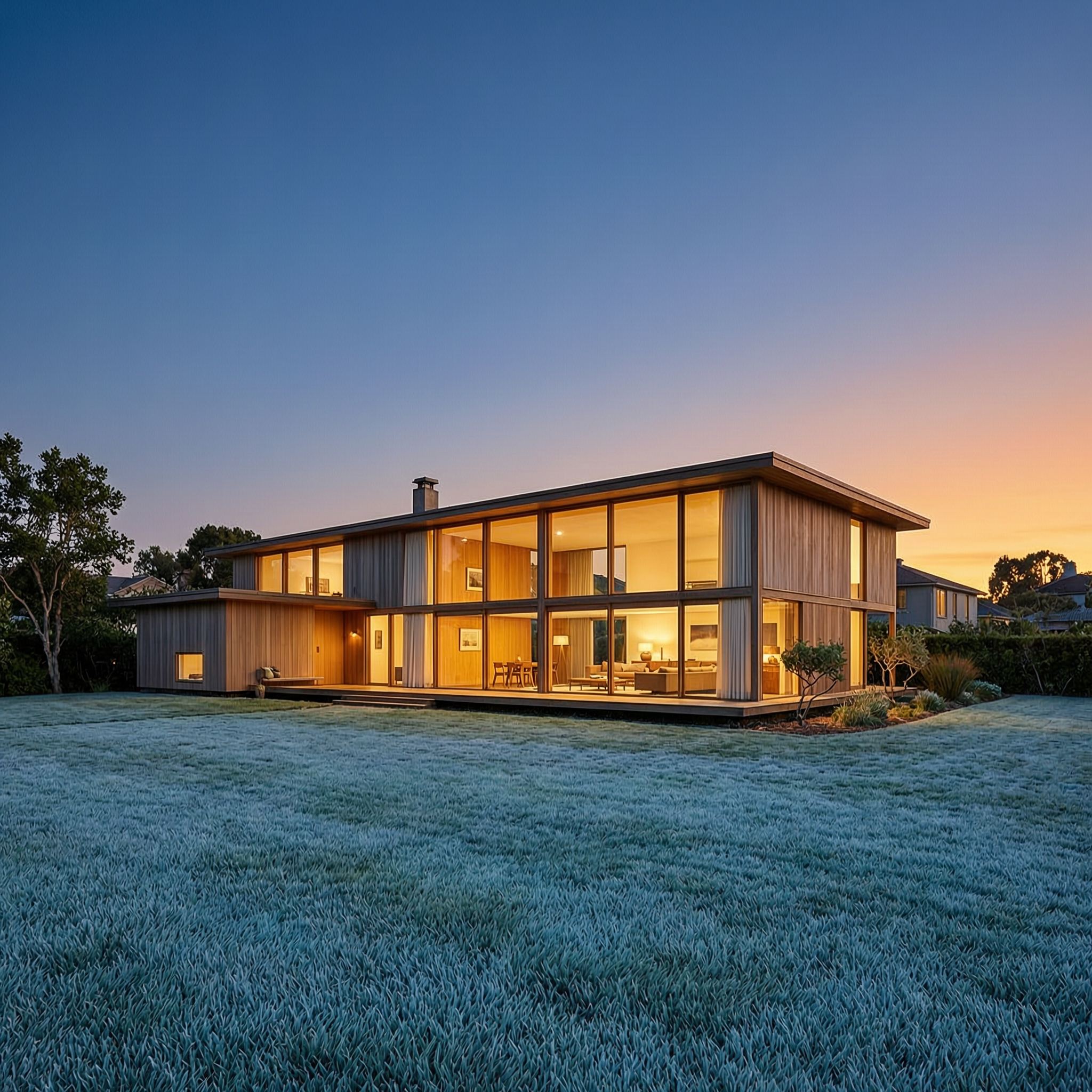
Wan-architecture
image-to-image

Wan-cinematic
image-to-image

Wan-food
image-to-image

Wi-landscape
image-to-image
Models you can run on PixelDojo for wan 3.0 vs wan 2.2
Switch models without switching tools. Each one runs in the same PixelDojo studio.
What you can do with wan 3.0 vs wan 2.2 on PixelDojo
Run Wan 3.0 and 2.2
We host both Wan video models so you can generate clips with 3.0 or 2.2 from the same workspace. You choose the version that matches the look and motion you want.
Side by side model checks
We let you compare Wan 3.0 and Wan 2.2 outputs on the same prompt and settings. That helps you decide which version fits a shot before you commit to a longer render.
Keep a 2.2 workflow
We keep Wan 2.2 available if your project already depends on that model. You can stay consistent with earlier clips while still trying Wan 3.0 on new scenes.
Pick motion and detail tradeoffs
We expose both versions so you can match pacing, sharpness, and style to the cut. Use the model that better holds your subject and camera move for that sequence.
Loved by thousands of creators worldwide. Access 40+ cutting-edge AI tools including WAN 3.0, WAN 2.2 Video, WAN Image, WAN 2.7 and more. Commercial rights included. Cancel anytime.
Why Choose Pixel Dojo for wan 3.0 vs wan 2.2
Professional-quality results with cutting-edge AI technology
Ship Complete 30-Second Stories in One Generation
WAN 3.0 lets you produce full scenes with native audio, spoken lines, and continuous camera movement. No more stitching short clips. You deliver ads, explainers, and social videos that hold attention from start to finish and feel like they came from a real production team.
Iterate Cinematic Images at Lightning Speed
WAN 2.2 and WAN Image give you photorealistic, film-quality stills with rich lighting, perfect anatomy, and motion-ready detail. Generate variations in seconds, then enhance them with our editing suite so every hero image looks polished and on-brand.
Keep Characters and Products Perfectly Consistent
Lock faces, outfits, products, and environments across stills and videos using references, Consistent Characters, Character Sheets, and the WAN 2.2 Trainer. Your brand looks unified whether you are making a single post or an entire campaign.
How It Works
PixelDojo makes choosing and using WAN 3.0 or WAN 2.2 effortless. Follow these three steps and go from idea to downloadable, commercially ready files in minutes.
Step 1: Choose Your Perfect WAN Tool
Log in and head to Generate Images or Generate Videos. Select WAN Image or WAN 2.2 for fast cinematic stills and short clips. Pick WAN 3.0 when you need longer takes, native audio, or document-to-video magic. You can also grab WAN 2.6, WAN 2.7, or pair any of them with Consistent Characters and the WAN 2.2 Trainer for custom styles.
Step 2: Describe Your Vision and Add References
Write a detailed prompt covering mood, lighting, camera movement, and action. For WAN 3.0 upload images, video clips, audio, documents, or even a webpage URL so the model builds the video from your existing material. For WAN 2.2 start with a still or go text-only. Our built-in prompting guides help you speak the cinematic language these models love.
Step 3: Refine, Enhance and Download
Preview your result then polish it with Inpainting, Change Camera Angle, Magic Lighting, Style Transfer, Reality Polisher, or Video Autocaption. Upscale with P-Image Upscale, Magnific Upscaler or Video Upscaler. When it looks perfect, download in high resolution with full commercial rights. Everything stays inside PixelDojo so you never lose your flow.
The Pixel Dojo Advantage
Why PixelDojo is the smartest place to compare and use WAN 3.0 vs WAN 2.2 for image and video generation
| Others | Pixel Dojo |
|---|---|
| Traditional video and photo production | Skip the studio, crew, and weeks of post-production. Generate broadcast-ready images and 30-second videos with sound in minutes, then refine them with professional AI editors that cost a fraction of traditional workflows. |
| Generic single-model AI platforms | You get both WAN 3.0 and WAN 2.2 plus 40+ other specialized models, trainers, character tools, and a full editing suite in one subscription. No hopping between sites or losing consistency between stills and motion. |
| Manual photo and video editing | Replace hours of layer work and keyframing with one-click Magic Lighting, Change Camera Angle, Inpainting, Video Reframe and Reality Polisher. You stay in creative control while the heavy lifting happens instantly. |
Loved by creators on PixelDojo
Real feedback from people using PixelDojo, pulled from our in-product surveys.
phenomenal site. would highly recommend
Amazing features, easy to use, privacy
the number of options, and especially the quick response to questions on Discord
Love you guys!!
Trained my Lora super fast. Still working out how to creat content wit it, but I love it so far.
I love this app
Explore more AI tools on PixelDojo
AI Tools
Compare & Switch
- Best AI Image Generators
- Best AI Video Generators
- Midjourney Alternatives
- Civitai Alternatives
- Runway Alternatives
- Leonardo Alternatives
- Pika Alternatives
- Luma Alternatives
- Magnific Alternatives
- Veo Alternatives
- Flux Alternatives
- Freepik Alternatives
- Seedance Alternatives
- Seedream Alternatives
- Pixverse Alternatives
- GPT Image Alternatives
- Synthesia Alternatives
- Playground Alternatives
- NightCafe Alternatives
- Canva AI Alternatives
- ElevenLabs Alternatives
- ComfyUI Alternatives
- Fal Alternatives
- Replicate Alternatives
Common Questions
Everything you need to know about wan 3.0 vs wan 2.2
What is the real difference between WAN 3.0 and WAN 2.2 for everyday creators?
WAN 2.2 (and WAN Image) shines at lightning-fast cinematic stills and short, high-motion clips with outstanding anatomy, lighting, and film-like quality. It is perfect for rapid iteration and hero images. WAN 3.0 is built for complete scenes: up to 30 seconds in a single take, native audio and dialogue, document-to-video, and far stronger identity and physics consistency. On PixelDojo you simply pick the tool that matches the job – both live in the same dashboard with shared editing and character tools.
Which WAN model should I use first on PixelDojo if I am new?
Start with WAN Image or WAN 2.2 Video for quick, beautiful results while you learn prompting. Once you have a look you love, jump to WAN 3.0 to turn that still into a full 30-second story with sound. You can also train a custom LoRA with the WAN 2.2 Trainer so every future generation – still or video – stays on-brand.
Can I generate both images and videos with the same WAN character on PixelDojo?
Yes. Use Consistent Characters, Character Sheets, Ideogram Character or the WAN 2.2 Trainer to lock a face or product. Then generate stills with WAN Image and animate them with WAN 2.2 Video or WAN 3.0. References carry across tools so your character looks identical whether it is a static ad or a talking video.
How do I get the best cinematic results from WAN 2.2 image generation?
Speak the language the model loves: mention lighting (golden hour, dramatic chiaroscuro, neon), lens and camera (anamorphic, 35mm, slow dolly), mood, and composition. Generate several variations, then refine with Inpainting, Magic Lighting or Change Camera Angle. Finish with Creative Upscaler or Portrait Upscaler for print-ready detail. PixelDojo’s WAN Image prompting guide walks you through proven formulas.
Does WAN 3.0 work for more than just video on PixelDojo?
WAN 3.0 is optimized for longer video with audio, but you can extract stunning frames, use it as a reference engine, or pair it with our image tools. Upload a document or webpage and it builds a complete video; then pull key frames and enhance them with Reality Polisher or Image Outpainting. The whole family – WAN 3.0, WAN 2.7, WAN 2.6, WAN Image – works together inside one account.
Is there any risk trying WAN 3.0 vs WAN 2.2 on PixelDojo?
None. You get instant access to 40+ cutting-edge models, full commercial rights on everything you create, and you can cancel anytime. Credits are shown before every generation so you stay in control. Thousands of creators already rely on these exact tools for client work and personal projects every day.