Podcast Cover Art
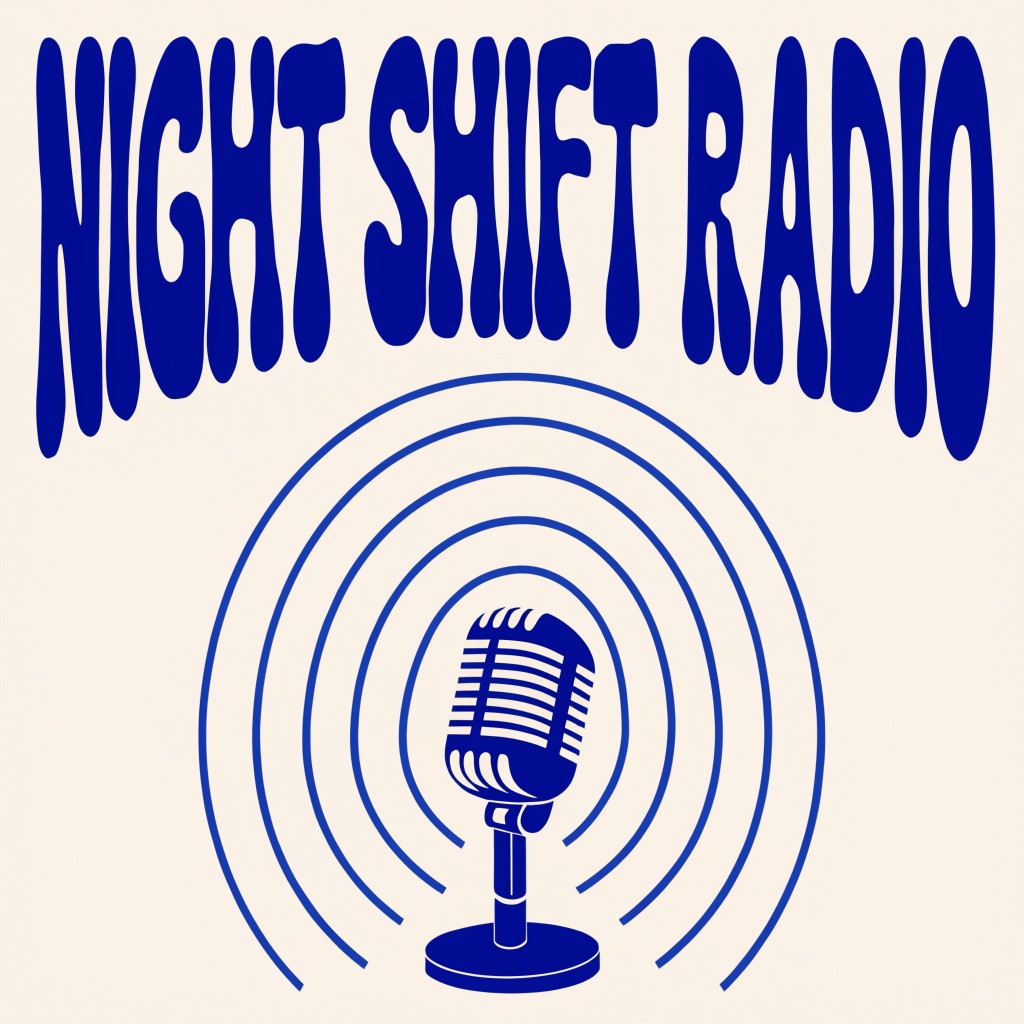
Generated on PixelDojo with Recraft V4.1. Produced by PixelDojo's generation pipeline.
Podcast cover art needs one thing most AI image prompts do not: readable text that survives being shrunk to a small app icon. We generated the cover below with a single Recraft V4.1 prompt on August 26, 2026. It cost 1 credit and came back in about 20 seconds with the show title spelled correctly on the first try. This page walks through the prompt structure and the setting that keeps the text legible.
The 1 credit cover, first result kept
Every example below was produced on PixelDojo. Hover to see the prompt.
A modern podcast cover design with the words 'NIGHT SHIFT RADIO' in bold hand-lettered type across the top third, a minimalist illustration of a retro microphone and radiating sound waves in cobalt blue and cream below, flat vector poster style, square format
Recraft V4.1
One prompt, one credit, about 20 seconds, on August 26, 2026. The title came back spelled right on the first try.
How It Works
How we built it, so you can repeat it:
Write the title as its own instruction
Put the exact words in quotes and say where they sit in the frame. Ours read: the words 'NIGHT SHIFT RADIO' in bold hand-lettered type across the top third. Naming the placement is what keeps a text-capable model from cramming the letters into the wrong spot.
Describe the artwork separately from the title
Keep the imagery simple, flat and high contrast so it still reads at thumbnail size. Ours asked for a minimalist microphone with sound wave rings in cobalt blue and cream, nothing busier than that.
Generate square and check it at actual size
Recraft V4.1 defaults to a square frame and returned ours at 1024 by 1024 pixels for 1 credit. Shrink the export down to the size your podcast host actually displays before you commit to it.
Loved by creators on PixelDojo
Real feedback from people using PixelDojo, pulled from our in-product surveys.
I really like the schedule of AI work performed!
The best tools for IA on the web !
The guy that operates the website is constantly updating it
I’ve been using PixelDojo for around 8 months now and it’s always worked wonderfully while constantly adding features.
The site is easy to navigate and use.
All the tools, readily available and easy to understand
Explore more AI tools on PixelDojo
AI Tools
Compare & Switch
- Best AI Image Generators
- Best AI Video Generators
- Midjourney Alternatives
- Civitai Alternatives
- Runway Alternatives
- Leonardo Alternatives
- Pika Alternatives
- Luma Alternatives
- Magnific Alternatives
- Veo Alternatives
- Flux Alternatives
- Freepik Alternatives
- Seedance Alternatives
- Seedream Alternatives
- Pixverse Alternatives
- GPT Image Alternatives
- Synthesia Alternatives
- Playground Alternatives
- NightCafe Alternatives
- Canva AI Alternatives
- ElevenLabs Alternatives
- ComfyUI Alternatives
- Fal Alternatives
- Replicate Alternatives
Common Questions
Everything you need to know about Podcast Cover Art
What prompt actually produces clean text on a podcast cover?
Quote the exact words and where they go, then describe the artwork in a separate sentence. Ours read: the words 'NIGHT SHIFT RADIO' in bold hand-lettered type across the top third, a minimalist illustration of a retro microphone and radiating sound waves in cobalt blue and cream below, flat vector poster style, square format.
What size should a podcast cover be?
Our run returned 1024 by 1024 pixels on the standard tier for 1 credit. Recraft V4.1 also has a Pro tier at roughly 2048 pixels for 5 credits if you need a larger file for print or a storefront banner.
Does a bigger image cost more?
Yes, on this model. Standard resolution is 1 credit per image and the Pro tier is 5 credits. Aspect ratio and reference images do not add to the price at either tier.
Which PixelDojo tool did you use?
Recraft V4.1, set to its default standard tier and raster output. Ideogram 4 is another text-capable option worth trying if a longer or more detailed title needs a different hand.
Can I get an editable vector file instead of a flat image?
Yes. Set variant to svg, or call the recraft-v4.1-svg apiId directly, for an editable vector version at the same 1 credit price.
How do I call it from the API?
POST to /api/v1/models/recraft-v4.1/run with your API key and a prompt. Add aspect_ratio or size if you need a shape other than the default square.