Yoga Studio Schedule Visuals AI Generator
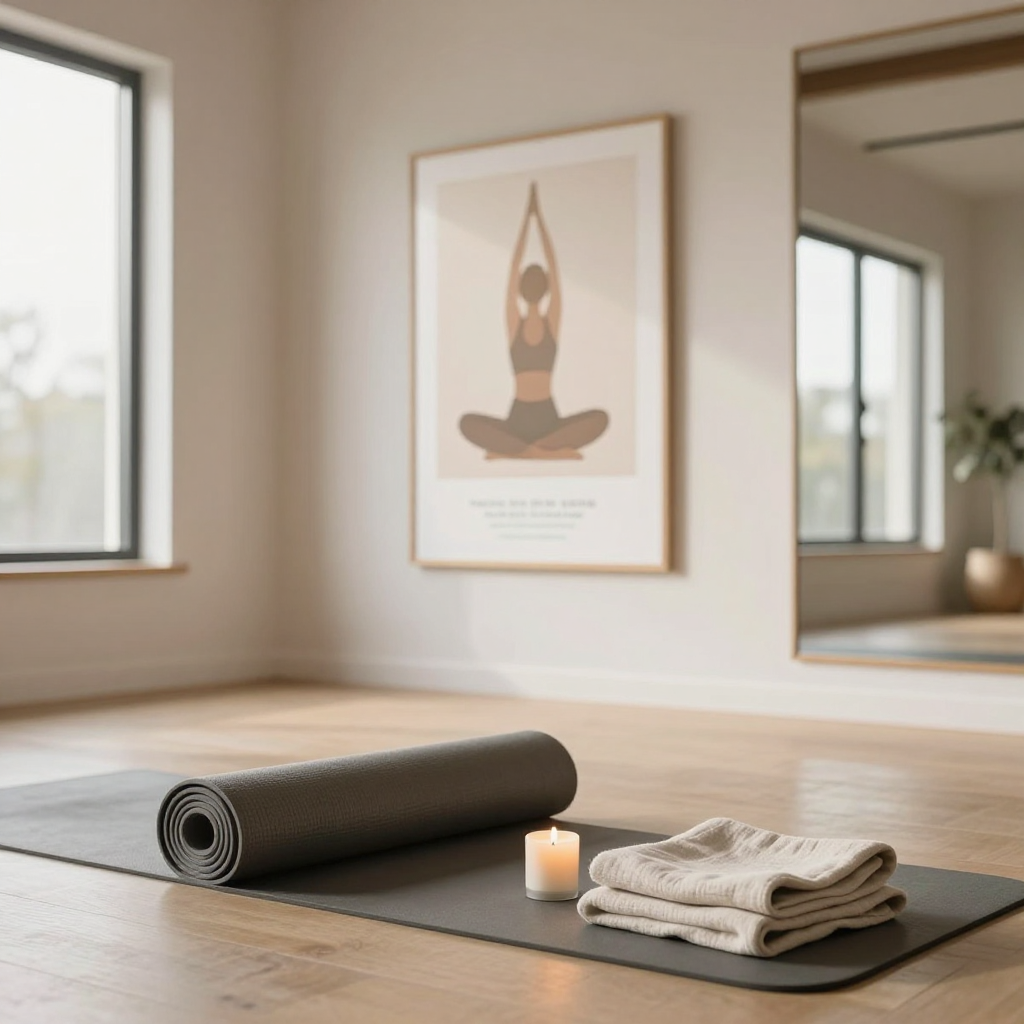
Generated on PixelDojo with z-image-turbo. Produced by PixelDojo's generation pipeline.
You can make yoga studio schedule visuals with AI: describe the room and the props once, generate it with an image model, then swap only the class name and time for each day. We ran the first step on August 26, 2026, generating a studio interior with a rolled mat, a candle and morning light through tall windows for 0.5 credit in about 18 seconds. This page covers building a full week's worth of class visuals from one base description.
The base studio scene from step one
Every example below was produced on PixelDojo. Hover to see the prompt.
A calm yoga studio interior with soft morning light through large windows, a rolled yoga mat, a small candle and a folded linen towel in the foreground, minimalist wellness poster style, warm neutral tones
z-image-turbo
One prompt, one studio scene, August 26, 2026: 0.5 credit on Z-Image Turbo, about 18 seconds, kept on the first result.
Why Choose Pixel Dojo for Yoga Studio Schedule Visuals
Professional-quality results with cutting-edge AI technology
0.5 credit per scene
Z-Image Turbo priced the studio interior at 0.5 credit, the same rate for every variant swapped in for a different class.
About 18 seconds, measured
Timed from request to finished file on August 26, 2026, kept on the first result with no retries.
One scene, reusable all week
Building the visual around the room and its props rather than a person means the same base description can be reworded slightly for each day without starting over.
How It Works
Three steps, one base scene, ready for a full week's schedule:
Describe the room, not a person
A static prop scene reuses cleanly across days, while a posed figure has to be redone for every image. Our prompt below asked for a calm studio interior with soft morning light through large windows, a rolled mat, a small candle and a folded linen towel, and ran on Z-Image Turbo for 0.5 credit. It came back in about 18 seconds with a wood floor lit by a large window, the mat and candle in the foreground, a framed line art pose print and a full length mirror in the background.
Vary the mood for each class type
Swap the time of day or the prop named in the prompt, a block for a slow flow class, a strap for a stretch class, and generate a new version for each schedule slot at the same 0.5 credit rate per image.
Lay the week out in one session
Chain several of these generations back to back in Canvas so Monday through Friday's visuals come from one continuous session instead of five separate uploads and downloads.
Loved by creators on PixelDojo
Real feedback from people using PixelDojo, pulled from our in-product surveys.
Excellent website for creating all types of media
Very eay to use, works well to train SDXL loras.
The amazing tools
Top notch quality and strong prompt adherence.
A well resourced sunscription with attention to updates.
Easy to use and there's lots of options.
Explore more AI tools on PixelDojo
AI Tools
Compare & Switch
- Best AI Image Generators
- Best AI Video Generators
- Midjourney Alternatives
- Civitai Alternatives
- Runway Alternatives
- Leonardo Alternatives
- Pika Alternatives
- Luma Alternatives
- Magnific Alternatives
- Veo Alternatives
- Flux Alternatives
- Freepik Alternatives
- Seedance Alternatives
- Seedream Alternatives
- Pixverse Alternatives
- GPT Image Alternatives
- Synthesia Alternatives
- Playground Alternatives
- NightCafe Alternatives
- Canva AI Alternatives
- ElevenLabs Alternatives
- ComfyUI Alternatives
- Fal Alternatives
- Replicate Alternatives
Common Questions
Everything you need to know about Yoga Studio Schedule Visuals
What does an AI yoga studio visual cost?
0.5 credit per image on Z-Image Turbo, the model we used, the same rate for the base scene and for every day's variant.
How fast is the first image?
About 18 seconds in our August 26, 2026 run, measured from the prompt to the finished 1024 by 1024 file.
Do I need to photograph the actual studio?
No. Our room, mat and candle scene was generated entirely from a text description, which is useful for a studio that has not opened yet or wants a consistent look across every post.
How do I keep a full week of visuals looking the same?
Describe the same room, light and props in every prompt and change only the prop or time of day tied to that day's class type. Repeating the base description is what keeps the look consistent.
Can I do a whole week in one sitting?
Yes. Chain the generations back to back in Canvas so all five class visuals come from one session instead of separate downloads and uploads.
Can I automate a recurring weekly schedule?
Yes. POST each day's prompt variant to /api/v1/models/z-image-turbo/run with your API key, using the same request shape every time.