Paper Cutout Style AI Generator
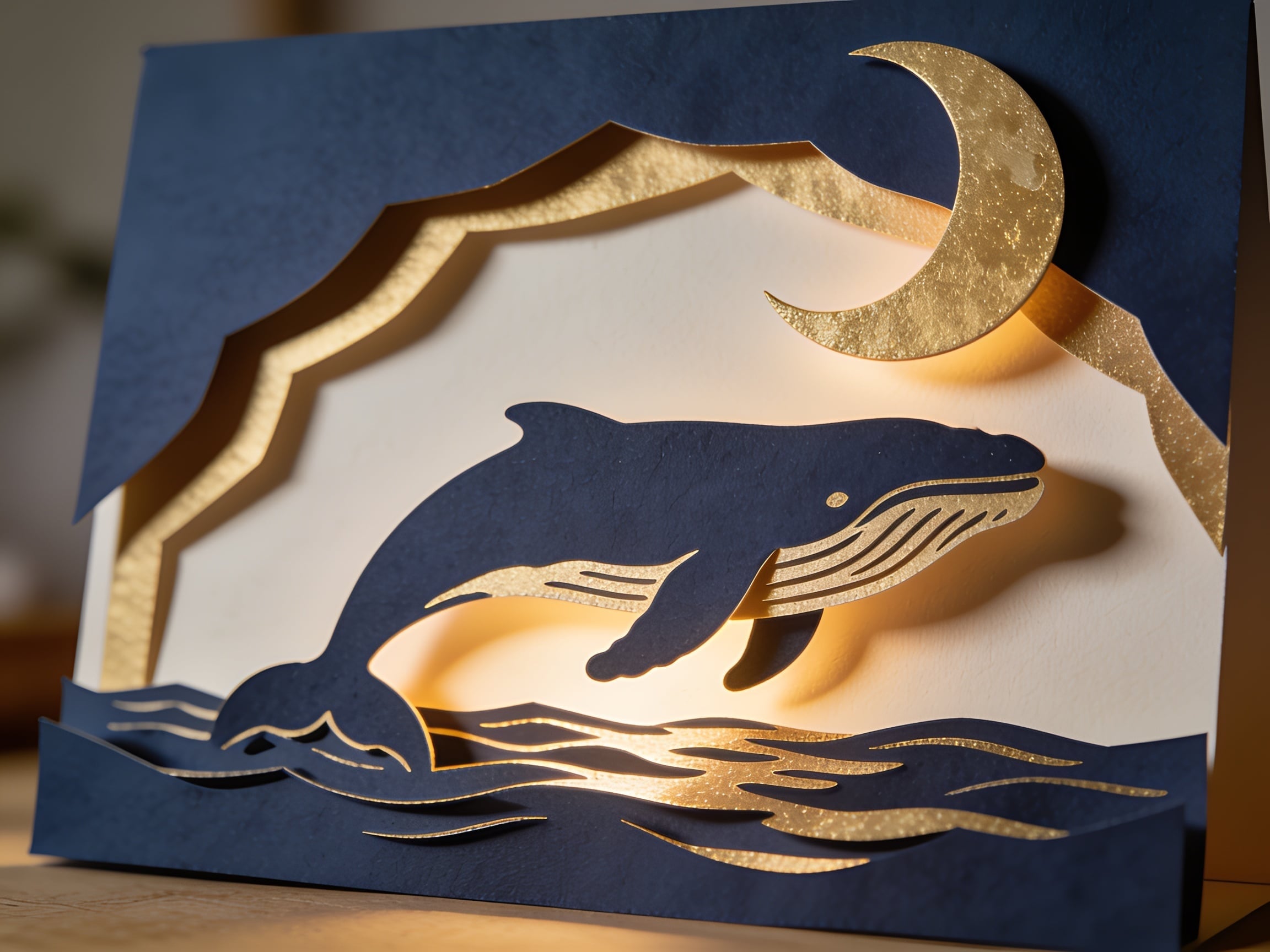
Generated on PixelDojo with Seedream 4.5. Produced by PixelDojo's generation pipeline.
Seedream 4.5 wins for paper cutout style at 1 credit, because it was the only model that built real depth: separate card layers, lit edges and shadows falling between them. We ran one cutout prompt through three models on August 26, 2026. Flux 2 Dev, also 1 credit, gave the most usable flat graphic instead of a photographed object. P-Image cost 0.1 credits, a tenth of the others, and still returned convincing paper grain. The right pick depends entirely on whether you want a picture of paper craft or a paper craft styled graphic, and those are two different jobs.
Side-by-side, same prompt
Every model below ran the identical prompt on PixelDojo so the outputs are directly comparable: “Paper cutout collage of a whale breaching under a crescent moon, layered cut card stock in navy and gold, visible paper edges and soft drop shadows, handmade craft style”
Seedream 4.5
22sReal layered depth. Cut navy card over gold foil, warm light glowing through the gaps, shadows cast on a wall behind. 1 credit, about 22 seconds, 2304 by 1728 pixels.
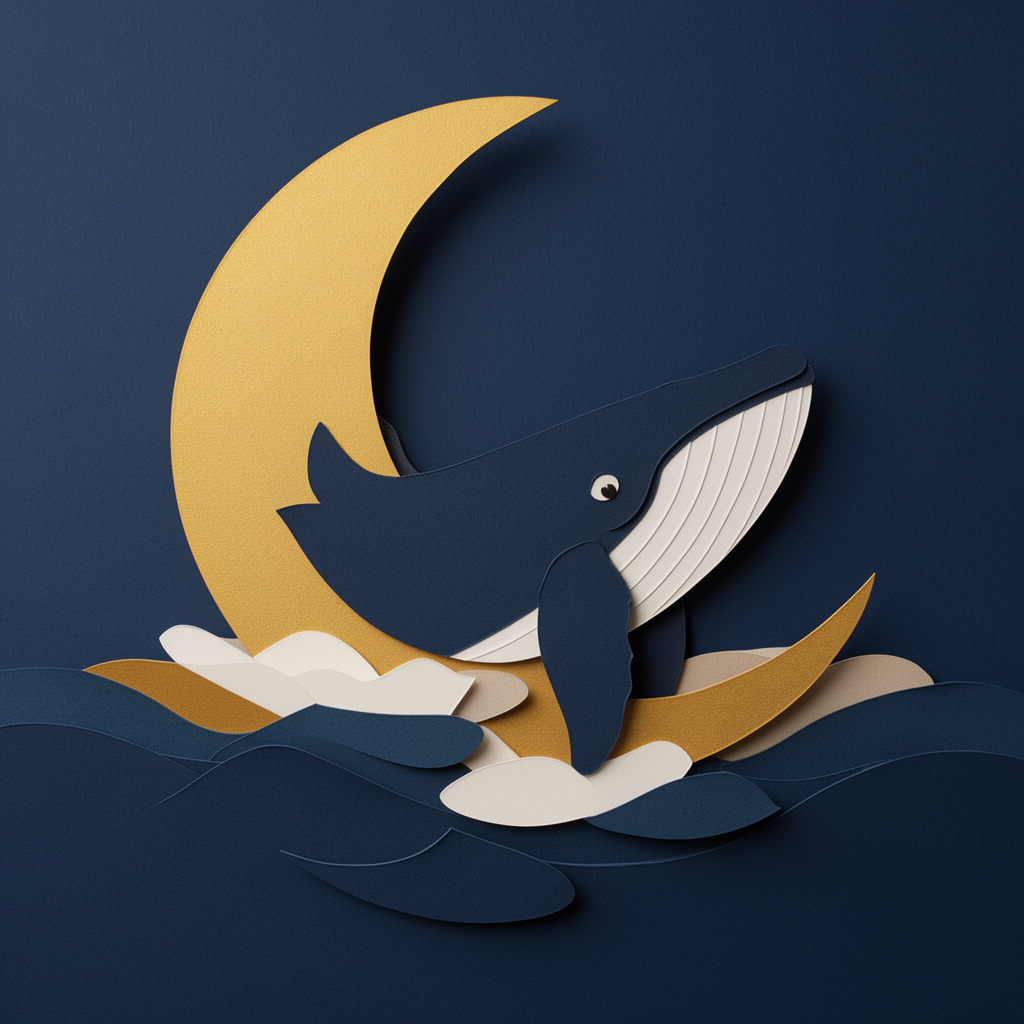
Flux 2 Dev
16sFlat on, square, no room around it. Layered navy and cream waves with soft drop shadows and paper grain. The most usable file as a graphic. 1 credit, about 16 seconds.
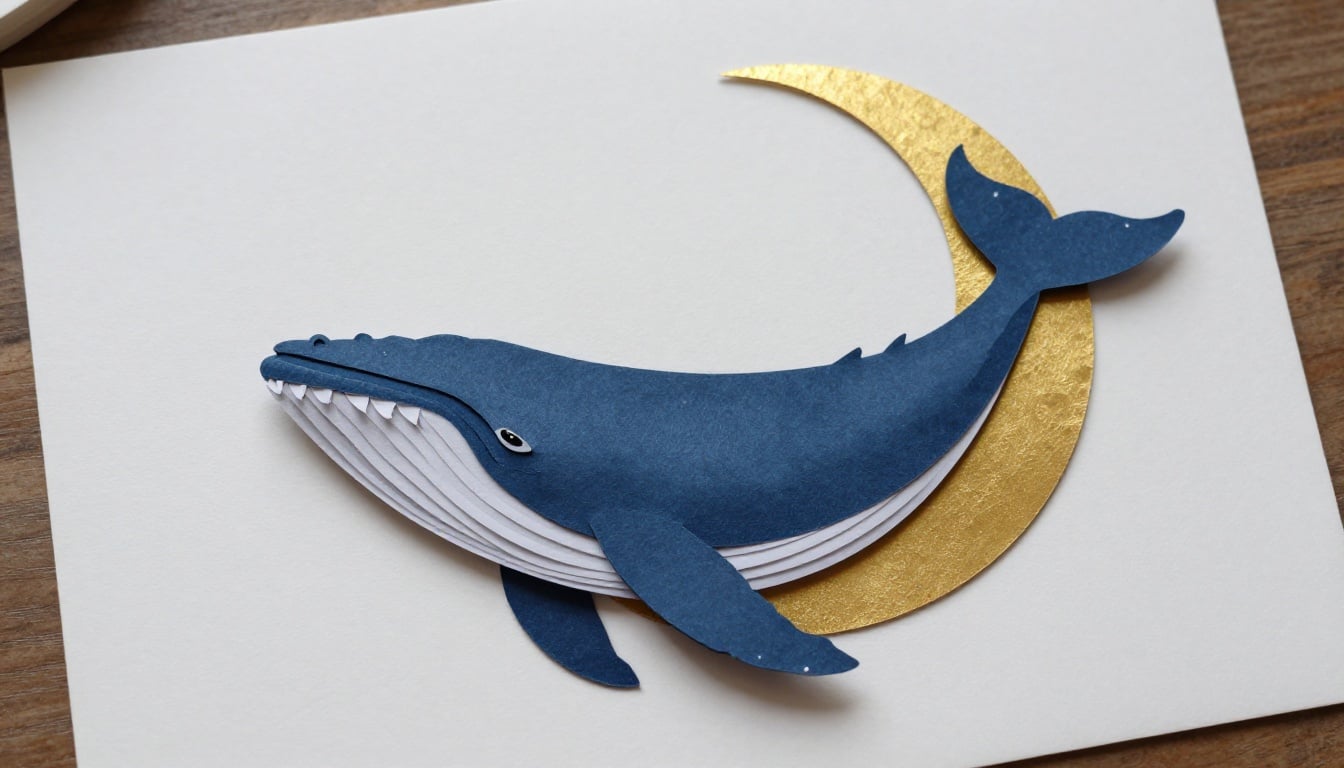
P-Image
9.0sA tenth of the price and the fastest run. Lovely paper texture, but it drew a full gold circle instead of a crescent and laid the whale flat. 0.1 credits, about 9 seconds.
Three takes on cut paper, ranked
1. Seedream 4.5, 1 credit, about 22 seconds
This is the one that understood the assignment. It did not draw a picture of a paper cutout, it built one and photographed it. The output is a standing card in navy stock with the layers cut back to reveal gold foil beneath, a crescent moon in textured gold with visible glitter, and warm light coming from behind the card so it glows through every cut opening. Shadows fall correctly between layers and across the wall behind. It arrived at 2304 by 1728 pixels, the largest of the three. Two things to know before you pick it. The frame includes the table the card is standing on and a blurred room behind, so you will crop before using it. And the animal reads as a humpback with an oddly rounded snout rather than a clean silhouette. Skip it if you need a flat graphic to drop into a layout, because you are paying for photographic staging you would then have to cut away.
2. Flux 2 Dev, 1 credit, about 16 seconds
The practical pick, and the file you are most likely to actually use. It is a square, flat on, digitally built papercraft: a navy ground, a gold crescent, and layered waves in navy, cream and tan with soft drop shadows under each edge and a subtle paper grain on every surface. There is no table, no room, no lighting rig, so nothing needs cropping. At 1024 by 1024 pixels it is the smallest file here, which matters if this is going to print large. The drawing itself is the weak part. The whale's head and jaw are oversized, the crescent moon passes behind it in a way that does not resolve, and the flipper and tail shapes near the bottom edge muddle into the waves. Skip it if the subject has to be anatomically clean, and take it when you want a paper texture graphic that is already composed for a layout.
3. P-Image, 0.1 credits, about 9 seconds
Ten times cheaper than either of the others and the fastest run of the three, which is the entire argument for it. The output is a top down flat lay: a navy paper whale with white cut belly ridges sitting on cream card, on a wooden table, with gold foil behind it. The paper texture is genuinely good, the cut edges look cut, and the layering of the belly strips is convincing. The problem is prompt adherence. We asked for a crescent moon and got a nearly full gold disc. We asked for a whale breaching and got a whale lying flat on a table. The frame is 1344 by 768 pixels and includes visible wood grain around the edges. Skip it if the composition matters. Use it to generate twenty drafts for 2 credits and pick a direction before you spend real money on the final.
Three models, one whale, same day. Charged 1 credit, 1 credit and 0.1 credits. Total for the whole comparison: 2.1 credits.
Why Choose Pixel Dojo for Paper Cutout Style
Professional-quality results with cutting-edge AI technology
Ranked on layer depth first
Paper cutout style lives or dies on whether the layers read as separate pieces of card. We ranked by visible edges and shadow separation, then by how usable the framing was, then by price.
The whole test cost 2.1 credits
Seedream 4.5 and Flux 2 Dev charged 1 credit each. P-Image charged 0.1. Running all three before you commit is cheaper than one image from most premium models.
Two different jobs, two different winners
If you want a photograph of a handmade card, Seedream 4.5. If you want a flat graphic in paper style you can drop straight into a design, Flux 2 Dev. Decide which before you pick.
How It Works
The method behind the ranking:
Describe the material, not the effect
We asked for layered cut card stock in navy and gold with visible paper edges. Prompts that say paper cutout style alone tend to return a flat drawing with a texture over it.
Run one image per model at defaults
Seedream 4.5, Flux 2 Dev and P-Image each got the same prompt with no extra settings, and each request was timed from submission to finished file.
Check the edges before the subject
Zoom into where two colours meet. If there is a shadow and a cut line, the model built layers. If the colours just touch, it painted a picture of paper.
Loved by creators on PixelDojo
Real feedback from people using PixelDojo, pulled from our in-product surveys.
The overall quality of the site and it's amazing variety of tools. The continued updates of the UI. The unbelievable level of tech support.
THIS IS SO DOPE !
I have already recommended it to friends
All the tools, plus the guidance
Excellent tools. Ease of use. Well thought out interface. Wide variety of AI tools and features which are up to date with more added each month
I really like how the site is kept up to date, and the leaderboard (where I'm currently #11 most popular artist)
Explore more AI tools on PixelDojo
AI Tools
Compare & Switch
- Best AI Image Generators
- Best AI Video Generators
- Midjourney Alternatives
- Civitai Alternatives
- Runway Alternatives
- Leonardo Alternatives
- Pika Alternatives
- Luma Alternatives
- Magnific Alternatives
- Veo Alternatives
- Flux Alternatives
- Freepik Alternatives
- Seedance Alternatives
- Seedream Alternatives
- Pixverse Alternatives
- GPT Image Alternatives
- Synthesia Alternatives
- Playground Alternatives
- NightCafe Alternatives
- Canva AI Alternatives
- ElevenLabs Alternatives
- ComfyUI Alternatives
- Fal Alternatives
- Replicate Alternatives
Common Questions
Everything you need to know about Paper Cutout Style
Which AI model is best for paper cutout style?
Seedream 4.5 at 1 credit. In our August 26, 2026 test it was the only model of three that produced true layer separation, with light glowing through the cut openings and shadows falling between the card layers.
What is the cheapest way to get papercraft style art?
P-Image at 0.1 credits per image, which returned in about 9 seconds. The paper texture is real, but it missed the crescent moon and the breaching pose, so budget for a few attempts.
Which one gives a flat graphic rather than a photo of paper?
Flux 2 Dev. It returned a square, flat on composition with no table or room in the frame, so it needs no cropping before you place it in a layout. It charged 1 credit and took about 16 seconds.
What resolution do these come back at?
Our runs returned 2304 by 1728 from Seedream 4.5, 1024 by 1024 from Flux 2 Dev, and 1344 by 768 from P-Image. If print size matters, Seedream 4.5 gives you the most pixels per credit here.
How do I write a prompt that gets real layers?
Name the material and the physics, not just the style. Our prompt said layered cut card stock, visible paper edges and soft drop shadows. Those last two phrases are what produced separation instead of a flat drawing with a paper filter.
Can I run these three from the API?
Yes. POST to /api/v1/models/{apiId}/run with your API key, using seedream-4, flux-2-dev or p-image as the id. Same key, same request shape, so swapping models is a one word change.