Portrait Models AI Generator
Generated on PixelDojo. Produced by PixelDojo's generation pipeline.
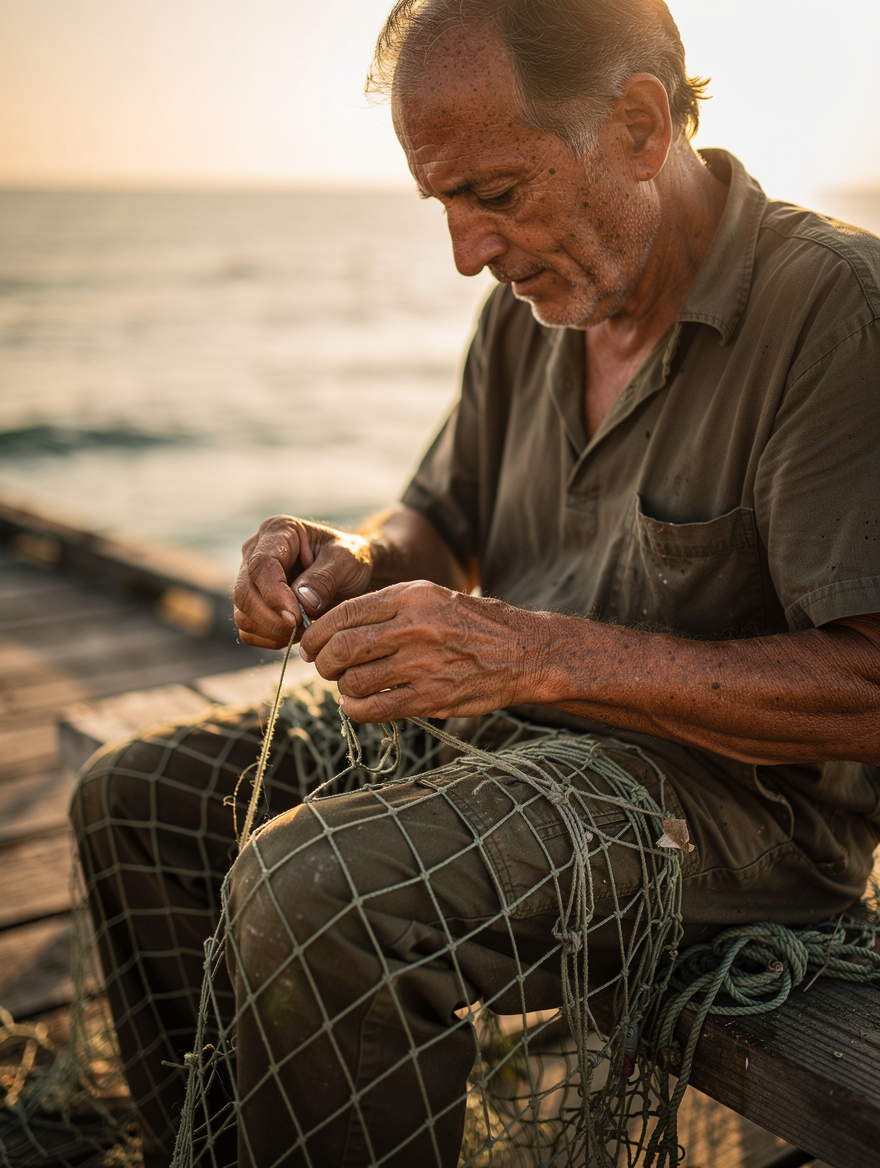
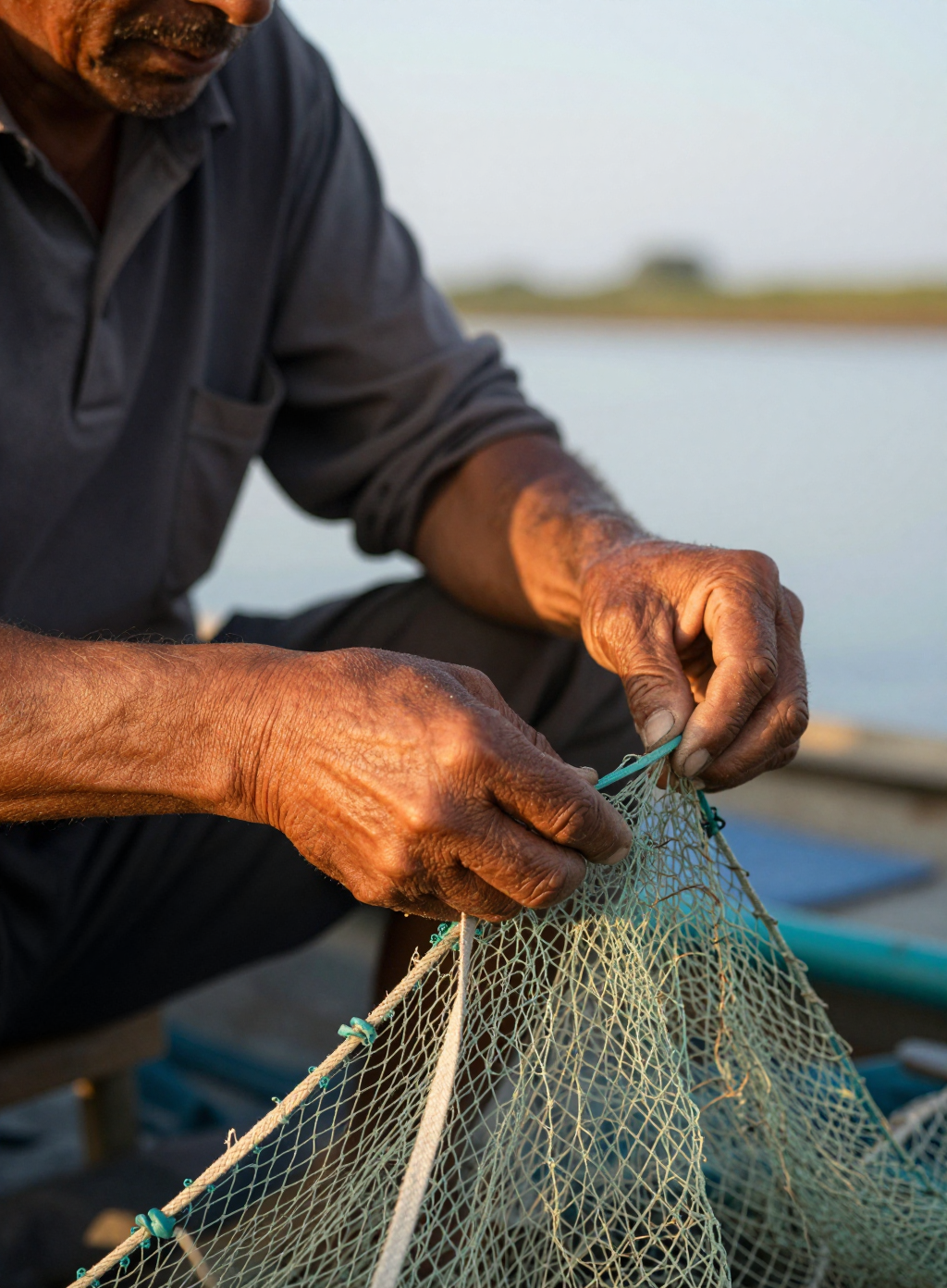
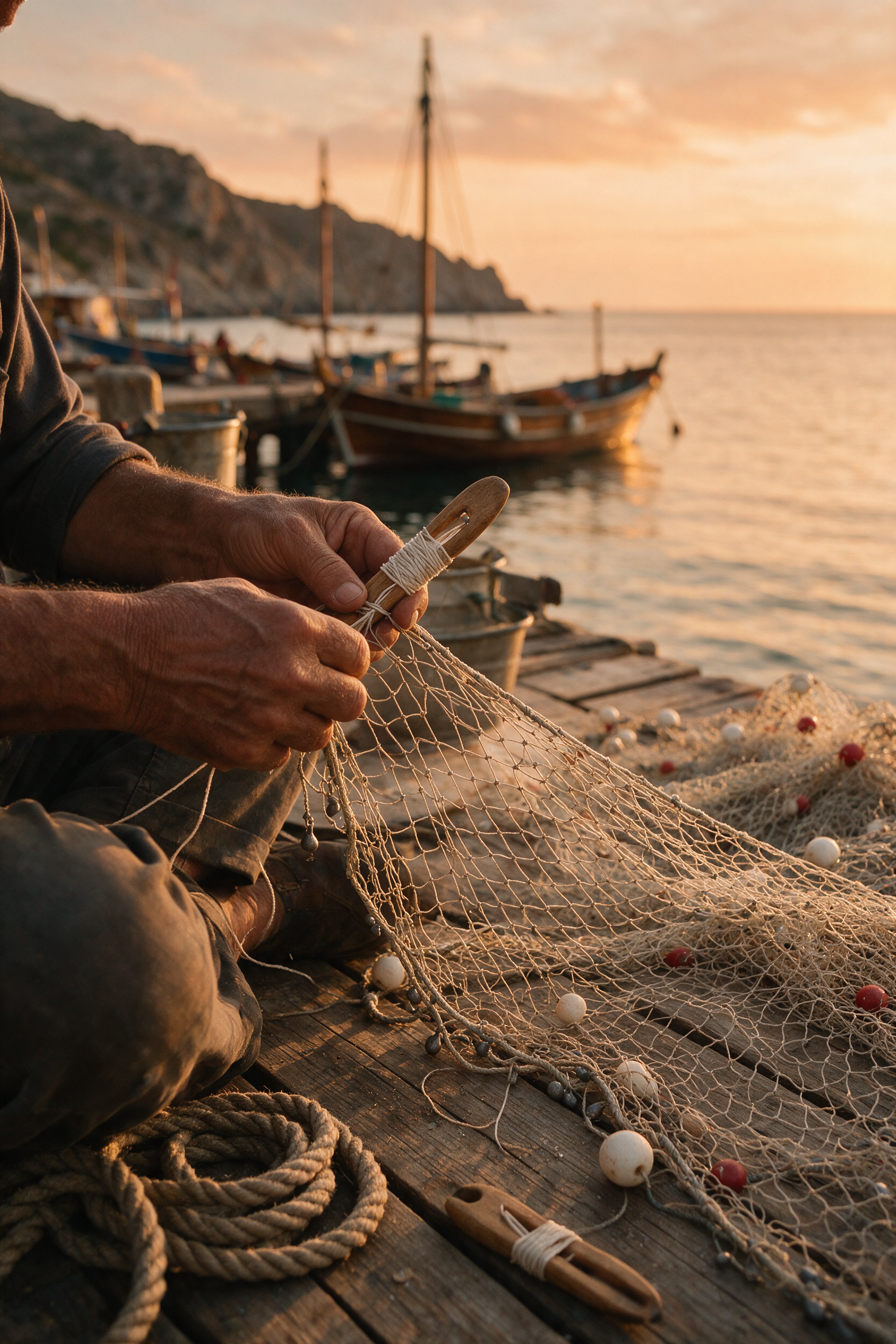
Flux 2 Pro is the one to pick when you want a face, and it costs 1.5 credits. Three models got the same documentary portrait brief on August 26, 2026, and the surprise was where each one pointed the camera. Flux 2 Pro framed the man himself, seated on a jetty with his face in three quarter profile. Z Image Turbo cropped to two weathered hands at 0.5 credits in about 20 seconds and produced the best skin texture of the three. Seedream 5 spent 2.5 credits and 117 seconds building a harbour and left the face out of frame. Portrait prompts do not guarantee portraits, so pick by the crop you need.
Side-by-side, same prompt
Every model below ran the identical prompt on PixelDojo so the outputs are directly comparable: “Portrait of a middle-aged fisherman mending a net at golden hour, weathered hands in focus, shallow depth of field, natural skin texture, documentary photography style”
Flux 2 Pro
21sThe only one that framed the person. Face in three quarter profile, grey stubble, believable ageing. 1.5 credits, about 21 seconds.
Z Image Turbo
20sBest skin and hand texture of the three, at a third of the price and the same speed. Face cropped off above the chin.
Seedream 5
117sBuilt a whole harbour behind the subject, then cropped him to hands and lap. 2.5 credits, 117 seconds.
Where each model pointed the camera
1. Flux 2 Pro, 1.5 credits, about 21 seconds
Flux 2 Pro was the only model here that treated the word portrait as a person. Our file shows a seated man on a wooden jetty in an olive work shirt and trousers, net across his lap, sea and warm sunset haze behind him, working a thread with both hands. His face is in three quarter profile: a lined forehead, grey stubble, a receding hairline and the kind of asymmetry real faces have. Skin reads as skin rather than as retouching. At 1.5 credits and about 21 seconds it was also mid price and joint fastest, which makes it hard to argue against as the default. Skip it if you specifically wanted the hands to dominate the frame, because it kept them small in a wider composition.
2. Z Image Turbo, 0.5 credits, about 20 seconds
Z Image Turbo delivered the best surface detail of the three for the lowest price in the catalog tier we tested. It read the shallow depth of field instruction literally and pushed in close: two sun darkened forearms and hands knotting a pale green net with a wooden netting needle, veins and tendons visible, the river and the boat gunwale soft behind. The hands are anatomically correct, which is where most models fall over. The catch is the crop. The frame cuts the man off just below the mouth, so there is no face in the image at all. Skip it if you need a recognisable person. At 0.5 credits it is the right tool for texture studies, hand inserts and detail plates.
3. Seedream 5, 2.5 credits, 117 seconds
Seedream 5 built the best world and lost the subject. The file is a small harbour at sunset: wooden boats moored against a stone hillside, a jetty, coiled rope, a tan net with red and white floats spread across the boards, all lit in a warm low sun. The man is present only as hands and a lap in the foreground corner. As an editorial opener it is the strongest image of the three. As a portrait it does not qualify. It also took 117 seconds, which is roughly five times the wait of the other two, at five times the price of Z Image Turbo. Skip it when the brief is a person. Reach for it when the brief is a place with a person in it.
One brief, three models. Two of the three cropped the face out entirely. Prices ran from 0.5 to 2.5 credits and turnaround from about 20 seconds to 117.
Why Choose Pixel Dojo for Portrait Models
Professional-quality results with cutting-edge AI technology
Ask for the face by name
The word portrait was not enough. If the face has to be in frame, say head and shoulders, eye contact, or face visible, and put it early in the prompt.
Hands are the honest test
All three drew correct hands on the first attempt with no inpainting pass. That was not a safe assumption a year ago and it is worth rechecking on any new model.
Price does not predict the crop
The 0.5 credit run and the 2.5 credit run made the same framing choice. Composition is a model habit, not a budget tier.
How It Works
The method behind this comparison:
Send one brief with a built in conflict
The prompt asked for a portrait and for the hands to be in focus. That tension is what separated the three models, because each resolved it differently.
Keep the first result
No retries, no seed hunting, no negative prompts. What the model returns on attempt one is what you would get in production, so that is what we judged.
Grade the crop before the pixels
We asked first whether the person is in the frame, then how the skin, hands and light hold up. That order is why the cheapest file did not win outright.
Loved by creators on PixelDojo
Real feedback from people using PixelDojo, pulled from our in-product surveys.
awesome functionality, UX, constant flood of improvements, discord interactivity
Awesome site with so many features
Love how I can almost create anything
The Flux Pro Ultra is just amazing!
Very easy to use, and they have fast wan 2.2 video generation with custom loras available.
The overall quality of the site and it's amazing variety of tools. The continued updates of the UI. The unbelievable level of tech support.
Explore more AI tools on PixelDojo
AI Tools
Compare & Switch
- Best AI Image Generators
- Best AI Video Generators
- Midjourney Alternatives
- Civitai Alternatives
- Runway Alternatives
- Leonardo Alternatives
- Pika Alternatives
- Luma Alternatives
- Magnific Alternatives
- Veo Alternatives
- Flux Alternatives
- Freepik Alternatives
- Seedance Alternatives
- Seedream Alternatives
- Pixverse Alternatives
- GPT Image Alternatives
- Synthesia Alternatives
- Playground Alternatives
- NightCafe Alternatives
- Canva AI Alternatives
- ElevenLabs Alternatives
- ComfyUI Alternatives
- Fal Alternatives
- Replicate Alternatives
Common Questions
Everything you need to know about Portrait Models
Which AI model is best for portraits?
Flux 2 Pro on this test, at 1.5 credits and about 21 seconds. It was the only one of the three that composed a visible face with believable skin and ageing. Z Image Turbo is the better pick if you want close texture at 0.5 credits.
Why did my portrait prompt return hands instead of a face?
Because a detail instruction can outrank the word portrait. Ours asked for weathered hands in focus, and two of the three models made that the subject. Name the framing you want, such as head and shoulders with the face visible.
What is the cheapest good portrait model?
Z Image Turbo at 0.5 credits per image. It produced the most convincing skin and hand texture in this test and finished in about 20 seconds, which was joint fastest.
How long does a portrait take?
About 20 seconds for Z Image Turbo, about 21 for Flux 2 Pro, and 117 seconds for Seedream 5 on the same day and the same prompt. Queue load moves these figures, so treat them as typical rather than fixed.
How do I keep the same person across several images?
Generate the base portrait once, then use the Consistent Characters tool at 1 credit to produce variations that hold the same face, hair and clothing. Re prompting from scratch will give you a different person every time.
Can I run these portrait models from an API?
Yes. POST to /api/v1/models/flux-2-pro/run, /api/v1/models/z-image-turbo/run or /api/v1/models/seedream-5/run with one API key and the same request shape for all three.