best free ai hairstyle generator
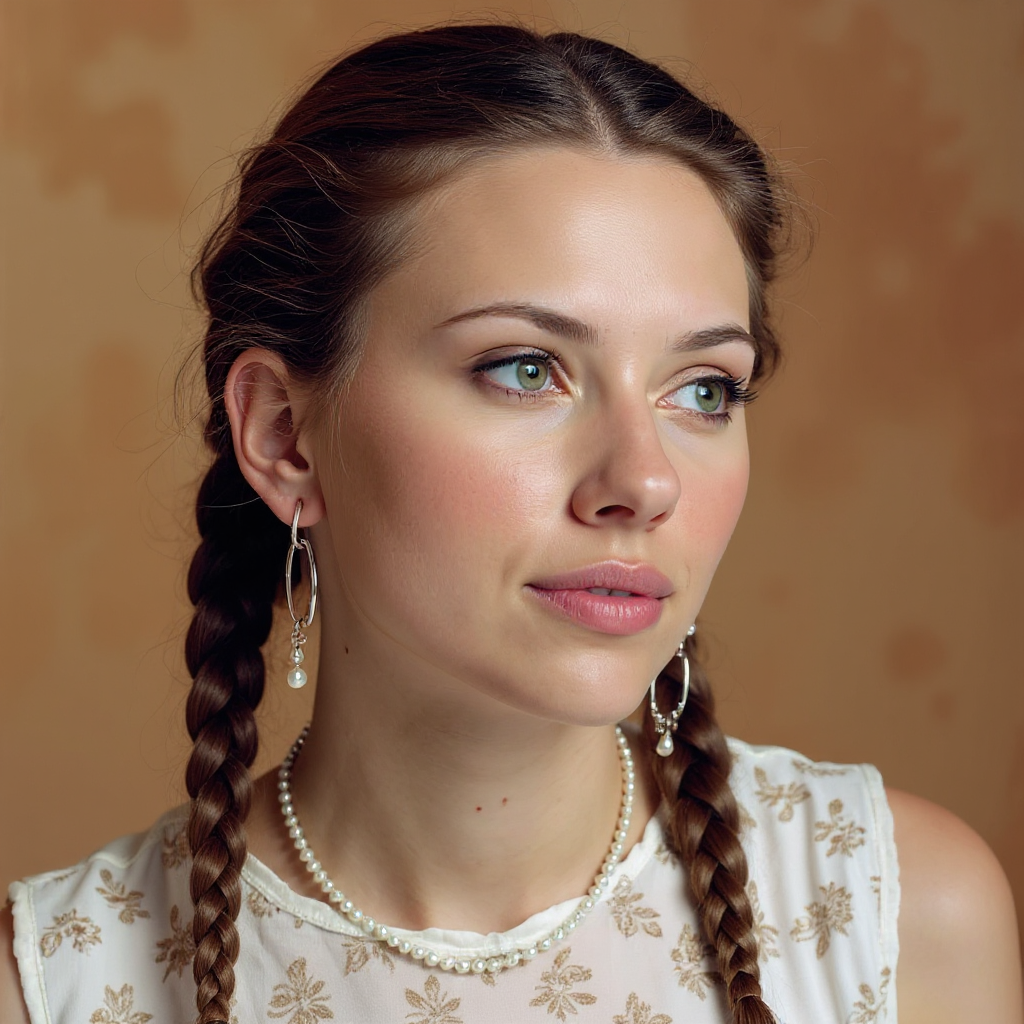
Generated on PixelDojo. Produced by PixelDojo's generation pipeline.
You deserve to love your hair before you ever sit in a salon chair. PixelDojo’s best free AI hairstyle generator puts every possible look on your own face in seconds so you walk in with complete confidence. Upload one clear selfie and watch Flux Pro Virtual Try-On, GPT Image 2, and Nano Banana 2 transform your photo into photorealistic previews of wolf cuts, curtain bangs, textured crops, sleek bobs, vibrant balayage, or any style you describe. You skip the guesswork, avoid costly mistakes, and discover the exact cut, length, texture, and color that flatter your features. Thousands of creators already generate salon-ready images that look like professional photoshoots, then share them with stylists or use them for social content. With 40+ cutting-edge tools including Ideogram 4, Character Stylist, Image to Image, and Inpainting, you explore unlimited variations while keeping your identity perfectly intact. Cancel anytime and start visualizing your next look today.
Real image examples generated on PixelDojo
Every example below was produced on PixelDojo. Hover to see the prompt.
Quickly change someone's hair style and hair color
stable-diffusion
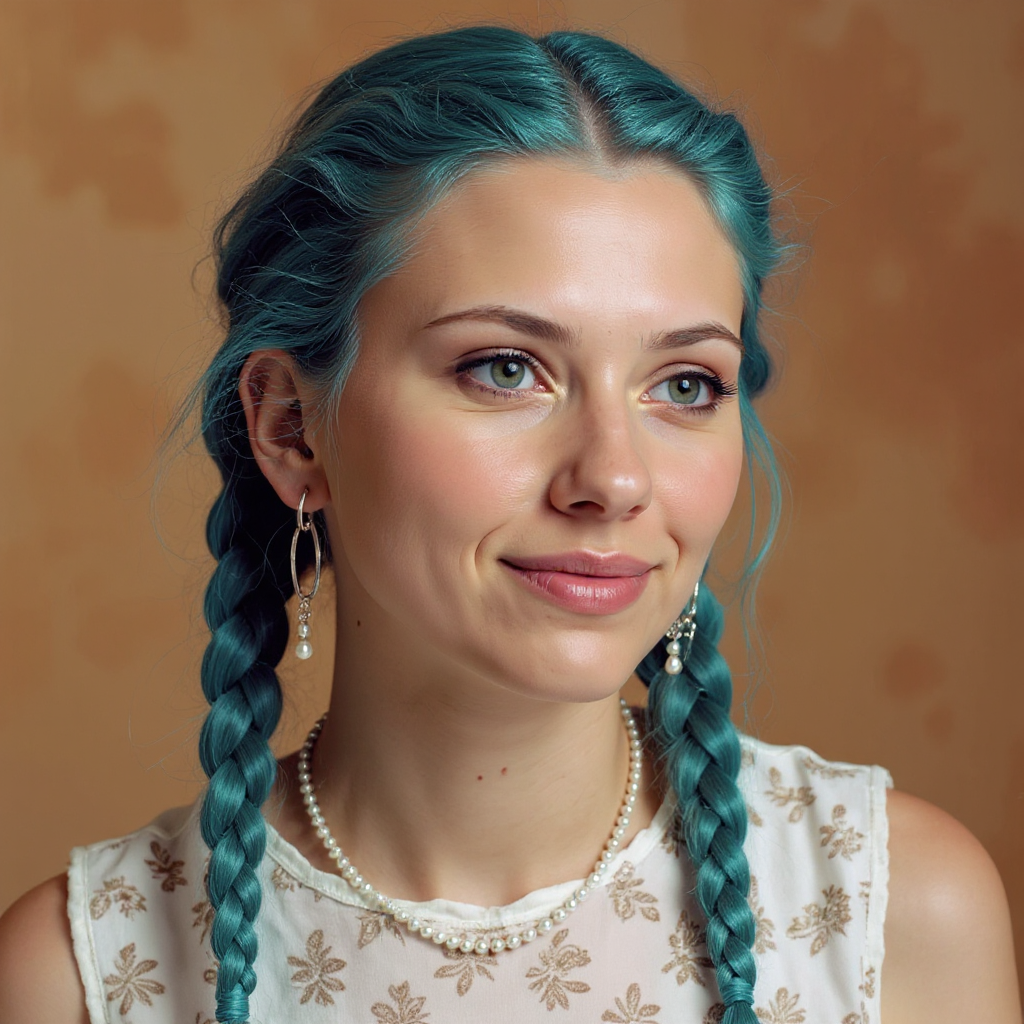
Quickly change someone's hair style and hair color
stable-diffusion

Image of an ai painting a human and a human painting an ai
flux
Create stunning AI videos from a single photo
p-video-avatar
A sultry
flux
This image is a realistic photo photograph of a digital artwork that features a central fi…
flux
Models you can run on PixelDojo for best free ai hairstyle generator
Switch models without switching tools. Each one runs in the same PixelDojo studio.
What you can do with best free ai hairstyle generator on PixelDojo
Try Looks On Your Photo
Upload a portrait and we generate new hairstyles while keeping your face and lighting consistent. Preview cuts, color, and length in still images before you commit.
Free Style Image Generation
We provide free AI image generation so you can explore hairstyles without a paid plan. Create several variations from one reference photo.
Cuts Color And Texture
We cover short, long, curly, straight, and colored looks across common hair types. Refine prompts for bangs, fades, braids, or updos.
Shareable Stylist Previews
We output images you can save and send as a visual brief. Use them to show a barber or stylist the exact look you want.
Loved by thousands of creators worldwide who generate realistic hairstyle previews daily. 40+ cutting-edge AI tools deliver professional results you can download and share instantly.
Why Choose Pixel Dojo for best free ai hairstyle generator
Professional-quality results with cutting-edge AI technology
See Your Dream Look Before You Cut
You preview any hairstyle on your actual face so you know exactly how a pixie, modern mullet, or long layers will suit you, eliminating regret and saving hundreds on trial cuts.
Unlimited Styles in Seconds
You generate dozens of variations—colors, bangs, textures, lengths—using Flux.2 Studio, Krea Image, and Virtual Try-On without leaving home or waiting for appointments.
Salon-Quality Images You Can Share
You download high-resolution, identity-preserving photos that look like they came from a professional photographer, ready to show your stylist or post online.
How It Works
Creating your perfect hairstyle preview takes three simple steps with PixelDojo’s specialized tools. You stay in control the entire time.
Step 1: Choose Your Tool
Open Flux Pro Virtual Try-On or Image to Image with Nano Banana 2 or GPT Image 2. Upload a well-lit, front-facing selfie so the AI can lock onto your facial features and current hairline for the most accurate overlay.
Step 2: Enter Your Prompt
Describe the exact look you want: “shoulder-length wolf cut with curtain bangs, honey blonde balayage, natural texture, keep my face identical.” Or select Character Stylist and Ideogram 4 for character-consistent results. The more specific you are about length, texture, color, and finish, the closer the preview matches your vision.
Step 3: Customize & Download
Refine edges with Inpainting, adjust lighting via Magic Lighting or Reality Polisher, then upscale with Portrait Upscaler. Download your watermark-free image or generate video versions with Kling Video Character Swap to see the style in motion.
The Pixel Dojo Advantage
Why PixelDojo outperforms other options for AI hairstyle generation
| Others | Pixel Dojo |
|---|---|
| Traditional salon consultations | You test unlimited looks at home in seconds instead of booking multiple appointments and risking a cut you might not love. |
| Generic AI tools | You keep your exact facial identity while changing only the hair thanks to dedicated Virtual Try-On, Face Swap, and Character Stylist tools that generic generators often distort. |
| Manual photo editing | You achieve photorealistic strand-level detail and natural lighting in one click rather than spending hours cloning, masking, and blending hair by hand. |
Loved by creators on PixelDojo
Real feedback from people using PixelDojo, pulled from our in-product surveys.
The amazing tools
Top notch quality and strong prompt adherence.
A well resourced sunscription with attention to updates.
Easy to use and there's lots of options.
super lora download
Great variety of tools to create and modify images and video.
Explore more AI tools on PixelDojo
AI Tools
Compare & Switch
- Best AI Image Generators
- Best AI Video Generators
- Midjourney Alternatives
- Civitai Alternatives
- Runway Alternatives
- Leonardo Alternatives
- Pika Alternatives
- Luma Alternatives
- Magnific Alternatives
- Veo Alternatives
- Flux Alternatives
- Freepik Alternatives
- Seedance Alternatives
- Seedream Alternatives
- Pixverse Alternatives
- GPT Image Alternatives
- Synthesia Alternatives
- Playground Alternatives
- NightCafe Alternatives
- Canva AI Alternatives
- ElevenLabs Alternatives
- ComfyUI Alternatives
- Fal Alternatives
- Replicate Alternatives
Common Questions
Everything you need to know about best free ai hairstyle generator
What is the best free AI hairstyle generator for trying on haircuts at home?
PixelDojo gives you the most realistic free AI hairstyle generator experience because you combine Flux Pro Virtual Try-On, GPT Image 2, and Nano Banana 2 to overlay any cut onto your own photo while preserving every facial detail. You generate as many looks as you need and cancel anytime.
How do I generate realistic AI hairstyles that match my face shape?
Upload a clear selfie into Image to Image or Virtual Try-On, then write a detailed prompt that includes cut name, length, texture, color, and “keep my face identical.” Character Stylist and Ideogram 4 further lock in your unique features so the result looks like a real photograph of you.
Can I try trendy 2026 hairstyles like wolf cuts and curtain bangs for free?
Yes. Simply describe current trends—wolf cut with curtain bangs, textured crop, modern mullet, or honey balayage—inside Flux.2 Studio or Krea Image. PixelDojo’s models understand the latest styles and render them naturally on your photo without extra cost.
Is there a free AI hairstyle try-on that works without downloading an app?
PixelDojo runs entirely in your browser. You upload a photo, choose Virtual Try-On or Face Swap, generate, edit with Inpainting, and download instantly. No app, no signup required to start, and you can cancel any time after exploring the 40+ tools.
How can I change both hairstyle and hair color in one generation?
Use a single prompt such as “short pixie cut in copper red with darker roots, keep face unchanged” inside GPT Image 2 or Flux Pro Virtual Try-On. The AI handles cut, texture, and color together so you see the complete transformation in one realistic image.
What if I want to see the new hairstyle from different angles or in video?
After generating the still image, apply Change Camera Angle or export to Kling Video Character Swap and WAN Video Character Swap. You instantly get side profiles, 360-style views, or short clips of you moving with the new hair, all while staying inside PixelDojo.