hidream AI Image Generator

Generated on PixelDojo with hidream. Produced by PixelDojo's generation pipeline.
hidream is an AI image model for turning text prompts into detailed images, with a standout strength in prompt accuracy across photorealistic, cinematic, product, character, and stylized visuals. On PixelDojo, hidream ai is available in a guided creative workflow, so creators can write a prompt, choose settings, generate variations, and refine results in one place. This page covers what is hidream, how to use hidream, practical hidream examples, hidream pricing, and a clear hidream review of where the model performs best.
Real image examples generated on PixelDojo
Every example below was produced on PixelDojo. Hover to see the prompt.
Create a YouTube Header for "FLUXPRO" AI image generation
flux

Create image of very beautiful AI robot woman in bed a happy man under the covers
flux
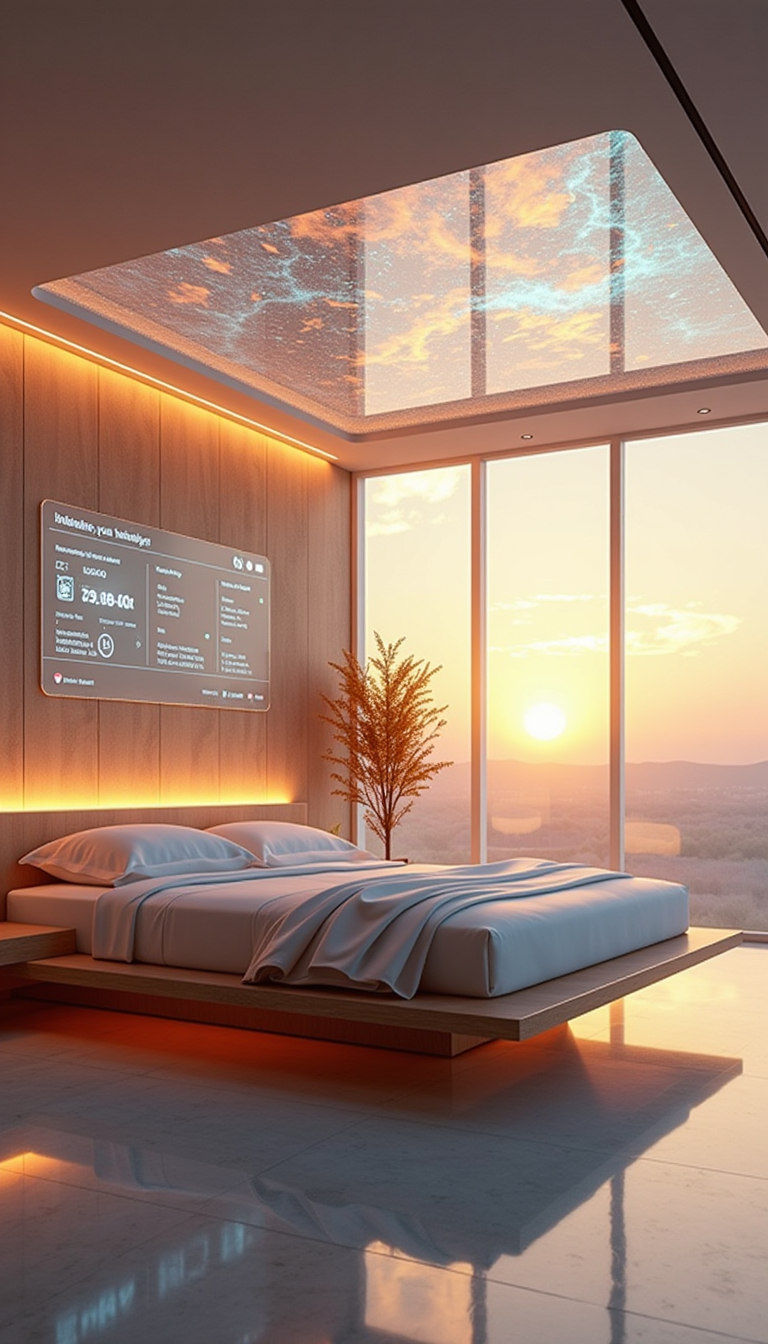
A HD Dynamic 4K Image Of Ultra-realistic futuristic bedroom with a transparent ceiling tha…
stable-diffusion

Image of an ai painting a human and a human painting an ai
flux
A man talking
image-to-video
A friendly female podcaster in a cool modern studio announcing that Pixel Dojo now has sup…
image-to-video
Models you can run on PixelDojo for hidream AI Image Generator
Switch models without switching tools. Each one runs in the same PixelDojo studio.
What you can do with hidream AI Image Generator on PixelDojo
Text Prompt Image Generation
We enable creators to input text prompts and receive matching images from the hidream model.
Multiple Style Applications
Creators apply different visual styles to the same prompt through our generation tools.
Resolution Selection Controls
We provide options for creators to choose output resolutions during image generation.
Variation Generation Tools
Users request additional image variations from an initial prompt result.
PixelDojo brings hidream into a browser-based workspace for fast prompt testing, image variation, and export-ready visual creation without local setup.
Why Choose Pixel Dojo for hidream AI Image Generator
Professional-quality results with cutting-edge AI technology
High prompt accuracy
hidream is built to follow detailed prompts, making it useful for scenes with specific subjects, lighting, mood, camera style, materials, colors, and composition notes.
Strong range of image styles
Use hidream ai for photoreal portraits, concept art, product mockups, social graphics, fantasy scenes, editorial images, and polished brand visuals from a single prompt workflow.
Fast creative iteration on PixelDojo
PixelDojo makes it simple to compare hidream examples, adjust prompts, regenerate options, and move from a rough idea to a usable image without installing model files.
How It Works
Enter a clear prompt
Describe the subject, setting, style, lighting, framing, and any details that matter. For better hidream results, include visual specifics such as lens type, color palette, texture, background, and mood.
Choose settings and generate
Select the hidream model on PixelDojo, adjust available generation settings, then run the prompt. PixelDojo will create image outputs that can be reviewed side by side.
Refine and export
Improve the result by editing the prompt, generating variations, or changing settings. Save the best image for campaigns, concept work, social posts, product visuals, or creative exploration.
Loved by creators on PixelDojo
Real feedback from people using PixelDojo, pulled from our in-product surveys.
A "one-stop-shop" for creators! Thanks!!
Lots of different tools. It's easy to purchase more credits.
Amazing performance!
Excellent website for creating all types of media
Very eay to use, works well to train SDXL loras.
The amazing tools
Explore more AI tools on PixelDojo
Popular AI Models
AI Tools
Compare & Switch
- Best AI Image Generators
- Best AI Video Generators
- Midjourney Alternatives
- Civitai Alternatives
- Runway Alternatives
- Leonardo Alternatives
- Pika Alternatives
- Luma Alternatives
- Magnific Alternatives
- Veo Alternatives
- Flux Alternatives
- Freepik Alternatives
- Seedance Alternatives
- Seedream Alternatives
- Pixverse Alternatives
- GPT Image Alternatives
- Synthesia Alternatives
- Playground Alternatives
- NightCafe Alternatives
- Canva AI Alternatives
- ElevenLabs Alternatives
- ComfyUI Alternatives
- Fal Alternatives
- Replicate Alternatives
Common Questions
Everything you need to know about hidream AI Image Generator
What is hidream?
hidream is a text-to-image AI model that generates images from written prompts. It is designed for detailed visual output and strong prompt following, making it useful for photorealistic images, stylized art, character concepts, product visuals, and creative mockups.
How do I use hidream on PixelDojo?
Open PixelDojo, choose hidream from the available image models, type a prompt describing the image you want, adjust the available settings, and generate. Review the results, then refine the prompt or create variations until the image matches your goal.
How much does hidream cost?
hidream pricing on PixelDojo is credit based. Generations use PixelDojo credits, and the current cost is shown in the app before you run the model. Subscription plans and credit options are listed on the PixelDojo pricing page, with no separate hidream software install required.
What is hidream best at?
hidream is best at detailed prompt-based image generation, especially when the prompt includes clear direction for subject, composition, lighting, style, and mood. It is well suited for photorealistic scenes, cinematic images, character design, product concepts, and polished creative examples.
Is there a free way to try hidream?
Yes. PixelDojo may offer free credits, trial access, or limited free generation options depending on the current plan structure. Check the PixelDojo app or pricing page to see the latest free way to try hidream before choosing a paid plan.