Ernie AI Image Generator

Generated on PixelDojo with ernie. Produced by PixelDojo's generation pipeline.
Ernie is an AI image model available on PixelDojo for generating polished visuals from text prompts and image inputs; its standout strength is fast, clean concept variation from a single creative idea. This page covers what is Ernie, how to use Ernie on PixelDojo, practical Ernie examples, an Ernie review of strengths and limits, and clear Ernie pricing guidance so creators can choose the right workflow.
Real image examples generated on PixelDojo
Every example below was produced on PixelDojo. Hover to see the prompt.
Image of an ai painting a human and a human painting an ai
flux

Create a YouTube Header for "FLUXPRO" AI image generation
flux

Create image of very beautiful AI robot woman in bed a happy man under the covers
flux
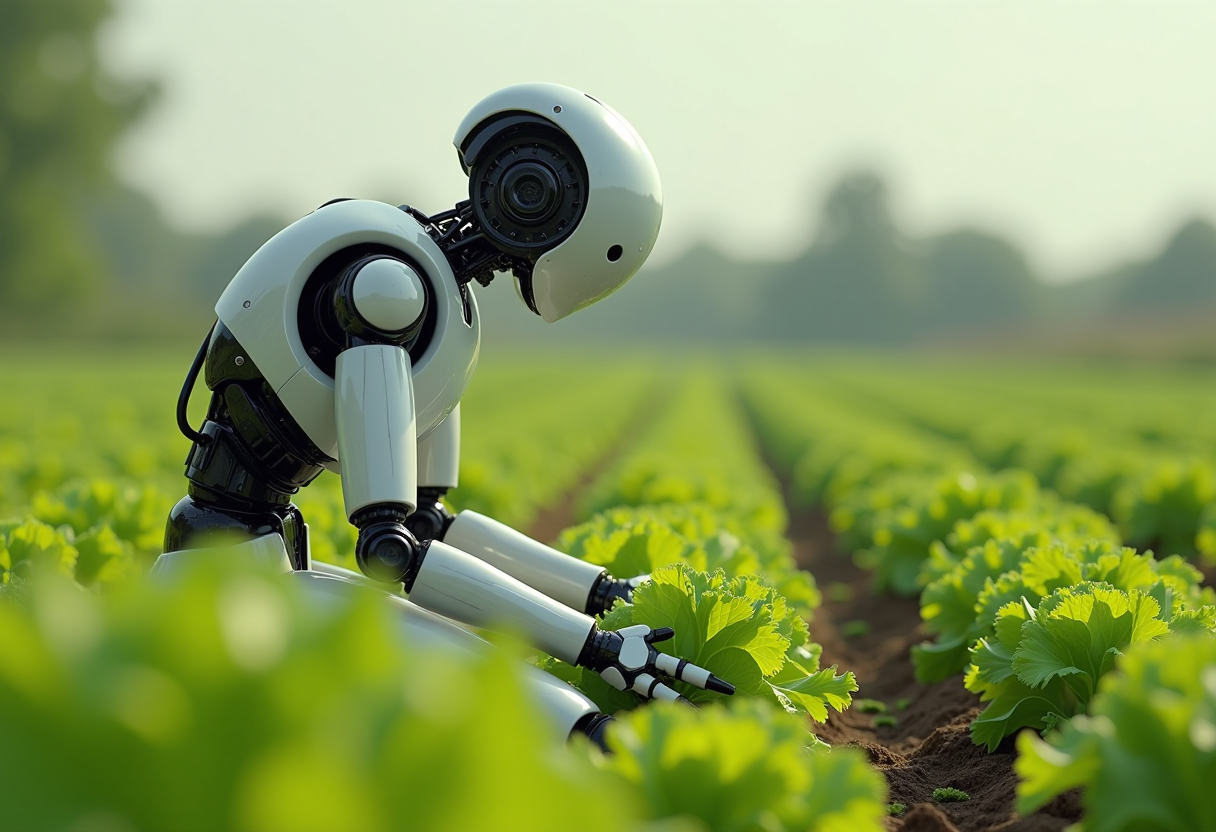
Create an image of a many streampunk android robot on their knees picking lettuce
flux

Create a minion that looks like Elon Musk holding a sign that reads "GO FUCK YOURSELF!!" w…
flux
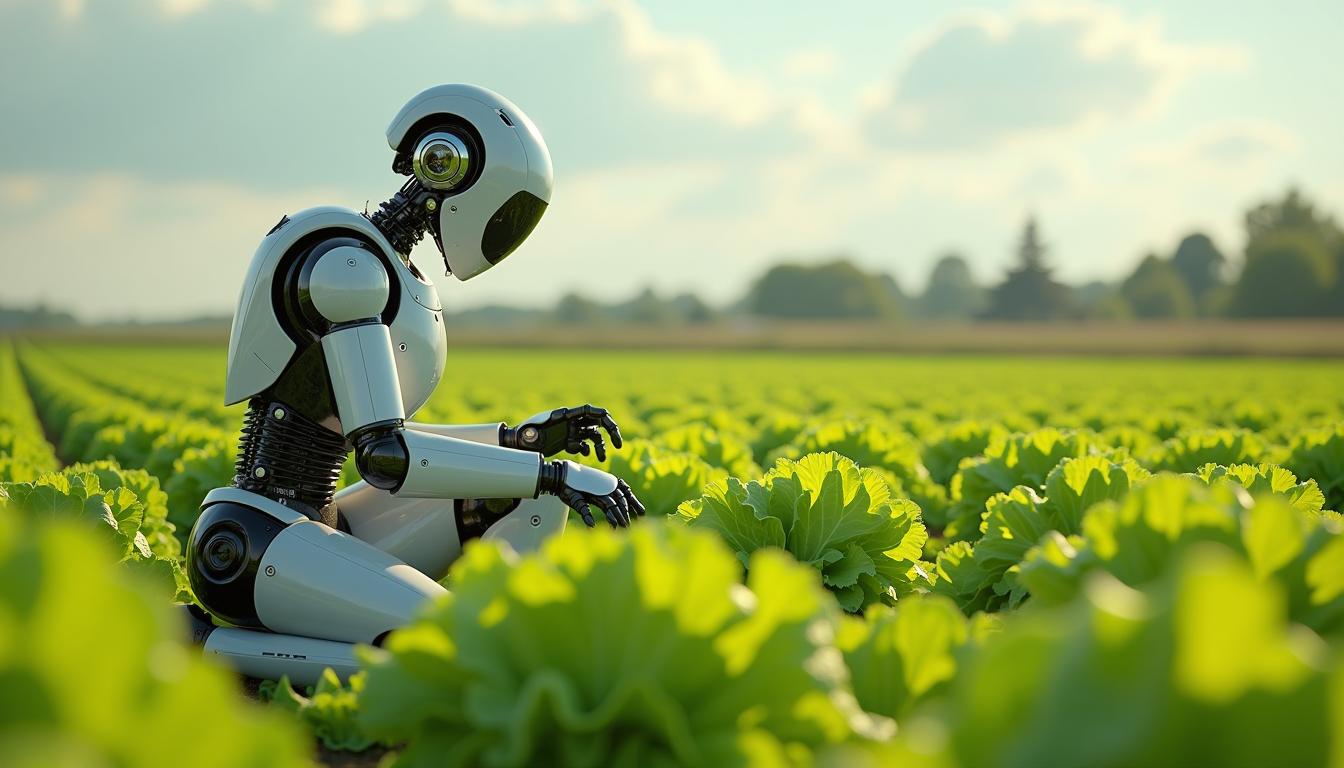
Create an image of a many lots 10 streampunk android robot on their knees picking lettuce
flux
Models you can run on PixelDojo for Ernie AI Image Generator
Switch models without switching tools. Each one runs in the same PixelDojo studio.
What you can do with Ernie AI Image Generator on PixelDojo
Text to Image Generation
We let creators enter prompts and receive images produced by Ernie AI.
Reference Image Style Matching
Creators upload examples so the generator aligns new outputs with chosen visual styles.
Multiple Variation Creation
We produce several image options from one prompt for review and selection.
High Resolution Export
Creators download finished images in sizes appropriate for their projects.
Why Choose Pixel Dojo for Ernie AI Image Generator
Professional-quality results with cutting-edge AI technology
Create images from clear prompts
Use Ernie to turn product ideas, character notes, scene descriptions, and art direction into finished image options. The model works well when prompts include subject, style, lighting, composition, and intended use.
Explore more visual directions quickly
Ernie is useful for comparing multiple concepts before committing to one direction. Generate variations, adjust prompt details, and review different outputs side by side inside PixelDojo.
Fit Ernie into a practical creative workflow
PixelDojo keeps Ernie ai creation in one browser workspace, from prompt setup to preview, refinement, and export. This helps with mood boards, campaign concepts, social visuals, and design exploration.
How It Works
Select Ernie in PixelDojo
Open PixelDojo, choose the image generation workspace, and select Ernie from the available model options. Review any visible settings before starting, including aspect ratio, output count, and credit cost.
Write a focused prompt
Describe the subject, environment, style, lighting, mood, and format. For better Ernie examples, add constraints such as color palette, camera angle, background detail, and what to avoid.
Generate, refine, and export
Run the prompt, compare results, then adjust wording or settings to improve the image. Save the strongest outputs, create variations when needed, and export the final image from PixelDojo.
Loved by creators on PixelDojo
Real feedback from people using PixelDojo, pulled from our in-product surveys.
I’ve been using PixelDojo for around 8 months now and it’s always worked wonderfully while constantly adding features.
The site is easy to navigate and use.
All the tools, readily available and easy to understand
You guys, the LORA training is the BEST in the space right now, great job with that!
Tons of variety. Ease of use. Tools for beginners and advance users.
easiest workflow to get best output image or video
Explore more AI tools on PixelDojo
Popular AI Models
AI Tools
Compare & Switch
- Best AI Image Generators
- Best AI Video Generators
- Midjourney Alternatives
- Civitai Alternatives
- Runway Alternatives
- Leonardo Alternatives
- Pika Alternatives
- Luma Alternatives
- Magnific Alternatives
- Veo Alternatives
- Flux Alternatives
- Freepik Alternatives
- Seedance Alternatives
- Seedream Alternatives
- Pixverse Alternatives
- GPT Image Alternatives
- Synthesia Alternatives
- Playground Alternatives
- NightCafe Alternatives
- Canva AI Alternatives
- ElevenLabs Alternatives
- ComfyUI Alternatives
- Fal Alternatives
- Replicate Alternatives
Common Questions
Everything you need to know about Ernie AI Image Generator
What is Ernie?
Ernie is an AI image model on PixelDojo that creates visuals from text prompts and, when supported by the selected tool, image inputs. It is best used for fast concept generation, polished variations, and exploring multiple visual directions from one idea.
How do I use Ernie on PixelDojo?
Sign in to PixelDojo, open the image generation workspace, choose Ernie from the model list, enter a detailed prompt or upload a reference if the tool supports it, select settings such as aspect ratio and output count, review the credit cost, then generate. Refine the prompt and rerun as needed.
How much does Ernie cost?
Ernie pricing on PixelDojo is credit based. The platform shows the required credit cost before generation, and the final cost can vary by settings such as output count, size, and selected workflow. Paid plans and credit packs provide additional credits for more Ernie generations.
What is Ernie best at?
Ernie is best at polished concept art, character and scene exploration, product-style visuals, mood board images, social creative, and quick prompt variations. It is especially useful when a project needs several strong directions before choosing a final look.
Is there a free way to try Ernie?
Yes. Create a PixelDojo account and check whether free starter credits or preview access are available in your account. If credits are shown, they can be used to try Ernie before choosing a paid plan or buying more credits.