kling 3.0 10s AI Generator
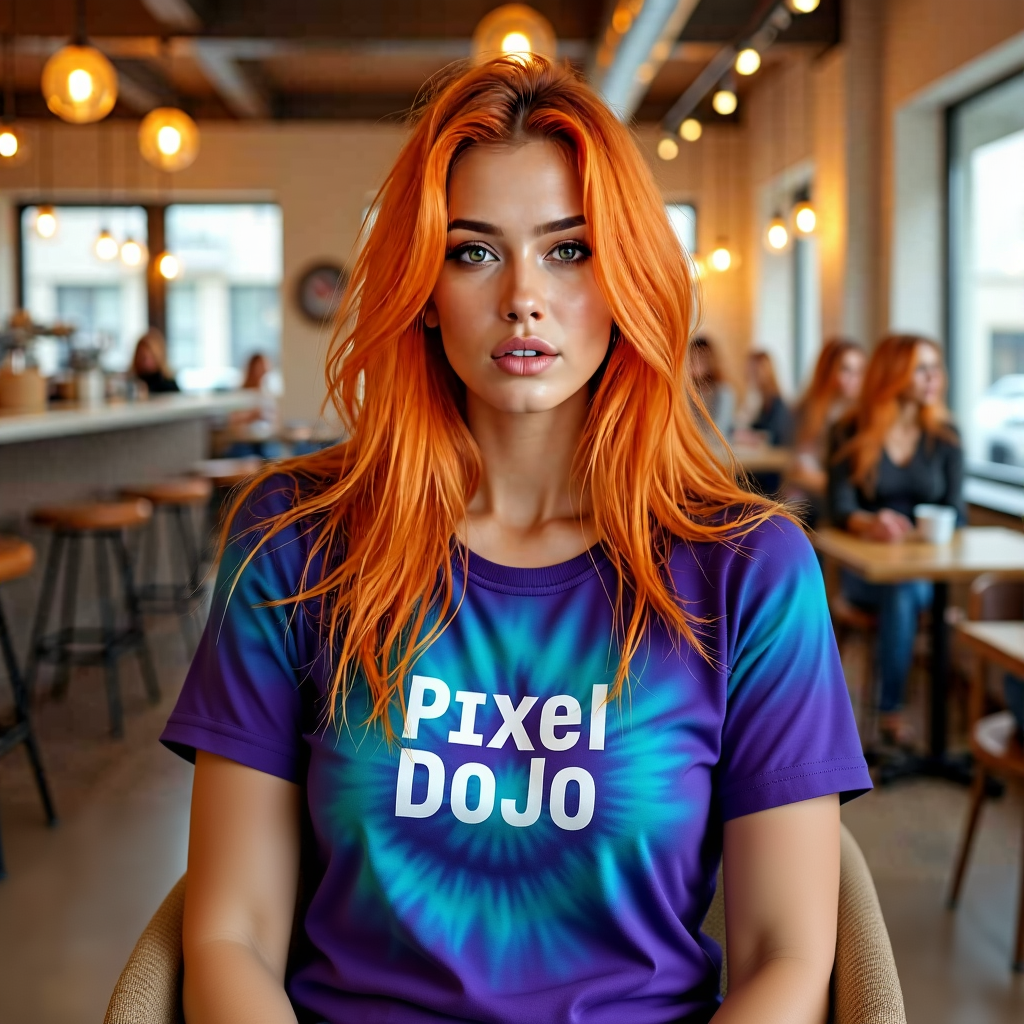
Generated on PixelDojo. Produced by PixelDojo's generation pipeline.
You can now produce stunning 10-second cinematic videos that look like they came from a professional film set, complete with natural motion, consistent characters, and perfectly synced audio. PixelDojo puts Kling 3.0 10s generation at your fingertips so you can create scroll-stopping content for social feeds, ads, product launches, and storytelling without cameras, crews, or editing software. Imagine turning a simple idea into a polished 10-second clip that holds attention, tells a mini-story, and drives action—all in minutes. Whether you need a dynamic product reveal, an emotional character moment, or a multi-angle narrative, you achieve Hollywood-level results that convert viewers into customers while you stay fully in control of every shot.
Real video examples generated on PixelDojo
Every example below was produced on PixelDojo. Hover to see the prompt.
Her shirt is ti-dye edited with Flux Kontext Dev
flux-studio

Add a log edited with Flux Kontext Dev
flux-studio
Woman eats
image-to-video
Marketing Studio example — tv-spot
seedance-2-reference
Close-up of a steaming coffee cup on a wooden table
image-to-video
The camera tilts down to the stand mixer as it starts overflowing
image-to-video
Models you can run on PixelDojo for kling 3.0 10s
Switch models without switching tools. Each one runs in the same PixelDojo studio.
What you can do with kling 3.0 10s on PixelDojo
Kling 3.0 Ten Seconds
We host Kling 3.0 for 10-second video generations from your prompts. You can produce short clips without leaving PixelDojo.
Text Prompted Motion
Describe a scene and we run Kling 3.0 to output a 10-second video. Adjust wording and regenerate to refine the take.
Still To Short Clip
Upload a start frame and we extend it with Kling 3.0 into a 10-second clip. This helps turn product or character stills into motion.
Side By Side Takes
We keep your Kling 3.0 10s jobs in one workspace so you can compare versions. Save the clips you want and iterate on the rest.
Loved by thousands of creators worldwide who generate millions of clips every month. PixelDojo delivers 40+ cutting-edge AI tools in one platform, trusted for professional results you can cancel anytime.
Why Choose Pixel Dojo for kling 3.0 10s
Professional-quality results with cutting-edge AI technology
Craft Complete 10-Second Stories Instantly
You produce full narrative 10-second videos with multiple camera angles, smooth transitions, and evolving action that keep viewers watching until the end, perfect for social media that demands immediate impact.
Lock Character Identity Across Every Frame
You maintain the exact same face, outfit, and voice throughout your 10-second Kling 3.0 clip so your audience instantly recognizes your talent or brand, eliminating the usual AI inconsistency that kills professionalism.
Add Native Lip-Synced Audio Without Extra Work
You generate dialogue, sound effects, and ambient audio that match the visuals perfectly in one pass, creating 10-second videos that feel alive and ready to post with zero post-production audio syncing.
How It Works
You create professional Kling 3.0 10s videos on PixelDojo by combining Kling Video with supporting image tools for starting frames and refinements, following a simple three-step process that anyone can master.
Step 1: Choose Your Tool
Open PixelDojo and select Kling Video for direct 10-second generation or start with Kling Image to create a high-quality still that becomes your first frame. You can also pull from Marketing Studio if you need branded elements or Consistent Characters to lock in a recurring talent. This choice lets you begin with the exact visual foundation your 10-second story requires.
Step 2: Enter Your Prompt
Write a cinematic prompt that describes your 10-second sequence using shot labels, camera movement, subject action, lighting, and audio cues. For example, specify a wide establishing shot that transitions into a close-up with dialogue. PixelDojo’s Kling Video understands film language so your 10s clip unfolds with natural pacing and multi-shot flow without extra editing.
Step 3: Customize & Download
Set the duration to 10 seconds, choose aspect ratio, enable native audio, and generate. Then refine with Kling Video Edit, Image to Image, or Reality Polisher if needed. Download your finished 10-second video in high resolution, ready for immediate use. You can iterate quickly thanks to PixelDojo’s unified workspace.
The Pixel Dojo Advantage
Why PixelDojo outperforms other options for Kling 3.0 10s video generation
| Others | Pixel Dojo |
|---|---|
| Traditional video production | You skip expensive crews, locations, and days of shooting plus editing; PixelDojo delivers cinematic 10-second results in minutes using Kling Video so you launch campaigns faster and cheaper. |
| Generic AI tools | You get true multi-shot 10-second narratives with native audio and character consistency that generic tools cannot match, plus seamless access to Kling Image, Kling Video Edit, and dozens of complementary tools in one place. |
| Manual photo editing and animation | You avoid hours of frame-by-frame work; PixelDojo’s Kling 3.0 10s generation plus Image Outpainting and Style Transfer lets you produce polished motion content instantly while keeping full creative control. |
Loved by creators on PixelDojo
Real feedback from people using PixelDojo, pulled from our in-product surveys.
very easy to use and good support
Very easy to use
super easy to use
it's very easy to use
Practically every Ai suite in one place? Who wouldn't?
versatile menu of tools
Explore more AI tools on PixelDojo
AI Tools
Compare & Switch
- Best AI Image Generators
- Best AI Video Generators
- Midjourney Alternatives
- Civitai Alternatives
- Runway Alternatives
- Leonardo Alternatives
- Pika Alternatives
- Luma Alternatives
- Magnific Alternatives
- Veo Alternatives
- Flux Alternatives
- Freepik Alternatives
- Seedance Alternatives
- Seedream Alternatives
- Pixverse Alternatives
- GPT Image Alternatives
- Synthesia Alternatives
- Playground Alternatives
- NightCafe Alternatives
- Canva AI Alternatives
- ElevenLabs Alternatives
- ComfyUI Alternatives
- Fal Alternatives
- Replicate Alternatives
Common Questions
Everything you need to know about kling 3.0 10s
How do I generate a 10-second Kling 3.0 video on PixelDojo?
You simply open Kling Video, set the duration to 10 seconds, write a structured cinematic prompt that includes shots, camera moves, and audio, then generate. PixelDojo handles the rest, giving you a complete clip with native sound and consistent characters you can further refine with Kling Video Edit or Image to Image.
What is the best prompt structure for Kling 3.0 10s videos?
You achieve the strongest results by labeling shots (Shot 1, Shot 2), describing camera behavior, subject action, lighting, and audio in natural film language. PixelDojo’s Kling Video responds especially well to this format, producing coherent 10-second stories that feel directed rather than generated.
Can I keep the same character consistent in my Kling 3.0 10s clip?
Yes. You start with Kling Image or Consistent Characters to create a reference, then use it in Kling Video so the face, clothing, and even voice stay identical across every shot of your 10-second video. This is one of PixelDojo’s biggest advantages for branded or series content.
Does PixelDojo support native audio in Kling 3.0 10s videos?
Absolutely. You enable native audio when generating with Kling Video and the 10-second clip arrives with perfectly lip-synced dialogue, sound effects, and atmosphere already matched to the visuals—no extra tools required.
How can I turn a still image into a 10-second Kling 3.0 video?
You upload your image to Kling Video (or create one first with Kling Image), then write a motion-focused prompt that describes only what should move and how the camera should behave. PixelDojo generates a smooth 10-second animation while preserving the original look and adding native audio if you choose.
Is there a risk-free way to try Kling 3.0 10s generation on PixelDojo?
Yes. PixelDojo offers 40+ cutting-edge AI tools including Kling Video and Kling Image, loved by thousands of creators worldwide. You can start creating immediately and cancel anytime, so you explore 10-second cinematic videos with zero long-term commitment.