openai sora 2 AI Generator
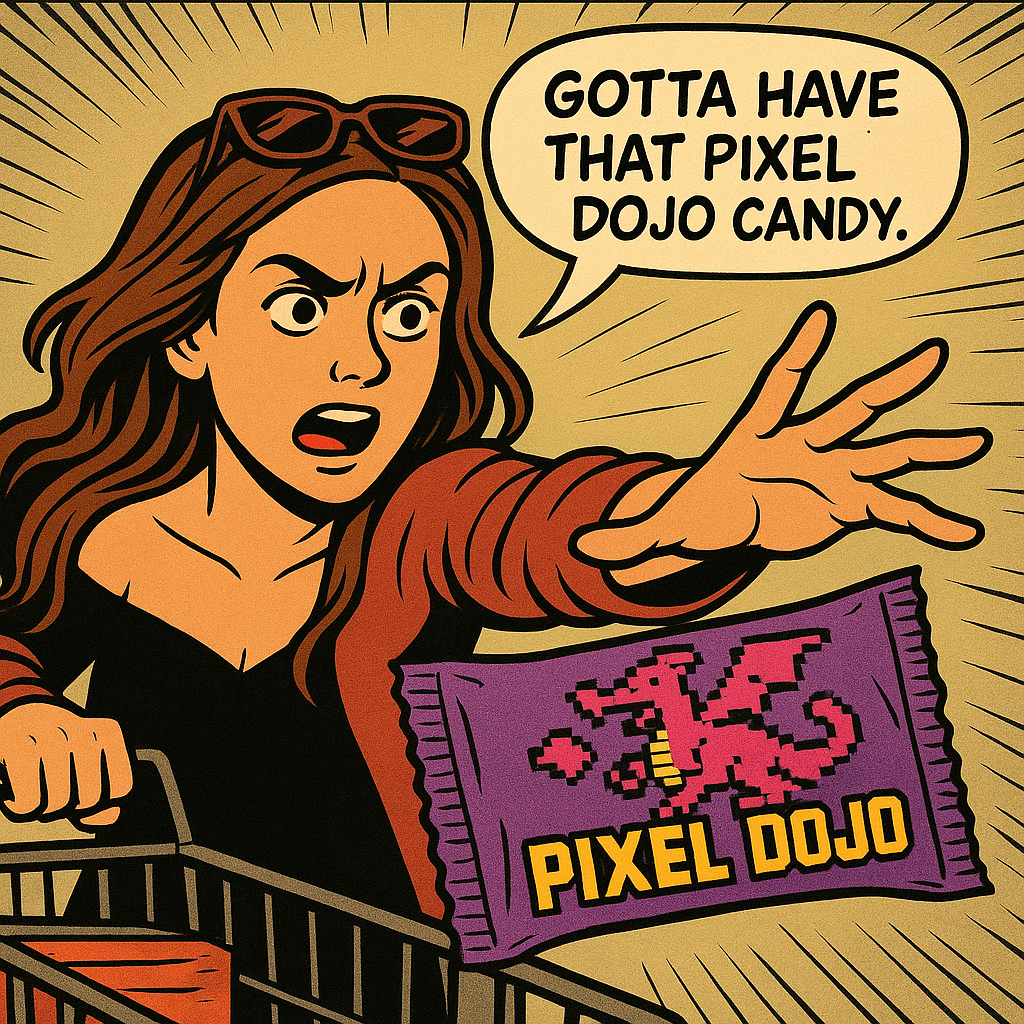
Generated on PixelDojo. Produced by PixelDojo's generation pipeline.
You can now produce breathtaking cinematic stills and dynamic videos that capture the hyper-realistic physics, precise motion, and immersive storytelling associated with OpenAI Sora 2. PixelDojo puts professional-grade results in your hands so you can launch campaigns faster, tell unforgettable stories, and stand out in a crowded feed. Instead of waiting for limited access or struggling with generic outputs, you generate consistent characters, perfectly lit scenes, and physics-grounded action that feels alive. Marketers create scroll-stopping product videos, filmmakers prototype entire sequences, and social creators produce viral-ready clips—all from a single platform. With tools like Flux.2 Studio for photorealistic images, GPT Image 2 for detailed stills, Kling Video and WAN 3.0 for fluid motion, plus VEO 3.1 and Seedance 2.5, you achieve Sora 2-inspired quality at scale. Thousands of creators already rely on PixelDojo’s 40+ cutting-edge AI tools because they deliver outcomes that convert viewers into customers. Cancel anytime and start turning your vision into reality today.
Real image examples generated on PixelDojo
Every example below was produced on PixelDojo. Hover to see the prompt.
Show me this woman in the cartoon image edited with OpenAI Image 1
openai-image-1
OmniHuman video with 13
image-to-video
OmniHuman video with 13
image-to-video
OmniHuman video with 14
image-to-video
OmniHuman video with 14
image-to-video
OmniHuman video with 15
image-to-video
Models you can run on PixelDojo for openai sora 2
Switch models without switching tools. Each one runs in the same PixelDojo studio.
What you can do with openai sora 2 on PixelDojo
Sora 2 Image Access
We give you OpenAI Sora 2 on PixelDojo so you can turn text prompts into stills without leaving the studio. You keep drafts, prompts, and outputs in one place.
Prompt Control And Iterations
You refine subject, style, lighting, and framing in successive runs. We store versions so you can compare outputs and continue from the take you like.
Batch And Variation Runs
You generate multiple images from one brief to explore compositions and looks. We keep each variation labeled so you can pick, remix, or discard quickly.
Export Ready Creator Files
You download images in common formats for editing, posting, or client review. We keep generation history attached so you can reproduce a look later.
Loved by thousands of creators worldwide who generate millions of cinematic images and videos every month. 4.9-star average from users who praise the unmatched realism, character consistency, and lightning-fast results. Join a community that ships professional content daily with 40+ tools and zero long-term commitment.
Why Choose Pixel Dojo for openai sora 2
Professional-quality results with cutting-edge AI technology
Deliver Physically Accurate Cinematic Realism
You produce images and videos where objects obey real-world physics—balls bounce correctly, fabrics drape naturally, and water splashes with weight. Flux.2 Studio and GPT Image 2 give you stills so detailed they look like film frames, while Kling Video and WAN 3.0 animate them with the same grounded motion that makes Sora 2 famous. Your audience stays glued because every frame feels authentic, boosting engagement and trust in your brand or story.
Keep Characters Perfectly Consistent Across Every Shot
You maintain the exact same face, clothing, and details from the first frame to the last, even across multi-shot sequences. Use Consistent Characters, Character Sheets, Ideogram Character, and Kling Video Character Swap together with reference images to lock identity. Then extend scenes with Grok Imagine Video Extend or WAN 2.7 Video. The result is professional storytelling that never breaks immersion, saving you hours of fixes and letting you scale content without quality drop.
Ship High-Converting Content in Minutes, Not Days
You go from idea to finished cinematic asset faster than traditional production ever allowed. Start with Nano Banana 2 or Seedream 5 for concept stills, refine lighting with Magic Lighting and Reality Polisher, then animate in Marketing Studio or PixVerse V6. Upscale with Magnific Upscaler or FLUX Video Upscale for 4K polish. Thousands of creators already use this workflow to launch ads, social series, and client work that ranks and converts, all while enjoying the freedom to cancel anytime.
How It Works
You create OpenAI Sora 2 style images and videos by combining PixelDojo’s specialized tools with proven prompting techniques that emphasize camera, lighting, physics, and consistency. Follow these three simple steps to go from concept to downloadable masterpiece.
Step 1: Choose Your Tool
Select Flux.2 Studio or GPT Image 2 when you need hyper-realistic stills that look like they were pulled from a Sora 2 video. For motion, pick Kling Video, WAN 3.0, VEO 3.1, or Seedance 2.5. If you already have a still, use Image to Image or WAN Reference to Video to animate it as the first frame. Marketing Studio is perfect for campaign-ready sequences. This choice sets the foundation for cinematic quality and physical accuracy.
Step 2: Enter Your Prompt
Write a specific prompt using Sora 2 techniques: name the shot type (wide, close-up, tracking), describe the subject and exact action with physics details (rigid body collision, slow-motion splash, fabric billowing), add lighting and atmosphere (soft golden hour, hard noon shadows), and repeat key details for consistency (red coat, silver earrings). Example: “Wide shot of a gymnast in a navy leotard performing a backflip on a balance beam, muscles straining, sweat glistening, cinematic lighting, 35mm film grain.” Upload a reference image for character lock if needed.
Step 3: Customize & Download
Refine with Inpainting, Change Camera Angle, Style Transfer, or Magic Lighting. For video, use Kling Video Edit, WAN 2.7 Video Edit, or Video Autocaption. Upscale with P-Image Upscale or Clarity Pro. Merge clips with Merge Videos if creating a storyboard sequence. Download in the resolution you need. Your finished Sora 2 style asset is ready for social, ads, or client delivery in minutes.
The Pixel Dojo Advantage
Why PixelDojo outperforms other options for OpenAI Sora 2 style image and video generation
| Others | Pixel Dojo |
|---|---|
| Traditional cinematic production | You skip crews, locations, and weeks of shooting. Generate physically accurate, multi-shot sequences with consistent characters in minutes using Flux.2 Studio, Kling Video, and Character Sheets, then polish with Reality Polisher—delivering the same wow factor at a fraction of the cost and time. |
| Generic AI tools | You get specialized cinematic control instead of one-size-fits-all outputs. Combine GPT Image 2 for stills, WAN 3.0 for physics-perfect motion, and Consistent Characters for identity lock, plus dedicated editors like Change Camera Angle and Video Reframe that generic platforms simply do not offer. |
| Manual photo and video editing | You eliminate hours of compositing, rotoscoping, and lighting fixes. Start with a Sora 2 inspired generation from Seedream 5 or ImagineArt, then use Inpainting, Background Remover, and FLUX Video Upscale to finish professional assets that would take days in traditional software. |
Loved by creators on PixelDojo
Real feedback from people using PixelDojo, pulled from our in-product surveys.
You keep adding to it to stay up to date and that is GOLD.
very easy to use and good support
Very easy to use
super easy to use
it's very easy to use
Practically every Ai suite in one place? Who wouldn't?
Explore more AI tools on PixelDojo
AI Tools
Compare & Switch
- Best AI Image Generators
- Best AI Video Generators
- Midjourney Alternatives
- Civitai Alternatives
- Runway Alternatives
- Leonardo Alternatives
- Pika Alternatives
- Luma Alternatives
- Magnific Alternatives
- Veo Alternatives
- Flux Alternatives
- Freepik Alternatives
- Seedance Alternatives
- Seedream Alternatives
- Pixverse Alternatives
- GPT Image Alternatives
- Synthesia Alternatives
- Playground Alternatives
- NightCafe Alternatives
- Canva AI Alternatives
- ElevenLabs Alternatives
- ComfyUI Alternatives
- Fal Alternatives
- Replicate Alternatives
Common Questions
Everything you need to know about openai sora 2
How do I create OpenAI Sora 2 style images with PixelDojo?
Choose Flux.2 Studio or GPT Image 2, then write a detailed prompt that specifies camera angle, lighting, physics, and repeating visual details for consistency. Generate the still, refine with Magic Lighting or Reality Polisher, and you have a cinematic frame ready to animate or use as-is. Thousands of creators follow this exact workflow daily.
What are the best prompts for Sora 2 like AI video generation?
Use the formula: shot type + subject + precise action with physics + environment + lighting + style. Example: “Tracking close-up of a chef’s hands slicing sushi, every grain of rice sharp, glossy soy sauce, cinematic lighting, slow motion.” Repeat clothing and accessory details across shots. PixelDojo’s Kling Video and WAN 3.0 follow these instructions with high fidelity.
Can I keep characters consistent in OpenAI Sora 2 inspired videos?
Yes. Upload a reference to Consistent Characters or Ideogram Character, then use Kling Video Character Swap or WAN Video Character Swap. Repeat physical traits in every prompt. This combination delivers the multi-shot identity lock that makes professional sequences possible.
How does PixelDojo handle physics in Sora 2 style generations?
Tools like Kling Video, WAN 3.0, and Seedance 2.5 are trained to respect real-world dynamics. Describe collisions, buoyancy, fabric movement, and momentum in your prompt and the models deliver grounded results. Combine with Image to Image from a high-quality still for even stronger first-frame accuracy.
Is there a way to turn my Sora 2 style stills into videos on PixelDojo?
Absolutely. Generate the still in Flux.2 Studio or Nano Banana 2, then feed it into WAN Reference to Video, Kling Video, or P Video Animate as the first frame. Add motion prompts and you have a seamless image-to-video pipeline that matches the latest Sora 2 techniques.
Do I need a long-term commitment to use these OpenAI Sora 2 tools?
No. PixelDojo offers 40+ cutting-edge AI tools loved by thousands of creators worldwide. You can cancel anytime, so you only pay while you are creating. Start with a single cinematic image or video today and scale as your projects grow.