Product Photography AI Generator
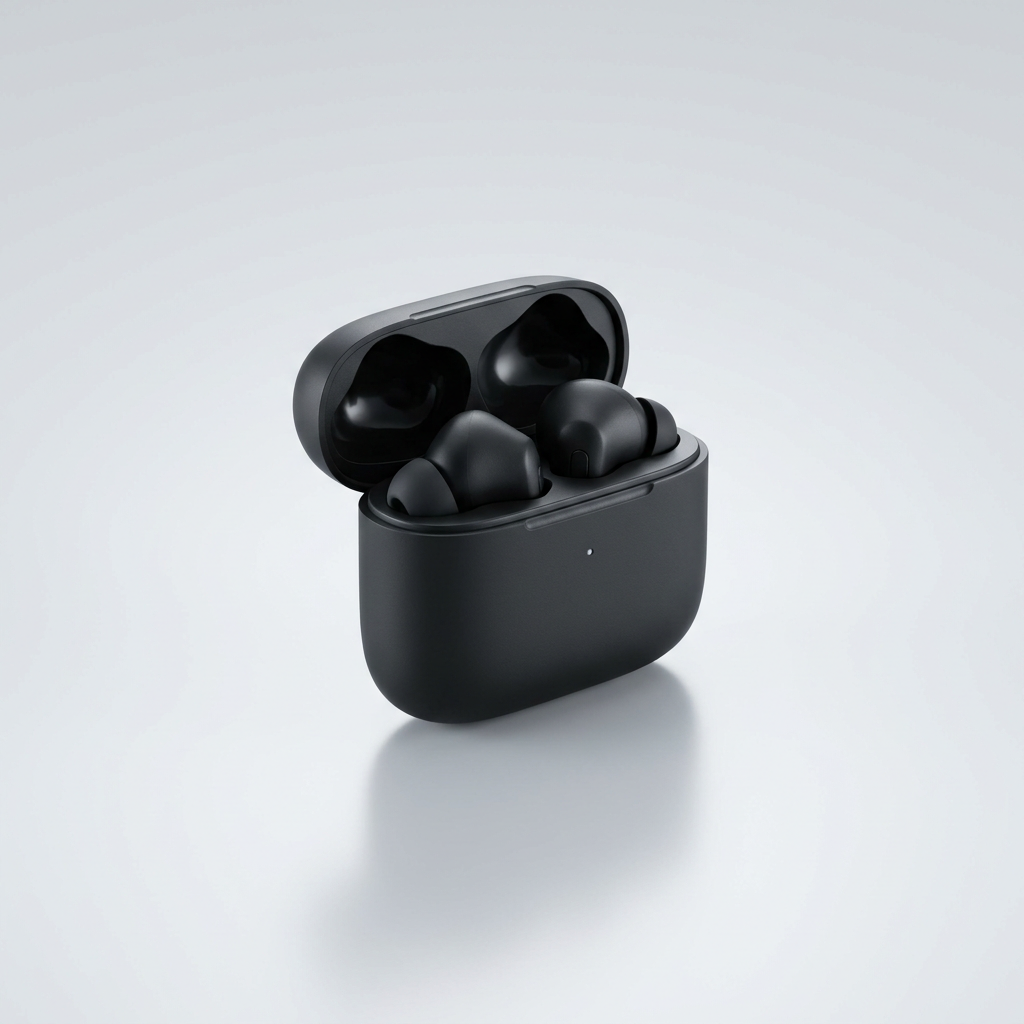
Generated on PixelDojo with nano-banana-pro. Produced by PixelDojo's generation pipeline.
You can shoot a product photo for an online store with AI: describe the product like a studio brief, generate the shot with an image model, then clean up the background and upscale the file before you upload it. We ran the first step on August 26, 2026, generating a studio shot of wireless earbuds in an open case for 3 credits in about 37 seconds, no camera or lighting kit involved. This page walks through the three steps that turn a text description into a store ready image, using the exact prompt and the real credit cost for each stage.
The product photo from step one
Every example below was produced on PixelDojo. Hover to see the prompt.
Studio product photograph of matte black wireless earbuds in an open charging case on a seamless light gray background, soft diffused lighting, subtle reflection under the case
nano-banana-pro
One prompt, one product photo, August 26, 2026: 3 credits on Nano Banana Pro, about 37 seconds, kept on the first result.
Why Choose Pixel Dojo for Product Photography
Professional-quality results with cutting-edge AI technology
3 credits for the base shot
Nano Banana Pro priced the earbuds photo at 3 credits, with no separate charge for the resolution or the reflection detail named in the prompt.
About 37 seconds, measured
Timed from request to finished file on August 26, 2026, with no retries needed to get a usable first result.
Every step lives in one Canvas session
Canvas chains generate, edit and upscale in a single session, so the same product photo can move from prompt to store ready file without downloading and re-uploading between tools.
How It Works
Three steps, one product, ready for a store listing:
Write the shot like a studio brief
Skip camera and lens language and describe the product, the surface and the light instead. Our prompt below named a matte black wireless earbuds case, an even light gray background, soft diffused light and a subtle reflection under the case, and ran on Nano Banana Pro for 3 credits. It came back in about 37 seconds as a 1024 by 1024 image with the case open, the earbuds seated inside, and a soft shadow under the case. No background to remove and no retouching needed on this pass.
Clean up anything the shot does not need
If a real product photo already exists, a phone snapshot or a supplier image with a cluttered background, send it to the Image Editor instead of starting from a prompt. It swaps backgrounds, removes props and fixes reflections from a plain English instruction, at 1 credit per edit on the Flux Edit model.
Upscale before it goes on the listing
Online stores let shoppers zoom a product photo on click, and a 1024 by 1024 file gets soft when it is stretched that far. Run the finished image through Creative Upscale for 0.5 credit before you upload it, so the zoomed view still holds detail.
Loved by creators on PixelDojo
Real feedback from people using PixelDojo, pulled from our in-product surveys.
The best tools for IA on the web !
The guy that operates the website is constantly updating it
I’ve been using PixelDojo for around 8 months now and it’s always worked wonderfully while constantly adding features.
The site is easy to navigate and use.
All the tools, readily available and easy to understand
You guys, the LORA training is the BEST in the space right now, great job with that!
Explore more AI tools on PixelDojo
AI Tools
Compare & Switch
- Best AI Image Generators
- Best AI Video Generators
- Midjourney Alternatives
- Civitai Alternatives
- Runway Alternatives
- Leonardo Alternatives
- Pika Alternatives
- Luma Alternatives
- Magnific Alternatives
- Veo Alternatives
- Flux Alternatives
- Freepik Alternatives
- Seedance Alternatives
- Seedream Alternatives
- Pixverse Alternatives
- GPT Image Alternatives
- Synthesia Alternatives
- Playground Alternatives
- NightCafe Alternatives
- Canva AI Alternatives
- ElevenLabs Alternatives
- ComfyUI Alternatives
- Fal Alternatives
- Replicate Alternatives
Common Questions
Everything you need to know about Product Photography
What does an AI product photo cost?
3 credits for the base image on Nano Banana Pro, the model we used. Add 1 credit if you also run it through the Image Editor to swap or clean a background, and 0.5 credit if you upscale it before uploading. A full three step run is 4.5 credits.
How fast is the first image?
About 37 seconds in our August 26, 2026 run, measured from the prompt to the finished 1024 by 1024 file.
Do I need a real product to photograph?
No. Our earbuds shot was generated from a text description alone, no product in hand and no camera. If you do have a real product photo, send it to the Image Editor instead of writing a prompt from scratch.
How do I get a background that matches my store instead of plain gray?
Describe the background you want in the prompt, a colored studio backdrop or a lifestyle surface, or send an existing photo to the Image Editor with an instruction to swap the background. Both routes work from plain English.
Will the image hold up when a shopper zooms in?
Run it through Creative Upscale first, for 0.5 credit. Our base file came back at 1024 by 1024, which is fine for a listing thumbnail but gets soft at full zoom without the upscale pass.
Can I automate this for a whole catalog?
Yes. Every model in this workflow is available at POST /api/v1/models/{apiId}/run with the same API key, so a product feed can call the image model, then the edit model, then Creative Upscale, once per item.