run grok imagine online AI Generator
Generated on PixelDojo. Produced by PixelDojo's generation pipeline.
You can run Grok Imagine online right now inside PixelDojo and turn any idea into photorealistic images or cinematic videos in seconds. No software to install, no powerful computer required, and no waiting in queues. Grok Image delivers sharp, detailed stills with accurate text, complex lighting, and character consistency that stays true across multiple scenes. Switch to Grok Video or Grok Imagine Video Extend and watch those stills come alive with natural motion, then lengthen the clips without losing quality. Marketers produce campaign-ready product shots and social ads. Content creators generate thumbnails, Reels, and story sequences that actually convert. Artists and designers explore styles, iterate endlessly, and keep characters looking identical from one frame to the next. PixelDojo surrounds Grok Imagine with Flux.2 Studio, Kling Image, WAN 2.7, Seedream 5, and dozens more so you never hit a creative wall. Everything happens in your browser. You describe what you want, generate, refine with professional editing tools, upscale, and download assets you own for commercial use. Thousands of creators already rely on this exact workflow because it is fast, flexible, and risk-free. Cancel anytime. Start creating the visuals that move your audience today.
Real image examples generated on PixelDojo
Every example below was produced on PixelDojo. Hover to see the prompt.
Marketing Studio example — mirror-fit-check
seedance-2-reference
Marketing Studio example — virtual-try-on
seedance-2-reference
Marketing Studio example — virtual-try-on
seedance-2-reference
Marketing Studio example — pro-try-on
seedance-2-reference
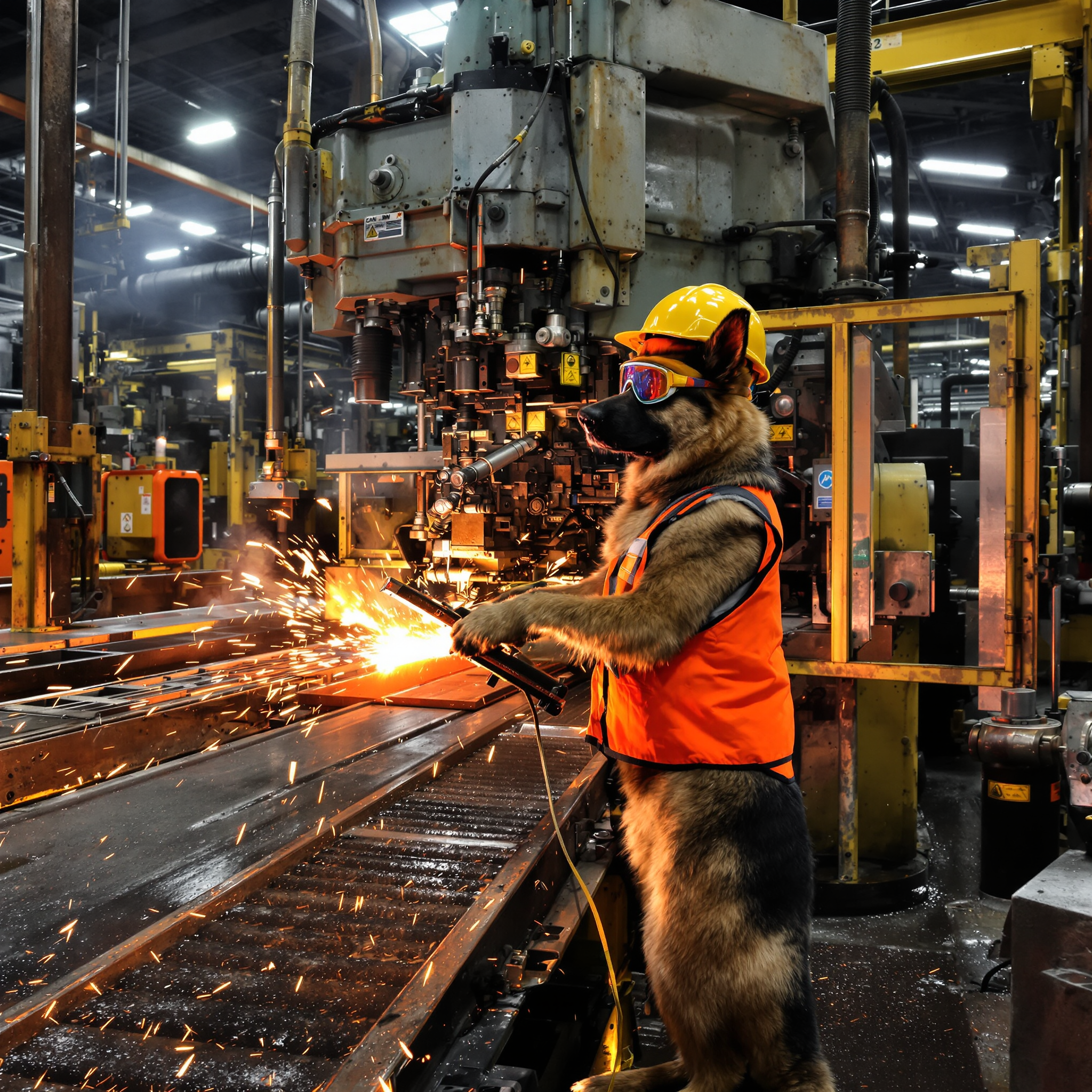
A muscular German Shepherd with sleek black-and-tan fur and alert ears stands on its hind…
flux-studio

Hyperrealism inks alcohol oils
flux
Models you can run on PixelDojo for run grok imagine online
Switch models without switching tools. Each one runs in the same PixelDojo studio.
What you can do with run grok imagine online on PixelDojo
Run Grok Imagine Online
Use Grok Imagine in the PixelDojo browser workspace with no local install. Enter a prompt and we return generated images in your session.
Prompt Driven Image Creation
Describe subject, style, and scene in plain language. We generate stills you can review, then refine with follow-up prompts.
Iterate On Variations Fast
Regenerate from the same idea and compare nearby outputs. Keep the direction that works and continue editing in one place.
Export Images You Can Use
Download generated files for drafts, posts, or production. We keep prompt-to-file steps in the browser so you can leave with assets, not a setup task.
Thousands of creators generate millions of Grok Imagine images and videos every month on PixelDojo. 4.9-star average from users who praise the speed, quality, and complete 40+ tool toolkit. Trusted for commercial projects worldwide with cancel-anytime peace of mind.
Why Choose Pixel Dojo for run grok imagine online
Professional-quality results with cutting-edge AI technology
Generate Professional Visuals in Seconds
Go from a simple idea to a finished photorealistic image or video clip faster than you can open traditional software. Grok Image and Grok Video on PixelDojo let you produce more content, test more concepts, and hit every deadline without sacrificing quality or consistency.
Look Like a Studio Pro Without Any Skills
Create campaign assets, character-driven scenes, and cinematic clips that clients and audiences believe came from a full production team. Accurate text, perfect lighting, and rock-solid character consistency happen automatically so you focus on the story, not the technical struggle.
Refine, Extend, and Scale Without Limits
Start with Grok Imagine then polish using Inpainting, Style Transfer, Grok Video Edit, Grok Imagine Video Extend, and upscalers. Keep the same characters across an entire series, change camera angles, remove backgrounds, and export print-ready or social-ready files. One platform, complete control.
How It Works
Running Grok Imagine online on PixelDojo takes three simple steps. You stay inside one dashboard, switch between Grok Image, Grok Video, and the rest of the 40+ toolkit, and walk away with assets you can use immediately.
Step 1: Choose Your Grok Imagine Tool
Open PixelDojo and go to Generate Images to select Grok Image for photorealistic stills or Generate Videos to pick Grok Video. Need longer clips? Choose Grok Imagine Video Extend. Mix in Flux.2 Studio, Kling Image, or WAN 2.7 whenever you want a different flavor. The interface lets you jump between tools instantly so you experiment freely without leaving the page.
Step 2: Enter Your Prompt and Generate
Describe the subject, action, environment, lighting, camera angle, and style in natural language. Grok Imagine responds best to detailed creative briefs. Upload a reference photo for image-to-image or character lock-in. Hit generate and watch results appear in seconds. Start in Fast mode for rapid ideas, then switch to Quality for final precision. PixelDojo handles the rest.
Step 3: Customize, Enhance, and Download
Polish your Grok Imagine output with Inpainting, Change Camera Angle, Style Transfer, Background Remover, or Reality Polisher. For video use Grok Video Edit or Grok Imagine Video Extend. Upscale with P-Image Upscale or Magnific Upscaler. Download high-resolution files ready for social, print, or commercial campaigns. Everything you create is yours.
The Pixel Dojo Advantage
Why PixelDojo is the smartest way to run Grok Imagine online compared with slower, more limited options
| Others | Pixel Dojo |
|---|---|
| Traditional photography and videography | Eliminate location scouting, equipment rental, and days of post-production. Generate unlimited Grok Imagine variations in minutes, keep full creative control, and own every file for commercial use at a fraction of the cost. |
| Generic AI tools | PixelDojo gives you dedicated Grok Image and Grok Video plus 40+ specialized models including Flux.2 Studio, Kling, WAN 2.7, and Seedream. Professional editing, character consistency tools, and one-click upscaling that generic platforms simply do not offer. |
| Manual photo and video editing software | Skip the steep learning curve and endless layers. Describe the change you want in plain English, apply Inpainting, Style Transfer, or Grok Video Edit, and receive polished results instantly instead of spending hours in complex software. |
Loved by creators on PixelDojo
Real feedback from people using PixelDojo, pulled from our in-product surveys.
All the tools, plus the guidance
Excellent tools. Ease of use. Well thought out interface. Wide variety of AI tools and features which are up to date with more added each month
I really like how the site is kept up to date, and the leaderboard (where I'm currently #11 most popular artist)
This is the best image generator I've used so far. Well done!
es facil de comprender asi uno no sea programador
amazing web site
Explore more AI tools on PixelDojo
AI Tools
Compare & Switch
- Best AI Image Generators
- Best AI Video Generators
- Midjourney Alternatives
- Civitai Alternatives
- Runway Alternatives
- Leonardo Alternatives
- Pika Alternatives
- Luma Alternatives
- Magnific Alternatives
- Veo Alternatives
- Flux Alternatives
- Freepik Alternatives
- Seedance Alternatives
- Seedream Alternatives
- Pixverse Alternatives
- GPT Image Alternatives
- Synthesia Alternatives
- Playground Alternatives
- NightCafe Alternatives
- Canva AI Alternatives
- ElevenLabs Alternatives
- ComfyUI Alternatives
- Fal Alternatives
- Replicate Alternatives
Common Questions
Everything you need to know about run grok imagine online
How do I run Grok Imagine online without any downloads or setup?
PixelDojo lets you run Grok Imagine entirely in your web browser. Sign up, open Generate Images and choose Grok Image, or Generate Videos and choose Grok Video. Type your prompt or upload a reference, generate in seconds, then edit and download. No GPU, no software, no technical knowledge required. Thousands of creators use this exact flow every day for professional work. You can cancel anytime if it is not the right fit.
What are the latest Grok Imagine techniques for photorealistic results in 2026?
Write prompts like a creative brief: subject, action, environment, lighting, camera, and style. Grok Imagine Image 2.0 follows these details closely and renders accurate text and complex compositions. Upload reference images to lock characters or products. Generate a fast batch first, pick the strongest, then refine in Quality mode. On PixelDojo you can immediately apply Inpainting, Change Camera Angle, or Grok Imagine Video Extend to push the result even further. Combine with Flux.2 Studio or Seedream 5 when you want extra stylistic range.
Can I use Grok Imagine images and videos commercially on PixelDojo?
Yes. Every image and video you create with Grok Image, Grok Video, Grok Imagine Video Extend, and the rest of PixelDojo’s 40+ tools comes with a commercial license. Use them in ads, social campaigns, product packaging, websites, or client work without extra fees. The platform is built for professionals who need to own and monetize their output. Start today and cancel anytime.
How does PixelDojo make Grok Imagine even more powerful?
After you generate with Grok Image or Grok Video you stay inside the same dashboard and apply Consistent Characters, Face Swap, Virtual Try-On, Image Outpainting, Magic Lighting, or train a custom model with Flux Trainer. For video you have Grok Video Edit, WAN 2.7 Video Edit, and Grok Imagine Video Extend. Upscale with Magnific or P-Image Upscale. One login, one workflow, complete creative pipeline that generic Grok access cannot match.
Is Grok Imagine fast and high-quality when I run it on PixelDojo?
Grok Imagine is known for returning images in seconds and videos up to 15 seconds at 480p or 720p with strong photorealism and the best native character consistency available. PixelDojo surfaces the latest Grok Image 2.0 and Grok Video 1.5 models so you get 1K–2K stills and smooth motion. Then you upscale, edit, and extend using the rest of the 40+ toolkit. Results look professional enough for paid campaigns and social content that actually performs.
How can I start running Grok Imagine online today with almost no risk?
Open PixelDojo, choose Grok Image or Grok Video, and generate your first asset in under a minute. Explore the full 40+ tool collection including Kling, Flux.2, WAN, and Seedream at your own pace. Loved by thousands of creators worldwide. If it is not right for you, cancel anytime. No long-term contracts, no hidden fees. Your first stunning Grok Imagine visual is only a prompt away.