Bria Fibo 2.0 Prompting Guide

Describe every detail.
Get exactly that image.

Bria Fibo 2.0 gives you precise control over light, camera, layout and color. It is trained only on licensed images, so it is built for commercial work. Make anything from wide web banners to 2K product shots, or edit your own pictures.

Image made with Bria Fibo 2.0

Overview

Bria Fibo 2.0 is an image model from Bria. Before it draws, it turns your prompt into a detailed, structured description of the scene. Light, camera, layout and color each get their own place in that plan.

That is why detailed prompts work so well here. Tell it where the light comes from, which lens to use and which colors to keep, and it follows each choice. Change one line and the rest of the picture stays put.

21

Sizes, from 5:1 to 1:5

2K

On the nine standard sizes

4

Images per edit

Strengths

Made for commercial work

Bria trains Fibo 2.0 only on licensed images. That makes it a good fit for ads, product pages and client work.

Your prompt becomes a detailed plan

Fibo 2.0 turns your prompt into a full, structured description before it draws. Every detail you write has a place to land.

Precise light, camera and color

Name the light source, the lens, the angle and the palette. The model follows each one, so you can change one thing and keep the rest.

21 sizes, from banners to posters

Pick anything from a 5:1 web banner to a 1:5 tall poster at 1K. The nine standard sizes also render at 2K.

Edit your own images

Add one image and say what to change. The subject stays the same while the scene, light or style changes.

Combine up to 4 images

Add 2 to 4 images and describe how they fit together. Put your product in a new scene or mix a subject with a style.

Prompt Framework

Write your prompt in these five parts, in this order. One or two sentences each is plenty.

  1. 1

    Subject and action

    Start with what the picture is about. Be specific about materials, age, clothing and pose.

    “A frosted glass perfume bottle with a brushed brass cap, standing on a wet black stone slab.”

  2. 2

    Setting and composition

    Say where things are in the frame and what fills the background.

    “Subject on the left third, a blurred marble bust on a plinth behind her on the right.”

  3. 3

    Lighting

    Name the light source, its direction and how soft or hard it is.

    “One hard key light from the upper left, a thin rim light on the right edge.”

  4. 4

    Camera

    Give a lens, an angle and how much is in focus.

    “100mm macro lens, eye level, f/5.6, the whole bottle in sharp focus.”

  5. 5

    Color and mood

    List the main colors and finish with one or two mood words.

    “Colors: black, warm amber and brushed gold. Clean, premium, minimal.”

Sample Prompts

Six prompts you can copy and run. Each one shows a habit worth keeping.

Product Hero Shot

Product Hero Shot

4:5 · 2K

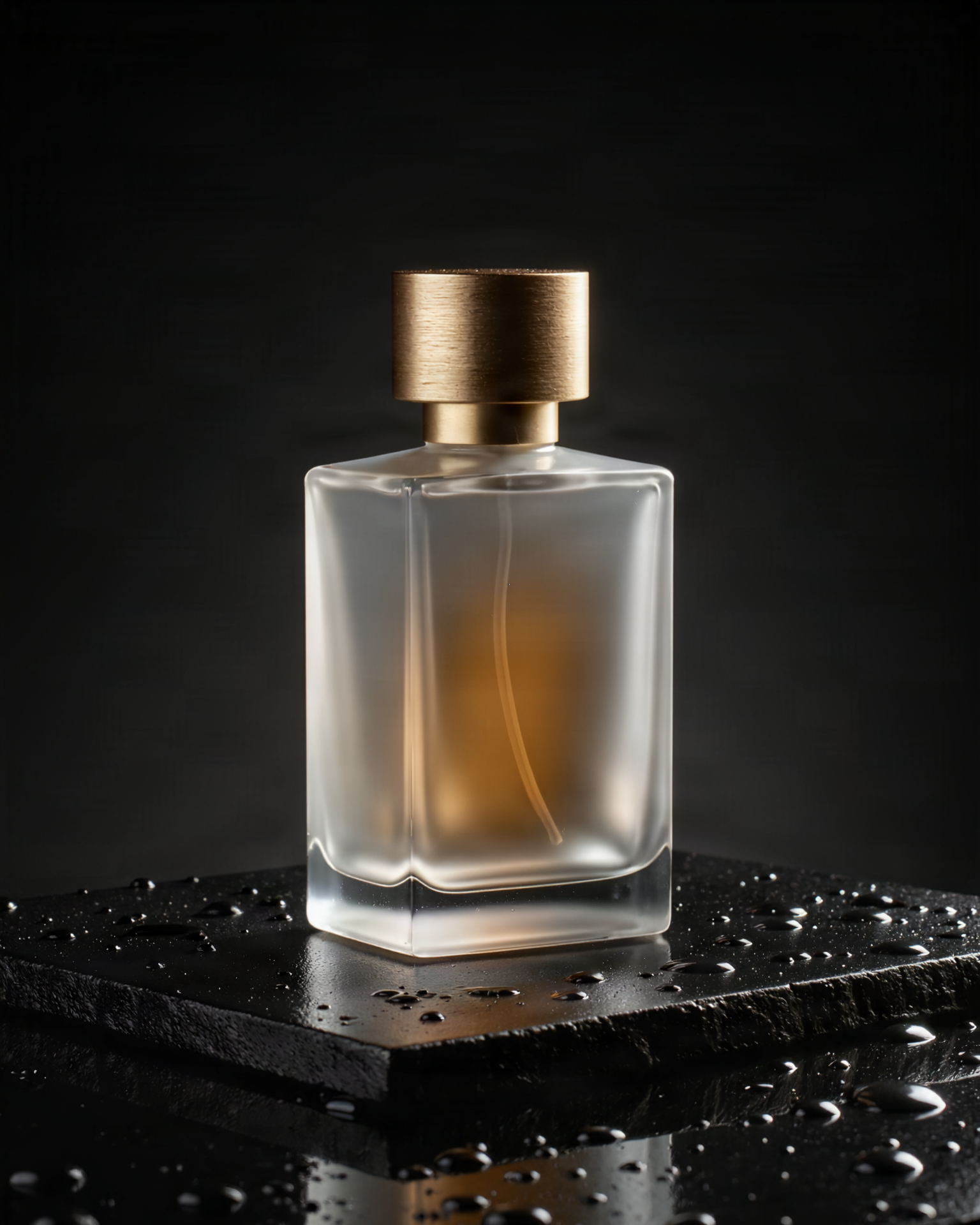
Studio product photograph of a frosted glass perfume bottle with a brushed brass cap, standing on a wet black stone slab. Lighting: one hard key light from the upper left, a thin strip of rim light tracing the right edge of the bottle, soft amber glow inside the glass. Camera: 100mm macro lens, eye level, f/5.6, everything on the bottle in sharp focus. Background: deep charcoal fading to black. A few water droplets on the stone catch the light. Colors: black, warm amber and brushed gold. Clean, premium, minimal.

Write lighting, camera, background and color as separate parts. Each one gives the model a clear job, so the bottle comes out exactly as staged.
Editorial Portrait

Editorial Portrait

2:3 · 2K

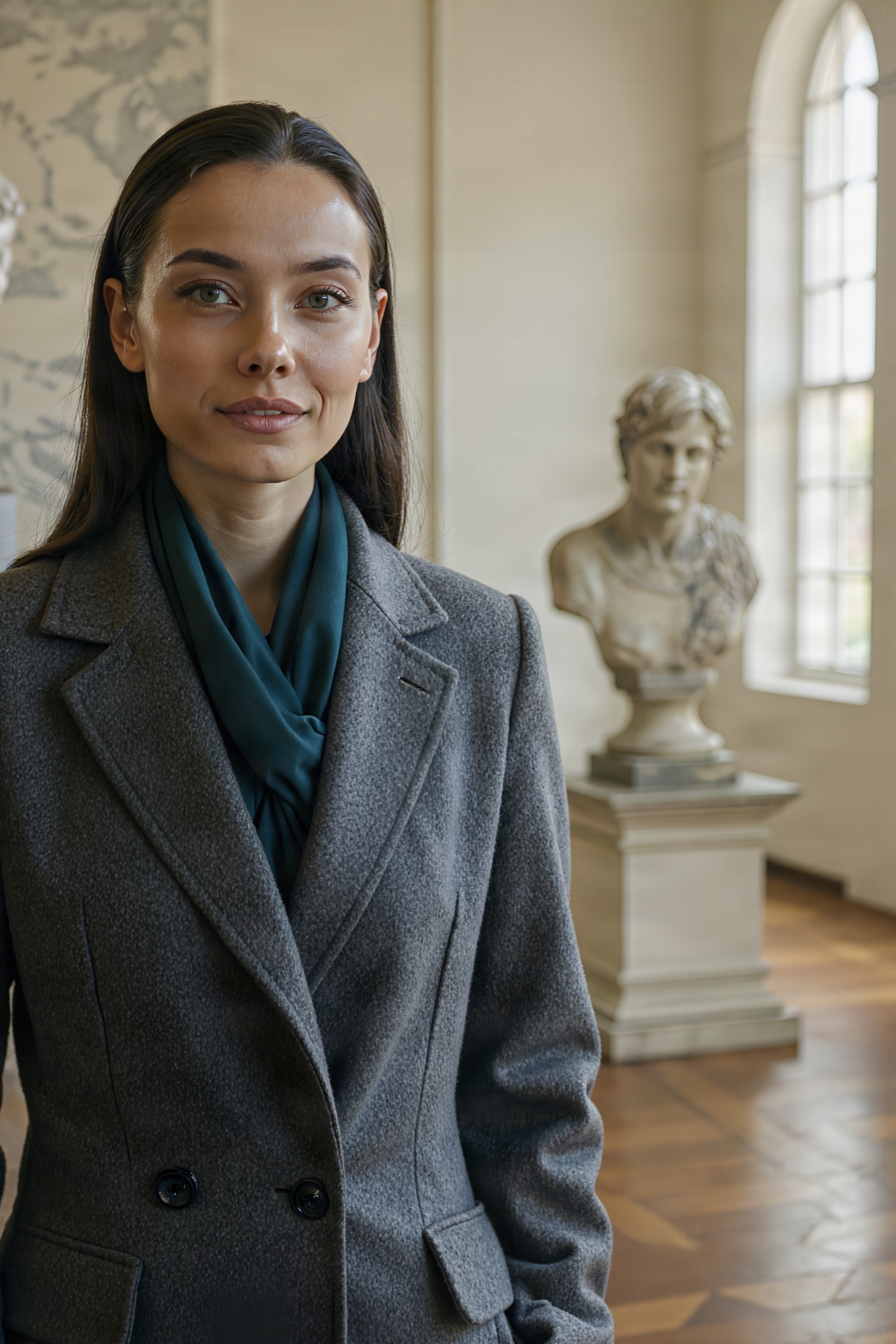
Editorial fashion portrait of a strikingly beautiful woman in her late twenties with sleek dark hair, high cheekbones and a tailored charcoal wool coat, standing in a quiet museum gallery. She looks just past the camera with a calm half smile. Lighting: soft daylight from a tall window on the right, gentle falloff into shadow on the left side of her face. Camera: 85mm lens at f/2, chest-up framing, subject on the left third, a blurred marble bust on a plinth behind her on the right. Colors: muted greys, cream walls and one deep teal accent on her scarf. Fine film grain, natural skin texture.

Say where the subject sits in the frame and what is behind them. Placement words like left third and blurred bust behind give you real control of the composition.

Ultra-Wide Web Banner

Ultra-Wide Web Banner

4:1 · 1K

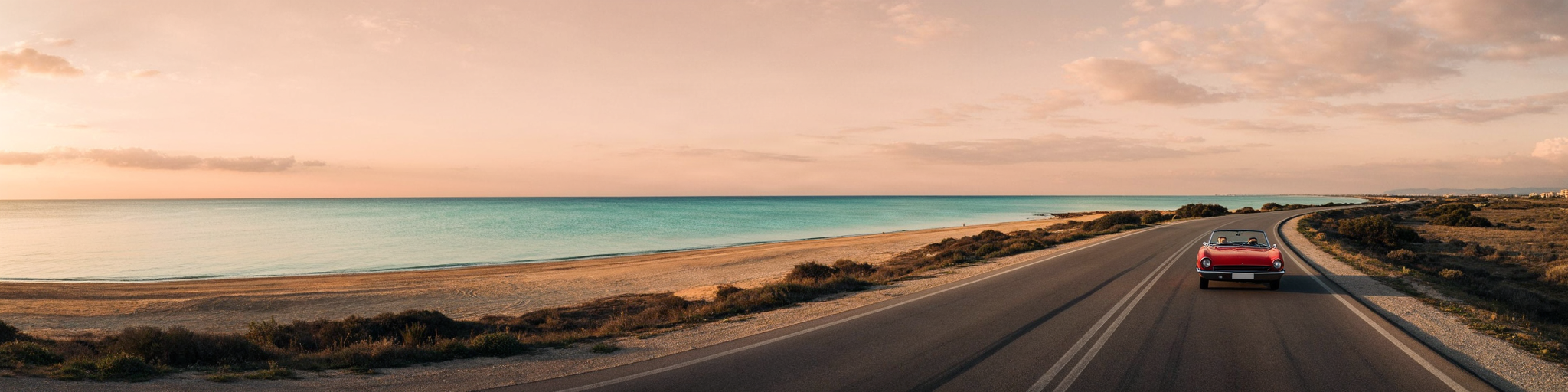
Ultra-wide panoramic banner of a calm coastal road at sunrise, seen from a low drone height. A single red vintage convertible drives along the road on the far right. The left two thirds stay open: pale sky over a flat turquoise sea, ready for a headline. Lighting: low golden sun just above the horizon on the left, long soft shadows. Camera: 24mm lens, level horizon, deep focus. Colors: peach sky, turquoise water, warm sand, one red accent from the car.

For banners, plan the empty space. Telling the model which side stays clear leaves room for your headline and keeps the subject off to one side.

Interior Design Render

Interior Design Render

3:2 · 2K

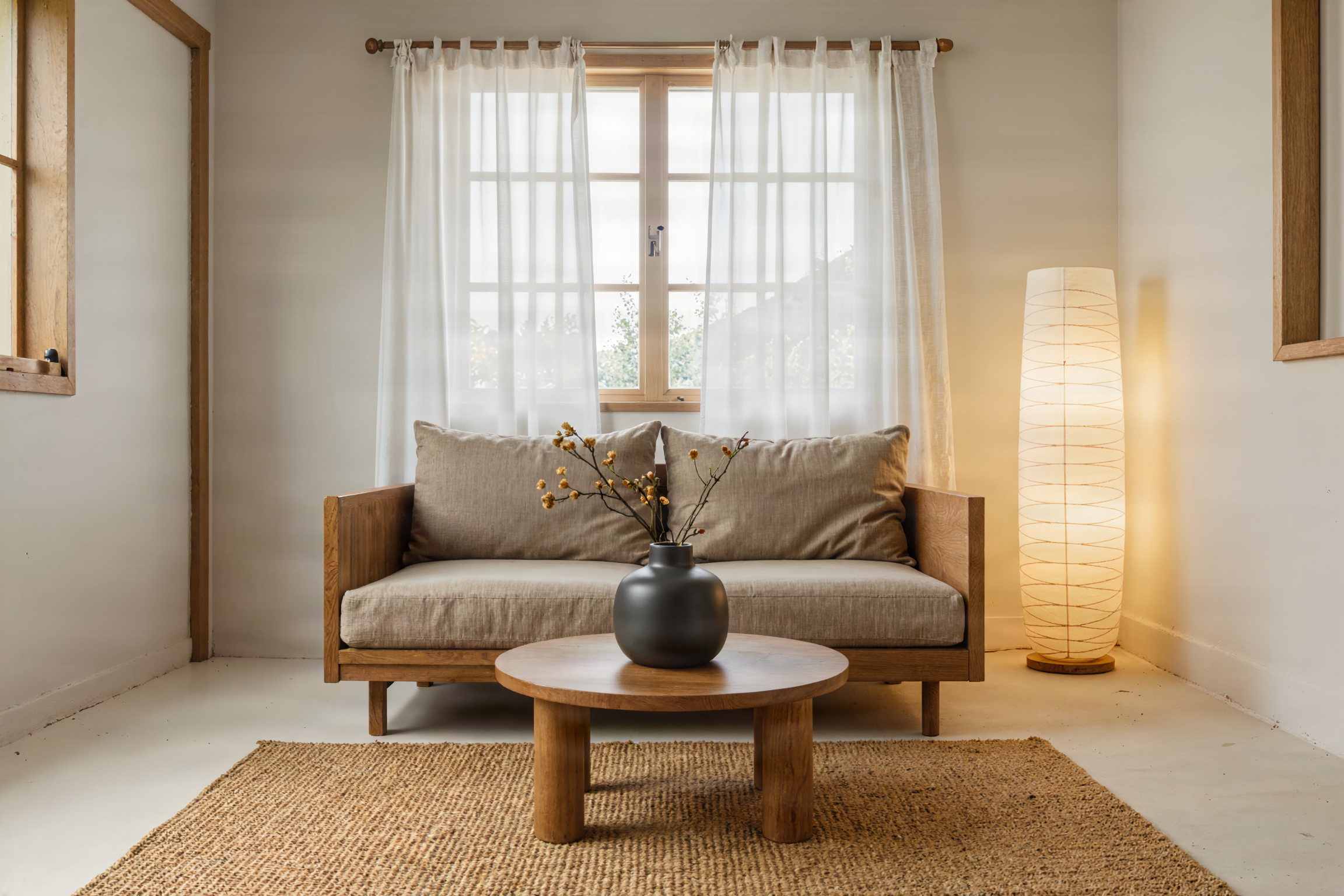
Interior photograph of a small Japandi living room. A low oak sofa with oatmeal linen cushions sits under a wide window. A paper floor lamp glows in the corner, a dark ceramic vase holds one dried branch on a round walnut coffee table, and a jute rug covers a pale plaster floor. Lighting: soft overcast daylight through sheer curtains plus the warm lamp. Camera: 24mm lens at chest height, straight-on view, vertical lines kept straight. Colors: oatmeal, warm oak, charcoal and soft white. Calm, airy, uncluttered.

List every piece of furniture with its material and place in the room. The model keeps each item where you put it, which makes it easy to try one change at a time.

Flat Illustration

Flat Illustration

16:9 · 2K

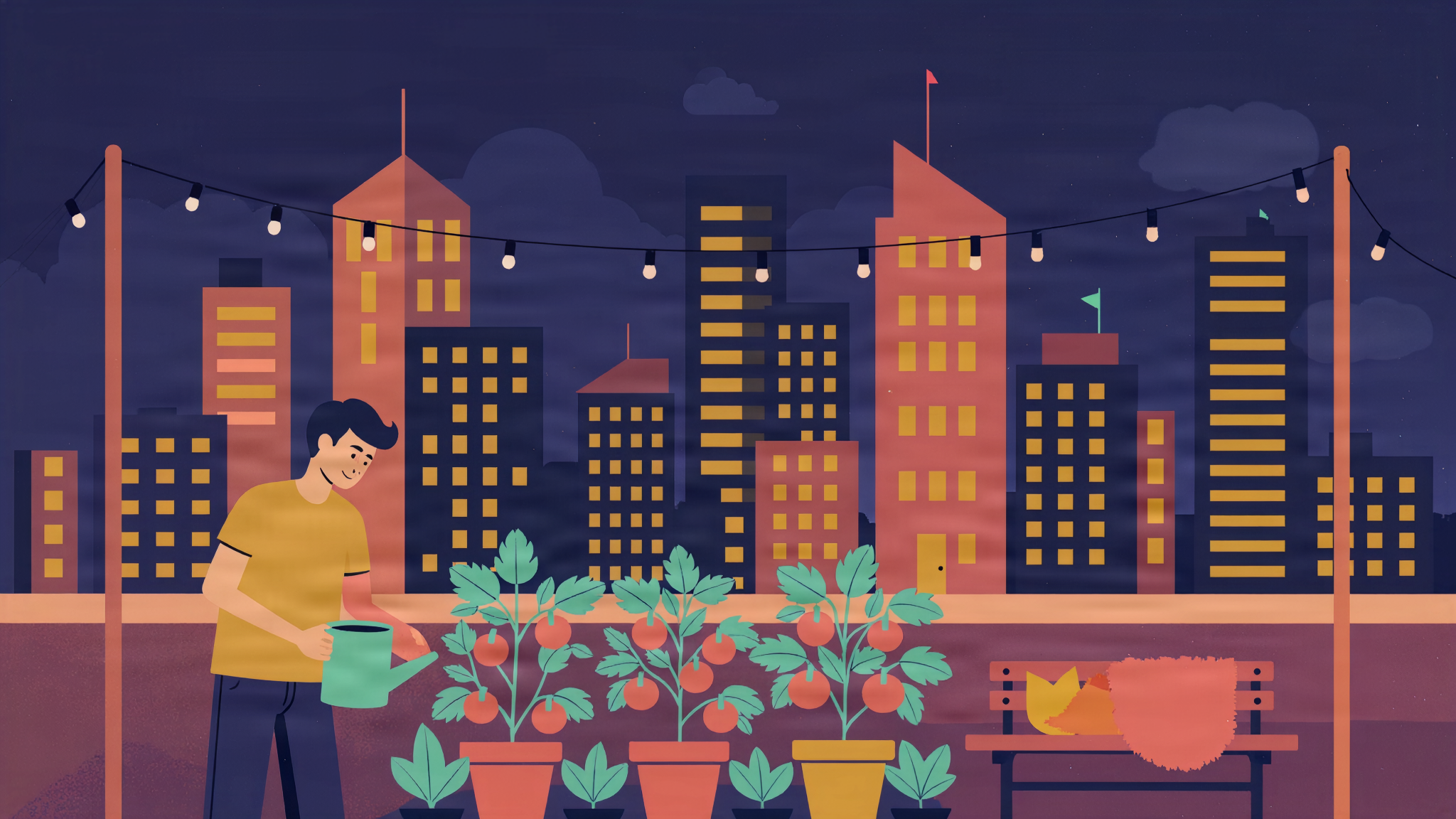
Flat vector illustration of a rooftop garden in a busy city at dusk. A young man waters tomato plants while a cat naps on a wooden bench. String lights hang between two poles. Behind them, simple geometric skyscrapers with glowing windows. Style: clean flat shapes, no outlines, no gradients, subtle paper grain. Composition: the man and the garden in the lower half, the skyline filling the top. Colors: limited palette of deep indigo, coral, mustard yellow and mint green.

Name the style rules as plainly as the subject: flat shapes, no outlines, a limited palette. Listing the exact colors keeps the whole picture on brand.

Food Photography

Food Photography

1:1 · 2K

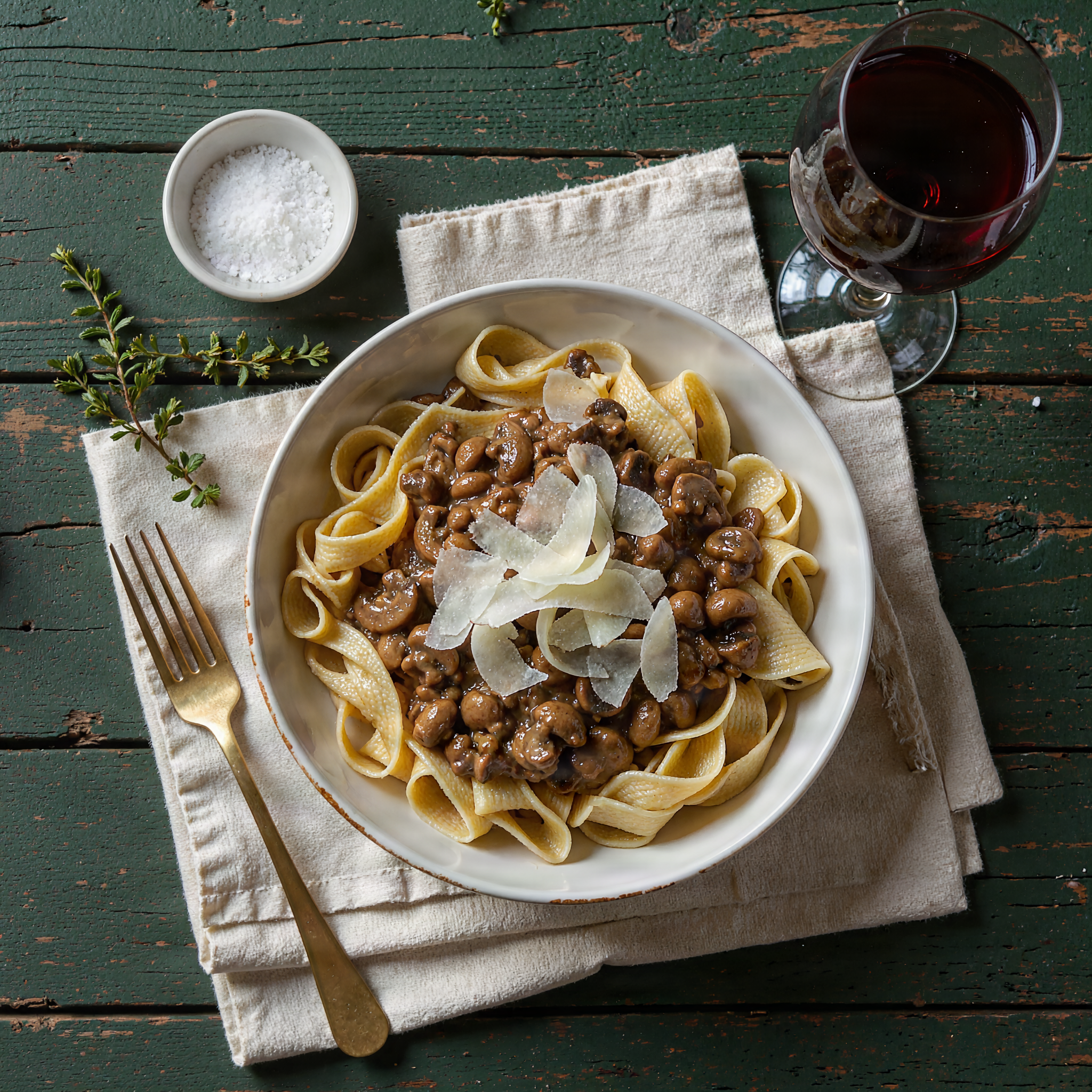
Overhead food photograph of a bowl of fresh pappardelle with wild mushroom ragu and shaved parmesan on a rustic linen napkin. Around the bowl: a small dish of flaky salt, a sprig of thyme, a half-full glass of red wine at the top right, and a brass fork resting on the napkin. Lighting: soft window light from the top left, gentle shadows to the lower right. Camera: directly overhead, 50mm lens, everything in focus. Surface: weathered dark green wooden table. Colors: earthy browns, deep green, cream and a touch of red.

Overhead shots live or die on placement. Point out where each prop sits around the plate and the scene comes back neat and balanced.

Editing Your Images

Edit one image

Add one image and say what should change. The subject stays the same. Keep the prompt short and name only the change.

“Move the bottle onto a mossy rock beside a stream, soft morning light.”

Combine 2 to 4 images

Add several images and say how they fit together. Refer to them by order, like the first image and the second image.

“Place the chair from the first image in the living room from the second image, next to the window.”

An edit keeps the size of your image, so the size and resolution settings are not used.

Pro Tips

Longer prompts pay off

Fibo 2.0 rewards detail. A paragraph that covers subject, light, camera and color beats a short list of keywords.

One attribute per sentence

Write lighting in one sentence, camera in the next, colors in the next. Clear parts are easier for the model to follow.

Change one thing at a time

Keep the seed and the prompt the same, then change just the lighting line. You will see exactly what that line does.

Pick the size first

A 4:1 banner and a 4:5 social post need different layouts. Choose the size, then write the composition to fit it.

Use 2K for final images

Try ideas at 1K because it is faster. Switch to 2K on a standard size when the prompt is right.

Keep edit prompts short

When you edit, say only what should change. The model keeps everything you do not mention.

Settings

SettingValuesNotes
Prompt2 to 3,000 charactersLong, specific prompts work best.
Size (aspect ratio)1:1, 2:3, 3:2, 3:4, 4:3, 4:5, 5:4, 9:16, 16:9, 10:16, 16:10, 1:2, 2:1, 9:21, 21:9, 1:3, 3:1, 1:4, 4:1, 1:5, 5:1All 21 at 1K. Not used when you edit, because the edit keeps your image's size.
Resolution1K, 2K2K works on 1:1, 2:3, 3:2, 3:4, 4:3, 4:5, 5:4, 9:16 and 16:9. Same price at both.
Number of images1 to 4Each image costs 1 credit.
Images to editUp to 4One image is edited in place. Two to four are combined.
Seed1 to 2,147,483,647Same seed and prompt give the same image again.

FAQ

Bria trains Fibo 2.0 only on licensed data, which is why it is built for commercial use like ads, product pages and client projects. Check our Terms of Service for how you may use what you make.