Editorial portraits at 8 MP
Real Skin and Fabric
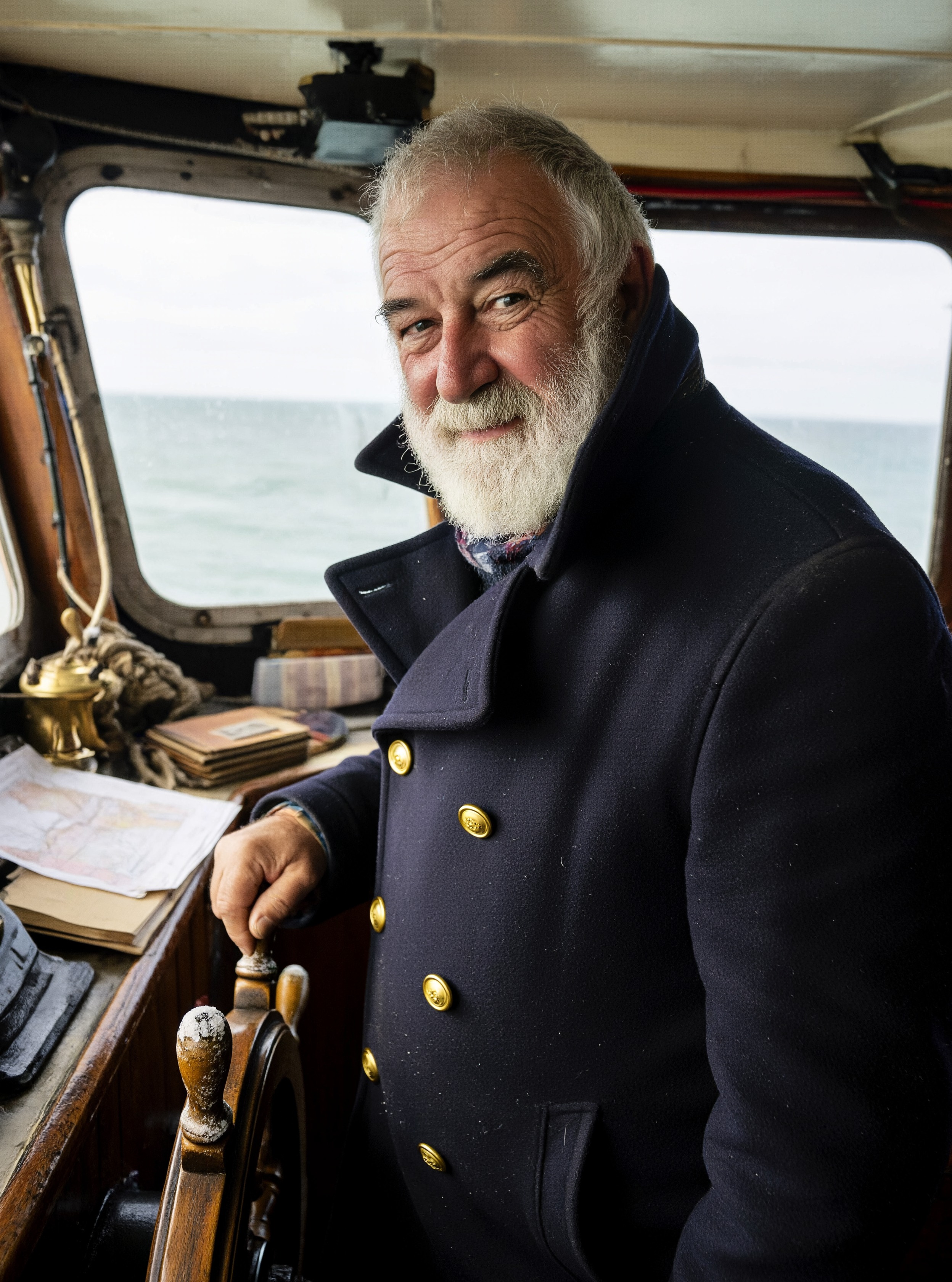
Pores, beard hair and the weave of a wool coat. At 4K the ferry captain reads like a magazine portrait, not a render.
P-H3-Image Prompting Guide
P-H3-Image is an open image model built from MiniMax H3. It makes photoreal portraits, documentary and editorial photos, film stills and posters with short text, up to 8 megapixels, and it edits a photo or combines up to 8 images. Every image on this page was made on PixelDojo with the prompt shown.
Open every prompt by saying what the image is: a portrait photograph by an editorial photographer, a frame from a 1970s crime film, a two-color screen-printed poster. That first line sets the look more than any style word.
Then describe one scene: who or what, one moment, where the light comes from. PixelDojo rewrites your request into the detailed form P-H3-Image renders best, so a short prompt still works. The details you write stay in the picture.
Pick 4K for the sharpest result. P-H3-Image is at its best at 8 megapixels, where skin, hair and fabric come through. 2K is a good middle, and 1K is quick and cheap.
8 MP
Sharpest size (4K)
8
Images per edit
0.5
Credits at 1K
Pores, beard hair and the weave of a wool coat. At 4K the ferry captain reads like a magazine portrait, not a render.
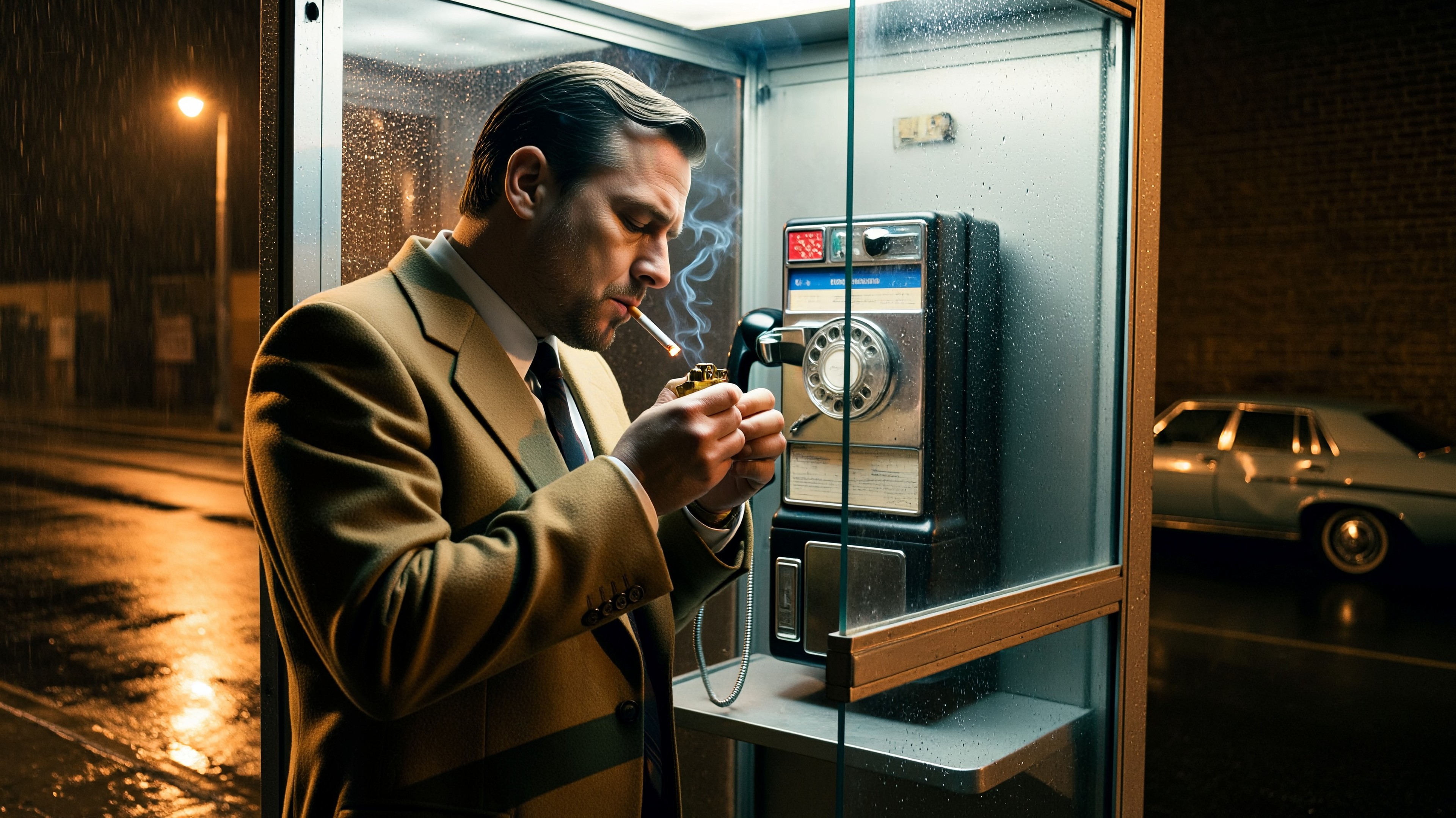
Say it is a frame from a 1970s crime film and you get the era in the color, the grain and the wardrobe. Sodium light, wet glass, a tan suit.
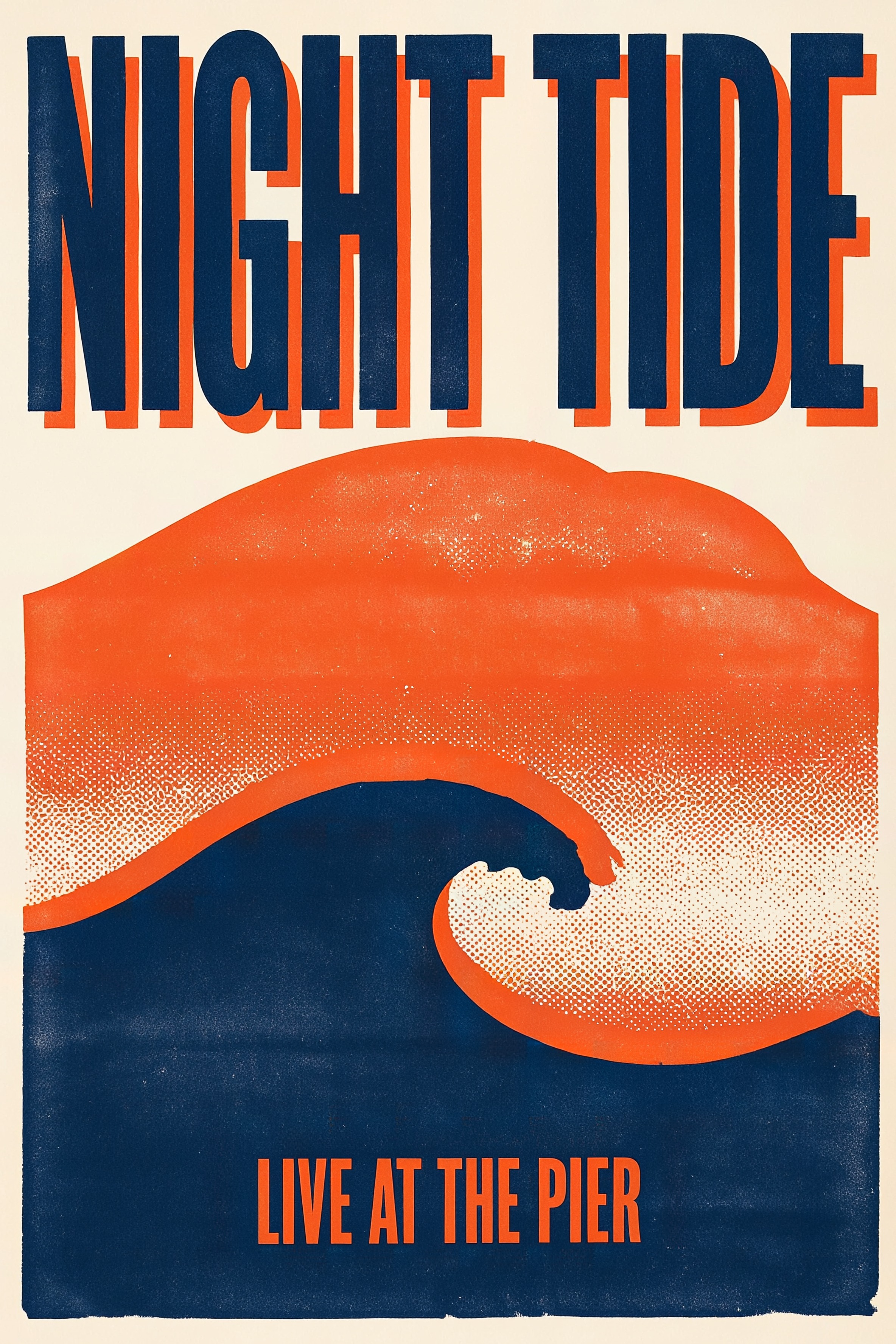
Put each piece of text in quotes and say where it goes. NIGHT TIDE fills the top and LIVE AT THE PIER sits at the bottom, spelled as typed.
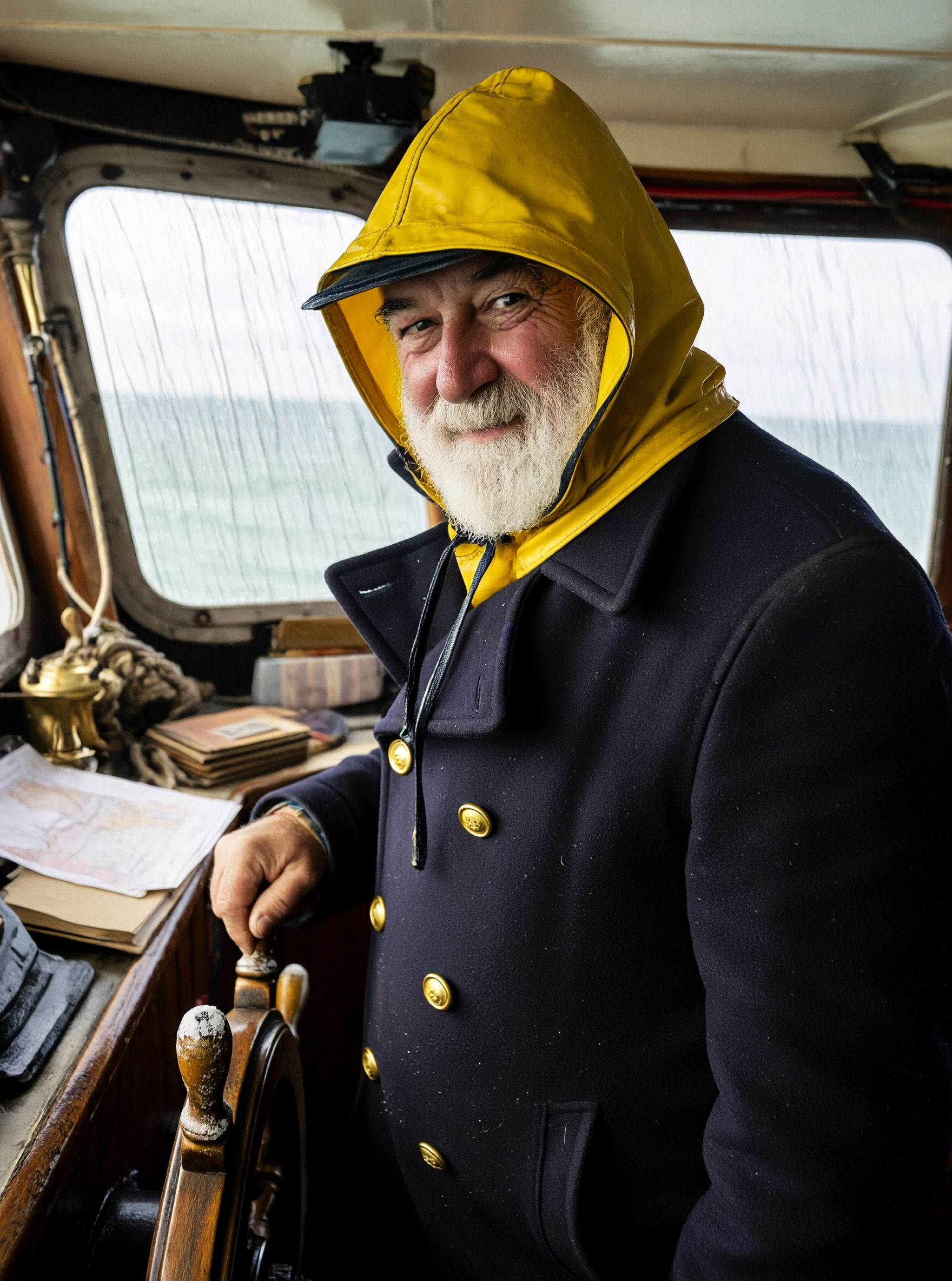
Attach a photo and say the change. The captain got a yellow rain hood and rain on the windows. His face, coat and the wheel stayed the same.
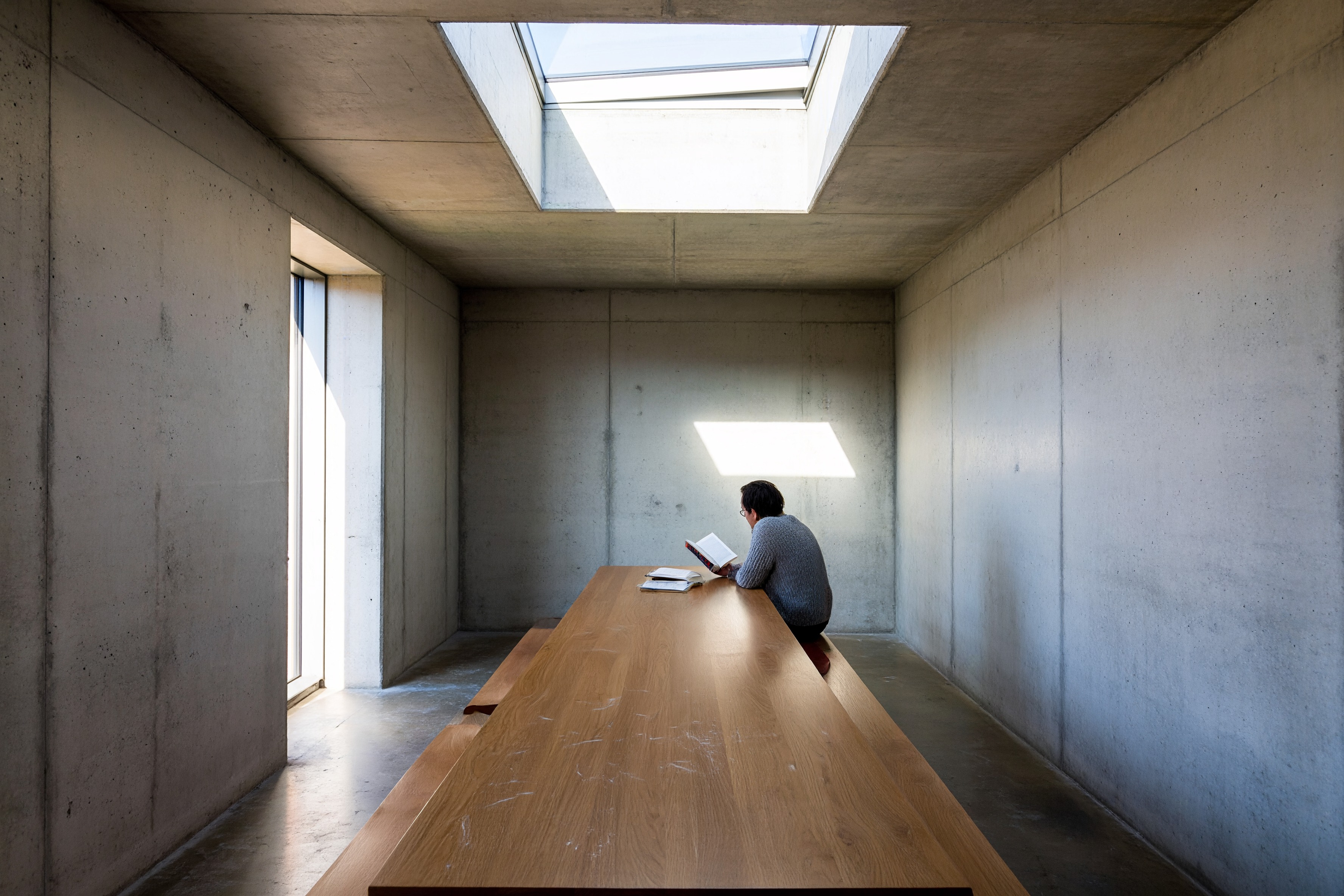
A 16:9 image at 4K is 3872 x 2176. Light, texture and small details hold up when you crop, print or upscale.
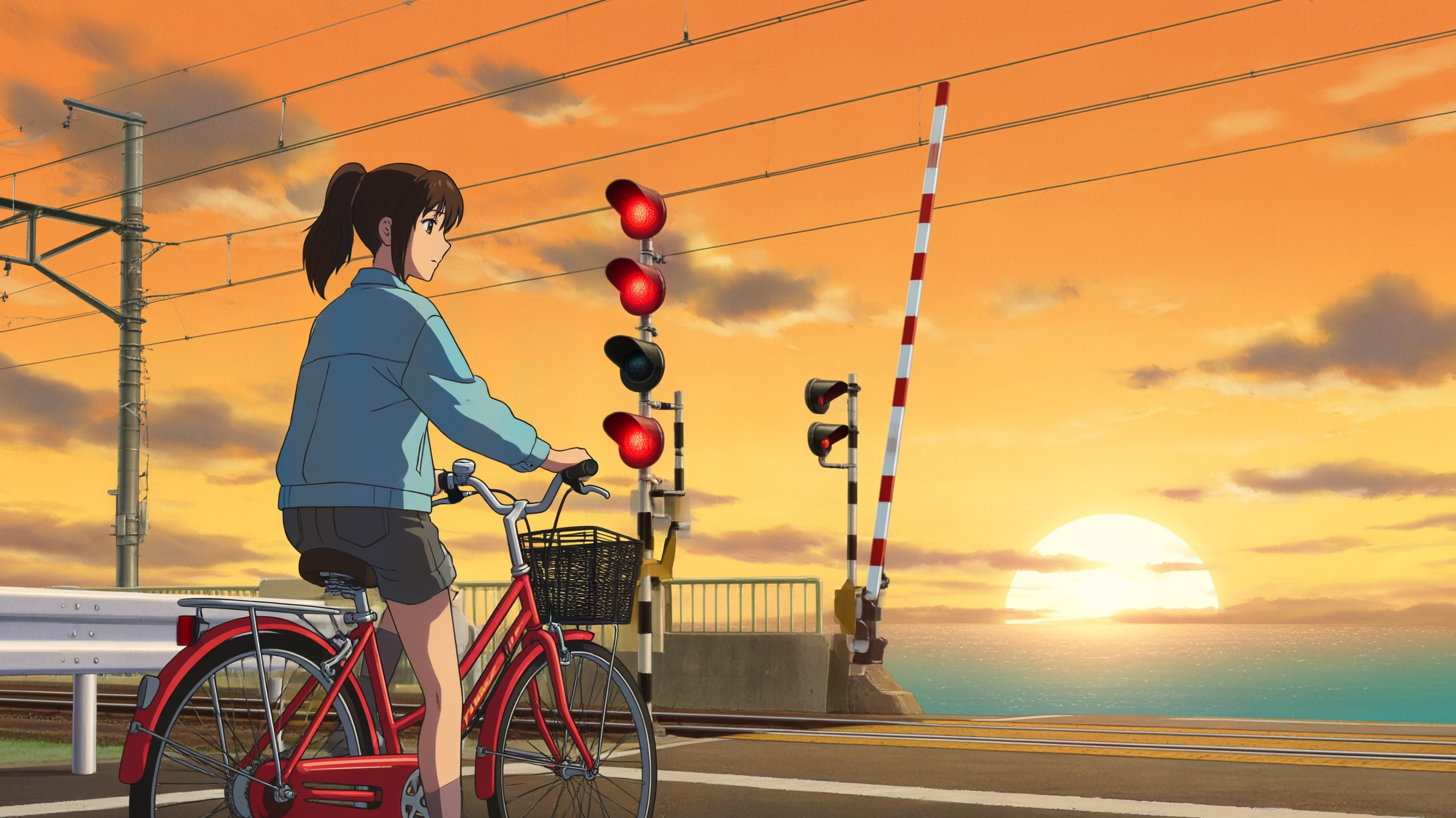
Every plan runs P-H3-Image at 1K in Relax with no credits. No plan yet? Make a few free images right on its page.
Each example shows the exact prompt that produced the result. Copy any prompt with one click.
4K · 3:4 · 1.5 credits
A portrait photograph by an editorial photographer of a ferry captain in his seventies with a white beard and a navy wool peacoat, standing at the wheel of an old ferry, overcast light through salt-streaked windows, real skin texture, 85mm lens
Open with what the image is, then one person you could pick out of a crowd, one place and one light source. "Real skin texture" and a lens keep it photographic.
4K · 16:9 · 1.5 credits
A frame from a 1970s crime film: a man in a tan suit lights a cigarette inside a phone booth on a rainy night, orange sodium streetlight through the wet glass
Name the decade and the genre, then one action. The model fills in the era: the color stock, the car outside, the wardrobe.
4K · 2:3 · 1.5 credits
A two-color screen-printed concert poster in orange and navy that reads "NIGHT TIDE" in bold condensed letters above a large stylized wave, with "LIVE AT THE PIER" in small letters at the bottom, no other text
Quote every word, give each a place and end with "no other text". Naming the print method and the two inks gives you the grain and the offset look.
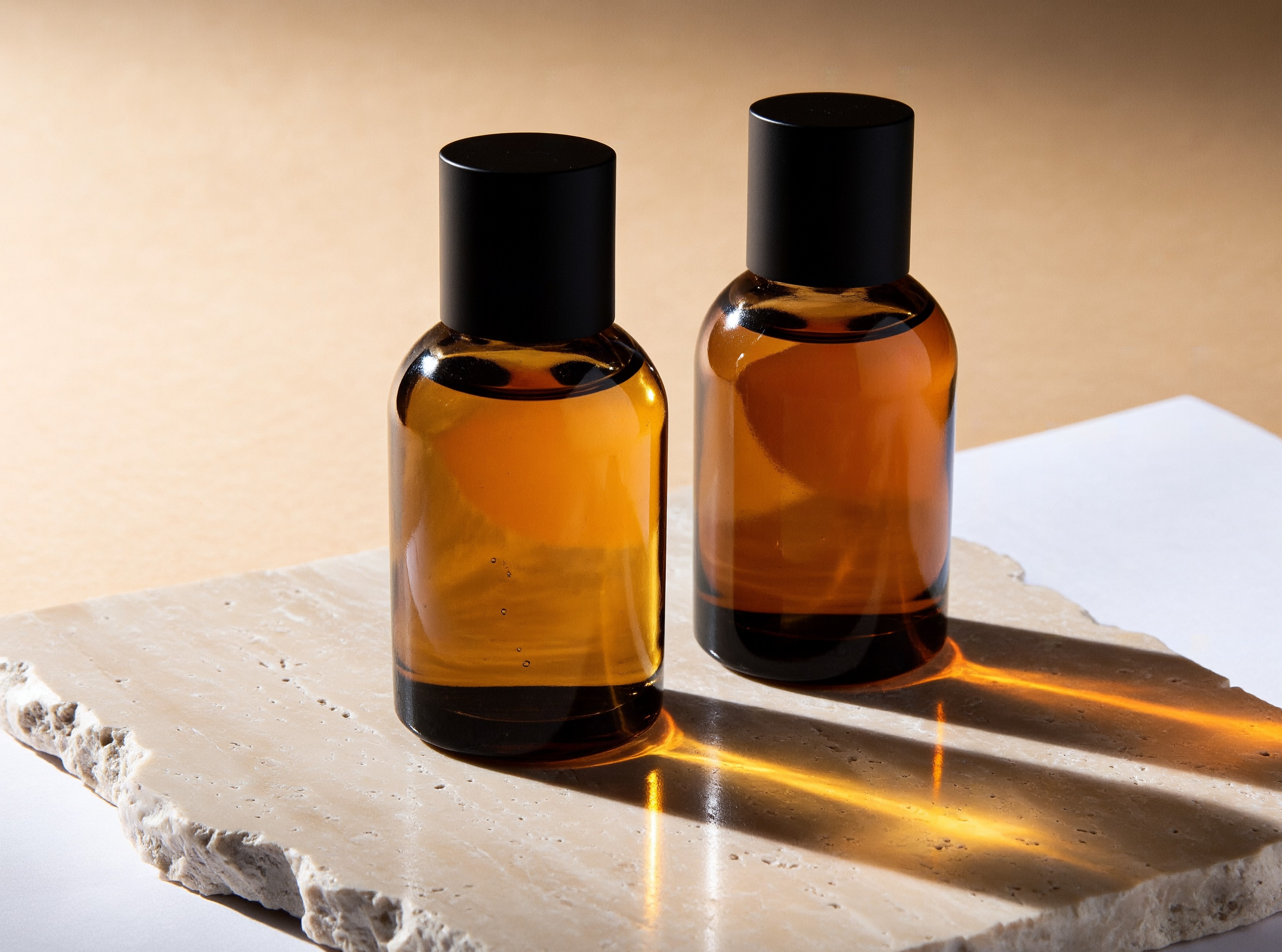
4K · 4:3 · 1.5 credits
A studio product photograph of two amber glass perfume bottles on a slab of travertine, hard afternoon sun casting long sharp shadows across a sand-colored backdrop
Product, surface, light and backdrop. Hard sun makes the glass glow and throws colored light into the shadows.
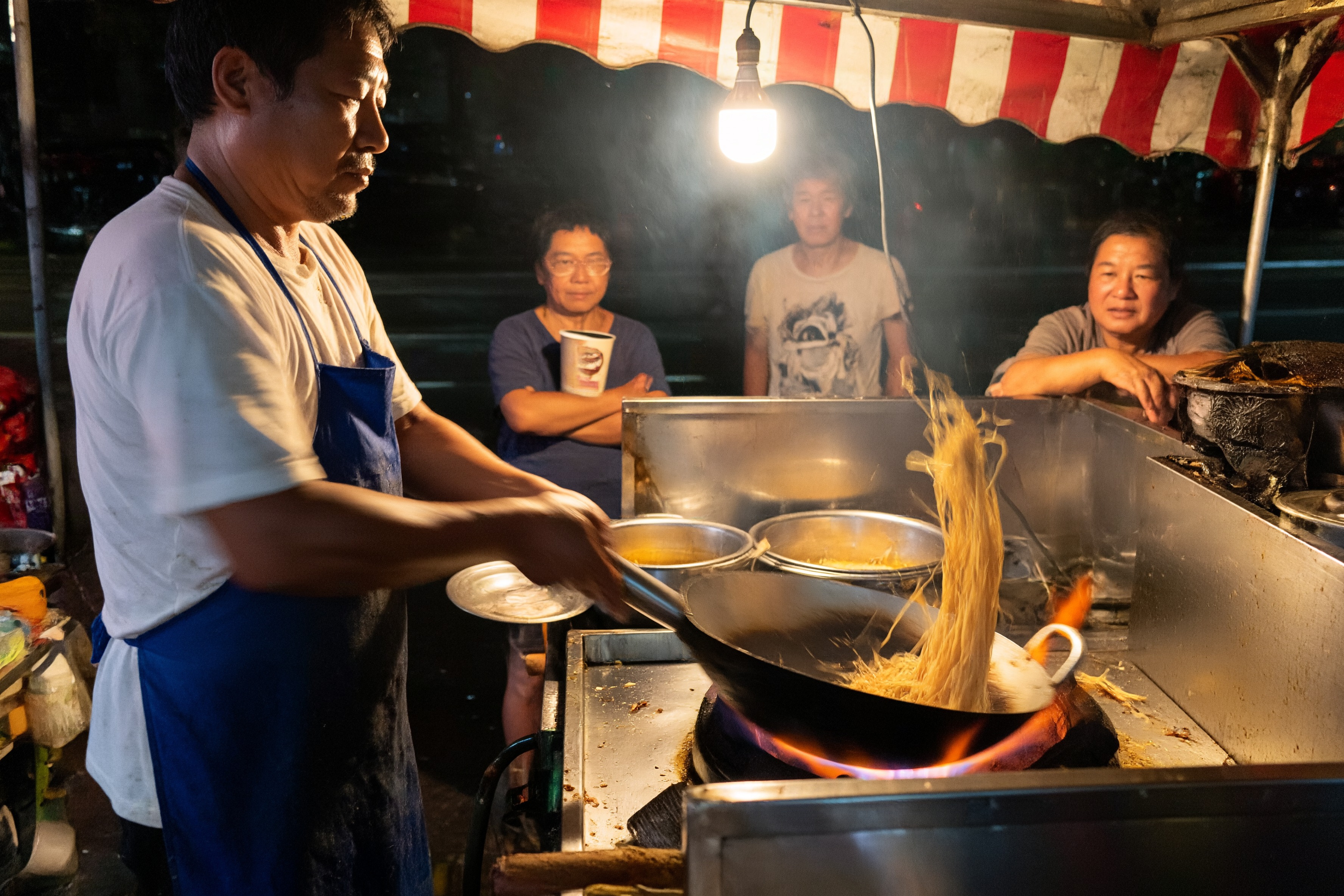
4K · 3:2 · 1.5 credits
A documentary photograph of a street food vendor tossing noodles in a flaming wok at a night market, customers waiting under a striped awning, steam and warm bulb light
"Documentary photograph" keeps people natural and unposed. Give the main subject one action and the background a supporting role.
4K · 16:9 · 1.5 credits
A frame from a Japanese anime TV series: a girl on a bicycle waits at a seaside railway crossing at sunset, the crossing lights glowing red, power lines against an orange sky
"A frame from a Japanese anime TV series" gets you clean cel shading and a painted sky. Small scene details like the crossing lights sell the moment.
2K · Auto · 1 image · 1 credit
Give him a yellow oilskin rain hat and add heavy rain streaming down the windows behind him
Attach the photo and describe the finished result in one line. PixelDojo turns it into an edit brief that also lists what must stay the same.
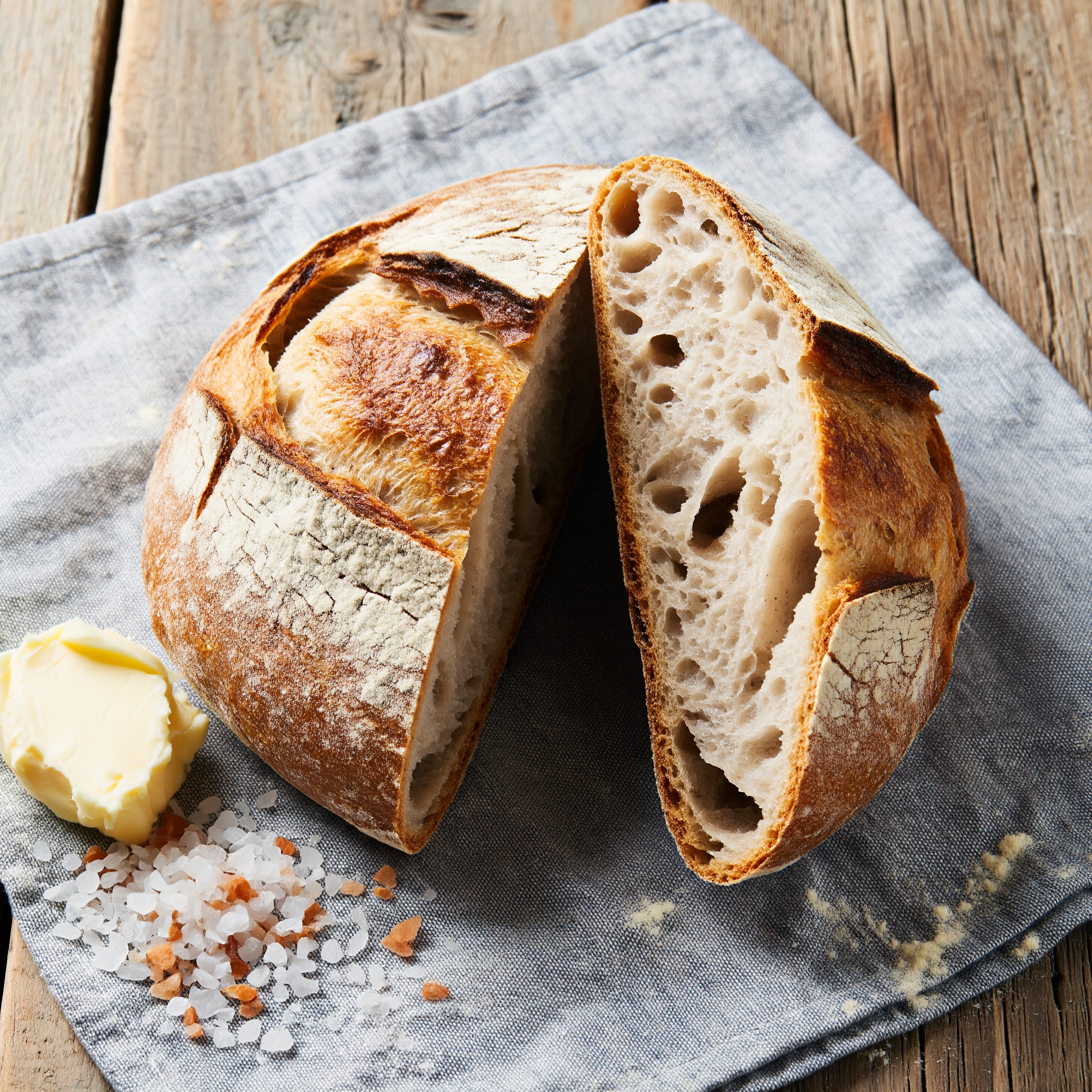
4K · 1:1 · 1.5 credits
An overhead food photograph of a sourdough loaf torn open on a linen cloth, open crumb and blistered crust, a knob of butter and flaky salt, soft morning light
Name the textures you want to see (open crumb, blistered crust, flaky salt). At 4K they stay crisp.
A photograph by a street photographer, a frame from an anime TV series, a flat scan of a recipe card. One opening line sets the whole look.
One main subject caught in one moment, a few supporting details, and light with a source and a direction.
Text without its exact words turns into fake lettering. Keep each string short, say where it sits, and add "no other text".
Stunning, epic, hyper-detailed, 8k and masterpiece push the picture toward a glossy, airbrushed look. Plain words work better.
Faces, hands and small people in the background come out best at 4K. Use 1K and 2K for ideas and quick drafts.
With several images, the first is edited and the rest are references. Name them in the prompt: "the hat from picture 2".
For edits, say how the changed part looks when it is done, not the action. "Her coat is deep red" beats "change the coat".
Every plan can run P-H3-Image at 1K in Relax with no credits. Find the idea there, then make the final at 4K.
1. What the image is: the kind of photo, film frame, print or drawing.
2. The subject: one person or object you could pick out of a crowd, doing one thing.
3. The place and the light: where it is, where the light comes from, the time of day.
4. The words, if any: in quotes, each with a place, then "no other text".
Attach up to 8 images. Picture 1 is the image that gets edited. The others are references the prompt can name as picture 2, picture 3 and so on, for example "give the woman in picture 1 the hat from picture 2".
You can write the edit in one short line. PixelDojo rewrites it into the form P-H3-Image edits best, which also lists what must stay unchanged, so the rest of the photo is left alone.
Leave the aspect ratio on Auto to keep the shape of picture 1. The size you pick sets how many pixels the result has.
| Setting | Values | Notes |
|---|---|---|
| Prompt | string (required) | What to create, or the edit to make to picture 1 when images are attached. |
| Resolution | 1K · 2K · 4K | 0.5 credits per image at 1K, 1 credit at 2K, 1.5 credits at 4K (8 megapixels, the sharpest). |
| Aspect ratio | Auto · 1:1 · 4:3 · 3:4 · 3:2 · 2:3 · 16:9 · 9:16 | Auto keeps the shape of picture 1, else 1:1. At 4K, 1:1 is 2912 x 2912 and 16:9 is 3872 x 2176. |
| Images | up to 8 (optional) | Picture 1 is edited, the rest are references. |
| Number of images | 1-4 | Each image is billed at its resolution. Relax and free runs make one 1K image. |
| Prompt upsampling | on · off (API) | On by default. Turn it off only when you send a complete, detailed prompt yourself. |
P-H3-Image is an open image generation and editing model built from MiniMax H3. It makes photoreal images, film stills and posters with short text up to 8 megapixels, and edits with up to 8 input images.
Photorealism: editorial and documentary photos, portraits with real skin texture, film stills, anime frames, prints and posters with short quoted text.
Attach the photo as picture 1 and describe the finished result in one line. To use more images, attach them after it and name them in the prompt as picture 2, picture 3 and so on.
It is included in every PixelDojo plan, from $10/month: 0.5 credits per image at 1K, 1 credit at 2K and 1.5 credits at 4K. Relax runs at 1K use no credits.
Yes. Signed in without a plan, you can make free 1K images with a watermark on the P-H3-Image page, using your free runs for the day.
Yes. Call p-h3-image at /api/v1/models/p-h3-image/run with prompt, aspect_ratio, resolution and reference_images. It is also in Canvas and our MCP server.