MiriCanvas alternative
MiriCanvas alternative for posters nobody else has
MiriCanvas gives you a huge template library to edit. Pixel Dojo gives you the image and video models that draw a new design from your brief, with the words spelled right and the price shown before you click.
Templates are fast, and they are shared by everyone who opens the same library. We wanted to see how far a plain brief goes instead, so we wrote one community book fair poster and ran it on four image models, then made a slide, an icon set and a social clip the same way.
2 credits ($0.13) per image at 1024x1024. Included in every plan, from $10/month.
Already a member? Sign in
By Brian Lovett · Updated
Other MiriCanvas style jobs, made from a prompt
Every image and clip below was made on Pixel Dojo with the prompt shown. Tap one to start from the same prompt.
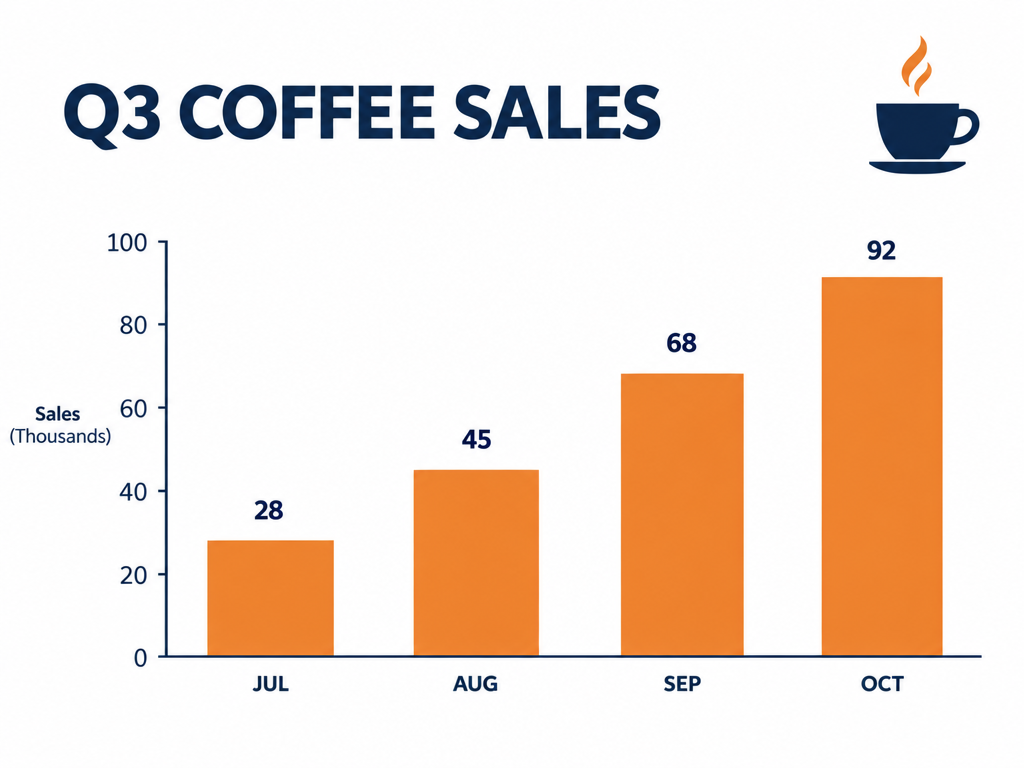
A chart slide on GPT Image 2.5 for 2 credits, with clean axis labels and values.
A clean presentation slide titled "Q3 COFFEE SALES" with a simple bar chart of four bars labeled JUL, AUG, SEP and OCT rising from left to right, a small coffee cup icon in the corner, white background, navy and orange palette, lots of space.
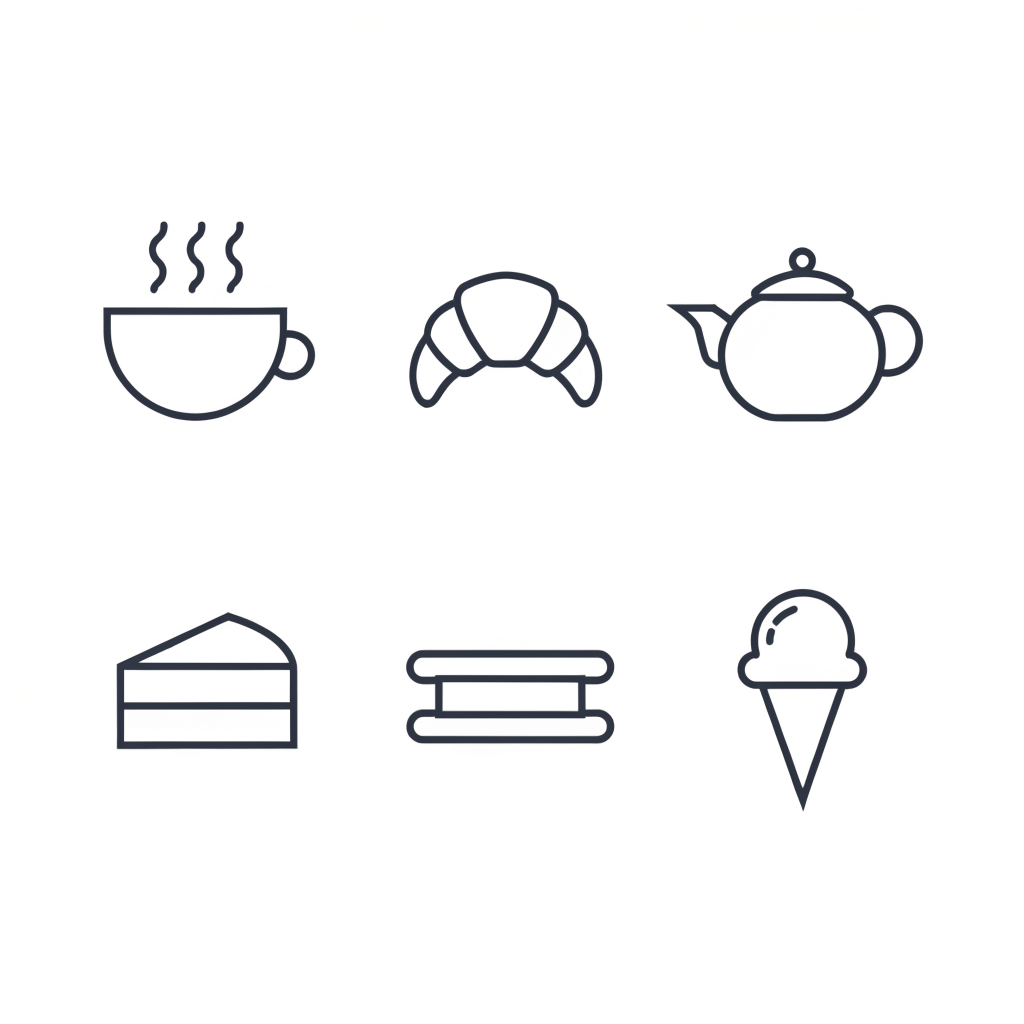
A matching icon set on Recraft V4.1 for 1 credit, all in one stroke weight.
A set of six line icons for a cafe menu arranged in a grid: coffee cup, croissant, teapot, cake slice, sandwich and ice cream cone, consistent navy strokes, flat, white background.
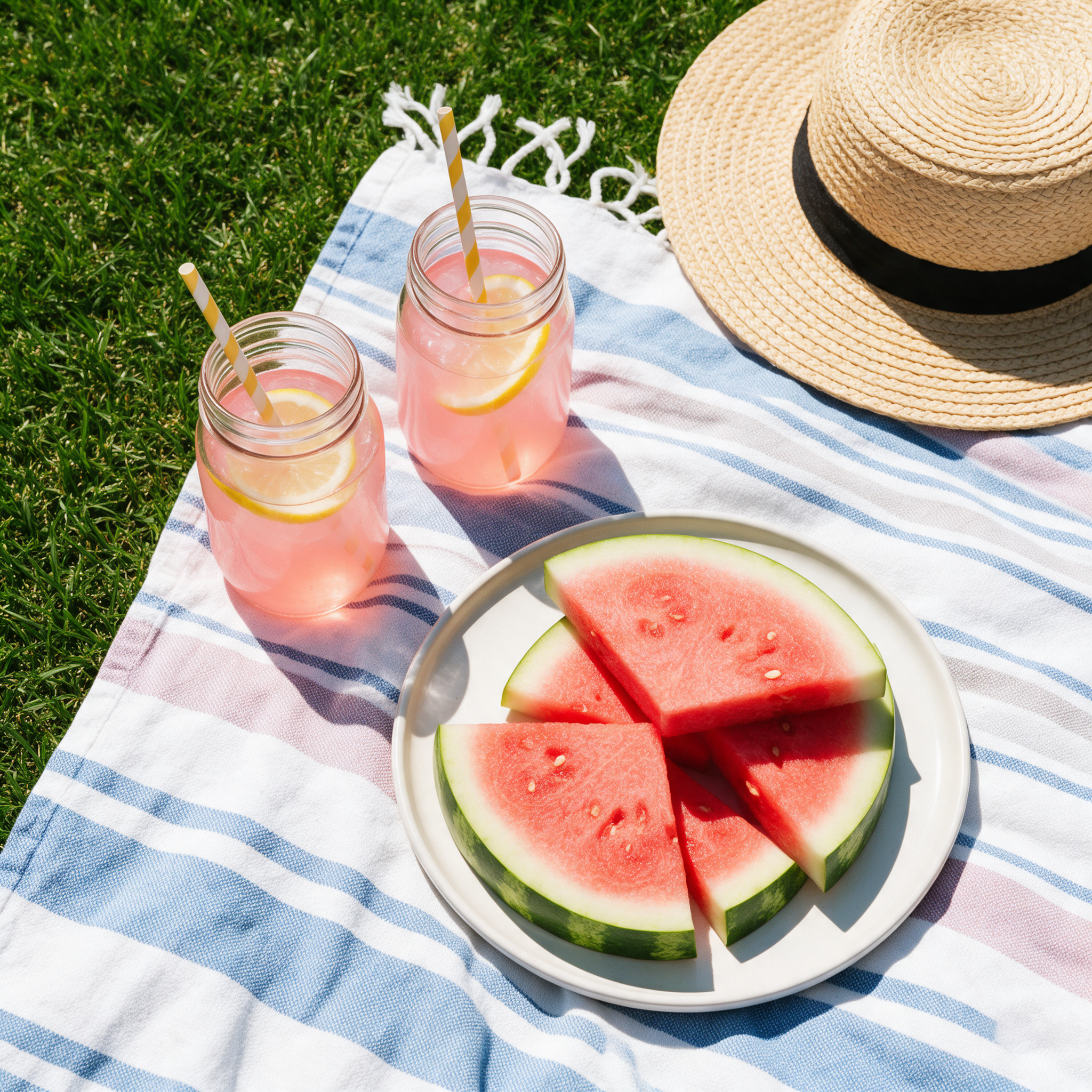
A square social post photo on Seedream 5, hard noon light and all.
Top down square social post photo of a summer picnic: watermelon slices, pink lemonade in mason jars, a straw hat and a striped blanket on bright grass, hard noon light, crisp shadows.
A vertical stop motion style clip on Kling 3.0 with paper rustles and a marimba.
Vertical stop motion style video: colorful paper notes peel off a cork board one by one and flutter into place as a neat monthly calendar grid, bright studio light, the camera locked off. Sound: paper rustles and a playful marimba.
The usual advice: start every design from a template
Design suites like MiriCanvas are built around templates. Its home page says it offers more than 800,000 of them for presentations, videos and social media, and that more than 2 million people use it each month.
For a poster that should look like nobody else's, templates are the slow road: you start from a layout thousands of people also picked, then fight it until it feels like yours.
Our take is simple. When the picture is the point, write the brief and let an image model draw it. We put that to the test below.
One book fair brief, four image models
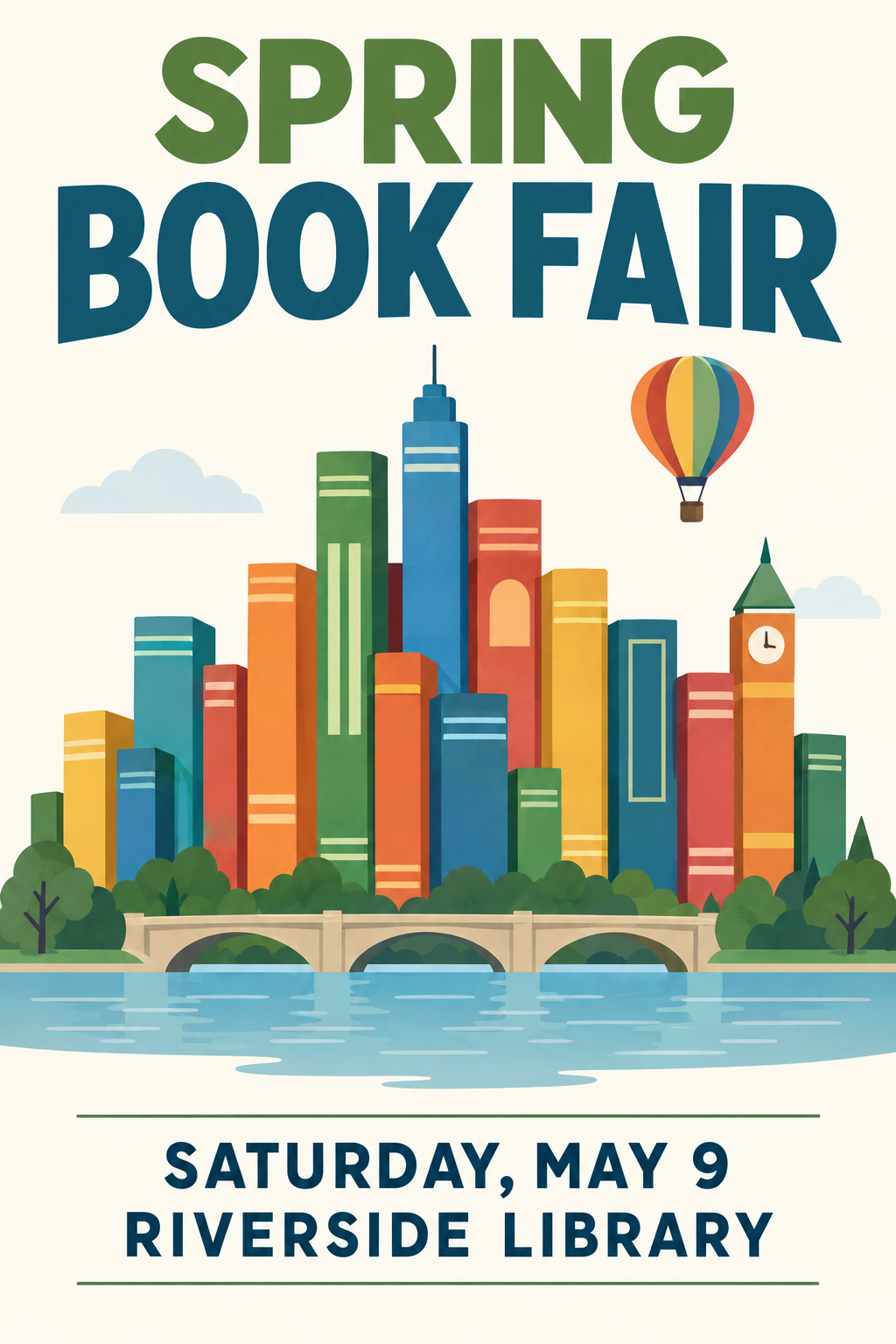
We asked for a portrait poster: books shaped like a city skyline, a small hot air balloon, a cream background, a headline at the top and the date and place at the bottom. Same words on every model. Each tile shows its settings and credits.
Portrait poster for a community book fair: a stack of colorful books shaped like a city skyline with a tiny hot air balloon above it, flat illustration, cream background, the headline "SPRING BOOK FAIR" at the top and "SATURDAY, MAY 9, RIVERSIDE LIBRARY" at the bottom in clean sans serif type.
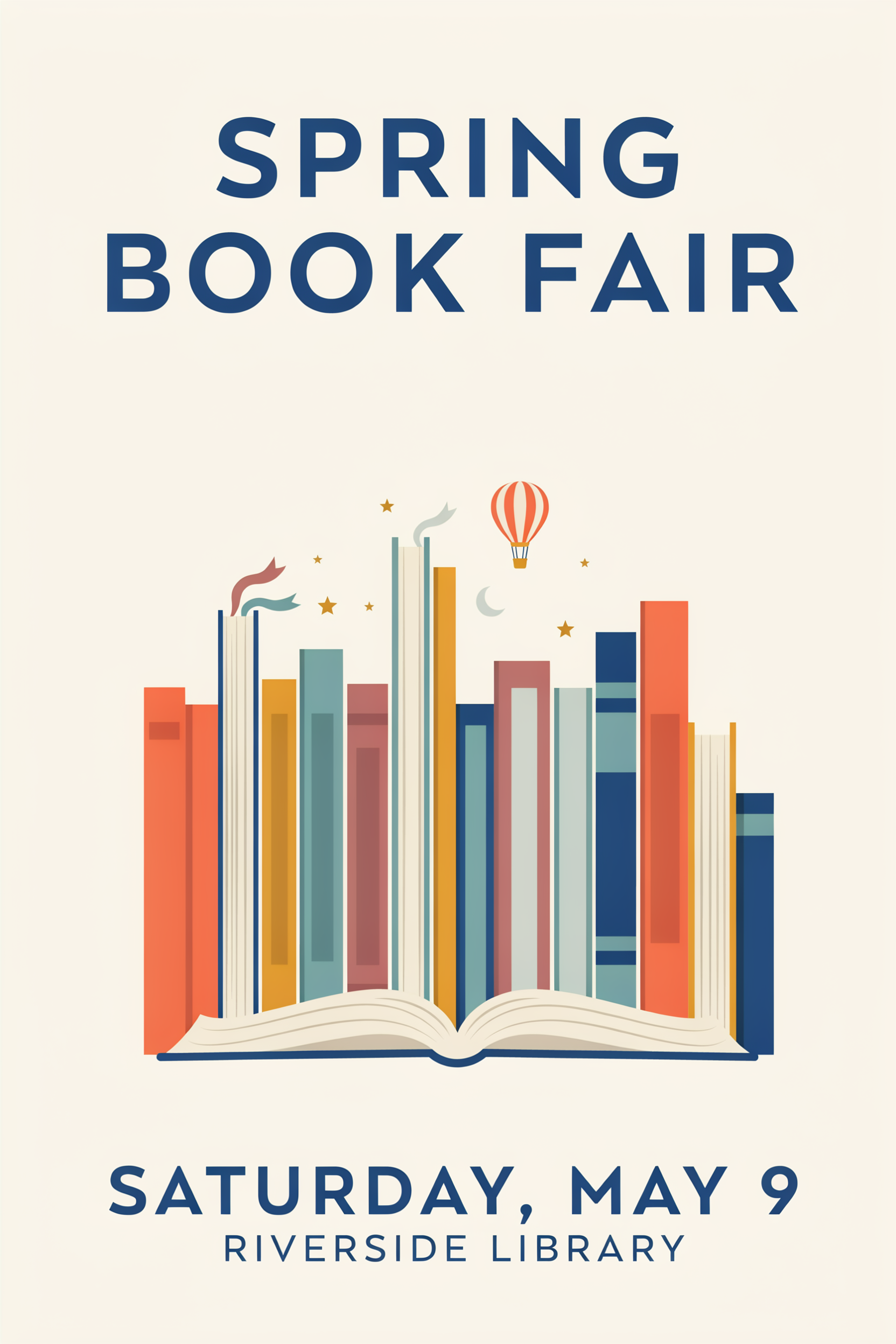
Portrait poster for a community book fair: a stack of colorful books shaped like a city skyline with a tiny hot air balloon above it, flat illustration, cream background, the headline "SPRING BOOK FAIR" at the top and "SATURDAY, MAY 9, RIVERSIDE LIBRARY" at the bottom in clean sans serif type.
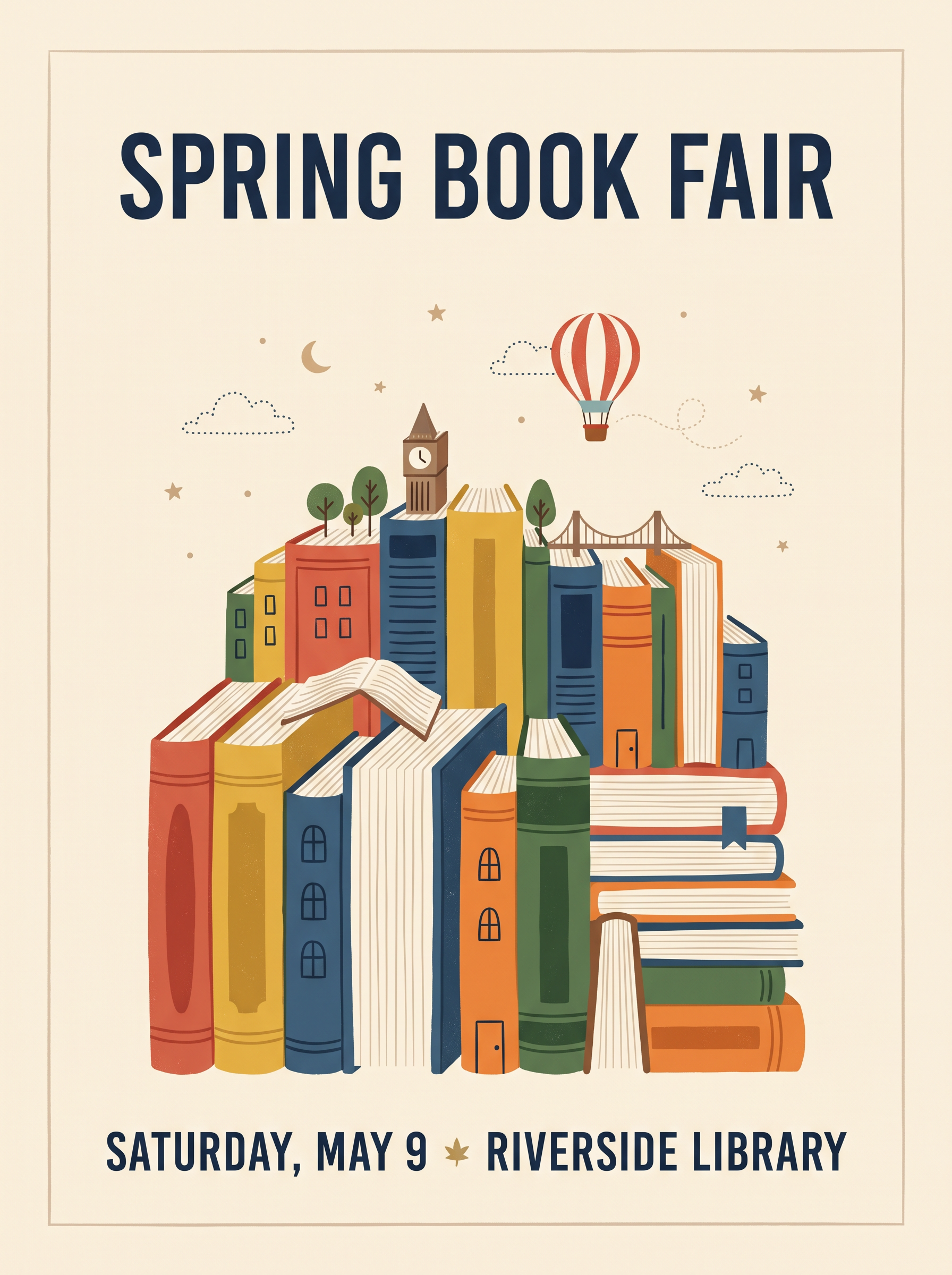
Portrait poster for a community book fair: a stack of colorful books shaped like a city skyline with a tiny hot air balloon above it, flat illustration, cream background, the headline "SPRING BOOK FAIR" at the top and "SATURDAY, MAY 9, RIVERSIDE LIBRARY" at the bottom in clean sans serif type.
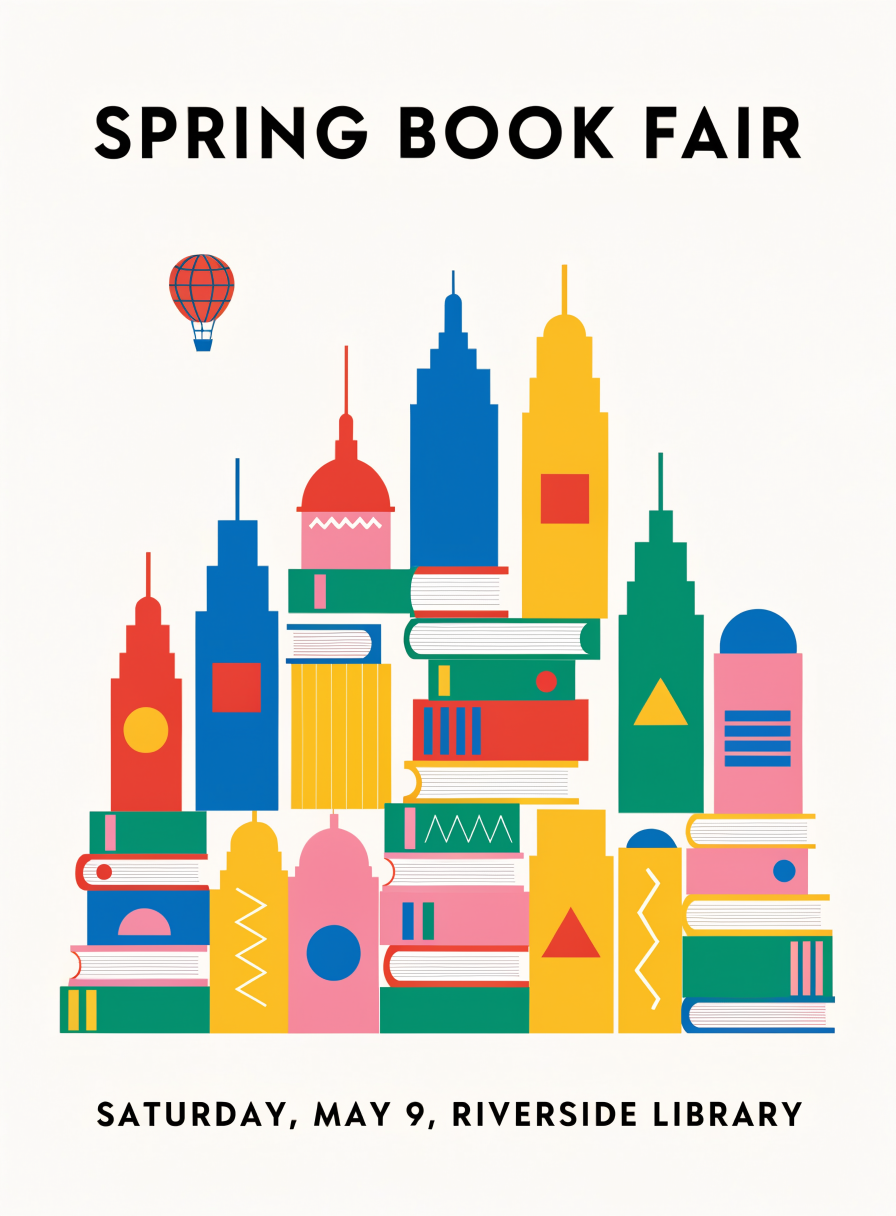
Portrait poster for a community book fair: a stack of colorful books shaped like a city skyline with a tiny hot air balloon above it, flat illustration, cream background, the headline "SPRING BOOK FAIR" at the top and "SATURDAY, MAY 9, RIVERSIDE LIBRARY" at the bottom in clean sans serif type.
- All four spelled SPRING BOOK FAIR, the date and Riverside Library correctly on the first try, the part a design tool usually leaves to you.
- GPT Image 2.5 told the most story, adding a river and a stone bridge under the book skyline, for 2 credits.
- Recraft V4.1 gave the boldest flat graphic, the closest to a print ready vector look, for 1 credit.
- Ideogram 4.5 kept the calmest layout with the most white space, and Nano Banana 2.1 framed it like a finished printed poster.
What the test changes
Four original posters, four different ideas, every word right, for between 1 and 6 credits each. That is the case for starting from a model: you get a direction you could not have picked out of a library.
MiriCanvas plans vs Pixel Dojo
MiriCanvas facts come from its home page, its pricing page and its App Store listing, read on October 15, 2026. The pricing page lists plan features but showed no prices, so the Pro price is the in-app price on the App Store.
| Question | MiriCanvas | Pixel Dojo |
|---|---|---|
| What it costs | Free plan; Pro $16.99 a month or $189.99 a year as an App Store purchase | Lite $10 a month for 160 credits, Pro $25 for 500 credits, Pro Max $50 for 1,100 credits |
| Where designs start | More than 800,000 templates for presentations, videos and social media | A written brief on GPT Image 2.5, Ideogram 4.5, Recraft V4.1, Nano Banana 2.1 and more |
| AI tools | AI presentations, image generation, writing, background and object removal, upscaling | Image and video models side by side, plus upscalers and image editing models |
| Video | Video creation from text or images | Kling 3.0, Seedance 2.5, Veo 3.1 and WAN 3.0, with sound on the clip |
| Price per design | Free and Pro plans by feature | Every model page shows its credit price before you generate |
Why MiriCanvas users switch to Pixel Dojo
Unlimited on every plan
On every paid plan, Relax runs Qwen Image 2.1, FLUX 3 Image Klein and MiniMax H3 Turbo, plus every video and photo effect, unlimited with no credits spent.
Sensei, the AI director
Describe a project and Sensei plans it, prices it, waits for your approval and reviews every take.
Photo effects
45+ photo effects restyle a picture in one click, from a hand painted anime still to a boxed action figure or a magazine cover, and every one starts from your own upload.
One click video effects
300+ one-click video effects turn a photo into a trend clip, from AI Hug to AI Inflate, with no prompt to write, and 3 are free every day.
One job AI tools
35 single purpose tools each do one edit from an upload: remove a watermark, an object or text, restore and colorize an old photo, swap a background, retouch a portrait or make a thumbnail.
Star in any video
Upload a short clip, pick a saved character or a photo, and Character Swap puts your star in the lead while the scene, camera moves and sound stay the same.
Credits that roll over
Your credits roll over while you stay subscribed, so nothing you pay for disappears at the end of the month.
Every top model, plus an API
More than 80 image and 60 video models in one account, with a public API and a hosted MCP server for your own apps and AI assistants.
What our designs cost on Pixel Dojo
Plans are Lite $10 a month for 160 credits, Pro $25 for 500 credits, Pro Max $50 for 1,100 credits. Every plan includes every model and commercial use. Credits roll over while you stay subscribed.
The four posters cost 2, 6, 1.5 and 1 credits. The slide cost 2 credits, the icon set 1 credit and the clip 20 credits. Every tile shows its own price.
Under our refund policy, a first purchase can be refunded within 7 days, in full if under 20% of the credits are used and pro-rated after that.
MiriCanvas questions
What is a good MiriCanvas alternative?
For original artwork, Pixel Dojo runs GPT Image 2.5, Ideogram 4.5, Recraft V4.1 and Nano Banana 2.1 side by side, with video models for social clips, and shows every price first.
How much is MiriCanvas Pro?
MiriCanvas's App Store listing shows Pro at $16.99 a month or $189.99 a year as an in-app purchase. Its pricing page lists Free, Pro and Enterprise features.
Can AI image models spell poster text correctly?
In our test all four models spelled the headline, date and place correctly on the first try. GPT Image 2.5 and Ideogram 4.5 are our first picks for lettering.
Which model is best for flat graphic posters?
Recraft V4.1 gave the boldest flat graphic look in our test for 1 credit. GPT Image 2.5 told the most detailed story.
Can I make slides and icons too?
Yes. We made a chart slide on GPT Image 2.5 and a six icon set on Recraft V4.1 for this page. Both are in the gallery above.
Switch from MiriCanvas to Pixel Dojo today
Write a prompt above or start from any example on this page. One plan covers every top model, six studios and Sensei, and your credits roll over.
Start with GPT Image 2.5Sources
Facts about MiriCanvas come from these public pages, checked on Oct 15, 2026. Prices and plans change; check the source before you buy.